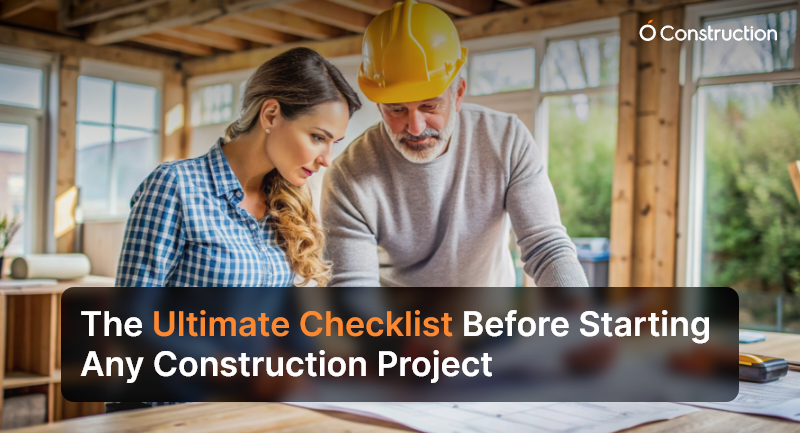
The Ultimate Checklist Before Starting Any Construction Project

Starting a construction project is thrilling — but without a clear construction project checklist, it can quickly turn chaotic. Before the foundation is poured, every plan, permit, and precaution must be in place. A well-designed checklist ensures that your project stays on budget, meets deadlines, and complies with all relevant regulations.

Let’s explore the ultimate pre-construction checklist you should complete before starting any construction project.
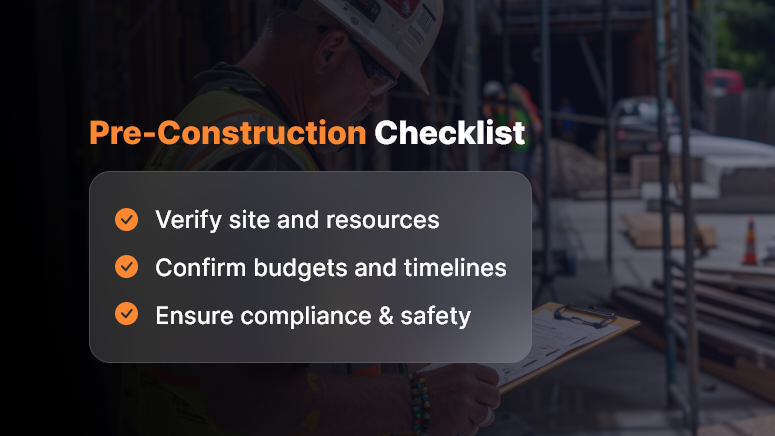
Pre-Construction Checklist

1. Pre-Planning and Feasibility

Good preparation builds great projects.

  • Define project objectives: Clarify if the goal is residential, commercial, or industrial.
  • Conduct feasibility studies: to assess the technical, environmental, and financial aspects.
  • Set budget and funding: Confirm total costs, cash flow, and backup financing.
  • Identify stakeholders: Include investors, contractors, engineers, and government bodies.
  • Survey the site: Perform soil tests, topographic mapping, and geotechnical investigations.

Strong feasibility planning ensures the entire construction project checklist starts on solid ground.

2. Legal and Regulatory Compliance

Ignoring compliance can halt progress instantly.

  • Verify land ownership: Ensure titles and deeds are authentic and dispute-free.
  • Obtain building permits: Get all local, zoning, and environmental clearances.
  • Follow municipal codes: Meet fire safety, labor, and pollution standards.
  • Secure insurance: Include liability, builder’s risk, and workers compensation.

This section of your pre-construction checklist guarantees legality and accountability.

3. Design and Engineering

Design is the bridge between planning and execution.

  • Finalize architectural design: Align with the client’s vision and local regulations.
  • Validate structural safety: Review wind load, seismic resistance, and material standards.
  • Coordinate MEP systems: Integrate mechanical, electrical, and plumbing seamlessly.
  • Embrace sustainability: Add green materials and energy-efficient layouts.
  • Conduct value engineering: Balance quality with cost-effectiveness.

With this, your construction planning checklist becomes both smart and sustainable.

4. Contracts and Procurement

Before construction starts, lock in the essentials.

  • Choose qualified contractors: Review licenses, portfolios, and references.
  • Define the scope of work: Avoid vague deliverables and cost disputes.
  • Run fair bidding processes: Maintain transparency in selection.
  • Plan procurement: Identify long-lead items and verify supplier reliability.
  • Fix payment schedules: Link payments to milestones and inspections.

Transparent contracts keep your construction checklist legally and financially secure.

5. Project Management and Scheduling

Timing is everything in construction.

  • Create a Work Breakdown Structure (WBS): Divide work into manageable sections.
  • Build a Gantt chart: Track progress visually across timelines.
  • Apply the Critical Path Method (CPM): Focus on activities affecting delivery time.
  • Allocate resources smartly: Assign the workforce and machinery efficiently.
  • Plan risk management: Prepare for weather delays or material shortages.

A well-planned schedule transforms your construction project checklist into a live project control tool.

6. Health, Safety, and Environment (HSE)

Safety ensures productivity.

  • Develop a site safety plan: Include PPE usage, emergency drills, and audits.
  • Identify hazards: Assess risks from excavation, heights, or chemicals.
  • Manage waste effectively: Segregate and recycle construction debris.
  • Protect the environment: Control noise, dust, and runoff.
  • Train all workers: Provide first-aid, fire safety, and machinery handling sessions.

A complete construction safety checklist reduces incidents and improves team morale.

7. Technology and Documentation

Digitization drives modern construction success.

  • Use digital project tools: Manage approvals, drawings, and reports online.
  • Implement paperless workflows: Store all files securely in the cloud.
  • Adopt BIM (Building Information Modeling): Detect design clashes early.
  • Set communication protocols: Ensure transparent reporting and follow-ups.
  • Centralize document control: Store contracts, permits, and inspection records efficiently.

This step ensures your construction documentation checklist stays organized and audit-ready.

8. Financial Controls

Financial discipline keeps projects healthy.

  • Prepare detailed cost plans: Include labor, materials, and overheads.
  • Forecast cash flow: Align payment cycles with project stages.
  • Ensure tax compliance: Review GST, VAT, and statutory rules.
  • Maintain contingency reserves: Allocate at least 5–10% for emergencies.
  • Conduct monthly audits: Track financial performance consistently.

Strong financial management fortifies your construction project checklist from the ground up.

9. Stakeholder Communication

Collaboration drives clarity.

  • Host a kickoff meeting: Align everyone on scope, schedule, and deliverables.
  • Define accountability: Assign clear roles to each stakeholder.
  • Maintain reporting cadence: Provide weekly and monthly progress updates.
  • Set dispute resolution systems: Define mediation or arbitration processes.
  • Encourage transparency: Keep communication open and factual.

Effective communication ensures your construction project planning checklist remains collaborative and efficient.

10. Final Pre-Construction Checklist

Before breaking ground, review everything once more:

  • All approvals and permits are in place
  • Budget and contingencies are verified
  • Contracts are signed and sealed
  • Site is cleared and secure
  • HSE plans are ready and trained
  • Stakeholders approved all designs

You’re now ready to begin your project with confidence and compliance.

Conclusion

Every great structure starts with an even greater plan. A thorough construction project checklist ensures your project remains compliant, efficient, and safe.

By following this guide, you’ll minimize risk, maximize productivity, and deliver successful outcomes — from the first blueprint to final handover.

Frequently Asked Questions (FAQs)

1. What is a Construction Project Checklist?

A construction project checklist is a structured document that outlines all essential steps, approvals, and verifications needed before starting construction. It ensures compliance, safety, and readiness.

2. Why is a Pre-Construction Checklist Important?

It prevents costly mistakes by ensuring you’ve addressed every aspect — from land approvals to contractor selection and safety compliance — before the project begins.

3. What Should Be Included in a Construction Checklist?

Key items include site verification, budgeting, permits, design approvals, contracts, safety measures, and financial controls.

4. How Do You Prepare a Construction Project Checklist?

Start by listing all stages — planning, legal, design, safety, and procurement — and assign responsible teams for each. Review it regularly before execution.

5. How Does a Checklist Help in Project Management?

It streamlines communication, tracks progress, and ensures accountability across teams, reducing delays and rework.

6. Who Uses a Construction Project Checklist?

Project managers, contractors, engineers, architects, and site supervisors rely on it to align work and maintain compliance.

7. How Can Technology Simplify Construction Planning?

Digital project management tools centralize tasks, automate documentation, and track progress in real time, ensuring transparency and accuracy.

8. How Do I Ensure Legal Compliance Before Construction?

Verify land titles, acquire all permits, and comply with fire, environmental, and labor laws as part of your pre-construction checklist.

9. What Are Common Risks in Pre-Construction Planning?

Inadequate feasibility studies, missing permits, and poor budgeting are major risks that can delay projects or increase costs.

10. Can Small Construction Firms Use This Checklist?

Absolutely. Whether small or large, every firm benefits from a detailed construction project checklist that ensures control, compliance, and confidence.
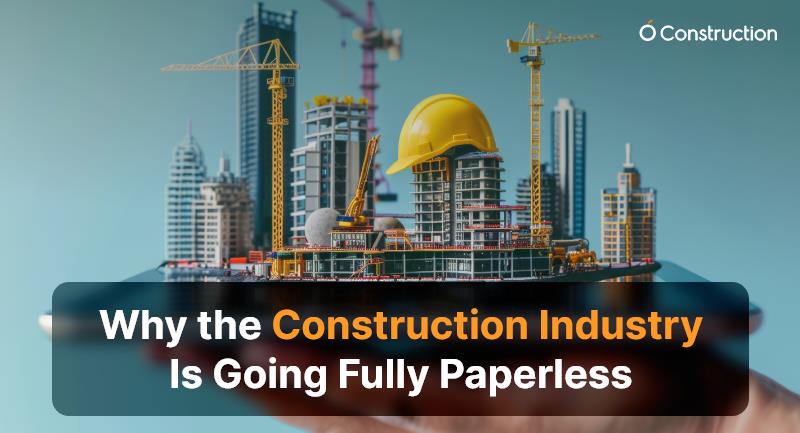
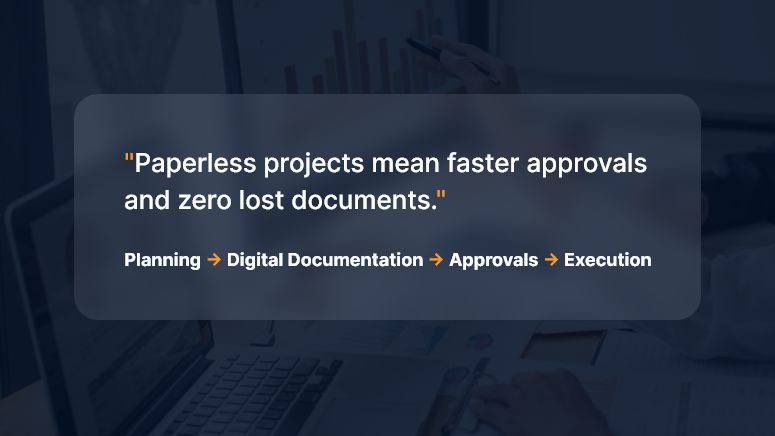
Why the Construction Industry Is Going Fully Paperless

Paper used to be the jobsite’s lifeblood — drawings in tubes, clipboards in trucks, binders in site cabins. Today, leading contractors, owners, and subs are ditching paper for good—not as a gimmick, but because digital-first delivery is now faster, safer, cheaper, and far easier to control. This deep dive explains the “why,” the “what,” and the “how” of going fully paperless, with practical steps you can start using on your next project.

The Big Why: What Paperless Actually Solves

1) Version chaos → Single source of truth

Paper drawings and printed schedules become outdated the moment someone hits “print.” A paperless setup creates a living project record—everyone sees the latest drawings, RFIs, submittals, and changes in one place.

2) Cost and time leakage → Measurable productivity

Printing, couriering, rework due to outdated plans, manual data entry from site forms—all of it adds hidden cost. Digital workflows automate handoffs and push tasks to the next responsible person immediately.

3) Risk and claims → Traceable audit trail

When decisions are captured digitally (with timestamps, versions, and approvals), you build a defensible record that reduces disputes and accelerates claims resolution.

4) Safety and quality → Real-time feedback loops

Inspections, punch lists, and permits move from weekly paperwork to same-day digital checks with photo evidence and geolocation.

5) Environmental impact → Lower footprint

Less paper, ink, transport, and storage—plus safer archiving for decades.

What “Fully Paperless” Looks Like (End-to-End)

A modern, paperless construction stack typically includes:

  • Common Data Environment (CDE): The project’s source of truth for documents, models, and communications.
  • Mobile field apps: For drawings, RFIs, daily logs, safety checks, timesheets, and punch lists—even offline.
  • Digital drawings & models: 2D sheets with hyperlinked callouts and 3D/BIM models for clash detection and quantity takeoff.
  • Workflow automation: RFI → Submittal → Review → Distribution → Change Order, all with rules, SLAs, and auto-routing.
  • E-signatures & forms: Legally binding approvals without printing.
  • QR/NFC tagging: Equipment, rooms, and assets tagged for instant access to specs and history.
  • Photo & drone capture: Progress, safety, and as-built verification with timestamps and locations.
  • IoT sensors: Concrete curing, temperature, humidity, vibration—feeding the CDE.
  • Integrations: ERP, accounting, scheduling, and vendor portals—so data moves, not people.
  • Standards & naming: ISO-style conventions for files, revisions, and metadata to keep things findable for years.

High-Impact Workflows to Digitize First

Drawings & Revisions

  • Publish controlled sets; link details, RFIs, and changes.
  • Enforce “latest only” access; archive prior sets automatically.

RFIs & Submittals

  • Structured forms, mandatory fields, attachments, and due dates.
  • Auto-route to the right reviewer; escalate overdue items.

Change Management

  • Scope change → digital estimate → client e-sign → automatic budget/schedule update.
  • Side-by-side cost deltas and revision cloud links.

Inspections & QA/QC

  • Checklist templates, photo markup, geotags.
  • Punch items auto-assign to trades; close-out tracked by status.

Safety Permits & Meetings

  • Toolbox talks recorded on mobile; attendance with signatures.
  • Permit-to-work and JSA forms are issued and closed digitally.

Timesheets & Daily Logs

  • Crew hours captured on devices; coded to WBS/Cost Codes.
  • Weather, deliveries, equipment usage, and blockers in one daily entry.

Closeout & Handover

  • O&M manuals, warranties, as-builts, and asset registers compiled from the live CDE.
  • Room-by-room QR codes hand the owner a digital twin of documentation.

The Measurable Business Case

Direct savings

  • Printing & courier costs
  • Admin hours re-keying data
  • Rework from building off old drawings

Indirect gains

  • Faster approvals → shorter schedules
  • Stronger claim positions → fewer write-offs
  • Better safety & quality → fewer incidents and callbacks

Simple ROI example

  • Annual printing/courier spend: ₹8,00,000
  • Admin re-entry time saved: 800 hours × ₹600/hr = ₹4,80,000
  • Rework avoided: even a modest ₹6,00,000

Estimated Year-1 impact: ₹19,80,000 saved versus software + rollout of, say, ₹12,00,000 → ROI ≈ 65% in the first year, with higher returns in Year-2 once adoption stabilizes.

(Adjust inputs to your region and volumes—the logic holds.)

Governance: Keep It Clean, Or It Gets Messy Fast

Going paperless is less about tools and more about rules:

  • Naming conventions: Project–Discipline–Area–Type–Revision.
  • Metadata policy: Status (Issued for Construction, Draft, For Review), discipline codes, and revision history are mandatory.
  • Permissions: Role-based access; external collaborators are isolated to what they need.
  • Retention & archive: Define what’s retained (and for how long), and how it’s exported at project close.
  • Owner requirements: Bake handover deliverables into contracts: format, folder structure, model LOD, and warranty data.

Change Management: Bring People With You

  • Executive sponsorship: Make “digital only” a visible leadership priority.
  • Pilot → scale: Start with one project or region; prove the value; iterate.
  • Field-first design: Optimize for foremen and supers on mobile—even offline.
  • Training that sticks: 30-minute task-based sessions (“Raise an RFI from a photo”), short videos, on-cart guides.
  • Incentives: KPIs that count only digital artifacts (no paper exceptions).
  • Champions: One “digital champion” per discipline per site.

Security & Compliance

  • Access control: SSO, MFA, and least-privilege roles.
  • Data residency & backups: Know where your project data lives; automate immutable backups.
  • E-signature legality: Use providers compliant with applicable e-signature laws in your region.
  • Incident response: Document who to call and how to isolate a breach.
  • Vendor due diligence: Review uptime SLAs, encryption, certifications, and export options.

A Practical 30-60-90 Day Plan

Days 0–30: Foundation

  • Select or rationalize your CDE and mobile toolkit.
  • Define naming, permissions, and metadata standards.
  • Digitize drawings, RFIs, submittals; set up e-signatures.
  • Train champions and run sandbox exercises.

Days 31–60: Field Rollout

  • Move daily logs, inspections, timesheets, and punch lists into mobile forms.
  • Turn on auto-routing and deadlines for RFIs/submittals.
  • Establish “latest drawing only” enforcement.
  • Begin weekly adoption dashboards.

Days 61–90: Integrations & Scale

  • Connect accounting/ERP and schedule data for cost and plan alignment.
  • Implement QR/NFC asset tagging in one pilot area.
  • Standardize closeout package structure.
  • Publish lessons learned and lock playbooks.

Key Metrics to Track

  • RFI cycle time (avg days from submit to answer)
  • Submittal on-time rate (%)
  • Rework rate (% of labor/material costs)
  • Field app adoption (% crews submitting digitally)
  • Drawing revision compliance (% interactions on the latest set)
  • Punch close time (avg days to close)
  • Paper cost eliminated (₹ and pages)
  • Schedule variance caused by approvals (days saved)

Common Pitfalls (and How to Avoid Them)

  • “Lift and shift” thinking: Don’t scan forms and call it digital—redesign them to capture structured data.
  • Too many tools: Consolidate. Fewer systems → higher adoption.
  • No offline plan: Choose apps that cache drawings and forms for low-signal sites.
  • Weak standards: Without naming and metadata discipline, your CDE becomes another file dump.
  • Ignoring the owner: Clarify handover requirements early; otherwise, you’ll redo closeout at the end.

Paperless on Different Project Types

  • Residential & mid-rise: Focus on drawings, punch, and QA checklists; keep it simple and mobile-first.
  • Industrial & infrastructure: Add model coordination, sensor data, and rigorous change controls.
  • Fit-outs & fast-track: Automate submittals and approvals; e-signatures are the schedule saver.
  • Public works: Emphasize traceability, accessibility standards, and long-term archiving.

Your First Five Moves (If You Do Nothing Else)

  • Pick a CDE and make it the only official place for drawings.
  • Enforce digital RFIs/submittals with due dates and auto-routing.
  • Put daily logs, inspections, and punch lists on mobile—no paper backup.
  • Turn on e-signatures for change orders and approvals.
  • Publish a one-page “Digital Rules of the Road” and train every foreman.

FAQs

Q1. Are e-signatures legally valid for construction contracts and change orders?

Yes, in most jurisdictions, e-signatures are recognized if captured through compliant providers and your contracts allow them. Align with your legal counsel and client preferences early.

Q2. What if my sites have poor connectivity?

Choose apps with offline mode that cache drawings and forms and sync later. Set a daily sync routine (e.g., before toolbox talks or after shift).

Q3. How do I bring my subcontractors along?

Keep access scoped and simple—trade-specific dashboards, required training, and clear “digital only” clauses in bid and award packages.

Q4. How do I ensure people use the latest drawings?

Disable access to superseded sets, post revision alerts, and require that all field links open the “current” drawing alias inside the CDE.

Q5. What about long-term storage and handover?

Define a standard closeout structure (as-builts, O&M, warranties, asset data). Export both human-readable PDFs and machine-readable data (CSV/COBie) as required by the owner.

The Biggest Construction Trends to Watch in 2026

The construction industry is at a crossroads. Rising materials costs, labor shortages, climate pressures, and digital disruption are forcing firms to adapt — or fall behind. As we look ahead to 2026, several transformative trends are emerging that will reshape how projects are conceived, executed, and delivered.

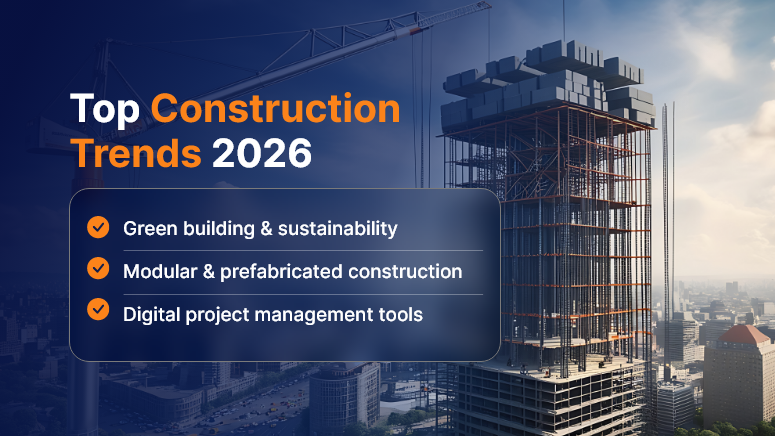
Top Construction Trends 2026

Here’s what contractors, developers, and industry leaders should keep a close eye on:

1. Modular, Prefab & Offsite Construction Become Mainstream

What was once a niche technique is rapidly becoming a standard for gains in speed, quality, and cost control. In 2026, many projects will lean heavily on modular components, volumetric units, bathroom pods, and pre-assembled MEP racks.

Why it matters:

  • It reduces on-site labor needs and exposure to weather.
  • Factory-controlled conditions improve quality and consistency.
  • Logistics & site scheduling become critical differentiators.

What to watch for / do:

  • Design for Manufacture & Assembly (DfMA) principles must be incorporated early.
  • Plan logistics, staging, crane paths, and just-in-time sequencing carefully.
  • Select repeatable scopes (e.g., restroom pods, corridor modules) as pilots.

2. AI & Generative Tools Becoming Ubiquitous (But Quietly)

AI is no longer buzz — it’s being embedded into estimating, scheduling, design optimizations, site monitoring, and compliance checks. In 2026, expect AI to operate in the background, offering suggestions, flagging risks, and enabling predictive insights.

Key applications:

  • Generative design for layouts and structural elements.
  • Predictive maintenance: sensor data alerts about potential failures.
  • AI-driven project planning and scenario simulation.

What to do now:

  • Clean and standardize your data (cost histories, productivity, supplier metrics).
  • Pilot AI in small domains (e.g., equipment scheduling, clash detection).
  • Build a framework to accept “nudges” rather than full automation overnight.

3. Robotics, Autonomy & Automation Fill the Labor Gap

With labor scarcity persisting, automation will shift from experimental to practical. Expect to see robotic bricklayers, autonomous grading machinery, 3D scanning drones, and multi-agent robotic systems co-working alongside human laborers.

Impact:

  • Repetitive, high-fatigue tasks can be offloaded.
  • Human roles shift toward monitoring, management, and quality assurance.
  • Safety can be improved by reducing workers’ exposure to dangerous tasks

Implementation tips:

  • Start with micro-tasks (rebar tying, repetitive layout, scanning).
  • Assign a “robotics champion” within your team to monitor productivity metrics.
  • Leverage multi-agent robotics for complex tasks (e.g., surveying using multiple drones).

4. Smart Materials, Adaptive & Living Construction

“Smart materials” will play a greater role in 2026: concrete with embedded sensors, self-healing polymers, dynamic glazing, bio-based composites, and even living building materials.

Trends to watch:

  • Sensor-laced concrete to detect stress, cracks, or corrosion.
  • Living building materials that self-regenerate or sequester carbon.
  • Recycled, reclaimed, or low-carbon materials are becoming the default, not the premium.

Advice for contractors:

  • Engage with material suppliers early to test performance.
  • Capture necessary data for embodied carbon and EPD (Environmental Product Declarations).
  • In bids, include performance warranties, not just specs.

5. Real-Time Safety, Health Monitoring & Motion Capture

Safety is evolving beyond checklists and helmets. In 2026, systems using wearables, motion capture (MoCap), computer vision, and real-time analytics will help prevent accidents before they occur.

How this trend manifests:

  • Wearables that detect fatigue, improper posture, or dangerous zones.
  • Site cameras linked to AI that flag PPE noncompliance or unsafe behavior.
  • Motion capture systems to analyze worker movements and reduce musculoskeletal strain.

Getting started:

  • Pilot wearable devices or sensor jackets in one high-risk zone.
  • Utilize historical incident data to train motion analysis models.
  • Shift KPIs from lagging (incident rate) to leading indicators you can act on (near-miss alerts).

6. Digital Twins & Lifecycle Integration

Smart construction is evolving into smart operations. The “digital twin” of a building or infrastructure will no longer be a post-handover novelty — it will be built from Day 0.

Why it matters:

  • Facility management, maintenance, and performance tracking can tie into the same model.
  • Real-time monitoring, energy optimization, and predictive upkeep become possible.
  • Reduces risks in handover and operational phases.

Tips:

  • Specify IoT and sensor systems early in design → integrate into BIM and the twin.
  • Use common naming standards (Haystack, Brick, ASHRAE) for equipment point IDs.
  • Offer clients ongoing performance contracts leveraging the twin you build.

7. Sustainability, Carbon Targets & Regulation Pressure

Regulatory pressure, client demands, and ESG (Environmental, Social, Governance) mandates will force greener construction. Low-carbon materials, net-zero targets, embodied carbon limits, and carbon accounting will become more common in 2026.

Key drivers:

  • Developers and governments are demanding EPDs, carbon caps, or carbon offset plans.
  • Incentives for green building, but penalties for noncompliance in some jurisdictions.
  • Lifecycle analysis is becoming part of the bid criteria.

What contractors can do:

  • Build carbon accounting into your estimating systems.
  • Track embodied carbon & operational emissions per project.
  • Partner with material suppliers that provide transparency and innovation.

8. Workforce Transformation: Hybrid Roles & Upskilling

The rise of tech in construction demands new skills. Skilled trades won’t disappear, but roles like “site technologist,” “robotics operator,” “data analyst,” or “digital foreman” will become common.

Trends:

  • Continuous training and digital literacy will become the baseline.
  • Recruiting will focus not only on trade skills, but also on adaptability and tech affinity.
  • On-site workers may get handheld AR / VR tools or assistive exoskeletons.

Starting points:

  • Develop internal training programs in BIM, robotics, and AI.
  • Promote hybrid role ladders combining field and tech skills.
  • Use VR/AR simulations to accelerate onboarding in high-risk tasks.

9. Infrastructure, Adaptive Reuse & Retrofit Boom

New construction is expensive and resource-intensive. In 2026, many markets will pivot toward retrofits, adaptive reuse, and infrastructure upgrades rather than purely greenfield builds.

Why this shift:

  • Energy regulations are pushing upgrades to existing stock.
  • Limited land in urban areas.
  • Infrastructure stimulus from governments globally.

Opportunities:

  • Specialize in retrofit technologies (insulation, envelope upgrades, facade systems).
  • Combine smart sensors & building automation in upgrades.
  • Use modular insertions or plug-and-play systems for retrofits.

10. Equipment & OEM Shifts: Digitalization + Lifecycle Services

Construction machinery is also transforming. OEMs are embedding telematics, predictive maintenance, autonomous features, and offering equipment as services rather than pure sales.

Implications:

  • Contractors may lease “smart” equipment with usage-based contracts.
  • Data from machinery feeds project analytics (productivity, idle times, fuel efficiency).
  • OEMs may become long-term service partners rather than mere suppliers.

Challenges to Watch

No trend is without friction. Here are key challenges that will shape who succeeds:

  • High upfront investment — Many technologies require capital; ROI needs careful forecasting.
  • Interoperability & system silos — Different software, protocols, and vendors may not talk easily.
  • Regulation lag — Building codes and approvals may struggle to catch up with new methods (e.g. 3D printing).
  • Workforce resistance/skills gap — Older workers may resist digital change.
  • Data security & privacy risks — Sensor networks and digital models carry cybersecurity exposure.
  • Reliability & maintenance — Sensors, robots, networks can fail; redundancy is essential.
  • Change management overhead — Organizational processes must evolve alongside tech.

How Contractors Can Prepare Now

To ride these waves rather than be overwhelmed:

  • Run pilot projects: Pick one trend (e.g., modular bathroom pods, wearable safety) and test it.
  • Build digital backbone: Use open standards (IFC, COBie) and APIs to ensure systems can integrate.
  • Develop data culture: Collect, analyze, and feed insights back into operations.
  • Invest in training: Upskill your workforce early to use, not fear, new tools.
  • Partner strategically: Work with vendors, research labs, and material innovators.
  • Track metrics & ROI: Measure time saved, rework avoided, safety events reduced, carbon improvements.
  • Offer lifecycle services: Use the data and digital assets you build to provide value post-construction.

Conclusion

2026 will be a watershed year in construction. The trends we see now — modular building, embedded intelligence, robotics, smart materials, sustainability, digital twins, workforce shifts, and equipment digitalization — are converging to redefine what it means to build.

Contractors who embrace this transformation will gain speed, quality, differentiation, and long-term sustainability. Those who wait risk being disrupted. The next frontier in construction is not just harder or taller — it’s smarter.

FAQs

1. What is the biggest construction trend expected in 2026?

One of the biggest trends is modular and off-site construction becoming mainstream. Prefabricated and factory-built components will help projects reduce costs, accelerate timelines, and improve quality consistency.

2. How will AI impact the construction industry by 2026?

AI will be embedded into almost every phase — estimating, scheduling, site monitoring, and risk prediction. By 2026, contractors will rely on AI for real-time decision support, predictive analytics, and generative design rather than manual guesswork.

3. What role will robotics play in construction?

Robotics and autonomous machinery will fill the labor shortage gap. Expect robotic bricklayers, autonomous grading machines, surveying drones, and even robotic exoskeletons to assist workers in repetitive or dangerous tasks.

4. Are smart materials really practical in construction?

Yes. By 2026, smart materials like self-healing concrete, dynamic glass, and bio-based composites will be more accessible. These improve durability, sustainability, and efficiency while reducing lifecycle costs.

5. How will digital twins change project delivery?

Digital twins will no longer stop at construction — they’ll extend into facility operations. Contractors will hand over fully integrated twins with real-time IoT data for maintenance, energy optimization, and long-term performance monitoring.

6. Why is sustainability becoming such a big deal in construction?

Climate regulations, ESG requirements, and client expectations are making sustainability non-negotiable. In 2026, contractors will face stricter carbon caps, demand for Environmental Product Declarations (EPDs), and pressure to achieve net-zero goals.

7. How will workforce roles evolve with these trends?

Construction roles will blend traditional skills with digital literacy. New positions like digital foreman, robotics operator, or site technologist will emerge, requiring continuous upskilling and adaptability.

8. What challenges will contractors face when adopting these trends?

The main challenges include high upfront investment, interoperability issues between digital tools, workforce resistance, skills gaps, and data security concerns. Change management will be as important as the technology itself.

9. Is smart construction only for large firms?

No. Smaller contractors can start with targeted tools — like drones for site surveys, modular components for repetitive units, or wearable safety gear. Scaling can happen gradually as ROI becomes clearer.

10. How should contractors prepare for 2026 now?

Contractors should:

  • Pilot emerging technologies on select projects
  • Invest in training and upskilling teams
  • Build a digital backbone with open standards
  • Partner with vendors and innovators
  • Track ROI through safety, cost, and productivity metrics

Category: Construction Academy

Subcategory: Budgeting and Planning

Subcategory: Construction Phase

Subcategory: Design Coordination

Subcategory: Estimation Techniques

Subcategory: Initiation and Feasibility

Subcategory: Introduction

Subcategory: Personal Management

Subcategory: Project Close-Out

Subcategory: Project Scheduling

Subcategory: Project Teams

Subcategory: Proposal Management

Subcategory: Total Quality Management

Subcategory: Tracking and Control

Subcategory: Work Breakdown

Category: Help Desk

Subcategory: Client

Subcategory: Construction 101

Subcategory: Contractor Management

Subcategory: Expense

Subcategory: Finance Budget

Subcategory: Inventory Management

Subcategory: My Approvals

Subcategory: Site Management

Subcategory: Vendor Management