Transforming Safety Culture with Structured Jobsite Safety Meetings

Construction is one of the most dynamic yet hazardous industries. Project timelines are aggressive, the work environment changes daily, and crews often juggle multiple high-risk activities simultaneously.

According to the Bureau of Labor Statistics, over 20% of annual workplace injuries occur on construction sites — reinforcing the urgent need for proactive safety measures.

A strong safety culture doesn’t happen by chance. It starts with clear, consistent, and structured communication. Structured Jobsite Safety Meetings — commonly known as toolbox talks — give crews the knowledge and awareness they need to identify hazards before they lead to incidents.

When conducted effectively, these meetings reduce injuries, strengthen compliance, and create a jobsite where every worker feels responsible for their own safety and that of their teammates.
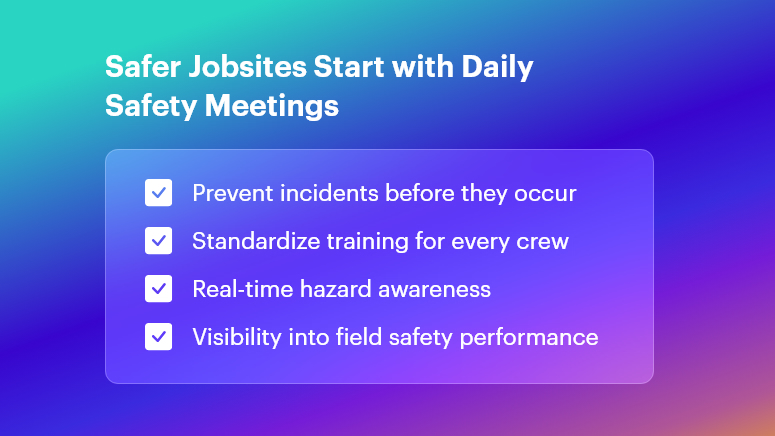
Safer Jobsites Start with Daily Safety Meetings

What Are Structured Jobsite Safety Meetings?

Unlike informal safety reminders that may vary by supervisor or shift, Structured Jobsite Safety Meetings follow a planned format. These sessions typically take place at the start of the day or before high-risk work begins.

A structured approach ensures:

  • Every worker hears the same information
  • Key hazards are reviewed regularly
  • Tasks and roles are clearly defined
  • Safety improvements become continuous

These aren’t long lectures — they are focused, practical discussions aligned with job activities happening that day.

Key characteristics include:

  • A consistent agenda — schedule, topic, responsibilities
  • Direct relevance to current site conditions
  • Short duration to maintain engagement
  • Documentation for accountability and compliance

In construction projects when teams expect these meetings and see real benefits on the field, safety becomes a shared value — not a checklist.

Regulatory Context: OSHA and ISO Standards

OSHA Requirements for Toolbox Talks

OSHA (29 CFR 1926.21) requires employers to provide safety training that equips workers to perform tasks safely. Although OSHA does not strictly mandate daily toolbox talks, frequent and documented safety instruction is strongly encouraged — especially on sites with evolving hazards.

Essential records include:

  • Meeting topic and focus area
  • Date, time, and duration
  • Trainer/facilitator name
  • Attendee list with signatures

These documents help demonstrate due diligence during audits or legal reviews.

ISO Guidance for Safety Culture

ISO 45001:2018 highlights worker involvement, hazard prevention, and ongoing performance reviews as the foundation of safety excellence. Structured meetings directly support these goals by ensuring:

  • Open communication between workers and supervisors
  • Regular review of incidents or near-misses
  • Preventive actions rather than reactive fixes

This alignment strengthens both safety outcomes and organizational credibility.

Key Topics for Toolbox Talks

Topics must remain timely and relevant to the jobsite’s immediate hazards.

Daily Hazards and Controls

Construction sites change fast. New subcontractors, material shifts, excavation, weather — all bring potential risks. Daily hazard talks ensure no one walks into the unknown.

Examples:

  • Fall protection and tie-off points
  • Confined space entry precautions
  • Overhead work alerts
  • Chemical exposure and SDS awareness

Personal Protective Equipment (PPE)

Understanding proper PPE use prevents common but serious injuries. Discussions often include:

  • Hard hat and eye protection requirements
  • Choosing gloves based on the task (cut-resistant, chemical-resistant, etc.)
  • Respirator fit testing and maintenance

Emergency Response

Emergencies rely on speed and clarity. These meetings reinforce:

  • Fire response and extinguisher types
  • First aid procedures and responsible personnel
  • Evacuation routes and muster points

Equipment and Machinery Safety

Heavy machinery incidents are among the industry’s most severe. Toolbox talks help reduce risks by covering:

  • Pre-operation inspections
  • Lockout/tagout procedures
  • Correct crane signaling and load limits

These sessions encourage operators and laborers alike to speak up when something looks unsafe.

Preparing for Structured Jobsite Safety Meetings

Preparation is key to value.

A good safety meeting is:

  • Short but meaningful
  • Interactive, not one-directional
  • Supported with visual or real materials

Safety leads should review site conditions, recent incidents, and upcoming activities to choose the most relevant topic.

Essential tools include:

  • Photos of current hazards
  • Manufacturer instructions for new equipment
  • OSHA/ISO guidance where applicable
  • A printing or digital attendance system

Creating a rotation for who leads discussions can also boost crew ownership and engagement.

Delivering Effective Safety Meetings

Content alone doesn’t engage workers — delivery does.

Techniques that maximize participation:

  • Share a recent near-miss to build awareness
  • Use jobsite photos instead of generic examples
  • Demonstrate proper PPE or equipment handling
  • Ask workers to share what could go wrong

When meetings invite two-way communication, crews are more likely to take accountability and act on what they learn.

Proven results:

  • On a Chicago high-rise, reinforcing crane signals eliminated miscommunication incidents for six months
  • A California bridge project combined electrical hazard demos with team challenges — leading to a 40% engagement boost and 25% fewer near-misses

These successes highlight why engagement matters just as much as compliance.

Follow-Up and Continuous Improvement

Safety doesn’t end when the meeting does.

Effective programs include:

  • Action tracking — every issue assigned with deadlines
  • Recordkeeping — notes stored in a centralized system
  • Regular reviews — detection of patterns and recurring hazards

Feedback loops — like monthly surveys or end-of-week debriefs — help ensure every meeting addresses real field concerns.

Structured meetings become a living process, not a static requirement.

Digital Toolbox Talks and Software-Enabled Workflows

While manual sign-in sheets and binders work, digital solutions elevate consistency and accountability.

Benefits of digital workflows:

  • No lost paperwork
  • Faster audit preparation
  • Real-time communication
  • Photo documentation with timestamps
  • Work history accessible anytime, anywhere

OConstruction’s Safety Meeting Solution

OConstruction streamlines:

  • Topic planning with pre-built templates
  • Digital attendance and signatures
  • On-site hazard photo capture
  • Automated reporting into DPRs

This keeps safety aligned with field productivity instead of slowing it down.

Case Studies: OConstruction in Action

  • A mid-size contractor saved over 120 hours per month by eliminating paper sign-off workflows — and compliance audit scores jumped from 78% to 95%
  • A specialty contractor improved PPE usage by 30% within 90 days with digital reminders and incident logging

Digital adoption leads to measurable improvements in safety behavior.

FAQs

What is a Structured Jobsite Safety Meeting?

A Structured Jobsite Safety Meeting, also called a toolbox talk, is a short and scheduled discussion focused on the specific safety hazards and precautions for that day’s work. It helps ensure every crew member understands risks, responsibilities, and safe work practices.

How often should safety meetings take place on a construction site?

Most contractors conduct safety meetings daily before work begins. However, weekly sessions can also be effective depending on project complexity and risk. OSHA encourages ongoing, frequent training aligned with changing jobsite conditions.

Who is responsible for leading safety meetings?

Typically, the site safety officer or supervisor facilitates the meeting. However, rotating the responsibility among team members can improve engagement and build a stronger safety culture.

What information should be documented during safety meetings?

Documentation should include the date, topic, facilitator, attendee list with signatures, and any hazards identified or actions assigned. Proper records help demonstrate compliance during audits or investigations.

What topics should be covered during toolbox talks?

Topics should match real jobsite hazards — such as fall protection, trench safety, PPE usage, emergency response, electrical risks, or equipment operation. The most effective topics are directly related to tasks happening that day.

How long should a Structured Jobsite Safety Meeting last?

Most meetings are brief — usually 10 to 15 minutes. The goal is to keep crews alert, informed, and engaged without delaying operations.

Why are digital toolbox talks becoming popular?

Digital platforms reduce paperwork, improve accuracy, store records securely, and allow instant sharing of photos or incident notes. They provide real-time visibility for managers and make audits significantly easier.

Are digital toolbox talks compliant with OSHA?

Yes. OSHA does not require physical paperwork. As long as the documentation contains the required details — topic, date, facilitator, and signatures — digital logs fully meet compliance needs.

How do structured safety meetings help reduce incidents?

They empower workers to identify hazards early, reinforce safe behaviors daily, and encourage open communication about risks. This proactive approach helps prevent injuries instead of reacting after they occur.

How can OConstruction support safety meeting workflows?

OConstruction offers pre-built toolbox talk templates, mobile sign-offs, image-based hazard documentation, automated reporting, and centralized digital records — helping teams stay compliant and productive with less effort.
Why Do Daily Safety Meetings Matter Before Work?

Construction sites are filled with dynamic hazards — changing weather, new subcontractors, shifting equipment, and high-risk work zones. Even the most experienced team can overlook danger when rushing into the day. That’s why daily safety meetings (also called toolbox talks) are essential. Studies show that up to 25% of incidents occur due to communication failures before work begins.

By aligning crews on the day’s hazards and expectations, companies dramatically reduce injuries and delays — while improving productivity and morale.

This guide breaks down what makes daily safety meetings effective, regulatory expectations, best practices, and how software like OConstruction transforms the entire workflow.

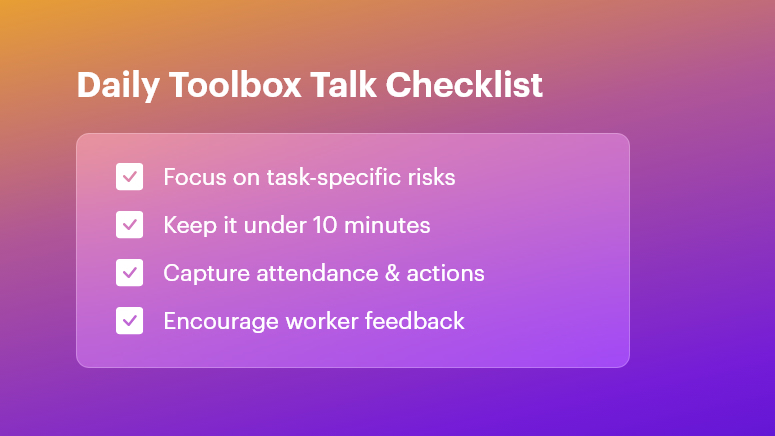
Daily Toolbox Talk Checklist

What Are Daily Safety Meetings?

Daily safety meetings are short, focused safety discussions held before shifts start. They help teams:

  • Identify job-specific hazards
  • Review preventive actions
  • Confirm roles and communication
  • Encourage worker feedback
  • Build a culture of accountability

These 5–10 minute meetings ensure everyone begins the day informed and aligned.

Regulatory Requirements

Even though OSHA doesn’t explicitly require daily talks, they enforce strict obligations around safety communication and training.

OSHA Compliance

Daily safety meetings support:

  • 29 CFR 1926.21(b)(2): Employer must instruct workers in jobsite hazards
  • Training documentation and verification
  • Hazard communication requirements

Consistent toolbox talks prove proactive safety efforts during audits and investigations.

ISO 45001 Compliance

ISO 45001:2018 emphasizes:

  • Worker participation
  • Hazard identification
  • Continual improvement via the PDCA cycle

Daily safety meetings strengthen communication and documented improvements, helping companies keep certification intact.

Key Topics for Daily Safety Meetings

Diversifying topics keeps employees engaged and safety practices relevant.

Hazard Recognition

  • Fall protection
  • Excavation and trench safety
  • Weather-related risks
  • Confined space entry

Equipment and Tool Safety

  • Crane/hoist operations
  • Scaffolding safety
  • Lockout/tagout (LOTO)
  • Battery & pneumatic tool handling

PPE Awareness

  • Correct usage of gloves, PPE kits, harnesses, helmets, and goggles
  • Fit-testing and expiration checks
  • Doffing and disposal rules

Rotate topics based on site activities, past near-misses, and seasonal changes.

How to Prepare for Daily Safety Meetings

The right preparation prevents them from becoming routine and ineffective.

Checklist Best Practice
Location Choose a quiet central spot
Speaker Rotate supervisors or safety leads
Material Bring visuals & real examples
Topic selection Align with today’s work plan
Notifications Send reminders digitally

Best Practices for Delivering Toolbox Talks

Keep It Short, Simple & Structured

  • Limit to 10 minutes
  • Cover 1–2 hazards
  • End with clear action items

Boost Engagement

  • Ask questions
  • Use site photos or models
  • Encourage workers to share recent issues

Don’t Forget Documentation

  • Attendance log
  • Topic and hazards discussed
  • Corrective actions with owners and deadlines

Why Follow-Up Matters

A safety meeting without follow-up is only a lecture.

Track and review:

  • Outstanding risks
  • Assigned responsibilities
  • Closure of corrective actions

This reinforces accountability and strengthens trust between workers and management.

Digital Toolbox Talks: Modernizing Jobsite Safety

Pen-and-paper methods are vulnerable to:

  • Lost records
  • Human error
  • Slow communication
  • Compliance risks

Software Benefits

  • Automated checklists & reminders
  • Photo-attached safety observations
  • Time-stamped attendance logs
  • Real-time dashboards for safety KPIs
  • Site-specific hazard rotation

Manual vs Digital Daily Safety Meetings

Aspect Manual Workflow Digital Workflow (OConstruction)
Preparation Printed forms Pre-built templates
Delivery Verbal only Visuals, photos, videos
Attendance Sign-in sheets Auto-tracking and timestamps
Corrective Actions Easily missed Alerts + escalation features
Reporting Time-consuming Analytics + exportable reports

Outcome: Faster, smarter, more compliant safety culture.

Real-World Impact

Here’s how structured daily safety meetings improve outcomes:

Residential Contractor

  • Focus topic: Ladder inspection
  • Result: 40% incident reduction in 3 months

Commercial Project

  • Focus topic: Crane communication
  • Result: 30% decrease in near-misses

Small conversations → big differences.

Benefits of Daily Safety Meetings

  • Reduced incidents and near-misses
  • Better alignment across teams
  • Stronger OSHA & ISO compliance
  • Higher worker participation & morale
  • Faster onboarding for new hires
  • Lower downtime and project delays
  • Easier reporting and data analytics

Free Checklist & Templates

  • Daily Toolbox Talk Checklist
  • Safety Briefing Template
  • Corrective Action Tracker

FAQ: Daily Safety Meetings

Q1: How long should a daily safety meeting last?

5–10 minutes to keep teams focused.

Q2: Who should lead toolbox talks?

Supervisors, safety officers — or rotate speakers to build ownership.

Q3: How do you measure success?

Track closure of corrective actions + reduction in incidents.

Q4: Can digital tools improve toolbox talks?

Yes — they streamline documentation, follow-ups, and audit readiness.

Automation & Predictive Analytics in Construction Scheduling

Every year, global construction projects lose over $1.6 trillion due to delays, cost overruns, and inefficient workflows. In fast-paced job sites, relying on whiteboards, WhatsApp groups, and siloed Excel sheets no longer cuts it.

The Future of Construction Scheduling: Automation & Predictive Analytics tackles these persistent challenges head-on, delivering real-time insights and proactive alerts that save time and money.

In this blog, you’ll learn how modern project managers, site engineers, and contractors can harness automation, predictive analytics, and OConstruction’s end-to-end platform to streamline planning, DPR automation, BOQ management, cost control, and site execution.

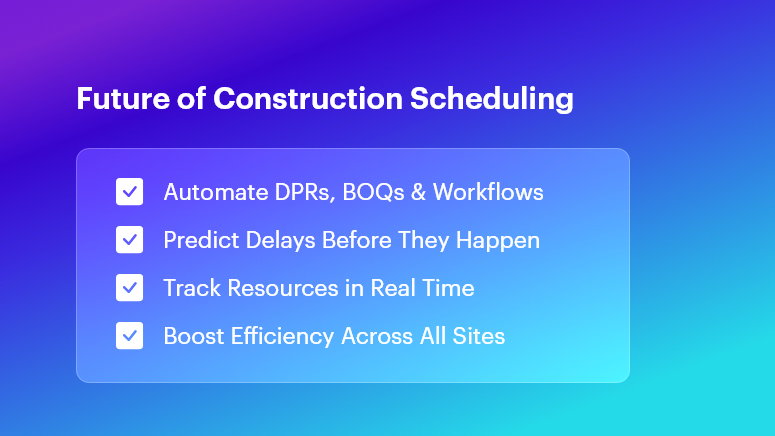
Future of Construction Scheduling

Why This Matters in Construction

Construction teams face mounting pressure to deliver projects on time and within budget. However, traditional, manual workflows create several avoidable challenges:

  • Cost Overruns & Material Wastage

Inaccurate BOQs and delayed DPRs cause procurement errors. As a result, materials are over-ordered or underutilized — increasing costs by up to 15%.

  • Rework & Quality Issues

Miscommunication between the field and office leads to corrective work. Rework alone can add 10–20% to project timelines and inflate labor budgets.

  • Scattered Data & Delayed Decisions

Disjointed tools — logs, spreadsheets, and messaging apps — create blind spots. This leads teams to react rather than proactively prevent issues.

From real estate and commercial buildings to highways and EPC projects, these inefficiencies are universal.

A highway project, for instance, may see months of delays simply because field teams wait days for schedule updates — crippling resource coordination and cost tracking.

Modern digital workflows are no longer optional. With automation and predictive analytics, teams gain speed, accuracy, accountability — and real-time clarity.

OConstruction unifies scattered tools into one platform, replacing WhatsApp threads and manual logs with real-time field-to-office synchronization.

Best Practices, Frameworks & Actionable Steps

Implementing construction scheduling through automation and predictive analytics requires a structured approach. Below are proven workflows using OConstruction:

1. Detailed Project Planning & Scheduling

  • Build Gantt charts with resource dependencies and automated alerts.
  • OConstruction’s Project Planning & Schedule Tracking ensures accurate timelines.
  • Stakeholders receive notifications instantly when milestones slip.

2. Robust BOQ & Estimate Management

  • Standardize templates and apply version control.
  • Using BOQ & Estimate Management, quantity take-offs remain accurate, and budgets stay aligned with project realities.

3. DPR Automation & Daily Logs

  • Capture photos, safety reports, and progress data using your mobile device.
  • With DPR Automation, reporting time reduces by up to 70%.

4. Material & Inventory Tracking

5. Labor & Resource Management

  • Monitor attendance and productivity using geofencing.
  • With Resource, Labor & Material Tracking, labor utilization stays optimized.

6. Cost Control & Budget Monitoring

7. Task & Workflow Management

  • Centralize approvals, dependencies, and priority-based task planning.
  • Nothing slips through the cracks with Task & Workflow Management.

8. Multi-Site Coordination

  • Standardize templates and governance across all locations.
  • OConstruction’s multi-project dashboard provides visibility for leaders.

9. Data-Driven Predictive Analytics

  • Forecast risks like delays, resource conflicts, and overruns.
  • OConstruction analyzes historical performance to identify early warning signals.

Common Mistakes to Avoid

  • Relying on manual data entry → Use mobile data capture
  • Skipping stakeholder training → Run quick, scenario-based onboarding

Construction Success Story

SkyHigh Infra adopted OConstruction’s DPR Automation & Daily Logs to eliminate reporting delays and data duplication.

Within just 8 weeks, they achieved:

  • 40% faster DPR completion
  • 25% reduction in rework
  • 15% less material waste

Progress photos and checklists captured in the mobile app synced instantly to the central dashboard. Automated alerts flagged deviations early, preventing small issues from turning into major setbacks.

Key Takeaways

  • Digitize & Automate: Replace manual logs and WhatsApp approvals with a unified platform.
  • Use Predictive Analytics: Forecast risks before they become delays or overruns.
  • Automate Core Workflows: DPRs, BOQs, and material tracking should be real-time and mobile-enabled.
  • Gain Real-Time Visibility: Connect field teams and office teams instantly.
  • Scale Confidently: Deploy consistent processes across multiple job sites.

FAQs

1. What is The Future of Construction Scheduling: Automation & Predictive Analytics?

It refers to the use of intelligent tools and data models to plan, track, and forecast project performance — reducing delays and cost overruns.

2. How does OConstruction enable automation in scheduling?

OConstruction automates resource leveling, task assignments, DPRs, and alerts — synced in real time.

3. Can predictive analytics reduce delays?

Yes — it identifies bottlenecks early and recommends corrective actions before they impact schedules.

4. Is DPR automation secure?

Absolutely — data is encrypted, role-based, and audit-logged.

5. How fast can teams adopt OConstruction?

Most teams fully transition within 2–4 weeks with quick onboarding.

6. What ROI can be expected?

Users report 15–25% material savings, 25% rework reduction, and 20–40% faster reporting cycles.

7. Can OConstruction integrate with external ERP or accounting systems?

Yes. APIs and middleware enable seamless integration.

The Rise of Digital Construction Workflows: What Contractors Must Know

Construction projects routinely suffer from cost overruns, delays, and productivity gaps—studies show over 70% of projects exceed their budgets.

The Rise of Digital Construction Workflows: What Contractors Must Know explores why outdated tools like Excel sheets, WhatsApp messages, and paper logs no longer support today’s pace of execution.

When daily progress reports are late, material issues go unnoticed, or schedules shift without real-time visibility, teams lose time, money, and client trust.

In this blog, you’ll learn how to transition to end-to-end digital workflows that improve accuracy, visibility, and accountability. Whether you’re a project manager, EPC leader, QS engineer, site supervisor, or construction business owner, you’ll gain frameworks, best practices, and real-world insights.

You’ll also see how OConstruction becomes your digital partner for planning, BOQ management, DPR automation, tracking, cost control, scheduling, and site execution.

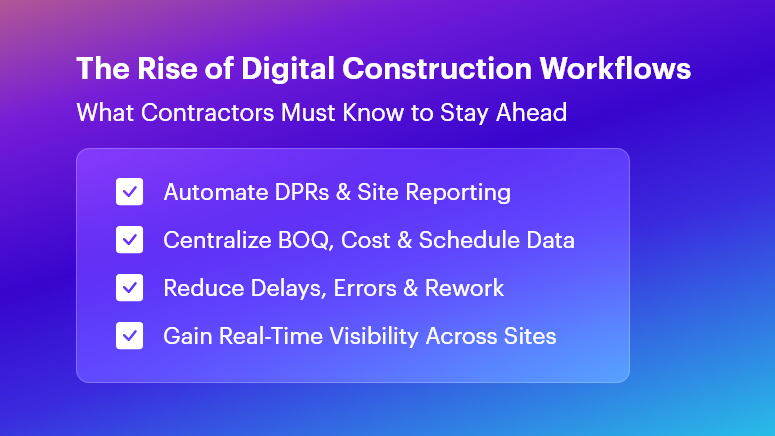
The Rise of Digital Construction Workflows

Why Digital Construction Workflows Matter

Construction inefficiencies carry major financial risks. Cost overruns, rework, and material waste can consume up to 30% of project value, and poor communication widens the gap.

Common Consequences

  • Delayed cash flow due to late DPR submissions
  • Material stockouts caused by manual logs and poor tracking
  • Rework and compromised quality from inaccurate BOQs

Industry Impact Examples

Sector Digital Gap Result
Residential Budget deviations due to delayed site reporting
Commercial Difficulty coordinating multiple subcontractors
Infrastructure Poor visibility across multi-site operations
EPC Misalignment from disconnected spreadsheets

Why Traditional Tools Fail

  • No real-time data sync → creates silos
  • No standardised workflows → human errors multiply
  • Weak audit trails → accountability disappears

Digital workflows solve these challenges through automation, transparency, and connected systems—making projects faster, more cost-efficient, and more predictable.

Best Practices, Frameworks & Actionable Steps

Transitioning to digital workflows requires structure — not just software adoption. Below is a proven rollout framework.

Define End-to-End Processes

  • Standardise workflows across all project phases
  • Use digital checklists to ensure consistent task execution
  • Automate reminders to reduce missed actions

Optimise BOQ & Estimate Management

  • Break BOQs into granular items linked to live quantities
  • Maintain version control for seamless updates
  • Use historical data to improve forecasting accuracy

Automate DPRs & Daily Logs

  • Capture photo-based site progress using mobile forms
  • Auto-generate reports in minutes
  • Sync updates directly to project schedules

Streamline Material & Inventory Management

  • Use FIFO with barcode/QR scanning
  • Automate reorder triggers to prevent shortages
  • Track every receipt, issue, and consumption event

Strengthen Cost Control & Budget Monitoring

  • Track costs daily — not monthly
  • Use Earned Value Management (EVM) to measure health
  • Act early using real-time alerts and dashboards

Coordinate Multi-Site Operations

  • Enforce uniform workflows across projects
  • Compare performance across locations with standard KPIs
  • Use centralised dashboards for live status visibility

Common Mistakes to Avoid

  • Overloading teams early — start with essentials
  • Ignoring change management — training is critical
  • Neglecting audits — compliance must be reinforced

Following these steps with OConstruction enables a seamless transition to truly digital, data-driven execution.

Mini Case Study: Sunrise Infrastructure

Sunrise Infrastructure—a highway contractor—struggled with two-day reporting delays.

After adopting OConstruction’s DPR Automation & Daily Logs:

  • 85% faster reporting turnaround
  • 30% fewer quantity reporting errors
  • 25% reduction in rework cost

With mobile entries, geotagged photos, and automated workflows, managers gained real-time visibility into material usage and progress — keeping the project on schedule and improving stakeholder confidence.

Key Takeaways

  • Digital workflows eliminate silos and reduce delays
  • Automated DPRs ensure accountability and real-time progress
  • Granular BOQ control prevents wastage and cost leakage
  • Cost dashboards with EVM metrics detect variances early
  • Multi-site standardisation strengthens reporting and scalability

The era of manual logs and disconnected spreadsheets is ending. The future of construction belongs to integrated, automated, and insight-driven execution.

FAQs

1. What is The Rise of Digital Construction Workflows: What Contractors Must Know?

The Rise of Digital Construction Workflows: What Contractors Must Know refers to adopting integrated, end-to-end software like OConstruction that streamlines planning, BOQ management, DPR automation, and site execution for contractors of all sizes.

2. How do digital construction workflows reduce cost overruns?

By automating daily logs, enforcing EVM metrics, and centralising BOQs, digital workflows provide real-time visibility into budget variances and material consumption. This prevents overspending and waste.

3. Can OConstruction integrate with existing ERP or accounting tools?

Yes. OConstruction offers APIs to sync its Cost Control & Budget Monitoring data with popular ERP and finance systems, ensuring seamless financial reporting and audit trails.

4. How quickly can a team implement OConstruction?

With our phased onboarding, teams can start digitising DPRs and BOQs within two weeks. Full end-to-end adoption typically completes in 6–8 weeks, depending on project complexity.

5. Does OConstruction support multi-site coordination?

Absolutely. Through Real-time Field-to-Office Sync and standardised dashboards, OConstruction lets you manage multiple sites from a single portal, ensuring consistent KPIs and resource allocation.

6. What security measures protect my project data?

OConstruction employs enterprise-grade encryption, role-based access controls, and regular backups to safeguard your BOQs, DPRs, and financial records, ensuring compliance with industry standards.

7. How does OConstruction improve DPR accuracy?

By enabling geotagged photos, digital forms, and automated workflows, OConstruction minimises manual entry errors and delivers high-fidelity DPRs within minutes of data capture.

How AI Is Transforming Construction Project Planning with OConstruction?

Over 70% of construction projects face delays and budget overruns every year. Most issues arise from manual documentation, scattered communication, and slow decision-making. This is why How AI Is Transforming Construction Project Planning has become a critical priority for EPC companies, contractors, and infrastructure developers.

In this guide, you’ll learn how OConstruction’s AI-powered workflows help you automate DPRs, generate accurate BOQs, monitor budgets, optimize schedules, and streamline coordination across sites.

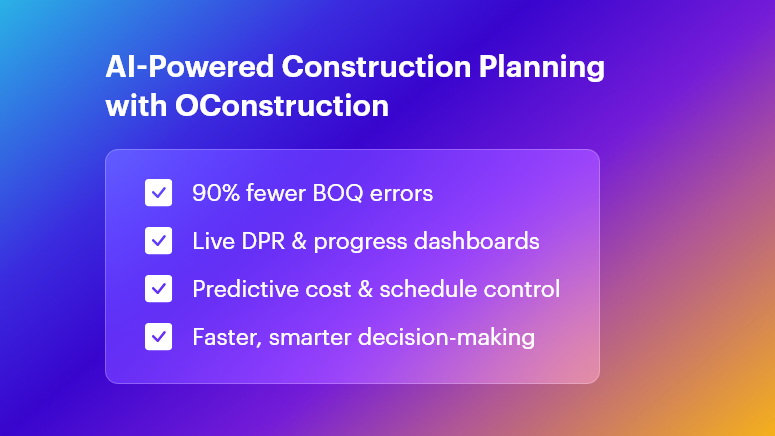
AI-Powered Construction Planning with OConstruction

Why AI Matters in Construction Project Planning

Modern construction projects generate massive data across multiple teams and sites. Traditional tools like Excel, WhatsApp logs, and paper registers create fragmentation and delay.

  • Cost Overruns

A Dodge Data & Analytics report reveals that 52% of firms struggle with cost control, leading to unpredictable budget drift.

  • Material Wastage & Rework

Inaccurate BOQs often cause 10%–15% material waste, increasing project delays.

  • Delayed DPRs

Manual DPRs slow down reporting and decision-making, resulting in bottlenecks across teams.

  • Communication Gaps

Field and office teams frequently work in silos, causing errors in planning and execution.

  • The Solution: AI-Driven Construction Planning

OConstruction brings BOQ management, DPR automation, cost control, and scheduling together — ensuring fast, transparent, and reliable project execution.

How AI Is Transforming Construction Project Planning

  • Automated BOQ & Estimate Management

AI parses drawings and historical data to auto-generate BOQs.

  • Up to 90% fewer manual errors
  • Faster tendering
  • Accurate estimates and reduced wastage

This is one of the strongest examples of How AI Is Transforming Construction Project Planning in real-world workflows.

  • DPR Automation & Real-Time Reporting

With AI-driven DPR automation, teams capture:

  • Site photos
  • Progress data
  • Manpower usage
  • Material consumption

All information syncs instantly, enabling project managers to view live dashboards and make quick decisions.

  • Predictive Scheduling & Resource Allocation

Machine learning analyzes weather, labor availability, and equipment usage to forecast potential delays.

OConstruction helps you:

  • Maintain critical paths
  • Reschedule dynamically
  • Prevent downtime
  • Material & Inventory Optimization

AI tracks material consumption patterns and predicts reorder points. The integrated Inventory & Purchase Handling module ensures:

  • No stockouts
  • No over-purchasing
  • Full traceability across sites
  • AI-Powered Cost Control & Budget Monitoring

AI continuously checks cost variances and sends instant alerts when deviation begins. This allows managers to intervene early and avoid overruns — an essential part of How AI Is Transforming Construction Project Planning.

  • Integrated Task & Workflow Management

AI prioritizes high-impact activities, assigns resources intelligently, and updates progress across all teams in real time. This prevents deadline conflicts and improves productivity.

  • AI for Multi-Site Coordination

EPC companies handling multiple sites gain:

  • Centralized dashboards
  • Performance comparisons
  • Real-time alerts
  • Standardized best practices

This eliminates blind spots in monitoring and makes project oversight significantly easier.

  • AI for Compliance & Error Reduction

OConstruction’s AI cross-checks on-site data with compliance checklists and standards. It reduces rework, improves safety, and strengthens audit tracking.

Case Study: TriStar Infrastructure

TriStar Infrastructure, a highways contractor, implemented OConstruction’s AI-based DPR & Schedule Tracking to solve reporting delays and labor conflicts.

Results in 3 Months

  • 30% reduction in DPR preparation time
  • 25% fewer scheduling conflicts
  • 15% savings in material costs

Previously, progress data took 48 hours to reach managers. With AI automation, updates synced instantly — improving decision-making and daily productivity.

Key Takeaways:

  • Precise BOQs generated by AI reduce errors and accelerate tendering.
  • Real-time DPR automation gives managers instant visibility.
  • Predictive cost control prevents overruns before they escalate.
  • Dynamic scheduling keeps projects aligned with the critical path.
  • AI-powered collaboration ensures field and office teams stay connected at all times.

OConstruction equips your team with a complete AI-powered platform for planning, monitoring, and delivering projects faster and more cost-effectively.

FAQs

1. What is “How AI Is Transforming Construction Project Planning” with OConstruction?

It refers to using AI to automate BOQs, DPRs, scheduling, cost tracking, and multi-site management within OConstruction.

2. How does AI improve BOQ management?

AI analyzes drawings and data to generate accurate BOQs — reducing manual errors by 90%.

3. Can OConstruction give real-time site updates?

Yes. OConstruction’s DPR Automation syncs site updates instantly and displays them in live dashboards.

4. How does AI support cost control?

AI monitors cost variances in real time and raises alerts when budgets drift.

5. Is OConstruction good for multi-site companies?

Definitely. It centralizes all site data, highlights performance gaps, and improves standardization.

6. What happens when teams don’t use AI?

They face delayed reporting, data silos, inaccurate BOQs, material wastage, and reactive decision-making.

7. How long does implementation take?

Most projects go live within 2–4 weeks with training and migration support.

Top Construction Project Management Trends Shaping 2025 for OConstruction

Construction projects still face an average 20% cost overrun and project delays exceeding 30%. These figures translate into millions lost, strained client relations, and exhausted teams. For modern builders, contractors, EPC companies, and site engineers, these challenges matter because every wasted hour and extra Rupee hits the bottom line. In this blog on Top Construction Project Management Trends Shaping 2025, you’ll learn how data-driven workflows, automation, and integrated platforms overcome these pain points.

We’ll explore game-changing trends, practical frameworks, and real-world tips—while showing how OConstruction emerges as your most modern, reliable construction tech partner.

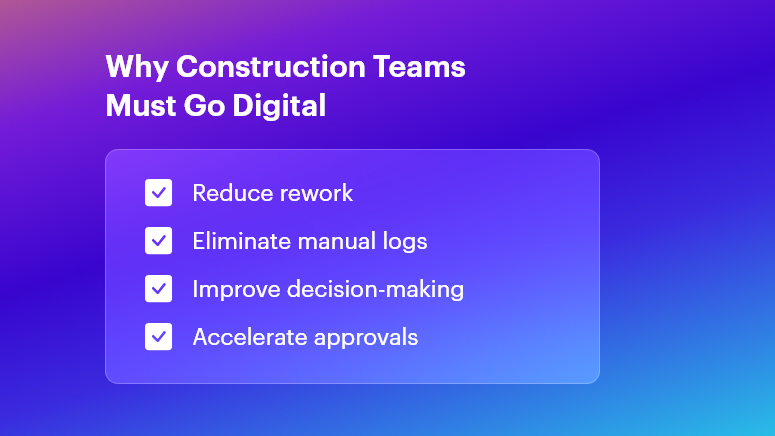
Why Construction Teams Must Go Digital

Why This Matters in Construction (Business Need & Impact)

In real estate, infrastructure, roads, and commercial or residential builds, the stakes are high. Cost overruns often arise from inaccurate BOQs and material wastage. Rework due to miscommunication can burn up to 15% of budgets.

Meanwhile, delayed Daily Progress Reports (DPRs) or fragmented site logs disrupt decision-making. Traditional Excel sheets, scattered WhatsApp messages, and manual logs simply can’t keep pace.

  • Material Wastage & Rework: Without digital BOM tracking, teams frequently over-order cement or steel, leading to stock pile-ups and spoilage.
  • Delayed DPRs & Inaccurate BOQs: Handwritten logs and late submissions cause back-office teams to scramble, delaying invoices and payments.
  • Disconnected Tools & Miscommunication: Multiple software solutions or paper ledgers create silos—resulting in blind spots on labor deployment, equipment usage, and cost variances.

Therefore, modern digital workflows become essential to boost speed, accuracy, and accountability. When OConstruction’s real-time field-to-office sync is in place, project managers and QS teams gain live updates on resource usage, DPR status, and budget health. This unified approach transforms scattered data into actionable insights—eliminating delays and overruns.

Best Practices, Frameworks & Actionable Tips

To excel in 2025, adopt these implementation-ready strategies. Each point shows how OConstruction solves the core challenge:

Integrated Project Planning & Schedule Tracking

  • Define Milestones Digitally: Use OConstruction’s Gantt-style scheduler to set clear tasks, responsibilities, and deadlines. This visual roadmap minimizes scope creep.
  • Automate Schedule Alerts: Set real-time notifications for critical path tasks. When a concrete pour or material delivery is delayed, stakeholders receive instant alerts — keeping everyone aligned.
  • Conduct Weekly Progress Reviews: Leverage the platform’s dashboards for at-a-glance status checks. Stakeholders join video calls with up-to-date data, not outdated spreadsheets.

BOQ & Estimate Management Best Practices

  • Standardize BOQ Templates: Create central BOQ templates in OConstruction to enforce consistency across projects. This prevents manual entry errors and version conflicts.
  • Link BOQs to Vendor Rates: Integrate vendor catalogs so that material rates auto-populate during estimation. Teams avoid rate mismatches and lost discount opportunities.
  • Track Revisions Transparently: Every BOQ change is logged with timestamps and user IDs. Auditors and managers trace who modified quantities or rates — and why.

DPR Automation & Daily Logs

  • Digital Field Entry: Field engineers fill digital DPR forms on mobile—capturing quantities, photos, and observations. This replaces delayed paper logs.
  • Auto-Generated Reports: Once submitted, DPRs convert into formatted PDF reports, ready for client reviews. No more manual compilation at day’s end.
  • Integrated Photo Documentation: Embed geotagged images directly within DPRs to verify completed work and reduce disputes.

Material & Inventory Management

  • Real-Time Stock Levels: Monitor site inventory — cement, bricks, steel — via barcode scanning. Automatic stock alerts prevent sudden shortages and downtime.
  • Purchase Order Workflows: Route purchase requisitions through approval hierarchies in OConstruction. Procurement teams approve, reject, or revise orders in minutes.
  • Vendor Performance Tracking: Score suppliers on delivery punctuality, quality, and pricing. Use this data to negotiate better terms and bulk discounts.

Cost Control & Budget Monitoring

  • Live Cost Vs. Budget Dashboards: Track actual spend against planned budgets. Visual flags highlight cost overruns at the activity level.
  • Variance Analysis Reports: Generate variance reports that compare estimated vs. actual costs. Then drill down on root causes—labor inefficiencies or rate escalations.
  • Automated Financial Alerts: Notify project accountants when monthly spending crosses pre-set thresholds. Early warnings enable proactive corrective actions.

Multi-Site Coordination & Communication

  • Centralized Task Management: Consolidate tasks for multiple sites under one dashboard. Allocate resources from a shared pool to optimize utilization.
  • Role-Based Access Control: Limit sensitive cost data to managers while granting field crews only the info they need. This secures data and simplifies user training.
  • Unified Messaging Hub: Replace fragmented chat apps with OConstruction’s built-in communication channels, linked to specific tasks or site locations.

Avoiding Common Mistakes

  • Manual Data Entry Reliance: Eliminate this by using mobile forms and barcode scans.
  • Ignoring Document Versioning: Always use a centralized repository with audit trails.
  • Underestimating Training Needs: Allocate time for user onboarding and peer learning sessions when rolling out new tools.

All these best practices are powered by OConstruction’s features for BOQ & Estimate Management, DPR Automation, Schedule Tracking, Inventory Handling, and Cost Control.

By unifying your workflows, you’ll reduce human errors, accelerate approvals, and gain real-time visibility across every site.

Construction Success Story: Mini Case Study

For example, a highway infrastructure firm, adopted OConstruction’s DPR Automation & BOQ Management to overcome delayed daily logs and inaccurate material estimates.

Within three months, they achieved 35% faster DPR completion, 15% reduction in material wastage, and 20% lower rework costs. Here’s the transformation:

  • Before: Field engineers submitted handwritten DPRs with missing photos. BOQs were manually emailed, causing rate mismatches and delayed purchase orders.
  • After: Field crews filled DPRs on mobile; reports auto-generated and routed to managers. BOQs auto-populated vendor rates and revisions logged.
  • Result: Project managers accessed live dashboards, resolved issues on the spot, and closed weekly meetings 50% faster.

Key Takeaways & Closing

  • Embrace Digital Workflows: Manual logs and Excel sheets no longer suffice in 2025’s fast-paced projects.
  • Automate Key Processes: DPRs, BOQs, and inventory scans deliver data accuracy and speed.
  • Centralize Communication: A unified platform reduces miscommunication and ensures accountability.
  • Monitor Costs Live: Early alerts on budget variances prevent overruns before they escalate.
  • Scale Across Sites: Role-based access and shared dashboards streamline multi-site coordination.

By adopting the Top Construction Project Management Trends Shaping 2025 and leveraging OConstruction as your tech partner, project teams can immediately boost productivity and profitability. Embrace the future — digitize your workflows, automate reports, and gain real-time insights.

FAQs

1. What are the Top Construction Project Management Trends Shaping 2025?

The key 2025 trends include automation of DPRs, digital BOQ management, real-time cost monitoring, integrated scheduling, and multi-site coordination—all made easier with unified platforms like OConstruction.

2. How does OConstruction address the Top Construction Project Management Trends Shaping 2025?

OConstruction offers BOQ & Estimate Management, DPR Automation, live cost dashboards, and inventory tracking — all syncing in real time to support the digital-first workflows defined by 2025 trends.

3. Why is digital BOQ management crucial for the Top Construction Project Management Trends Shaping 2025?

Digital BOQs reduce human error, standardize templates, auto-populate vendor rates, and speed up approvals — helping prevent cost overruns and improving accuracy across large-scale projects.

4. Can OConstruction improve DPR accuracy in line with the 2025 trends?

Yes. Mobile DPR forms with photo attachments, geotagging, and auto-generated daily logs minimize manual errors and align with 2025’s shift toward instant, data-driven progress reporting.

5. How do real-time cost dashboards support the Top Construction Project Management Trends Shaping 2025?

Real-time dashboards instantly highlight cost deviations, enabling quick corrective actions before budgets exceed limits — an essential practice for navigating 2025’s tighter project margins.

6. Is multi-site coordination part of the Top Construction Project Management Trends Shaping 2025?

Absolutely. OConstruction’s centralized task boards, role-based access, and collaboration tools help teams manage schedules, resources, and communication seamlessly across multiple project sites.

7. Where can I learn more about implementing these trends?

You can explore OConstruction’s BOQ & Estimate Management, DPR Automation, and Features Overview pages, or check out the latest blog for deeper insights into adopting 2025-ready construction practices.

Category: Construction Academy

Subcategory: Budgeting and Planning

Subcategory: Construction Phase

Subcategory: Design Coordination

Subcategory: Estimation Techniques

Subcategory: Initiation and Feasibility

Subcategory: Introduction

Subcategory: Personal Management

Subcategory: Project Close-Out

Subcategory: Project Scheduling

Subcategory: Project Teams

Subcategory: Proposal Management

Subcategory: Total Quality Management

Subcategory: Tracking and Control

Subcategory: Work Breakdown

Category: Help Desk

Subcategory: Client

Subcategory: Construction 101

Subcategory: Contractor Management

Subcategory: Expense

Subcategory: Finance Budget

Subcategory: Inventory Management

Subcategory: My Approvals

Subcategory: Site Management

Subcategory: Vendor Management