Inventory Management Hacks for Large-Scale Construction Sites

Did you know that poor inventory control contributes to up to 35% of project cost overruns in the construction industry? Large-scale sites handle thousands of materials daily — steel, cement, pipes, safety gear, and machinery parts. One misstep can lead to delays, wasted materials, or even halted projects.

That’s where inventory management for construction sites comes in. With the right hacks and tools, you can prevent losses, optimize usage, and keep projects running smoothly. In this blog, we’ll explore proven strategies to manage construction inventory, avoid costly mistakes, and see how an integrated digital platform like OConstruction simplifies the process.
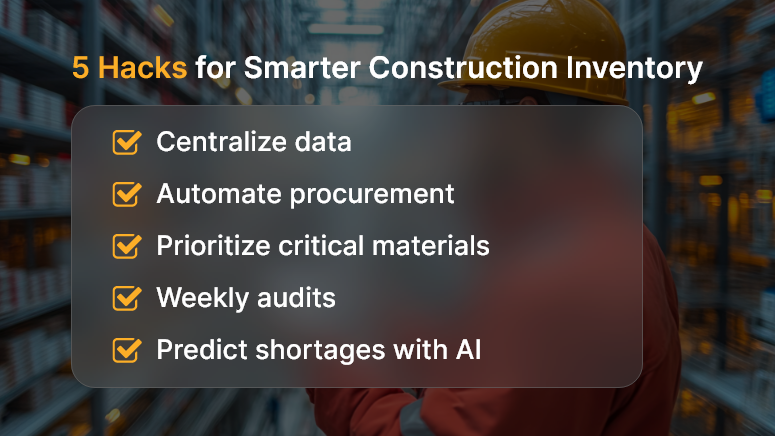
5 Hacks for Smarter Construction Inventory

Business Relevance & Why It Matters

Construction projects are high-stakes. Every delay or material shortage translates into financial loss and strained client relationships. Managing inventory at scale isn’t just about storing materials—it’s about ensuring the right resources are available at the right time, in the right quantity.

Why should companies care?

  • Cost savings: Proper material tracking reduces waste and theft.
  • Time efficiency: Automated updates avoid last-minute procurement chaos.
  • Compliance & safety: Some materials require regulated storage and usage documentation.

Who benefits the most?

  • Project managers juggling multiple sites.
  • Procurement teams negotiating bulk orders.
  • Site engineers rely on timely supply delivery.

Real-world pain vs. solution:

  • A high-rise project in Mumbai was delayed by 3 months due to the loss of shipments of steel bars.
  • A highway project in Texas wasted 10% of the cement because of double ordering.

Both problems could have been solved with real-time inventory management for construction sites.

Best Practices, Frameworks, and Actionable Strategies

Do’s and Don’ts of Inventory Management for Construction Sites

  • Adopt digital tracking systems – Manual logs are outdated and prone to errors. Digital systems ensure real-time updates.
  • Don’t rely solely on contractors – Always verify supply counts with internal checks to avoid misreporting.
  • Do set reorder thresholds – Automated alerts prevent stockouts or overstocking.
  • Don’t overlook material expiry – Chemicals, paint, and safety gear often have shelf lives; expired items compromise safety.

Quick Wins and Best Practices

  • Centralize Inventory Data: Instead of scattered spreadsheets, use a centralized platform. It provides a single source of truth across all sites.
  • Leverage QR Codes & RFID Tags: Tagging materials enables instant scanning and reduces manual counting errors.
  • Automate Procurement Triggers: Link usage patterns with vendor systems for seamless reordering.
  • Prioritize Critical Materials: Classify materials as high, medium, or low priority. Always buffer high-priority materials like steel, cement, and safety gear.
  • Conduct Weekly Audits: Digital audits spot inconsistencies early, preventing large-scale losses.

Step-by-Step Framework for Large Sites

  • Plan Before You Procure: Map project phases and align material requirements with timelines. This prevents both shortages and excess storage.
  • Digitize Material Tracking: Use platforms like OConstruction for real-time inventory monitoring across multiple sites.
  • Enable Multi-Site Visibility: Large contractors often manage multiple sites. With shared dashboards, managers can reallocate surplus materials instantly.
  • Integrate with Financial Systems: Connect inventory with budget tracking. This helps align procurement with cost forecasts.
  • Use Predictive Analytics: AI-driven insights forecast material demand and prevent last-minute supply gaps.

Customer Story

For example, BuildPro Constructions, a mid-sized infrastructure firm, used OConstruction’s real-time inventory tracking to streamline a highway expansion project. Previously, they faced frequent cement shortages, causing weekly delays. By digitizing their material flow and setting automated reorder triggers, they cut procurement delays by 40% and saved nearly ₹50 lakhs in wasted materials.

Here’s how:

  • QR-coded shipments reduced theft.
  • Real-time dashboards gave project managers live visibility.
  • Predictive analytics flagged shortages before they became critical.

Key Takeaways & Closing Summary

Key Insights:

  • Inventory management for construction sites is about accuracy, visibility, and efficiency.
  • Digital tools replace guesswork with real-time insights.
  • Preventing small errors today avoids massive delays tomorrow.

In summary:

Adopting smarter inventory practices isn’t optional — it’s a competitive edge. Large-scale projects demand precision, and the right platform ensures that every nail, brick, and beam is accounted for. By following the hacks outlined above, businesses can not only cut costs but also deliver projects faster and with higher quality.

FAQs

Q1. What is inventory management for construction sites?

Inventory management for construction sites refers to the process of tracking, controlling, and optimizing the use of construction materials, equipment, and tools across multiple projects. It ensures materials are available on time, reduces waste, and prevents costly project delays.

Q2. Why is inventory management important in large-scale construction projects?

Large-scale construction projects involve thousands of moving parts. Without proper construction inventory management, companies risk material shortages, overspending, and delays. Good practices reduce waste, optimize budgets, and improve project delivery timelines.

Q3. How does digital inventory tracking improve construction efficiency?

Digital inventory tracking provides real-time visibility into stock levels, locations, and usage. Features like QR codes, RFID tags, and automated reordering reduce manual errors, prevent theft, and save significant costs.

Q4. What are the common challenges in construction inventory management?

Typical challenges include:

  • Overstocking or understocking materials
  • Lack of real-time updates
  • Miscommunication between project managers and suppliers
  • Theft or material misuse
  • Manual errors in spreadsheets

Using a digital platform addresses most of these issues.

Q5. Can inventory management software integrate with financial systems?

Yes. Advanced platforms like OConstruction can connect inventory with procurement and accounting systems. This integration helps align material purchases with budgets, track expenses, and forecast project costs accurately.

Q6. How do predictive analytics help in construction inventory management?

Predictive analytics analyzes historical data and project timelines to forecast future material needs. This prevents last-minute shortages, avoids storage costs for unused items, and supports smarter procurement decisions.

Q7. Who benefits the most from effective construction inventory management?

  • Project managers – gain visibility across multiple sites
  • Procurement teams – streamline supplier management
  • Finance departments – track material expenses in real time
  • Site engineers – ensure materials are always available when needed

Q8. How can OConstruction help with inventory management for construction sites?

OConstruction’s digital platform enables real-time tracking, automated reordering, multi-site visibility, and predictive insights. This means fewer delays, reduced costs, and higher productivity for construction businesses of any size.
Vendor Performance Scorecards: Why They Matter in Construction

Did you know that nearly 70% of construction projects face cost overruns or delays due to vendor-related issues? That’s a staggering number — and one that reveals a hidden truth: no matter how strong your project plan is, your vendors can make or break your success.

This is where vendor performance scorecards step in. They aren’t just spreadsheets; they’re powerful tools to measure, monitor, and improve how your vendors deliver on promises. By tracking key metrics like cost, quality, and timeliness, construction firms can ensure accountability, reduce risks, and make smarter decisions.

In this blog, we’ll explore why vendor performance scorecards matter in construction, how they can transform vendor management, and practical strategies to implement them effectively with a digital platform like OConstruction.

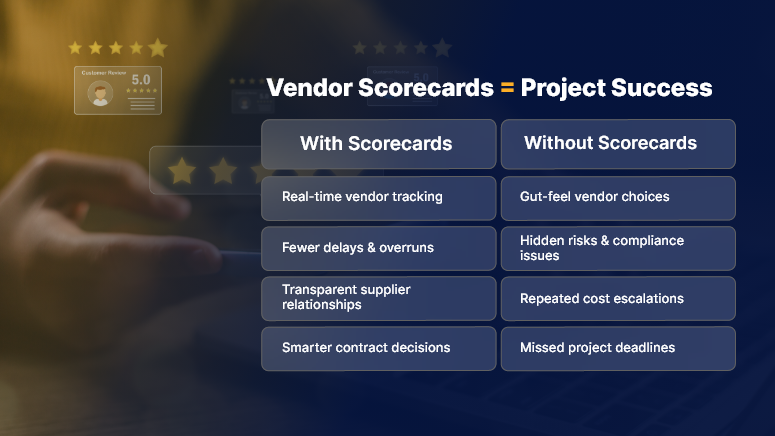
Vendor Scorecards Project Success

Business Relevance & Why It Matters

In construction, your vendors are your lifeline. From equipment suppliers to subcontractors, each plays a vital role in meeting deadlines and keeping projects within budget. But here’s the problem: many companies still rely on gut feeling or fragmented spreadsheets to evaluate vendors.

This approach creates three major risks:

  • Hidden inefficiencies — poor-performing vendors get repeat contracts because there’s no structured data.
  • Inconsistent quality — projects suffer when vendors don’t meet compliance or safety standards.
  • Wasted money — delayed deliveries and cost escalations eat into project profits.

By contrast, vendor performance scorecards bring clarity, structure, and accountability. They help you:

  • Identify your top-performing vendors.
  • Spot and fix recurring problems early.
  • Build stronger, data-driven vendor relationships.

Use Cases in Construction:

  • A contractor uses scorecards to compare multiple suppliers and choose the most reliable one.
  • A project manager leverages scorecards to negotiate better terms with vendors backed by data.
  • A finance controller uses vendor scorecards to track compliance and cost efficiency across projects.

The bottom line: vendor performance scorecards aren’t optional anymore — they’re strategic.

Best Practices, Frameworks, and Actionable Strategies

1. Define the Right Metrics

Your scorecard is only as good as the metrics you track. In construction, focus on:

  • Timeliness: Were deliveries made on schedule?
  • Quality: Did materials meet project standards?
  • Cost compliance: Were invoices aligned with contracts?
  • Safety compliance: Did vendors follow safety protocols?
  • Collaboration: Was communication responsive and transparent?

Each metric should have a clear scoring scale (e.g., 1–5 or percentage-based).

2. Standardize Across Projects

Don’t let each site or manager create their own version. Standardize your scorecards to ensure consistent vendor evaluation across the organization. This reduces bias and makes comparisons fair.

3. Automate Data Collection

Manual scorecards often fail because they rely on subjective opinions or delayed updates. With OConstruction, you can automate:

  • Data pulled from invoices (cost accuracy).
  • Project timelines (delivery performance).
  • Safety reports (compliance tracking).

Automation ensures real-time, objective evaluation.

4. Use Scorecards for Strategic Decisions

Don’t just file away the results. Use them actively to:

  • Award contracts to high performers.
  • Blacklist unreliable vendors.
  • Negotiate better terms with borderline performers.
  • Identify training needs for subcontractors.

5. Communicate Results with Vendors

A scorecard should not be a secret file. Share results with vendors to encourage transparency and improvement. Frame it as a partnership tool, not just a policing mechanism.

6. Track Trends Over Time

One scorecard doesn’t tell the whole story. Look at performance over 6–12 months to see if vendors are improving or declining. This helps you decide whether to continue long-term partnerships.

Customer Story Example

BuildMax Construction, a mid-sized contracting company, struggled with repeated delays from multiple suppliers. They adopted OConstruction’s vendor performance scorecards to track timeliness, quality, and cost metrics.

Within just six months, they identified their top three vendors, cut ties with underperformers, and renegotiated terms with others. The result? A 25% reduction in project delays and a 15% increase in cost savings.

By making vendor evaluation data-driven, BuildMax not only improved project delivery but also built stronger relationships with suppliers.

Key Takeaways & Closing Summary

Vendor performance scorecards are not just operational tools; they’re strategic assets in construction management.

Key Insights:

  • Vendor scorecards bring accountability, consistency, and transparency.
  • They reduce risks of cost overruns and delays.
  • Digital platforms like OConstruction make scorecards automated, real-time, and actionable.

In short, when you simplify vendor evaluation, you amplify project success.

Takeaway Thought:

Think of vendor performance scorecards as your project’s early warning system. They highlight strengths, flag risks, and give you the power to make smarter business decisions.

FAQs on Vendor Performance Scorecards in Construction

1. What are vendor performance scorecards in construction?

Vendor performance scorecards are structured evaluation tools that track vendor performance across metrics like cost, quality, timeliness, and compliance. In construction, they help project managers and contractors ensure accountability, reduce risks, and select the most reliable suppliers.

2. Why do vendor performance scorecards matter in construction projects?

They matter because vendor-related issues are one of the leading causes of project delays and cost overruns. Vendor performance scorecards provide data-driven insights that enable construction firms to choose the best vendors, negotiate better contracts, and eliminate inefficiencies.

3. How do you create a vendor performance scorecard?

To create one, define key performance indicators (KPIs) such as timeliness, quality, safety compliance, and cost control. Assign weightages to each metric, design a scoring system, and ensure all project managers use a standardized template. Platforms like OConstruction can automate this process for accuracy and real-time insights.

4. Can vendor performance scorecards improve vendor relationships?

Yes. When shared transparently, scorecards act as a collaborative tool. They show vendors where they’re excelling and where improvement is needed. This fosters accountability and builds long-term, trust-based relationships between contractors and suppliers.

5. What is the role of digital platforms in vendor performance scorecards?

Digital platforms like OConstruction automate scorecard data collection by integrating with invoices, project timelines, and safety reports. This ensures evaluations are objective, consistent, and updated in real time, eliminating manual errors and delays.

6. How often should construction companies evaluate vendors using scorecards?

Best practice is to review vendor performance scorecards after each project milestone or at least quarterly. Regular evaluation ensures issues are spotted early and long-term trends in vendor performance are visible.

How to Track Material Costs Without Losing Your Margin

Did you know that up to 35% of construction projects exceed their initial budget due to poor material cost tracking and mismanagement? According to a McKinsey study, construction productivity has shown minimal improvement over the past two decades, largely due to companies’ struggles with cost control and inefficiencies.

For most contractors, materials account for 50–70% of total project costs. If you’re not monitoring these expenses in real-time, your margin is at risk. From fluctuating raw material prices to delayed deliveries and vendor disputes, the challenges keep piling up.

This blog will teach you how to track material costs without losing your margin. We’ll cover why this matters in today’s construction business, best practices and frameworks you can apply, and how an integrated platform like OConstruction makes the process smarter, faster, and more profitable.

5 Keys to Protect Your Margin

Business Relevance & Why It Matters

Margins in construction are notoriously thin. A small slip — say a 5% rise in cement cost or unaccounted wastage on-site — can reduce profits drastically. Businesses that fail to track material costs accurately often face:

  • Cost Overruns: Materials purchased at inflated prices or in excess quantities.
  • Project Delays: Missing deliveries disrupt schedules and increase labor idle time.
  • Client Disputes: Billing mismatches between estimates and actual expenses.
  • Compliance Risks: Lack of documentation during audits or inspections.

Who Benefits the Most from Cost Tracking?

  • Residential Builders: They need to balance affordability for clients while keeping margins intact.
  • Infrastructure Contractors: Large-scale projects involve massive procurement cycles; even small errors scale up to millions.
  • Commercial Developers: With tight timelines, they require precise vendor coordination to avoid penalties.

Pain vs. Solution Contrast

Pain: Many firms rely on paper-based logs, spreadsheets, or disconnected systems. Reconciling purchase orders, invoices, and deliveries consumes hours — yet errors slip through.

Solution: An integrated platform like OConstruction centralizes everything. From procurement to delivery verification and expense tracking, every transaction is logged digitally. Managers gain real-time visibility, finance teams get accurate data, and site engineers spend less time on paperwork.

Bottom line: Tracking material costs is not just accounting; it’s a strategic move to safeguard margins and scale your business profitably.

Best Practices, Frameworks, and Actionable Strategies

1. Build a Transparent Cost Baseline

Every successful project begins with an accurate baseline. This includes expected material quantities, negotiated vendor rates, and projected delivery timelines.

  • Do: Use digital tools to create baselines that auto-link with budgets and schedules. In OConstruction, baseline costs sync with project tasks for full alignment.
  • Don’t: Depend solely on historical averages — market rates for steel, cement, and aggregates can change weekly.

Pro Tip: Add contingency buffers (5–10%) for volatile materials. This gives you breathing space without eating into margins later.

2. Track in Real-Time, Not After the Fact

Traditional month-end reconciliations are too late. By the time discrepancies surface, the damage is done. Real-time cost tracking changes the game.

  • Quick Win: Record material receipts instantly. With OConstruction, site staff can log deliveries using GPS-tagged photos and timestamps.
  • Best Practice: Configure alerts when actual costs cross 90% of budgeted levels. This proactive monitoring helps prevent overruns.

Example: If a steel consignment arrives short, the system flags it immediately, allowing procurement teams to raise disputes before payment.

3. Centralize Vendor and Contractor Data

When vendor invoices, purchase orders, and delivery challans are scattered across emails, files, and spreadsheets, reconciliation is painful.

  • Do: Centralize procurement workflows in one system. OConstruction links vendor contracts, SLAs, and invoices in a single hub.
  • Don’t: Approve payments without cross-checking against verified delivery logs.

Result: This reduces duplicate payments and strengthens vendor accountability.

4. Prevent Material Wastage

On average, 10–15% of materials go to waste due to poor storage, over-ordering, or theft. Wastage is a silent margin killer.

  • Step 1: Track issued vs. consumed material in real-time.
  • Step 2: Identify high-wastage categories with analytics.
  • Step 3: Introduce recycling, resale, or redistribution processes for surplus materials.

With OConstruction, companies generate waste reports at both project and company levels, giving leaders data-driven insights to plug leaks.

5. Standardize Approval Workflows

Unauthorized purchases often derail budgets. A robust approval workflow prevents unnecessary costs.

  • Quick Win: Automate approval triggers — e.g., any purchase order above ₹50,000 requires finance approval.
  • Best Practice: Assign role-based permissions so site engineers raise requests, but final approval sits with procurement managers.

Impact: Transparency, accountability, and zero “off-the-books” spending.

6. Use Dashboards for Visibility

Dashboards transform raw data into actionable intelligence.

  • Do: Customize dashboards to track top categories like steel, cement, aggregates, and electricals.
  • Don’t: Overload managers with vanity metrics — focus on KPIs tied to margin protection.

With OConstruction, executives get a bird’s-eye view of all projects while project managers see granular, on-site material costs.

7. Integrate Material Tracking with Project Schedules

Disconnected procurement and scheduling is a recipe for chaos. If materials don’t arrive on time, project tasks stall, increasing labor costs.

  • Do: Link delivery timelines directly with Gantt charts and milestones.
  • Best Practice: Tie vendor SLAs with project tasks. For instance, steel delivery is synced with slab casting schedules.

Benefit: Timely delivery, fewer delays, and reduced idle costs

8. Leverage Predictive Analytics

Don’t just track material costs — predict them. Predictive analytics helps you forecast risks before they occur.

  • Example: If cement prices rise seasonally in Q3, the system can flag early purchase recommendations.
  • With OConstruction: AI-powered insights help managers make proactive decisions, safeguarding both budgets and timelines.

Customer Story/Use Case Example

For example, BuildSmart Contractors, a mid-sized infrastructure company, faced recurring cost overruns. On average, projects exceeded budgets by 12% due to duplicate purchases, vendor disputes, and undocumented wastage.

After adopting OConstruction’s real-time cost tracking:

  • All material receipts were logged with photo + GPS verification.
  • Vendor payments required automated approvals tied to verified delivery notes.
  • Dashboards provided weekly variance reports for management review.

Result? Within six months, BuildSmart reduced overruns to just 3%, saving over ₹1.2 crore (~$150,000) and increasing client satisfaction scores by 30%.

Key Takeaways & Closing Summary

Controlling material costs is not optional — it’s essential for survival in today’s construction business. Companies that fail to adopt digital tools face shrinking margins, delays, and client dissatisfaction.

Key Takeaways:

  • Set a clear baseline with updated vendor rates and realistic contingencies.
  • Track in real-time to detect and fix cost issues instantly.
  • Centralize procurement for accountability and transparency.
  • Cut wastage by monitoring issued vs. consumed materials.
  • Automate approvals to stop uncontrolled spending.
  • Use dashboards and predictive analytics for faster, smarter decisions.

In summary, firms that track material costs digitally not only avoid overruns but also strengthen trust with clients, vendors, and stakeholders.

Margins are tight, competition is fierce, and regulations are strict. The companies that thrive are those that digitize. With OConstruction, you gain the tools to track material costs, protect your margins, and future-proof your projects.

FAQs on Tracking Material Costs

1. Why is tracking material costs so important in construction projects?

Tracking material costs is critical because materials make up 50–70% of a project’s budget. Even small errors — like a 5% increase in steel prices or unrecorded wastage — can erode profit margins. Real-time tracking ensures transparency, prevents overruns, and helps contractors make data-driven decisions to protect profitability.

2. What are the common challenges in tracking material costs?

The biggest challenges include fluctuating raw material prices, manual errors in spreadsheets, lack of vendor accountability, poor record-keeping, and delayed reconciliations. Many companies still depend on outdated methods, leading to discrepancies, wastage, and budget overruns.

3. How can digital tools like OConstruction help reduce material cost overruns?

Platforms like OConstruction centralize procurement, inventory, and cost data. Features like real-time delivery logging, GPS/photo verification, automated approvals, and dashboards give managers full visibility. This helps detect discrepancies early, avoid duplicate payments, and align purchases with project schedules — reducing overruns significantly.

4. What’s the difference between cost estimation and cost tracking?

  • Cost Estimation: Forecasting project expenses based on material requirements, labor, and vendor rates.
  • Cost Tracking: Monitoring actual material purchases, deliveries, and consumption against the estimate in real-time.

Both work together — accurate estimation sets the baseline, while tracking ensures the project stays within budget.

5. How can construction companies prevent material wastage?

Companies can prevent wastage by:

  • Tracking issued vs. consumed materials digitally.
  • Storing materials properly to avoid damage.
  • Using waste analytics to identify problem categories.
  • Recycling or redistributing surplus materials.

With OConstruction, managers generate waste reports at the project and company levels to pinpoint leakages.

6. What KPIs should be monitored when tracking material costs?

Key performance indicators (KPIs) include:

  • Budget vs. actual material costs.
  • Wastage percentage by category.
  • Vendor delivery compliance rate.
  • Variance in material usage across projects.
  • Percentage of unauthorized or unapproved purchases.

These metrics help evaluate efficiency and control margins.

7. Can small and mid-sized construction firms also benefit from cost tracking software?

Absolutely. In fact, smaller firms are often hit harder by cost overruns since their margins are thinner. Digital tools give SMB contractors the same visibility and control as large enterprises, making them more competitive without adding complex overhead.

8. How does real-time tracking differ from monthly reconciliations?

Monthly reconciliations catch problems after the damage is already done. Real-time tracking, on the other hand, identifies discrepancies immediately. For example, if a cement delivery is short by 10 bags, the system flags it instantly — preventing unnecessary payments and project delays.

9. How can predictive analytics improve material cost management?

Predictive analytics uses historical data and market trends to forecast cost risks. For example, if steel prices typically rise in the rainy season, the system can recommend early procurement. OConstruction’s AI-driven insights help companies stay proactive, not reactive, when managing costs.

10. What’s the ROI of implementing a digital material cost tracking system?

The ROI comes from reduced overruns, less wastage, faster approvals, and stronger vendor accountability. Case studies show companies cutting overruns by 8–12% within months of adopting digital cost tracking — often saving lakhs or even crores depending on project size. In short, the software pays for itself quickly while safeguarding long-term margins.

The Importance of Construction Project Closeout Checklists

Completing a construction project isn’t just about finishing the build — it’s about closing it out properly. Did you know that nearly 30% of construction projects face disputes or delays due to poor closeout processes?

Whether it’s missing documentation, incomplete inspections, or overlooked punch-list items, neglecting the project closeout phase can lead to costly delays and frustrated clients.

That’s where project closeout checklists come in. They act as your final roadmap, ensuring every critical task is completed before handing over the project.

In this blog, we’ll explore why project closeout checklists matter, the key steps involved, and how integrating OConstruction’s platform can simplify and streamline your closeout process.

Best Practices for Effective Closeout

Business Relevance & Why Project Closeout Checklists Matter

The construction closeout phase often determines client satisfaction and project profitability. A detailed project closeout checklist guarantees all requirements are met — from final inspections and documentation to warranties and client training.

Why should construction companies care?

  • Reduce Disputes: Clear documentation limits legal risks and misunderstandings.
  • Improve Cash Flow: Efficient closeout accelerates final payments.
  • Boost Client Trust: Delivering a fully complete and organized project builds your reputation.

Who benefits the most?

  • Project Managers ensure nothing slips through the cracks.
  • Contractors get paid faster and reduce rework.
  • Clients and Developers receive smooth handovers with clear expectations.

Common challenges without checklists:

  • Missed inspections cause costly rework.
  • Lost warranties or manuals delay maintenance.
  • Incomplete punch lists reduce client confidence.

By contrast, a well-designed checklist powered by OConstruction’s integrated tools keeps all teams aligned and accountable.

Best Practices for Project Closeout Checklists

Do’s and Don’ts

  • Do start your checklist early — incorporate closeout tasks during planning and execution.
  • Don’t treat the checklist as a formality; use it actively to track progress and assign responsibility.
  • Do include all stakeholders — subcontractors, suppliers, and clients — in the closeout process.
  • Don’t overlook documentation — warranties, permits, and manuals are essential.

Key Closeout Checklist Items

  • Final Inspections: Confirm all inspections meet code and contract requirements.
  • Punch List Completion: Track and resolve every outstanding issue before handover.
  • Documentation Gathering: Collect all warranties, manuals, as-builts, and permits.
  • Financial Closure: Verify invoices, retainage release, and final payments.
  • Client Training & Handover: Provide operational training and clear communication.

Step-by-Step Framework

  • Create a Customizable Checklist: Tailor it for each project’s scope and requirements using OConstruction’s digital templates.
  • Assign Tasks and Deadlines: Delegate checklist items to responsible teams with automated reminders.
  • Track Progress in Real-Time: Utilize OConstruction dashboards to monitor completion status and instantly flag delays.
  • Collaborate Seamlessly: Enable real-time updates and communication among all stakeholders directly within the platform.
  • Archive for Future Reference: Maintain a digital closeout archive for warranties and lessons learned, accessible anytime.

By embedding your project closeout checklists into OConstruction, you reduce errors, save time, and improve overall project quality.

Customer Success Story

For example, Skyline Builders, a residential construction firm, struggled with delayed handovers and frequent punch list rework. After adopting OConstruction’s checklist and collaboration features, they:

  • Reduced punch list items by 40% through early tracking.
  • Shortened closeout timelines by 25%.
  • Increased client satisfaction scores by delivering well-documented handovers.

This streamlined closeout process not only saved money but also helped Skyline win more repeat business.

Key Takeaways & Closing Summary

In construction, the final step is just as critical as the first. Using project closeout checklists ensures no detail is missed, enabling smooth transitions from build to operation.

  • Start early and customize your checklist for each project.
  • Keep all stakeholders involved and accountable.
  • Leverage digital tools like OConstruction for real-time tracking and collaboration.

A strong closeout process means faster payments, fewer disputes, and happier clients — making it an essential part of construction project success.

Frequently Asked Questions

1. What should a construction project closeout checklist include?

A good checklist covers final inspections, punch list completion, warranty and documentation collection, financial closure, and client training. It ensures all deliverables are verified before handover.

2. When should I start preparing for project closeout?

Closeout planning should start early — ideally during project planning. This way, you can assign responsibilities, avoid last-minute rush, and integrate closeout tasks seamlessly into the workflow.

3. How does a checklist improve client satisfaction?

A checklist ensures nothing is overlooked, from safety inspections to documentation. This builds trust with clients, speeds up handover, and reduces the chance of disputes or rework.

4. What are the risks of not using a project closeout checklist?

Without one, teams often face delays, missed inspections, incomplete documentation, lost warranties, and disputes over unfinished work. This can hurt cash flow and damage client relationships.

5. How can digital tools like OConstruction improve closeout checklists?

Platforms like OConstruction allow you to create customizable checklists, assign responsibilities, track tasks in real time, collaborate across teams, and archive documents — making the entire closeout process faster, error-free, and transparent.

5 Common Construction Scheduling Mistakes and How to Avoid Them

Ever been on a job site where the crew shows up ready to work, but the materials aren’t there yet? Everyone just stands around, burning time — and money.

Or maybe you’ve had that sinking feeling when a client calls asking, “Why is the project behind schedule?” and you don’t have a solid answer.

If you’ve been in construction long enough, you’ve probably lived through both. The truth is, even the best teams fall victim to scheduling mistakes. And when they do, the ripple effect is brutal — missed milestones, higher costs, frustrated crews, and unhappy clients.

According to McKinsey, big construction projects take 20% longer than planned. And yes, scheduling problems are a huge reason why.

But here’s the thing: it doesn’t have to be this way. Most scheduling mistakes are avoidable. And with the right tools (hello, OConstruction), you can keep your projects moving like clockwork.

Let’s walk through the five most common scheduling mistakes — the ones I’ve seen over and over — and more importantly, how to avoid them.

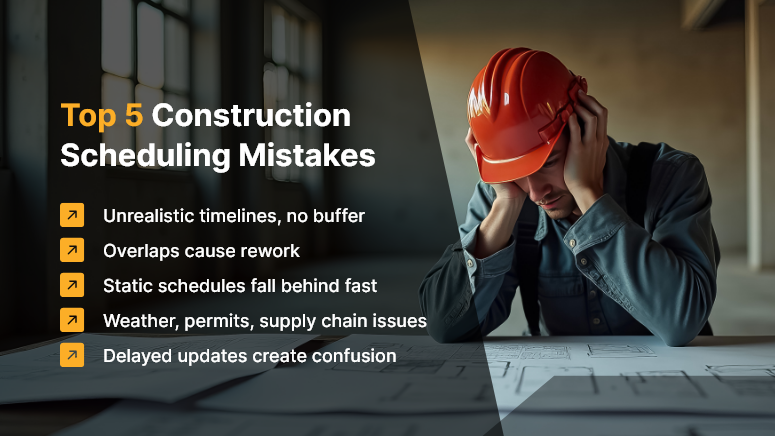
Top 5 Construction Scheduling Mistakes

Why Scheduling Mistakes Hurt More Than You Think

Your schedule isn’t just a timeline. It’s the backbone of your entire project.

Think about it: every crew, every supplier, every permit — they all depend on it. When the schedule slips, everything else starts to wobble.

  • Crews show up before materials.
  • Deadlines overlap, causing rework.
  • Clients get vague updates and lose trust.

And suddenly, you’re not just managing a project. You’re putting out fires.

Now flip the script. When your scheduling is solid, you’re in control:

  • Costs stay under control.
  • Resources are used efficiently.
  • Clients actually trust your process.

That’s the power of getting it right.

Mistake #1: Underestimating Task Durations

We’ve all been there. A task looks simple on paper, so you assign a quick turnaround. Then reality kicks in — site conditions, unexpected complexity, permit delays — and suddenly that “three-day task” stretches into two weeks.

The fix: Stop guessing. Use real data. OConstruction lets you pull from historical projects so your estimates aren’t just optimistic guesses. And don’t forget to add a little buffer for the unexpected. Because in construction, the unexpected is the rule, not the exception.

Mistake #2: Ignoring Task Dependencies

Picture this: the drywall crew is ready, but the electrical work isn’t finished. Now you’ve got wasted labor and a frustrated crew.

The fix: Map it out visually. With OConstruction’s Gantt charts, you can see dependencies at a glance. The system even flags conflicts before they blow up your timeline.

Mistake #3: Treating the Schedule as Static

Too many teams build a beautiful schedule at the start — then never touch it again. Weeks later, reality and the schedule don’t match, and no one knows what’s really happening.

The fix: Treat your schedule like a living, breathing thing. Update it often. With OConstruction, progress updates are live. Missed milestones, shifting timelines, new changes — everyone sees it in real time.

Mistake #4: Forgetting About Risks

Weather delays. Supply shortages. Permits are stuck in approval. These things aren’t “what ifs.” They’re when, not if.

The fix: Plan for them. Build contingency time into your schedule. With OConstruction, you can tag and track risks so you’re not blindsided when they hit. Instead of scrambling, you’re ready.

Mistake #5: Poor Communication

This one stings the most. Imagine your client only finds out about a delay after they show up on site. Or crews get conflicting instructions about when to start. Miscommunication doesn’t just cause delays — it damages trust.

The fix: Overcommunicate. Automate updates. OConstruction makes it simple with built-in notifications and status reports. Everyone — clients, crews, suppliers — stays in the loop.

A Real-World Example

Take SummitWorks Construction. They were constantly rescheduling because suppliers delivered late. Crews would arrive ready to work, but the materials weren’t there. Morale dropped. Clients were frustrated. Costs went up.

Then they switched to OConstruction.

  • Supplier delivery schedules got synced directly into their project plans.
  • Automated alerts went out the moment something changed.
  • Crews stayed informed and ready.

The result? 28% fewer overruns in just six months. Costs dropped, clients were happier, and repeat business shot up.
That’s the difference between firefighting and smooth sailing.

Key Takeaways

Avoiding scheduling mistakes isn’t about working harder — it’s about being smarter. Here’s what successful construction teams do differently:

1. Be Realistic – Use Data, Not Guesswork

Overly ambitious timelines might look good in the bid, but they rarely survive on the ground. Smart project managers use historical data and lessons learned from past jobs to set achievable timelines. OConstruction makes this easier by storing project records you can reference when planning. That way, your schedules aren’t based on optimism — they’re based on reality.

2. Stay Proactive – Keep the Schedule Alive

A construction schedule isn’t a one-and-done document. It’s a living plan that shifts as the project progresses. Too many teams forget to update it, which confuses, missed milestones, and chaos on site. With OConstruction’s real-time updates, your schedule adjusts dynamically so everyone knows exactly where the project stands — today, not last month.

3. Plan for Risks Before They Happen

Rain, late permits, supply chain hiccups — they’re not “if,” they’re “when.” Ignoring them is like walking onto a site without safety gear. By building in risk buffers and contingency plans, you create breathing room for your project. OConstruction lets you tag potential risks, track their impact, and respond quickly when something goes wrong. It’s about expecting the unexpected.

4. Keep Everyone Connected – No Surprises

Nothing frustrates clients and crews more than being left in the dark. A missed update can erode trust faster than a missed milestone. By automating updates and sharing schedule changes instantly, you make sure stakeholders always know what’s happening. With OConstruction, clients feel informed, crews know when to show up, and suppliers stay aligned — no more last-minute surprises.

The Bottom Line

When you get scheduling right, projects run smoother, crews stay productive, costs stay under control, and clients actually enjoy working with you. It’s not just about finishing on time — it’s about building a reputation for reliability. And that’s exactly what OConstruction helps you achieve.

How to Create a Realistic Construction Timeline and Stick to It?

Did you know that 72% of construction projects face delays due to poor scheduling and unrealistic timelines? Every missed milestone costs more than just money—it damages reputation, client trust, and future opportunities.

Creating a realistic construction timeline isn’t just about dates on a calendar—it’s about aligning resources, managing risks, and keeping every stakeholder accountable. In today’s fast-moving industry, sticking to your schedule can mean the difference between profitable delivery and costly overruns.

In this blog, we’ll break down how to plan a practical construction timeline, avoid the usual pitfalls, and ensure your team sticks to it — while showing how OConstruction’s integrated platform makes the process faster, easier, and more accurate.

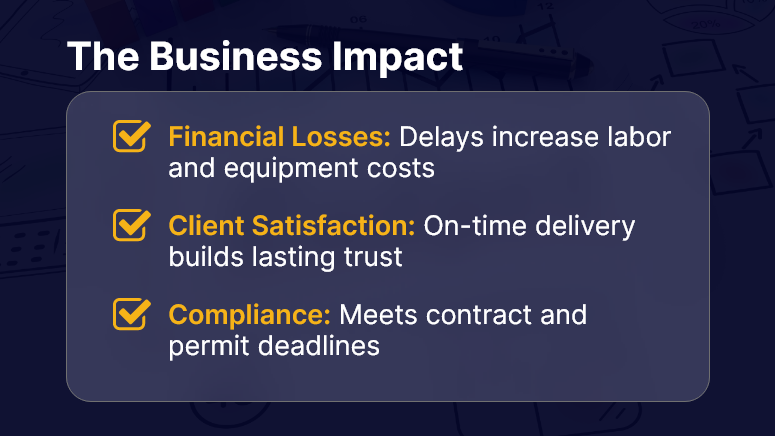
The Business Impact

Why a Realistic Construction Timeline Matters

A construction timeline is more than a schedule—it’s the operational backbone of your project. Without it, tasks overlap unnecessarily, resources sit idle, and deadlines slip through the cracks.

The Business Case

  • Financial Impact – Every day of delay can mean thousands in additional costs, from labor to equipment rentals.
  • Client Satisfaction – Delivering on time builds trust and increases repeat business.
  • Regulatory Compliance – Many projects must meet strict deadlines to comply with contracts or permits.

Who Benefits the Most?

  • Project Managers – Gain better control over schedules and resource allocation.
  • Construction Companies – Improve profitability by minimizing idle time.
  • Clients & Developers – Get projects completed on time and within budget.

Common Problems Without a Proper Timeline

  • Unrealistic Deadlines – Overpromising leads to missed milestones and frustrated clients.
  • Poor Resource Allocation – Having the right materials and labor at the wrong time causes bottlenecks.
  • No Accountability – Without clear visibility, no one knows who’s responsible for delays.

OConstruction addresses these pain points with tools for construction scheduling, milestone tracking, and real-time progress monitoring, making it easier to plan and stick to your commitments.

Best Practices & Actionable Strategies for a Rock-Solid Construction Timeline

1. Set Realistic Deadlines from the Start

  • Avoid optimism bias. Base deadlines on historical data from similar projects.
  • Include buffer time for weather, supply delays, and unforeseen issues.
  • Use OConstruction’s project timeline management tool to visualize and adjust deadlines dynamically.

2. Break Down the Project into Milestones

  • Divide work into smaller, trackable deliverables.
  • Assign clear owners for each milestone to maintain accountability.
  • With OConstruction, each construction milestone can be assigned, tracked, and reported in real time.

3. Prioritize Critical Path Activities

  • Identify tasks that directly impact your delivery date.
  • Allocate your best resources to these high-impact activities first.
  • The platform’s Gantt chart view makes critical paths visible and easy to manage.

4. Avoid Overlapping Tasks Without Planning

  • While some activities can run in parallel, ensure dependencies are clearly defined.
  • Track and manage dependencies using OConstruction’s automated alerts and dependency mapping.

5. Communicate Clearly and Frequently

  • Hold weekly progress meetings and daily check-ins for field teams.
  • Share updates through OConstruction’s built-in communication tools for full transparency.

6. Monitor Progress and Adjust in Real Time

  • Delays happen—what matters is how quickly you adapt.
  • With construction schedule tracking, you can spot issues early and reallocate resources before it’s too late.

7. Learn from Every Project

  • Conduct a post-project review to identify what worked and what didn’t.
  • Feed this data into future timeline planning for construction projects for more accuracy.

Customer Success Story

For example, a mid-sized commercial construction company struggled with frequent delays due to poor visibility of scheduling. By switching to OConstruction’s construction scheduling feature, they were able to:

  • Track progress across multiple sites in real time.
  • Spot and resolve resource conflicts before they become delays.
  • Reduce average project delivery time by 18% in the first year.

Here’s how: They implemented milestone tracking for every department, integrated supplier updates into the platform, and used real-time alerts to handle weather-related disruptions immediately. The result? Happier clients, improved profit margins, and a strong reputation for on-time delivery.

Key Takeaways

A realistic construction timeline is the foundation for delivering projects on time, within budget, and without unnecessary stress. By using tools like OConstruction’s project timeline management, you can avoid common scheduling pitfalls and keep your projects moving smoothly.

Actionable Points

  • Plan realistically – Use historical data, not guesswork.
  • Break down work – Smaller milestones are easier to manage and track.
  • Prioritize critical activities – Keep your eyes on the tasks that matter most.
  • Leverage digital tools – Manual tracking is outdated; real-time platforms win every time.
  • Stay adaptable – A timeline is a living document, not a fixed set of dates.

Category: Construction Academy

Subcategory: Budgeting and Planning

Subcategory: Construction Phase

Subcategory: Design Coordination

Subcategory: Estimation Techniques

Subcategory: Initiation and Feasibility

Subcategory: Introduction

Subcategory: Personal Management

Subcategory: Project Close-Out

Subcategory: Project Scheduling

Subcategory: Project Teams

Subcategory: Proposal Management

Subcategory: Total Quality Management

Subcategory: Tracking and Control

Subcategory: Work Breakdown

Category: Help Desk

Subcategory: Client

Subcategory: Construction 101

Subcategory: Contractor Management

Subcategory: Expense

Subcategory: Finance Budget

Subcategory: Inventory Management

Subcategory: My Approvals

Subcategory: Site Management

Subcategory: Vendor Management