Procurement Planning for Construction Projects: What You Need to Know

In construction, up to 60% of total project costs can be linked directly to procurement — from materials to subcontractor services. Yet, many projects still face delays, budget overruns, or quality issues because of poor procurement planning.

Procurement planning for construction projects isn’t just about buying materials; it’s about securing the right resources, at the right time, for the right price — all while keeping the project on schedule.

In this blog, we’ll cover the critical steps to effective procurement planning, common pitfalls to avoid, and how using an integrated platform like OConstruction can make the entire process more efficient, transparent, and cost-effective.
Avoid These Costly Mistakes

Why Procurement Planning for Construction Projects Matters

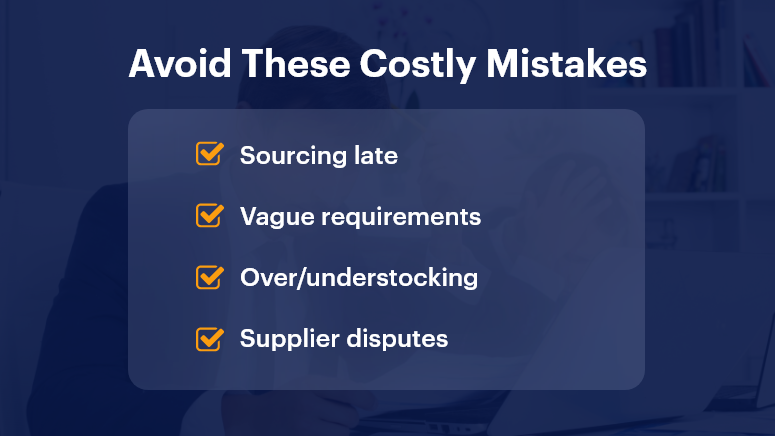
Poor procurement doesn’t just slow things down — it derails entire projects. Late deliveries can halt work, poor-quality materials can require costly replacements, and unclear supplier contracts can lead to disputes.

Why it’s critical in today’s market:

  • Tight timelines — Delays can trigger penalties and damage client relationships.
  • Rising costs — Volatile material prices make budgeting harder.
  • Global supply chain disruptions — Shortages can cause multi-week delays.

Who benefits most from strong procurement planning?

  • Project managers who must align deliveries with construction schedules.
  • Procurement officers are tasked with securing the best deals without sacrificing quality.
  • Contractors who rely on dependable suppliers to meet deadlines.

Real-world examples of procurement challenges:

  • Material shortages force teams to source substitutes at higher prices.
  • Uncoordinated purchasing causes overstocking or understocking.
  • Lack of contract clarity results in supplier disputes mid-project.

With OConstruction’s procurement tracking, supplier management, and real-time analytics, you can spot issues early, compare vendor quotes instantly, and maintain full visibility over procurement progress.

Best Practices for Procurement Planning in Construction

1. Start Procurement Planning Early

Early planning ensures suppliers have enough lead time to meet your delivery schedule.

  • Create a procurement schedule aligned with the construction timeline.
  • Identify long-lead items (like custom windows or specialized equipment) first.

2. Clearly Define Project Requirements

Vague specifications lead to mismatched orders.

  • Document exact material types, grades, and quantities.
  • Use digital procurement tools to centralize requirement data for all stakeholders.

3. Evaluate and Shortlist Suppliers Carefully

The lowest bid isn’t always the best choice.

  • Check past performance, reliability, and financial stability.
  • Maintain an approved supplier database for faster future selection.

4. Leverage Competitive Tendering

Competitive bidding can save costs and encourage transparency.

  • Send clear RFQs (Request for Quotation) to multiple vendors.
  • Use OConstruction’s tendering module to track and compare responses.

5. Integrate Procurement with Project Management

When procurement data is siloed, coordination suffers.

  • Link procurement schedules directly to task timelines.
  • Use a unified dashboard for budget, delivery, and progress tracking.

6. Monitor Supplier Performance

Regular tracking prevents delays and quality issues.

  • Set KPIs such as on-time delivery rate and defect rate.
  • Use supplier scorecards for performance reviews.

7. Plan for Risks and Contingencies

Supply chain issues are inevitable — have a backup plan.

  • Maintain a list of alternative suppliers.
  • Keep a contingency budget for urgent orders.

Customer Story

For example, Skyline Builders, a commercial construction firm, used OConstruction’s procurement planning module to streamline sourcing for a $12M office complex.

Here’s how it worked:

  • Created a procurement schedule directly tied to the project’s Gantt chart.
  • Issued RFQs to multiple vendors and compared responses side-by-side.
  • Set automated alerts for delivery delays and budget threshold breaches.

The result? Procurement costs dropped by 15%, supplier delivery times improved by 20%, and the project stayed exactly on schedule.

Key Takeaways & Closing Summary

Strong procurement planning for construction projects ensures you get the right resources, at the right cost, exactly when needed.

Key Points:

  • Start early — Early procurement prevents last-minute scrambling.
  • Be specific — Clear requirements avoid costly mistakes.
  • Track performance — Data-driven supplier management improves results.
  • Integrate tools — A unified platform connects procurement with scheduling and budgeting.

By applying these strategies and using OConstruction’s procurement planning tools, you’ll avoid delays, control costs, and deliver projects with confidence.

Building Safe: 10 Safety Checklist Must-Haves for Every Site

Construction sites are among the most hazardous workplaces — accounting for one in five worker deaths annually, according to OSHA. But many of these accidents are preventable with a structured site safety checklist.

A safety checklist isn’t just a compliance form — it’s a real-time tool to save lives, reduce liability, and build safer, more productive job sites. From personal protective equipment (PPE) to emergency procedures, every checklist item matters.

In this blog, we’ll walk you through 10 essential checklist components, why they matter, and how a digital platform like OConstruction simplifies it all.

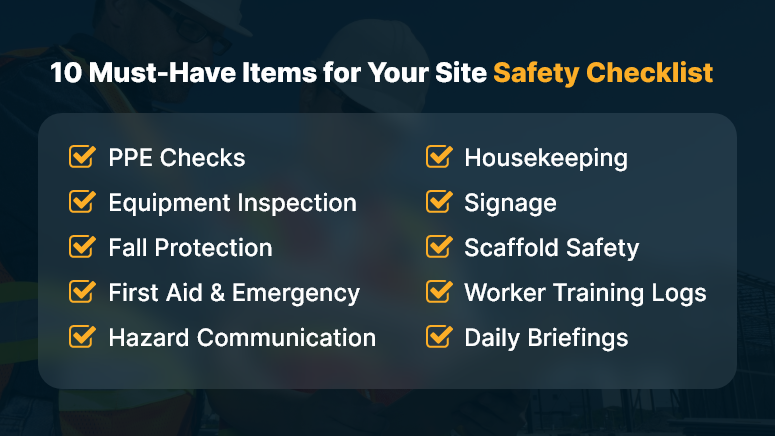
10 Must-Have Items for Your Site Safety Checklist

Why a Site Safety Checklist Is a Must-Have for Every Project

Let’s face it — site safety is more than a legal requirement; it’s a business advantage.

Delays caused by safety violations, lawsuits, and workforce injuries can tank project budgets and timelines. The right safety practices not only prevent loss but also build trust across stakeholders.

Real-World Impacts:

  • General contractors can avoid costly rework by identifying hazards early through routine safety checks.
  • Project managers benefit from real-time visibility into site safety data, reducing incident response time.
  • EHS managers can ensure compliance with OSHA standards while reinforcing a culture of safety.

Without a standardized site safety checklist, important tasks fall through the cracks — and your team is left exposed.

10 Site Safety Checklist Must-Haves (And How to Get Them Right)

Let’s break down the 10 critical components every construction site must cover:

1. PPE (Personal Protective Equipment) Checks

Make sure helmets, gloves, boots, eyewear, and high-vis clothing are available and worn correctly. Inspect for wear-and-tear or expired certifications.

2. Tool and Equipment Inspection

Check that all equipment is operational and tagged for safety. Malfunctioning gear is a top cause of on-site injuries.

3. Fall Protection Systems

Verify the installation and use of guardrails, harnesses, and fall arrest systems—especially for projects above six feet.

4. First Aid & Emergency Supplies

Ensure kits are fully stocked, accessible, and marked. Emergency eye wash stations and fire extinguishers should be part of every site.

5. Hazard Communication

All chemicals and materials must be labeled and have associated SDS (Safety Data Sheets) available to workers.

6. Housekeeping Standards

Clutter, debris, and spills increase risks. Confirm regular cleaning protocols are followed and materials are properly stored.

7. Signage and Barricades

Install visible warning signs in hazardous zones. Temporary barricades should be used to isolate high-risk areas.

8. Scaffold and Ladder Safety

Inspect scaffolds for structural integrity and confirm ladders meet load-bearing and positioning requirements.

9. Worker Training Logs

Track that each worker has completed necessary training: fall protection, lockout/tagout, PPE use, and emergency response.

10. Daily Safety Briefings

Hold toolbox talks at the start of each shift. Document attendance and topics discussed for compliance tracking.

Pro Tip: Use OConstruction’s digital checklists to auto-remind supervisors of daily inspections, document outcomes, and trigger alerts for missing items.

How One Contractor Cut Incident Rates by 45%

BrixCore Projects, a mid-sized contractor in Mumbai, used OConstruction’s safety checklist feature to reduce job-site injuries by 45% in just six months.

Here’s how: They digitized all safety protocols, set auto-reminders for daily inspections, and integrated QR codes for on-site hazard reporting. Field staff could instantly flag safety issues, and managers could act immediately — no paperwork delays.

This resulted in fewer compliance lapses, faster responses to risks, and greater worker confidence on-site.

Key Takeaways: Don’t Just Build Fast — Build Safe

Safety isn’t just a policy—it’s a practice. When it’s built into daily routines, it becomes second nature.

  • A site safety checklist creates structure and accountability on every job site.
  • It reduces risks, ensures compliance, and enhances team confidence.
  • Digital platforms like OConstruction eliminate paperwork delays and ensure real-time visibility into safety tasks.

Want fewer incidents, better compliance, and faster inspections? Start with a checklist that’s smart, mobile, and built-in.

How to Choose the Right Construction Software for Your Team?

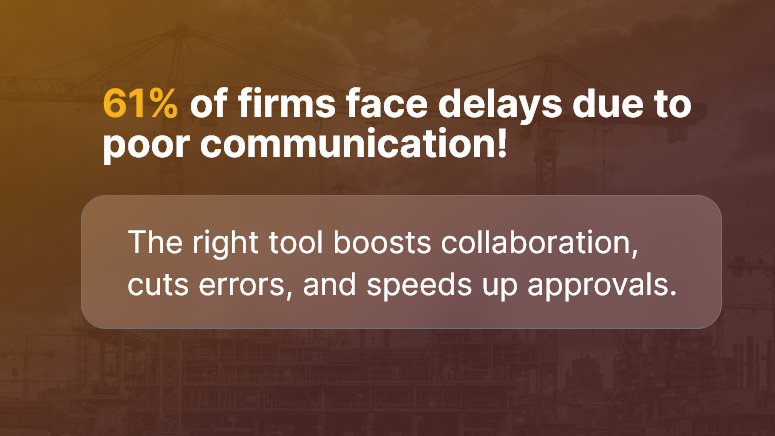
Every construction team knows the frustration of juggling spreadsheets, fragmented tools, and missed deadlines. According to a recent study, 61% of construction firms face delays due to poor project communication. With so much at stake, selecting the right construction software matters more than ever.

In this post, we’ll help you cut through the noise. You’ll learn what truly matters in choosing the best software for your team, why it affects ROI, and how to evaluate tools effectively. By the end, you’ll know exactly how to pick the right system to improve efficiency and reduce errors.

61 of firms face delays due to poor communication!

Why Construction Software Selection Matters (and Who Benefits)

For contractors, project managers, field teams, and ops leaders, choosing the wrong tool can cost time, money, and morale.

Pain Points:

  • Field teams lack access to real-time plans
  • Delays in approvals and RFIs
  • Duplicate data entry across platforms

Who Benefits Most:

  • Commercial contractors managing multiple sites
  • Project managers need real-time visibility
  • Field engineers requiring mobile access
  • Finance teams tracking budgets and permits

Instead of fragmented systems, the right construction software selection ensures your entire team collaborates in one platform, avoiding miscommunication and reducing rework.

Imagine less time chasing signatures and more time getting projects delivered on time and on budget.

Best Practices & Actionable Steps to Select Construction Software

What to Do

  • Define Business Needs First
    Clarify what your team needs: mobile access, document control, budgeting, or scheduling. Avoid choosing a tool without a clear problem to solve.
  • Prioritize Usability & Mobile Access
    Field users should be able to upload photos, manage RFIs, and view plans via phones or tablets. If the interface frustrates them, adoption drops fast.
  • Ensure Seamless Integrations
    Your ideal software should sync with accounting systems, BIM tools, or ERP platforms. Good construction management software reduces manual entry and errors.
  • Look for Role-Based Permissions
    Project managers, subcontractors, and office staff need different levels of access. Choose software that supports granular permissions and audit trails.

What to Avoid

  • Selecting software based on feature count alone
  • Ignoring customer support and training options
  • Underestimating onboarding time and training needs

Quick Wins

  • Trial with a single active project — see how the team adopts and thrives
  • Use built-in mobile apps from day one, not later
  • Set KPIs like approval turnaround time or rework reduction to measure success

Evaluation Framework

  • Identify Core Use Cases: e.g., site access, RFI management, subcontractor coordination
  • Request Demos with Real Scenarios
  • Pilot with Key Team Members
  • Get Feedback & Score Usability
  • Assess ROI: reduced delays, fewer errors, faster approvals

Customer Use Case: Software Selection in Action

For example, Skyline Contractors, a mid-sized commercial builder, evaluated multiple platforms before choosing a system that offered real-time mobile plan access, automated RFI workflows, and integrated budget tracking.

  • They cut RFI turnaround by 45%
  • Reduced document retrieval time from hours to minutes
  • Improved subcontractor compliance submissions by 30%

Here’s how: They piloted the software on two live sites and gathered user feedback regularly. That approach ensured successful adoption across field and office teams.

Key Takeaways & Closing Summary

Choosing the right construction software isn’t just about features — it’s about solving real problems for your field, office, and finance teams.

  • Focus on your team’s pain points first, then evaluate tools
  • Prioritize mobile usability, tight integrations, and role-based permissions
  • Pilot with real projects, measure success, and scale gradually

By taking a structured and team-aligned approach, your construction software selection becomes a transformational step — not just an IT purchase.

Automation in Construction: Where It Works (and Where It Doesn’t)

Automation in construction is no longer just a futuristic buzzword. It’s here, it’s real, and it’s changing how we build. From self-driving excavators to AI-powered scheduling tools, the construction industry is rapidly integrating automation. Yet, while some tasks benefit immensely, others hit walls due to complexity, cost, or human nuance.

In this blog, we’ll break down exactly where automation in construction works, where it doesn’t, and what business leaders should prioritize. Whether you’re a project manager, operations head, or construction tech innovator, this guide gives you clarity.

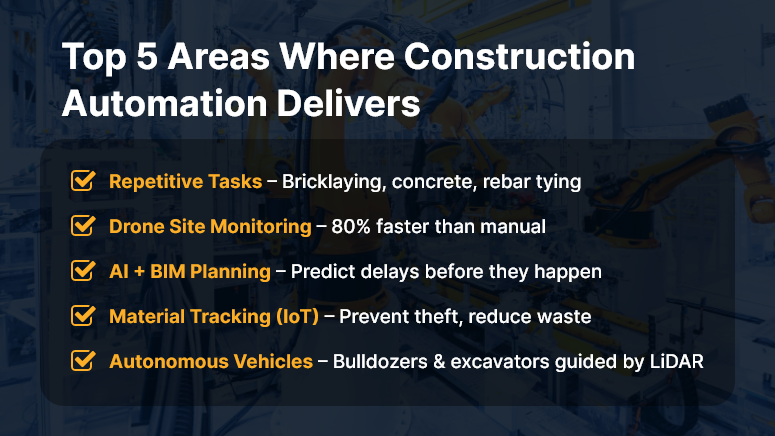
Top 5 Areas Where Construction Automation Delivers

Why Automation in Construction Matters to Your Business

In an industry battling labor shortages, rising material costs, and increasing safety risks, automation offers a much-needed edge.

Why should companies care? Because automation isn’t just about robots and AI — it’s about doing more with less, reducing human error, and speeding up delivery.

Who benefits most?

  • Contractors managing complex, multi-phase projects
  • Developers racing against tight deadlines
  • Site supervisors juggling labor and logistics daily

Real-world use cases:

  • Drones can conduct daily site inspections in 30 minutes instead of 3 hours.
  • Automated rebar tying machines cut labor time by up to 40%.
  • AI scheduling software reduces delays by predicting risks before they escalate.

Yet, not every task is ready for automation. Let’s explore what works — and what doesn’t.

Best Practices: Where Automation Works in Construction (And Where It Doesn’t)

Where Automation Works Well

  1. Repetitive, Labor-Intensive Tasks


    Tasks like bricklaying, concrete pouring, and rebar tying are ideal for automation. Robots excel in consistency and reduce strain injuries.

  2. Site Monitoring with Drones


    Drones can capture aerial data, track progress, and flag safety violations — faster and safer than manual inspection.

  3. BIM and AI for Planning


    Building Information Modeling (BIM) tools integrated with AI help teams forecast project timelines and detect clashes before construction begins.

  4. Material Tracking with IoT

    Sensors and RFID tags provide real-time visibility into material usage, preventing delays and theft.

  5. Automated Equipment and Vehicles


    Self-driving bulldozers and excavators, guided by GPS and LiDAR, enhance precision and reduce accidents.

Where Automation Still Struggles

  1. Creative or Judgment-Based Work


    Design, problem-solving, and on-the-fly decisions still require human nuance.

  2. Unstructured Environments


    Construction sites are dynamic. Not all robots or machines can adapt to terrain changes, weather, or unexpected events.

  3. Specialized Trade Work


    Tasks like plumbing, electrical wiring, or HVAC installation demand precision and adaptability — not ideal for current automation tools.

  4. High Cost vs. ROI


    Some technologies remain too expensive for mid-sized contractors with slim margins.

Quick Wins & Do’s and Don’ts

Do:

  • Start small — automate one workflow (like timesheet tracking or site inspection).
  • Train your workforce to work with, not against, machines.
  • Choose tech that integrates with your current construction platform.

Don’t:

  • Don’t automate for the sake of it. Align automation to business goals.
  • Avoid tools with steep learning curves or poor support.
  • Don’t ignore data security — automated systems need secure infrastructure.

Framework to Apply:

  • Step 1: Identify repetitive, high-volume tasks
  • Step 2: Evaluate ROI of automating each
  • Step 3: Pilot-test with one team or project
  • Step 4: Train users and monitor adoption
  • Step 5: Expand with feedback and continuous improvement

Use Case Example

For example, Skyline Builders, a mid-sized commercial construction company, used drone-based site inspections and AI-based progress tracking on a 12-month high-rise project.

Using the automated system reduced inspection time by 80%, flagged delays early, and improved compliance reporting — all without increasing overhead.

Here’s how: The drone captured daily images. The AI analyzed patterns against the project timeline. The team received visual reports that saved hours of manual coordination.

Key Takeaways & Closing Summary

Automation in construction is a powerful enabler — but only when used strategically.

  • It works best in repetitive, data-heavy, or dangerous tasks like site inspections, material tracking, and earthwork.
  • It still struggles with tasks that demand creativity, adaptability, or deep trade expertise.
  • Start small. Pilot-test. Train your team. Choose scalable tools.

The future of construction isn’t human vs. machine — it’s humans empowered by smart, integrated automation.

How to Stay on Budget in Construction Projects from Day One?

Construction budgeting is more than crunching numbers — it’s a strategy that separates successful projects from costly disasters. According to McKinsey, large construction projects are typically 80% over budget and 20 months behind schedule. That’s a wake-up call.

Whether you’re an owner, contractor, or project manager, mastering construction budgeting is a game-changer. It ensures financial control, stakeholder confidence, and smoother execution.

In this guide, we’ll break down construction budgeting from estimation to execution, with best practices you can apply today. You’ll also see how a unified platform like OConstruction simplifies this process from end to end.

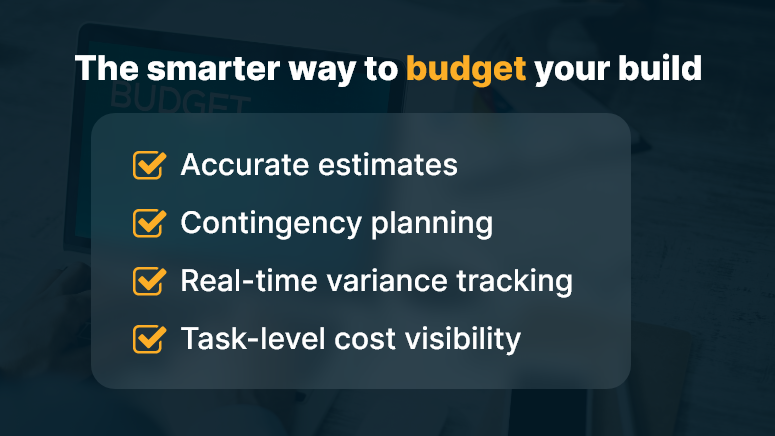
The smarter way to budget your build

Why Construction Budgeting Matters

When budgets go wrong, projects stall, clients panic, and profits vanish. Budget overruns happen due to:

  • Poor initial cost estimates
  • Scope creep and design changes
  • Lack of real-time cost tracking
  • Communication gaps between stakeholders

But when budgeting is done right, the benefits are immense:

  • Transparent cost forecasting that aligns with project scope
  • On-time execution with milestone-based spending
  • Cost control with fewer surprises

Who Gains the Most?

  • General contractors managing multiple projects
  • Construction firms are juggling labor, material, and vendor costs
  • Real estate developers need to secure capital based on accurate budgets

Imagine a budgeting tool that works in sync with your procurement, task timelines, and labor planning. That’s where digital platforms like OConstruction make the biggest impact.

Budgeting Frameworks, Do’s & Don’ts, and Best Practices

Step-by-Step: From Estimation to Execution

1. Start with Realistic Cost Estimation

  • Use historical data, vendor quotes, and material indexes.
  • Leverage OConstruction’s cost estimation engine to avoid underpricing.

2. Set a Contingency Buffer

  • Allocate 10–15% buffer for unforeseen issues.
  • Don’t treat this as extra spending; track it separately.

3. Break Down Budget by Work Packages

  • Use a Work Breakdown Structure (WBS) to assign budgets to specific tasks or phases.
  • It improves accountability and cost tracking.

4. Use a Construction Budget Template or Tool

Ditch spreadsheets. Use platforms like OConstruction for:

  • Customizable templates
  • Centralized document storage
  • Auto-updated cost breakdowns

5. Update Budgets in Real-Time

  • As project scopes evolve, so should budgets.
  • With OConstruction, link tasks and invoices directly to budget lines.

6. Track Committed vs. Actual Costs

  • Compare planned vs. real spending weekly.
  • Auto-generate variance reports inside your dashboard.

7. Involve All Stakeholders Early

  • Collaborate across finance, procurement, and operations from the start.
  • Avoid late-stage surprises by setting approval workflows.

Example: Customer Use Case

For example, BuildZen, a mid-sized general contracting company, used OConstruction’s budgeting and cost control modules to streamline its mid-rise residential project in Austin.

Result? They:

  • Reduced budget overruns by 22%
  • Delivered 2 weeks early
  • Improved financial visibility for their CFO and clients

Here’s how:

  • Used automated budget tracking
  • Synced tasks with cost updates
  • Generated real-time progress-to-budget dashboards

Key Takeaways

Construction budgeting isn’t just a finance task — it’s a strategic lever.

  • With real-time tracking, integrated workflows, and stakeholder collaboration, budgets become dynamic tools rather than static guesses.
  • Software like OConstruction ensures your estimates turn into actuals without surprises.

Quick Summary

  • Start with data-backed estimation
  • Use buffer planning wisely
  • Break down budgets by tasks
  • Track costs weekly, not monthly
  • Automate variance and reporting

Want budgets you can trust? Don’t manage construction projects with spreadsheets.

From Clipboard to Cloud: Modernizing Field Reports

For decades, construction teams have relied on paper-based reporting — clipboards, carbon copies, and handwritten notes. But in a high-stakes, fast-paced industry, these outdated tools slow things down. Did you know? Over 35% of construction rework is due to poor project data and miscommunication. That’s lost time, lost money, and a lot of stress. In today’s digital-first world, modernizing field reports isn’t optional — it’s the difference between chaotic job sites and smooth operations.

This blog explores why it’s time to ditch the clipboard, how cloud-based field reporting changes the game, and best practices for making the switch seamlessly.

Let’s explore how smarter reporting empowers your team to work faster, smarter, and with fewer surprises.

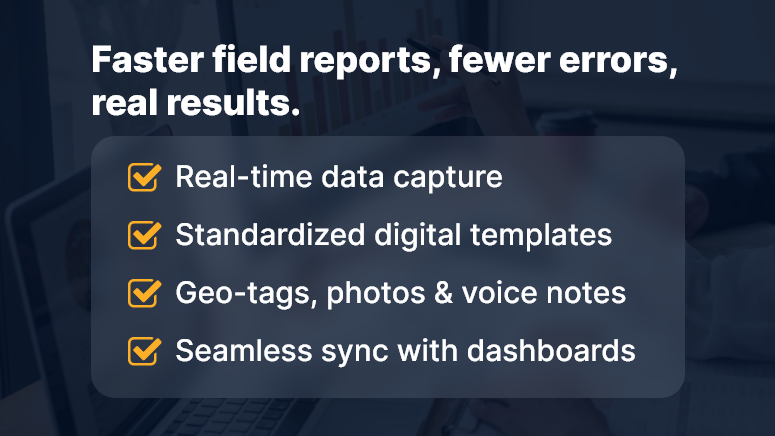
Faster field reports fewer errors real results

Why Modernizing Field Reports Matters More Than Ever

Construction leaders face growing pressure to deliver projects on time and within budget — while juggling labor shortages, complex regulations, and rising client expectations. At the heart of it all? Information. Accurate, timely, and accessible field data.

Here’s why modernizing field reports is mission-critical:

  • Delayed Data = Delayed Decisions: Traditional paper logs often take days to reach office teams. That delay in communication slows everything down — from approvals to procurement.
  • Lost Reports = Legal & Financial Risks: Paper forms can easily be damaged, misplaced, or unreadable. In industries where compliance matters, that’s a liability.
  • Inaccessible Insights = Missed Opportunities: Paper data doesn’t integrate into systems or dashboards. There’s no real visibility, and no real-time trend analysis.

Real-World Use Cases:

  • Residential Builder: Delays in field report delivery lead to cost overruns due to duplicated work.
  • Subcontractor Coordination: Miscommunication on job site conditions creates rework and finger-pointing.
  • Government Project Oversight: Manual logs slow down audit response and compliance tracking.

Bottom line: Outdated field reporting drains productivity and introduces unnecessary risk. It’s time for a smarter approach.

Best Practices for Modernizing Field Reports

Making the leap from clipboard to cloud is more than just switching tools — it’s about transforming workflows and culture. Here are proven steps to modernize field reports effectively:

1. Choose the Right Digital Tool (Not Just Any App)

Look for a platform that offers offline mode, mobile-first design, role-based access, and seamless sync with office systems. OConstruction checks all these boxes.

2. Standardize Field Report Templates

Define what needs to be captured — weather, site conditions, delays, photos, sign-offs, safety logs — and make it consistent across teams.

3. Train Crews for Mobile First

Make mobile reporting second nature by offering short, task-focused training sessions. Bonus: Set up in-app tooltips and guided walkthroughs.

4. Automate Reminders and Submissions

Use automated prompts to nudge field teams to submit reports daily. No more chasing down forms or correcting missing data.

5. Integrate Field Data with Project Dashboards

Connect field reports to your main project management dashboards so stakeholders get a real-time, unified view.

6. Use Photos, Voice Notes & Geo-Tags

Modern field reporting isn’t just text. Enrich your logs with images, voice memos, and geo-location tags for full context and proof of work.

7. Set Alerts for Red Flags

Enable auto-alerts for late reports, safety issues, weather delays, or missed inspections to act quickly — before problems grow.

8. Review Weekly Reports & Trends

Use analytics to spot recurring issues, top performers, or potential risks. Turn raw field data into actionable intelligence.

Customer Story

For example, HawkBuild, a mid-sized commercial contractor, used OConstruction’s mobile field reporting to reduce report turnaround time from 3 days to real-time. Here’s how…

They standardized daily field logs across 6 crews, trained supervisors using in-app guidance, and linked reports to their central project dashboard. Within a month, they improved safety compliance by 25% and reduced job site miscommunications by 40%.

Key Takeaways

Modernizing field reports is one of the highest-leverage upgrades construction teams can make.

It boosts clarity, speed, accountability, and decision-making — all while reducing compliance risks.

Here’s a quick recap of what to focus on:

  • Standardize and digitize your reporting process with cloud-based tools
  • Choose mobile-friendly platforms with offline support
  • Train your field teams to adopt digital logs seamlessly
  • Integrate field data with your central project dashboards
  • Monitor trends weekly to stay proactive, not reactive

The days of clipboard chaos are over — if you’re ready to modernize.

Category: Construction Academy

Subcategory: Budgeting and Planning

Subcategory: Construction Phase

Subcategory: Design Coordination

Subcategory: Estimation Techniques

Subcategory: Initiation and Feasibility

Subcategory: Introduction

Subcategory: Personal Management

Subcategory: Project Close-Out

Subcategory: Project Scheduling

Subcategory: Project Teams

Subcategory: Proposal Management

Subcategory: Total Quality Management

Subcategory: Tracking and Control

Subcategory: Work Breakdown

Category: Help Desk

Subcategory: Client

Subcategory: Construction 101

Subcategory: Contractor Management

Subcategory: Expense

Subcategory: Finance Budget

Subcategory: Inventory Management

Subcategory: My Approvals

Subcategory: Site Management

Subcategory: Vendor Management