Managing Contractors & Subcontractors: Best Practices That Work

Managing contractors and subcontractors is like conducting an orchestra — except your performers are often late, under-informed, or working off different sheet music.

In fact, according to a KPMG study, over 70% of construction projects face schedule overruns — with subcontractor misalignment a top cause.

In today’s fast-moving environment, poor contractor coordination isn’t just inefficient — it’s expensive and risky.

This blog explores proven strategies, tools, and frameworks to help you manage contractors and subcontractors more effectively. You’ll learn best practices, industry insights, and how platforms like OConstruction give you visibility, control, and peace of mind.

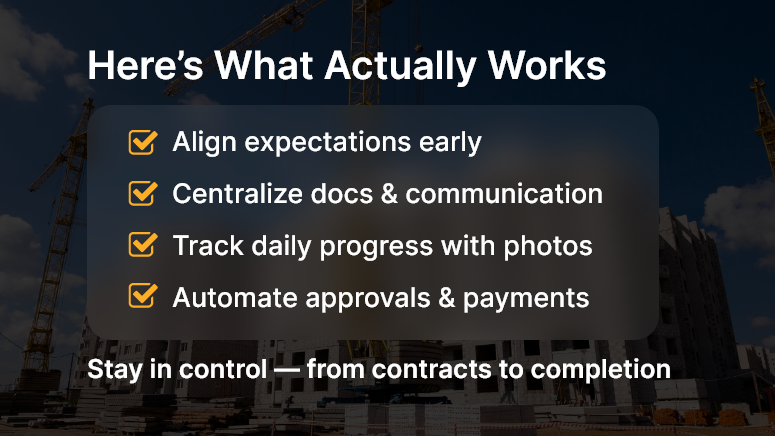
Here’s What Actually Works

Why Contractor/Subcontractor Management Matters More Than Ever

Whether you’re building a commercial skyscraper or a residential complex, success hinges on how well your contractor and subcontractor ecosystem performs.

Common Real-World Challenges:

  • Missed Deadlines: A plumber delayed by 3 days can hold up painters and inspectors for a week.
  • Disjointed Communication: Contractors may not report issues promptly — causing reactive, not proactive, problem-solving.
  • Scope Creep & Budget Overruns: Without clear documentation and oversight, minor changes spiral into major cost blowouts.

Who Benefits the Most:

  • Project Managers needing tighter timelines and budget adherence.
  • General Contractors coordinating multiple trades under pressure.
  • Owners and Developers demand faster ROI and fewer surprises.

The bottom line? Without streamlined subcontractor management, you’re gambling with productivity, safety, and profitability.

Actionable Best Practices for Managing Contractors & Subcontractors

1. Set Crystal-Clear Expectations

Before the project begins, define roles, responsibilities, deliverables, and timelines. Use digital contracts and SOWs (Statements of Work) stored centrally.

  • Align everyone on project milestones and dependencies.
  • Set quality benchmarks and communication cadence.
  • Track deliverables using cloud-based dashboards.

2. Centralize Documentation and Communication

Use a unified platform like OConstruction to store:

  • Contracts
  • Insurance documents
  • Work orders
  • RFIs (Requests for Information)

With a single source of truth, contractors can access the info they need — fast, reducing mistakes and repetitive back-and-forth.

3. Real-Time Progress Tracking & Daily Logs

Track work done daily — with photos, notes, and timestamps.

  • Identify bottlenecks early.
  • Validate work before issuing payments.
  • Improve transparency across stakeholders.

Bonus: Use mobile inspection tools to upload site photos directly to the dashboard.

4. Establish Accountability with Audit Trails

With time-stamped updates and user logs:

  • You can trace who approved what and when.
  • Avoid finger-pointing during disputes.
  • Strengthen compliance reporting for audits and safety checks.

5. Automate Subcontractor Onboarding

  • Digitize contract signing and orientation paperwork.
  • Use task checklists to guide subcontractors through safety briefings.
  • Sync onboarding data to project timelines automatically.

6. Build In Checkpoints & Sign-Offs

  • Use milestone-based tracking.
  • Require supervisor sign-offs before new work begins.
  • Schedule automated alerts for inspection readiness or punch lists.

7. Improve Payment Timelines with Verification Workflows

  • Link invoices to actual work logs.
  • Use digital signatures and photo documentation for faster approval.
  • Set alerts for overdue tasks or unsigned dockets.

Pro tip: OConstruction users reduce payment approval cycles by up to 40% using integrated workflows.

Customer Story

For example, NextBuild Developers, a mid-sized commercial construction firm, used OConstruction’s subcontractor tracking tools to streamline progress reporting across 20+ subcontractors.

Result?

  • Reduced project delays by 22%
  • Improved invoice verification speed by 40%
  • Cut back-and-forth calls/emails by 60%

Here’s how: By centralizing communication, automating check-ins, and using mobile uploads for daily logs, their team stayed aligned across shifting deadlines.

Key Takeaways & Final Thoughts

Strong subcontractor management isn’t just good practice — it’s a strategic advantage.

When you align expectations, digitize documentation, and establish real-time visibility, you:

  • Reduce confusion and delays
  • Improve accountability and trust
  • Streamline payment cycles and inspections

Platforms like OConstruction help you turn subcontractor chaos into a coordinated operation.

If you’re still managing subs with spreadsheets, emails, and phone calls — it’s time to rethink.

Managing contractors and subcontractors effectively drives profits, cuts costs, and protects your reputation.

How to Improve Productivity on the Construction Site

The construction industry loses over $177 billion annually due to productivity inefficiencies, according to the U.S. Bureau of Labor Statistics. Delays, miscommunication, manual paperwork, and uncoordinated teams often slow down project delivery — and cost businesses big.

Improving construction site productivity isn’t just about doing things faster; it’s about doing them smarter, with fewer mistakes and more control.

This blog breaks down common productivity pitfalls, provides proven strategies to address them, and explains how platforms like OConstruction empower teams to deliver projects on time, every time.

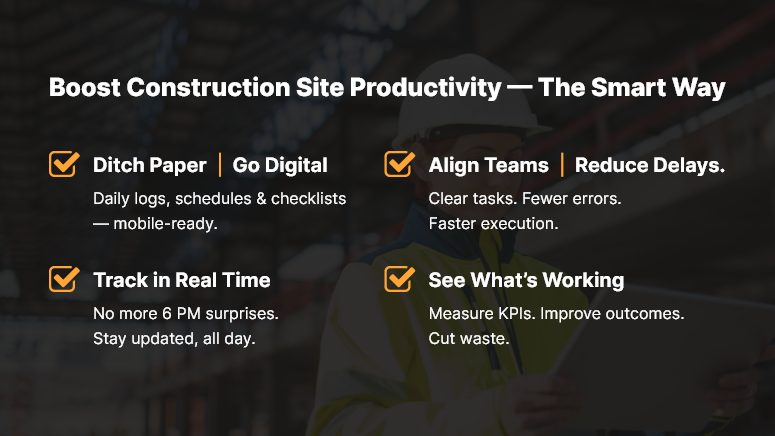
Boost Construction Site Productivity — The Smart Way

Why Construction Site Productivity Matters More Than Ever

Construction timelines are tighter. Budgets are stricter. And labor shortages are becoming the new normal.

In this high-pressure environment, site productivity has a direct impact on profitability and reputation.

Why companies must prioritize it:

  • Every delay increases overhead costs. Idle equipment, overworked labor, and stalled supply chains stack up quickly.
  • Poor productivity triggers rework. Miscommunication or missing documents lead to duplicated effort — and wasted time.
  • Manual tracking drains resources. Paper logs and spreadsheets slow down approvals, reporting, and decision-making.

Who benefits from better construction site productivity?

  • Project Managers gain better control and insight into daily progress.
  • Site Supervisors reduce chaos by streamlining task assignments and check-ins.
  • Executives gain accurate forecasting, timelines, and resource usage metrics.

Real-World Pain Points:

  • A crew waits for a delayed delivery because the procurement team wasn’t updated in time.
  • A subcontractor misses key instructions hidden in an email chain.
  • An outdated site log causes the project timeline to fall behind.

All of these are fixable — with the right processes and tech.

Best Practices to Boost Construction Site Productivity

Let’s explore practical, high-impact ways to boost productivity on the ground — backed by digital construction tools.

DO: Digitize Field Operations

  • Replace paper-based field logs with mobile data entry that allows supervisors and workers to report in real time.
  • With tools like OConstruction’s daily log feature, updates sync instantly to central dashboards — improving visibility across the team.

DON’T: Rely on Manual Scheduling

  • Construction schedules change constantly. Manual updates cause delays.
  • Use real-time scheduling software to shift tasks, assign resources, and notify teams without the lag.

DO: Standardize Daily Workflows

  • Create repeatable, checklist-based workflows for daily tasks, inspections, and safety protocols.
  • This reduces guesswork and ensures every team operates with the same playbook.

DO: Encourage Real-Time Communication

  • Adopt team messaging tools that connect the office, field, and vendors in one place.
  • No more back-and-forth across phone calls, WhatsApp groups, and email threads.

DON’T: Wait Until End-of-Day for Updates

  • Status reports shouldn’t be compiled after 6 PM. That’s outdated.
  • Encourage live updates from the field, integrated into your project dashboards for immediate insights.

DO: Track and Analyze Productivity Metrics

Use dashboards to monitor:

  • Completed tasks vs. planned tasks
  • Idle time
  • Workforce output
  • On-time delivery rate

OConstruction lets you customize KPIs, so your productivity tracking aligns with your project goals.

Quick Wins to Apply Immediately

  • Geo-tag field updates to verify locations.
  • Digitally assign tasks with deadlines and automatic reminders.
  • Automate safety checklists to save admin time.

Use Case: A Real Productivity Transformation

For example, Ironstone Builders, a mid-sized commercial contractor, was struggling with coordination across multiple job sites. Paper logs, missed calls, and scattered spreadsheets slowed down their daily operations.

Here’s how they improved construction site productivity using OConstruction:

  • Field crews began logging hours and progressed directly from their phones.
  • Project managers received real-time alerts when deliveries were late or tasks were delayed.
  • Daily reports were auto-generated, reviewed by leadership every morning.

Key Takeaways & Final Thoughts

Boosting construction site productivity doesn’t require overhauling your entire operation overnight. It starts with small, strategic changes — and the right tools.

Key takeaways:

  • Digitizing field updates reduces lag and improves accuracy.
  • Real-time dashboards offer visibility that paper cannot.
  • Standard workflows create consistency, accountability, and speed.
  • Integrated platforms like OConstruction allow seamless collaboration between the field and the office.

If your teams are still juggling paperwork, chasing updates, and reacting to delays — it’s time to level up. Smart construction starts with smart systems.

What the Next Generation of Construction Leaders Must Know

Did you know the construction industry is expected to grow by over 85% by 2030, reaching $15.5 trillion globally? But while the projects get bigger, timelines shorter, and technologies smarter, leadership needs to evolve just as fast.

That’s why understanding what the next generation of construction leaders must know isn’t just important—it’s essential.

Today’s job sites demand more than experience with tools and materials. They demand digital fluency, strategic thinking, people management, and tech-enabled agility. In this blog, we’ll explore the critical capabilities tomorrow’s construction leaders must develop and how tools like OConstruction’s digital platform can prepare them for long-term success.

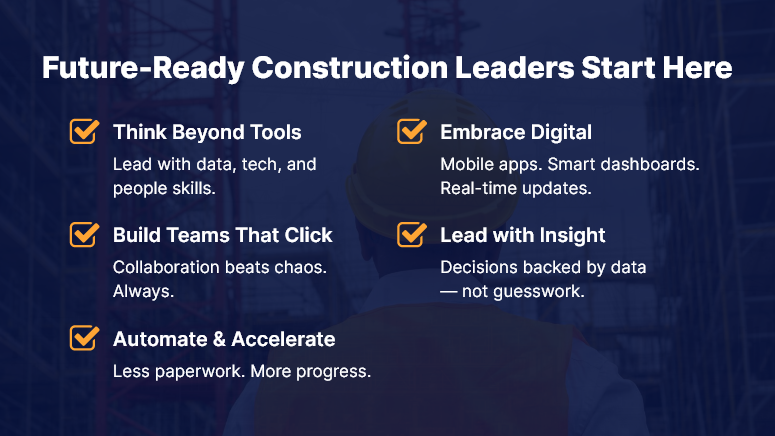
Future-Ready Construction Leaders Start Here

Business Relevance: Why Modern Leadership Matters in Construction

Traditionally, construction leaders rose through the ranks with hands-on experience and deep technical knowledge. But now, they’re expected to:

  • Manage multi-million-dollar projects from mobile dashboards
  • Lead cross-functional teams from the field and office simultaneously
  • Analyze real-time data to make fast, informed decisions

The industry’s shift toward digital transformation, sustainable practices, and data-driven project delivery makes leadership more complex—and more critical.

Real-World Problems New Leaders Face:

  • Delayed Decisions: Project managers without real-time data access are prone to making assumptions.
  • Inefficient Collaboration: Manual processes create silos between field workers and back-office staff.
  • Tech Resistance: Many teams struggle with new tools due to a lack of training or leadership support.

The solution? A new generation of leaders equipped with digital-first mindsets, adaptive strategies, and platforms like OConstruction to connect workflows, people, and insights.

Best Practices & Actionable Strategies for Future Construction Leaders

DO: Embrace Digital Fluency

Digital transformation isn’t optional anymore. Construction leaders must be comfortable with:

  • Cloud-based platforms for document control, task tracking, and RFIs
  • Mobile tools that enable remote supervision and real-time updates
  • Data dashboards to identify bottlenecks and track KPIs

Tip: Familiarize yourself with tools like OConstruction’s mobile inspection module to lead efficiently from anywhere.

DON’T: Rely Solely on Gut Instinct

Great leaders balance intuition with data. That means:

  • Analyzing historical project data to avoid repeating mistakes
  • Using automated reports for decision-making
  • Monitoring site performance through real-time dashboards

DO: Promote Cross-Team Collaboration

The best construction leaders break down communication barriers by:

  • Creating centralized project hubs for real-time updates
  • Standardizing communication through integrated platforms
  • Scheduling recurring stand-ups across departments

Quick Win: Use OConstruction’s collaborative Gantt and task boards to align timelines across contractors and subcontractors.

DON’T: Ignore Soft Skills

Yes, tech skills are essential. But people leadership still wins projects. Focus on:

  • Active listening and team engagement
  • Conflict resolution during high-stress project phases
  • Coaching junior staff to build an internal talent pipeline

DO: Prioritize Automation

Automation tools reduce human error and improve efficiency. Leaders must:

  • Automate time logs, inspections, and compliance reporting
  • Use automated workflows to manage RFIs and approvals
  • Adopt smart scheduling based on labor and equipment availability

DON’T: Treat Tech as a Siloed Tool

Tools like OConstruction shouldn’t be “used”—they should be embedded into your leadership style. That means:

  • Setting the example by using the platform daily
  • Encouraging your team to log updates in real time
  • Reviewing data trends in weekly check-ins

Customer Story: From Old School to Digital-First

For example, SkyEdge Builders, a mid-sized general contracting firm, used OConstruction’s mobile project management tools to streamline their on-site workflows. Before adopting the platform, they faced frequent delays due to miscommunication between field supervisors and project coordinators.

After implementation, SkyEdge saw:

  • 30% faster approval cycles for RFIs
  • 15% fewer reworks thanks to real-time inspection logs
  • Improved morale due to easier task tracking and transparent timelines

Here’s how: They trained their site supervisors on mobile reporting, integrated subcontractor schedules, and used dashboard KPIs to monitor productivity weekly.

Key Takeaways: Leadership for a Digital Construction World

As the industry evolves, the construction site of tomorrow needs leaders who are digitally savvy, people-oriented, and process-driven.

Key Skills to Cultivate:

  • Tech Literacy: Know how to lead through tools like OConstruction
  • Data-Driven Thinking: Back up decisions with hard numbers
  • Human-Centric Management: Prioritize your team’s success as much as project deadlines
  • Automation Advocacy: Let machines handle the repetitive stuff so your team can focus on strategy

In summary, the next generation of construction leaders must blend timeless leadership qualities with modern digital fluency. By adopting smart platforms and continuous learning, you can drive your team toward efficiency, growth, and long-term success.

The Future of Modular Construction: Benefits and Challenges

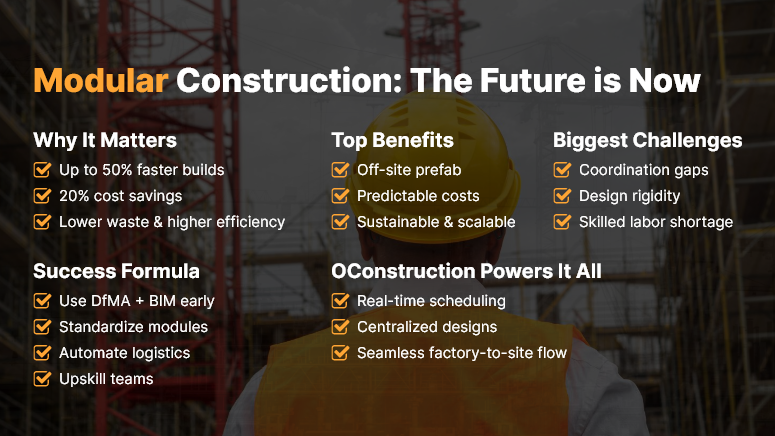
In the ever-evolving world of construction, modular construction is no longer a futuristic buzzword — it’s a present-day game-changer. According to McKinsey, modular construction can speed up build times by up to 50% and reduce costs by 20%. That’s not just innovation — that’s impact.

Yet, despite the promising numbers, many construction leaders still hesitate. Why? Because every new method brings both exciting opportunities and real-world challenges.

In this post, we’ll break down the business case for modular construction, unpack its major benefits and hurdles, and show how integrated digital platforms like OConstruction can help companies transition smoothly into this modern construction paradigm.

Modular Construction The Future is Now

Why Modular Construction Matters for the Industry

The construction industry is facing pressure from all sides: rising labor shortages, tighter deadlines, increasing material costs, and a demand for greener, faster builds. Enter modular construction — a method where building components are manufactured off-site, then assembled on location like a LEGO set.

Key Business Drivers Behind the Shift:

  • Speed-to-market: Modular methods can shave weeks (or months) off traditional timelines.
  • Labor efficiency: Skilled labor is centralized in factories rather than scattered across field sites.
  • Cost predictability: Prefabrication enables better control over budgets and timelines.
  • Sustainability: Waste reduction and better energy performance make modular a green-friendly option.

Real-World Challenges Construction Firms Face:

  • Coordination complexity – Off-site production requires exact alignment between factory and field teams.
  • Design rigidity – Upfront planning must be airtight, with minimal room for late-stage changes.
  • Limited experience – Many firms still lack the expertise or tools to manage modular workflows efficiently.

This is where a digital platform like OConstruction comes in — bridging the gap between planning, design, manufacturing, and assembly with real-time visibility, scheduling, and collaboration tools.

Best Practices for Modular Construction Success

To get the most out of modular construction, businesses need a strategic roadmap. Here’s a practical guide covering the dos, don’ts, and best practices for implementation.

DO: Embrace Design for Manufacturing and Assembly (DfMA)

  • Align design teams and manufacturers early using a collaborative platform. This ensures modules are designed with factory assembly in mind.
  • Use 3D BIM tools integrated with your project management system to visualize dependencies and constraints.

DON’T: Rely on Manual Coordination

  • Avoid spreadsheets and disconnected tools that create version confusion and miscommunication.
  • Instead, use a cloud-based construction platform like OConstruction to align all stakeholders in real time.

DO: Standardize Where Possible

  • Modular thrives on repeatable, scalable designs. Use pre-approved module templates to streamline planning.
  • Store and manage these templates in a centralized document library that’s accessible to every team.

DON’T: Ignore Logistics Planning

  • Transport and site assembly are just as critical as module production.
  • Use automated scheduling and tracking to ensure just-in-time delivery and assembly sequencing.

DO: Train Teams and Upskill Workers

  • Modular isn’t “plug-and-play” — it requires specialized knowledge and workflow adjustments.
  • Offer role-based training modules within your construction software to reduce friction.

DO: Use Integrated Analytics

  • Track KPIs such as factory output rate, delivery timing, cost per module, and on-site assembly speed.
  • Build custom dashboards inside OConstruction to make data-driven decisions throughout the lifecycle.

Use Case Example

For example, SkyCore Developments, a mid-sized commercial real estate firm, shifted to modular construction for its new hotel chain. By using OConstruction’s scheduling and document control features, they reduced project duration by 34% and cut waste by nearly 40%.

Here’s how:

  • Their design team used BIM integration to coordinate specs with the prefab factory.
  • Project managers tracked module production status remotely.
  • On-site crews received just-in-time delivery notifications and visual assembly instructions.

Key Takeaways & Closing Thoughts

Modular construction is shaping the future of how we build — faster, greener, and smarter. But success isn’t guaranteed unless companies have the tools to manage the added complexity.

Main insights:

  • Modular construction reduces timelines and increases cost predictability.
  • It introduces coordination, logistics, and design challenges that demand digital support.
  • An integrated platform like OConstruction enables seamless planning, scheduling, and team collaboration across the modular lifecycle.

In short:

If you want to capitalize on modular construction’s potential, the right technology is your foundation. With digital tools that sync design, manufacturing, and assembly, you move from potential to performance.

FAQs

Q1. What is modular construction?

Modular construction is a method where building components (modules) are prefabricated off-site in a controlled factory environment, then transported and assembled on the construction site. Think of it like building with LEGO blocks — each module is precision-made to fit together seamlessly.

Q2. Why is modular construction gaining popularity in the industry?

The construction sector faces rising labor shortages, increasing material costs, tighter deadlines, and demand for greener building methods. Modular construction addresses these pressures by:

  • Speeding up project timelines (up to 50% faster than traditional methods).
  • Reducing costs (McKinsey reports up to 20% savings).
  • Improving labor efficiency by centralizing skilled work in factories.
  • Enhancing sustainability through waste reduction and energy-efficient builds.

Q3. How does modular construction reduce project timelines?

Since modules are built off-site while site preparation occurs simultaneously, multiple phases overlap instead of running sequentially. This parallel workflow can shave weeks or months off traditional construction schedules.

Q4. How does it improve cost predictability?

Prefabrication allows for precise budgeting because factory-controlled processes reduce material waste, labor variation, and unexpected delays. This makes overall project costs more predictable compared to on-site construction.

Q5. How is modular construction more sustainable?

Factory-based production minimizes material waste, optimizes energy usage, and reduces site disturbance. Fewer on-site deliveries also mean lower carbon emissions from transportation.

Q6. What are the main challenges of modular construction?

While modular offers efficiency, it introduces new complexities:

  • Coordination Complexity: Off-site manufacturing requires exact alignment between factory teams and on-site crews.
  • Design Rigidity: Modules must be carefully designed in advance; late-stage changes are difficult.
  • Limited Experience: Many firms lack the expertise or digital tools to manage modular workflows efficiently.

Q7. Why is logistics planning critical in modular construction?

Modules need just-in-time delivery and precise sequencing for on-site assembly. Poor logistics planning can delay projects, increase costs, and negate the speed advantage of modular methods.

Q8. How does design rigidity affect projects?

Because modules are pre-manufactured, design changes late in the project can be expensive or impossible. Upfront planning and integration with tools like BIM and DfMA principles are essential to avoid costly redesigns.

Q9. How can construction firms succeed with modular construction?

  • Key practices include: Embrace DfMA (Design for Manufacturing & Assembly): Align design and manufacturing teams early.
  • Standardize modules: Use repeatable templates for efficiency and scalability.
  • Use integrated digital platforms: Cloud-based tools like OConstruction help coordinate all stakeholders in real time.
  • Train teams and upskill workers: Modular workflows require specialized knowledge and processes.
  • Leverage analytics: Track KPIs like production rates, delivery timing, cost per module, and on-site assembly speed.

Q10. How does technology help with modular construction?

Integrated platforms bridge the gap between planning, design, manufacturing, and assembly. Benefits include:

  • Real-time progress tracking.
  • Automated scheduling and delivery notifications.
  • Centralized document and template management.
  • Visualization through BIM integration.

Q11. Are there real-life examples of successful modular construction projects?

Yes. For example, SkyCore Developments implemented modular methods for a new hotel chain.

Using OConstruction:

  • Project duration was reduced by 34%.
  • Waste was cut by 40%.
  • Design, production, and assembly were synchronized using digital tools for scheduling, document control, and just-in-time delivery.

Q12. Can modular construction be applied to commercial and residential projects?

Absolutely. Modular methods are versatile and can be used for:

  • Hotels, offices, and schools.
  • Multi-story residential buildings.
  • Temporary or semi-permanent structures.

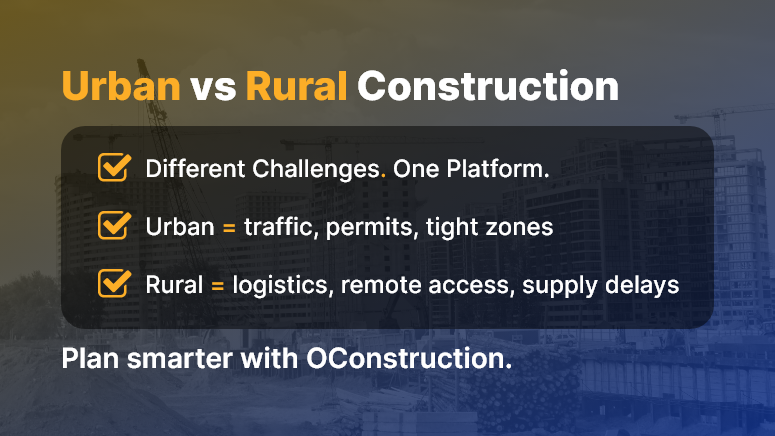
Urban vs Rural Construction: Planning and Execution Differences

Did you know that remote rural projects face up to 40% more logistics delays than urban builds due to supply constraints? When comparing urban vs rural construction, the differences in planning and execution become clear.

Urban sites deal with traffic, zoning limits, and high-density schedules, while rural projects struggle with transport access and remote labor coordination. This matters because each type requires tailored workflows, resource planning, and risk management.

In this post, you’ll explore key contrasts between urban vs rural construction, practical tips for each setting, and how the OConstruction platform helps teams manage both with equal efficiency — and reduce delays and miscommunication across environments.

Business Relevance & Why It Matters

Understanding urban vs rural construction differences is essential for decision-makers — especially project managers, procurement leads, and operations teams.

Urban sites often deal with limited staging zones, tight permitting timelines, and elevated labor coordination.

Conversely, rural construction poses challenges in supply chain logistics, remote workforce management, and infrastructure availability.

Real‑world scenarios highlight the pain points:

  • Use Case 1 – Urban: A city high‑rise must time deliveries within narrow window blocks while balancing traffic and zoning regulations. Missed permits or blocked roads cause delays and fines.
  • Use Case 2 – Rural: A highway expansion in the countryside struggles with scarce supplier access and unpredictable weather delaying material transport.
  • Use Case 3 – Mixed Site: A suburban development combines both. Teams need flexible workflows that adapt to parking-limited urban sections and remote groundwork areas.

Clearly, rigid systems don’t support both environments equally. As a result, companies face delays, cost overruns, and poor coordination.

On the other hand, platforms like OConstruction offer unified dashboards, mobile coordination, and resource tracking that adapt across both urban vs rural construction workflows.

This supports smoother execution and risk mitigation in varied site conditions.

Urban vs Rural Construction

Best Practices, Frameworks & Actionable Strategies

1. Do’s and Don’ts for Urban vs Rural Construction

  • Do plan resource delivery schedules in urban zones with restricted windows and traffic considerations. This prevents permitting fines.
  • Don’t assume rural sites can handle bulk daily deliveries — road conditions or weather can disrupt timing.
  • Do use geolocation tools to track team movement and materials in remote areas.
  • Don’t rely on paper logs alone in rural sites — they often get delayed or lost due to lack of coverage.

2. Quick Wins & Best Practices

  • Segment delivery zones: Divide urban areas into timed blocks to avoid street congestion. Use notifications to vendors when windows open.
  • Set backup supplier routes: For rural projects, establish secondary vendor options and alternate delivery paths to mitigate stoppages.
  • Implement mobile coordination: Use field apps to assign tasks, report site issues, and update schedule changes in real time — especially useful in remote builds.

3. Step‑by‑Step Framework Using OConstruction

  • Step 1: Define your project type (urban vs rural) and set rules accordingly: timing windows, supplier locations, or access constraints.
  • Step 2: Upload POs and delivery schedules; alert vendors automatically about urban restrictions or rural access delays.
  • Step 3: Field teams update progress via mobile app — including traffic delays or weather impacts — ensuring data sync immediately.
  • Step 4: Monitor resource usage and workforce status in dashboard views, flagged by site type to differentiate urban vs rural constraints.
  • Step 5: Generate reports comparing urban vs rural execution metrics — such as delivery compliance, delays, and cost variance — to fine-tune planning for future sites.

This approach connects directly with urban vs rural construction requirements and leverages OConstruction’s integrated features — delivery alerts, mobile updates, vendor coordination — to streamline execution across both settings.

Customer Story/Use Case Example

For example, TerraBuild Inc., a mixed-site contractor, managed both city apartment builds and rural infrastructure works.

They used OConstruction’s site-specific scheduling feature to tailor workflows per location. In urban areas, teams automated delivery windows to match traffic regulations.

In rural zones, they set alternate supplier routes and mobile check-ins for remote labor. As a result:

  • They reduced urban delivery conflicts by 30%
  • They cut rural site delays by 25% due to alternate route planning
  • They consolidated reporting across projects in one dashboard

Here’s how: TerraBuild created separate rulesets for urban and rural sites within the platform. They uploaded schedules, allowed vendors to confirm deliveries digitally, and had field teams report progress via mobile. The system synced all updates instantly to keep planners and onsite staff aligned.

Key Takeaways & Closing Summary

Urban vs rural construction requires distinct planning strategies and execution workflows. Urban sites need tight delivery windows and traffic-aware scheduling, while rural projects demand flexible routes, remote coordination, and supplier redundancy.

Yet with the right digital platform, you unify both environments under one system — driving efficiency and reducing risks.

  • In urban settings, schedule deliveries precisely and automate permit-aware alerts.
  • In rural zones, establish backup supply routes and leverage mobile updates for real-time feedback.

Ultimately, embracing both planning styles under a centralized tool like OConstruction improves project reliability, reduces delays, and aligns teams across diverse site conditions.

FAQs

Q1. What is the difference between urban and rural construction projects?

Urban construction projects typically face restricted space, traffic congestion, tight permitting timelines, and high-density labor coordination. Rural projects, on the other hand, encounter remote site access, limited supplier availability, unpredictable weather, and challenges in coordinating dispersed labor. Each environment requires tailored planning, logistics, and workflows.

Q2. How do urban-focused workflows improve project execution?

  • Timed delivery windows minimize street congestion and avoid fines.
  • Permit-aware scheduling ensures compliance with zoning and city regulations.
  • Centralized dashboards help monitor multiple teams and resources in tight spaces.

Q3. How do rural-focused workflows reduce delays?

  • Backup supplier routes mitigate transport disruptions caused by road conditions or weather.
  • Mobile coordination allows field teams to report delays and progress in real time.
  • Geolocation tracking helps manage remote labor and material movements efficiently.

Q4. Can a single platform manage both urban and rural projects?

Yes. Platforms like OConstruction allow planners to create site-specific rulesets, track deliveries, assign tasks, and consolidate reporting across diverse sites — all in one dashboard.

Q5. What are the key do’s and don’ts for urban construction?

  • Do: Segment delivery zones and schedule deliveries according to traffic and permit windows.
  • Do: Use real-time mobile updates to keep vendors and field teams aligned.
  • Don’t: Assume unlimited space or flexible timing — urban sites require strict adherence to windows.

Q6. What are the key do’s and don’ts for rural construction?

  • Do: Set backup supplier routes and prepare for weather-related disruptions.
  • Do: Use mobile apps to capture progress, report delays, and track resources.
  • Don’t: Rely solely on paper logs or static schedules — these often fail in remote locations.

Q7. How can planners ensure resource delivery compliance?

  • Define rulesets per site type (urban vs rural).
  • Alert vendors automatically about restricted windows or access challenges.
  • Monitor real-time updates via dashboards and follow up on flagged delays.

Q8. How does digital coordination help in mixed-site projects?

By creating separate rulesets per site type, platforms like OConstruction allow field teams and vendors to follow site-specific instructions. Mobile updates, GPS tracking, and automated notifications keep teams synchronized across both urban and rural locations.

Agile Construction Management: Is It a Good Fit?

Studies show that nearly 60% of construction projects miss deadlines due to rigid planning and poor adaptability. Enter agile construction management, a flexible approach that allows teams to pivot quickly and deliver value in short cycles.

But is it a good fit for your projects? If you’re a project manager, site lead, or operations executive, this topic matters because today’s clients expect faster response times and adaptive delivery.

In this article, we’ll define agile construction management, reveal when it works best, and show how OConstruction’s integrated platform supports it — with real examples and actionable strategies. By the end, you’ll know if agile approaches can boost your productivity and project success.

Business Relevance & Why It Matters

Construction traditionally follows a linear model: design, then build, then deliver. This often leads to delays, inflexibility, and cost overrun when changes occur.

However, agile construction management shifts this model by using shorter work cycles, regular stakeholder feedback, and responsive adjustments. Companies that adopt agile methods gain faster iterations and clearer visibility.

They also reduce risk by proactively handling unforeseen obstacles.

Who benefits most?

  • Commercial builders are facing frequent change orders
  • Infrastructure firms need to coordinate phased deliveries
  • Developers managing multi-stakeholder expectations

Use case #1: A mixed‑use developer experiences zoning shifts mid‑project. Agile sprints help respond quickly.

Use case #2: A renovation contractor works in inhabited buildings requiring frequent stakeholder input. Agile cycles reduce disruption.

Use case #3: A large civil contractor coordinates utility installation in small increments. Agile milestones allow phased deliveries.

Clearly, the pain point — rigid planning, coordination delays, and change orders — contrasts sharply with agile flexibility, faster decision‑making, and stakeholder collaboration.

With OConstruction’s platform, you implement agile construction management effectively: schedule sprints, track progress, collect feedback, and adjust using a centralized dashboard.
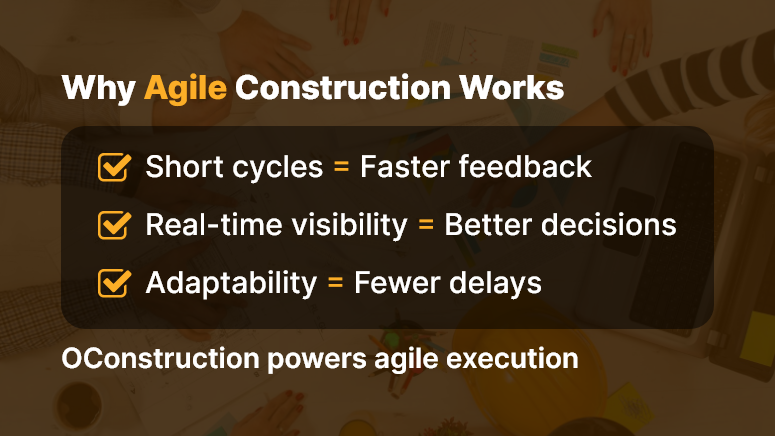
Why Agile Construction Works

Best Practices, Frameworks & Actionable Strategies

1. Do’s and Don’ts for Agile Construction

  • Do start with short planning cycles (1–2 weeks) to review tasks and adjust priorities. This enhances responsiveness.
  • Don’t overload sprints with too many concurrent tasks. It reduces focus and slows delivery.
  • Do hold regular stand‑ups onsite to align teams and surface issues early.
  • Don’t ignore stakeholder feedback between cycles—it leads to misalignment and rework.

2. Quick Wins & Best Practices

  • Start with a pilot project

Choose a smaller project to test agile workflows. This provides early lessons and builds confidence.

  • Break tasks into smaller deliverables

Divide work into manageable chunks—like permitting, foundation, framing. Then deliver and evaluate incrementally.

  • Set clear performance metrics per sprint

Track issues closed, tasks completed, or customer feedback responses. Use data to refine the next cycle.

3. Step‑by‑Step Framework Using OConstruction

  • Step 1: Define sprint durations and assign tasks using the digital kanban board.
  • Step 2: Log daily progress through mobile updates; sync team status in real time.
  • Step 3: Hold weekly sprint reviews using built-in collaboration tools and comment threads.
  • Step 4: Collect feedback from site leads, clients, and subcontractors using digital forms.
  • Step 5: Adjust task priorities and resource allocation for the next sprint directly in the platform.

This agile framework ties back to agile construction management and leverages OConstruction’s integrated features — task tracking, mobile updates, feedback collection, and sprint analytics — to maintain momentum and clarity throughout the delivery process.

Customer Story/Use Case Example

For example, Skyline Builders, a mid‑sized residential contractor, adopted agile construction management using OConstruction’s sprint‑based task board and mobile progress tracking. They launched a pilot for a four‑unit condo project. As a result:

  • They reduced rework by 30% through faster feedback loops
  • They delivered critical tasks 20% faster by real‑time task reprioritization
  • They improved subcontractor coordination and on‑site communication

Here’s how: Skyline created two‑week sprints, used mobile inputs for daily updates, and collected feedback directly in the platform from the client and team members.

Each cycle ended with a short review meeting and sprint backlog adjustment. This approach delivered clearer visibility, faster adaptation, and more predictable outcomes.

Key Takeaways & Closing Summary

Agile construction management can drive significant improvements in flexibility, stakeholder alignment, and delivery speed — especially when you use the right platform. With OConstruction, you gain:

  • Sprint‑based planning and transparent task tracking
  • Real‑time updates via mobile and dashboard views
  • Integrated feedback loops that reduce rework and miscommunication

By embracing agile methods thoughtfully, construction firms can mitigate delays, improve coordination, and increase customer satisfaction.

Ultimately, using agile construction management with an integrated tool like OConstruction transforms project execution into a flexible, responsive workflow that adapts to changes and delivers consistent value.

FAQs

Q1. What is agile construction management?

Agile construction management is a flexible approach to project delivery that emphasizes short work cycles (sprints), continuous feedback, and rapid adaptation. Unlike traditional linear methods, it allows teams to respond quickly to changes, minimize delays, and improve collaboration among stakeholders.

Q2. Why is agile construction relevant in today’s construction industry?

With rising client expectations for faster response times, adaptive delivery, and multi-stakeholder coordination, traditional rigid planning often causes delays, cost overruns, and rework. Agile methods help construction firms reduce risk, accelerate project delivery, and maintain better communication throughout the project lifecycle.

Q3. Who benefits most from agile construction management?

  • Commercial builders: Manage frequent change orders efficiently.
  • Infrastructure firms: Coordinate phased deliveries and staged milestones.
  • Developers: Maintain alignment with multiple stakeholders.

Q4. Can you give real-world examples of agile construction in action?

  • Mixed-use developer: Quickly adapts to zoning shifts mid-project using sprint-based cycles.
  • Renovation contractor: Reduces disruption in inhabited buildings by incorporating frequent stakeholder feedback.
  • Civil contractor: Coordinates utility installations incrementally with phased delivery milestones.

Q5. How does agile construction improve project outcomes?

  • Reduces rework by enabling faster feedback loops.
  • Improves delivery speed through real-time task reprioritization.
  • Enhances team coordination and communication.
  • Provides clear visibility into progress and project metrics.

Q6. How are agile sprints applied in construction projects?

Sprints are short, defined cycles (1–2 weeks) during which specific tasks or deliverables are planned, executed, and reviewed. This approach allows teams to:

  • Track task completion and obstacles in real time.
  • Adjust priorities based on feedback or unforeseen challenges.
  • Maintain continuous alignment with clients and stakeholders.

Q7. What are the best practices for agile construction management?

  • Start with pilot projects to test workflows and build confidence.
  • Break tasks into manageable, incremental deliverables.
  • Set clear metrics per sprint (tasks completed, issues resolved, stakeholder feedback).
  • Conduct regular stand-ups and sprint reviews to maintain transparency and alignment.

Q8. What common mistakes should be avoided?

  • Overloading sprints with too many tasks, which reduces focus.
  • Ignoring stakeholder feedback between cycles, leading to misalignment.
  • Relying solely on manual tracking instead of integrated digital tools.

Q9. How can digital platforms like OConstruction support agile construction?

  • Digital kanban boards: Assign and track tasks across sprints.
  • Mobile progress updates: Capture real-time updates from the field.
  • Integrated feedback collection: Receive input from clients, site leads, and subcontractors.
  • Analytics dashboards: Track sprint performance, task completion, and resource allocation.
  • Automated adjustments: Reprioritize tasks and allocate resources efficiently for the next cycle.

Q10. What are the advantages of using a platform like OConstruction for agile workflows?

  • Reduces rework by enabling fast feedback loops.
  • Improves task completion speed and milestone delivery.
  • Enhances visibility for project managers and stakeholders.
  • Consolidates communication, tracking, and reporting into one platform.

Q11. How does agile construction reduce project delays?

By breaking work into smaller, manageable sprints and using real-time feedback, teams can anticipate issues, resolve them quickly, and avoid cascading delays that are common in traditional linear models.

Q12. Is agile construction suitable for all types of projects?

Agile works best for projects where:

  • Change orders are frequent.
  • Multiple stakeholders are involved.
  • Incremental or phased delivery is feasible.

Large, highly standardized builds may still use traditional approaches, but hybrid methods combining agile cycles with traditional planning are also possible.

Q13. What are the key takeaways for project managers?

  • Agile construction improves flexibility, coordination, and responsiveness.
  • Short cycles and integrated feedback loops reduce rework and errors.
  • Using a centralized platform enhances transparency, accountability, and project predictability.
  • Thoughtful adoption of agile methods can lead to faster delivery, better client satisfaction, and measurable efficiency gains.

Category: Construction Academy

Subcategory: Budgeting and Planning

Subcategory: Construction Phase

Subcategory: Design Coordination

Subcategory: Estimation Techniques

Subcategory: Initiation and Feasibility

Subcategory: Introduction

Subcategory: Personal Management

Subcategory: Project Close-Out

Subcategory: Project Scheduling

Subcategory: Project Teams

Subcategory: Proposal Management

Subcategory: Total Quality Management

Subcategory: Tracking and Control

Subcategory: Work Breakdown

Category: Help Desk

Subcategory: Client

Subcategory: Construction 101

Subcategory: Contractor Management

Subcategory: Expense

Subcategory: Finance Budget

Subcategory: Inventory Management

Subcategory: My Approvals

Subcategory: Site Management

Subcategory: Vendor Management