10 Benefits of Digitizing Site Inspections & Audits

Construction sites are busy, dynamic environments. Every day brings new risks, compliance needs, quality checks, workforce changes, and operational updates. Site inspections and audits ensure that everything on-site — from safety measures to structural work — remains compliant, defect-free, and on schedule.

But traditional inspection methods slow projects down:

  • Paper-based checklists
  • Manual documentation
  • Delayed reporting
  • Misplaced records
  • Limited real-time visibility

Digital site inspections and audits solve these problems by using mobile devices, cloud storage, automated workflows, and real-time analytics.

This transformation leads to stronger compliance, fewer incidents, and faster project delivery.

Below are the 10 most important benefits for construction teams.
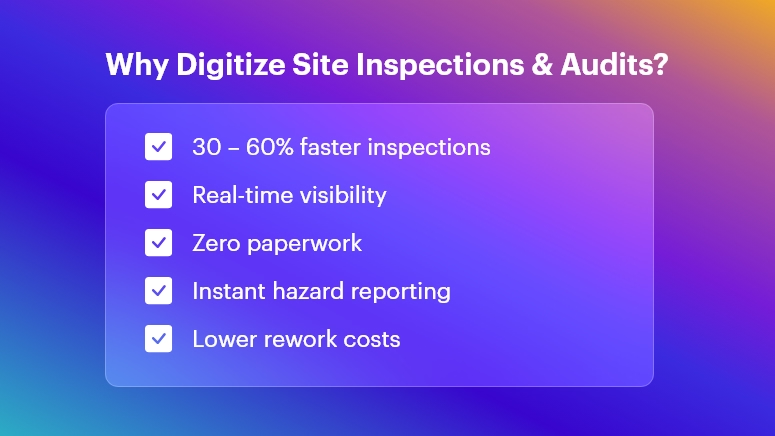
Why Digitize Site Inspections & Audits

Faster Execution with Digital Checklists & Mobile Tools

Digital inspection software allows field engineers to:

  • Capture data using dropdowns, photos, voice notes & auto-filled fields
  • Tag assets and materials instantly
  • Close checklists without revisits

On-site personnel can conduct inspections 30–60% faster because:

  • No physical paperwork
  • No repeated data entry
  • Real-time data sync

Outcome: Faster daily progress tracking and fewer bottlenecks in execution.

Real-Time Site Visibility for Office Teams

With cloud-based inspection dashboards:

  • Supervisors see issues as they happen
  • Progress can be evaluated immediately
  • Remote managers can intervene without physically visiting the site

This prevents delays from late reporting, improving decision-making and productivity.

Outcome: Stronger governance over multi-site operations and subcontractor performance.

Improved Data Accuracy & Standardization

Digital tools enforce structured data capture:

  • Mandatory checkpoints ensure complete inspections
  • GPS/time stamps validate authenticity
  • Errors from handwriting or manual transcription are removed

You get clean, consistent, audit-ready data that supports long-term quality control and project documentation.

Outcome: Higher confidence in information used for compliance and billing.

Stronger Safety Compliance & Hazard Mitigation

Construction safety inspections become more powerful with:

  • Photo-supported reports for hazard evidence
  • Risk scoring for priority classification
  • Instant alerts when a critical issue arises
  • Automated assignment of corrective actions

This boosts proactive safety, reducing accident potential and insurance risks.

Outcome: Safer job sites and better regulatory compliance (OSHA, local codes, etc.).

Centralized Record-Keeping & Accountability

All inspections are stored in a single digital repository:

  • Historical trends for recurring issues
  • Maintenance and repair documentation
  • Instant access during certifications, audits, legal checks

Even if staff changes, the data remains traceable and verifiable.

Outcome: Zero lost documents and complete project lifecycle transparency.

Automated Reporting & Data Analytics

Digital platforms automatically generate:

  • Safety audit summaries
  • Quality defect reports
  • NCR logs with photographic proof
  • Performance dashboards

Analytics help reveal:

Outcome: Better continuous improvement decisions with minimal manual effort.

Stronger Compliance with Standards & Client Requirements

Construction projects must comply with:

  • Safety protocols
  • Building codes
  • Environmental standards
  • Client specifications
  • QA/QC procedures

Digital audits enforce zero skipped checkpoints and automatically maintain compliance documentation.

Outcome: Lower risk of penalties, rework costs, and project delays.

Offline Working for Remote & High-Risk Sites

Tunnel works, rural projects, and high-rise floors often lack stable connectivity.

Digital apps allow:

  • Offline inspections
  • Auto-sync when connected
  • Seamless work continuation

Outcome: Inspections are never delayed due to network limitations.

Integration Across Project Management & Operations

Data can connect with:

  • Project schedules
  • Procurement and inventory systems
  • Asset and equipment management
  • Safety & risk management tools

Example: A failed quality check can immediately trigger a rework task or hold supplier billing.

Outcome: Smooth coordination between field execution and office control systems.

Reduced Costs, Waste & Rework

Digitalization reduces:

  • Paper/printing storage costs
  • Site revisits for missing data
  • Rework from miscommunication
  • Penalties from compliance failures

Plus, recording defects early prevents escalating repair costs.

Outcome: Maximum resource utilization and higher project profitability.

Bonus Benefit: Eco-Friendly Construction Operations

By reducing paper consumption and printing waste:

  • Projects become more sustainable
  • Support for ESG and environmental goals

This is increasingly important for green certifications and stakeholder expectations.

Conclusion

Digitizing site inspections and audits enables construction companies to:

  • Improve safety
  • Ensure quality
  • Reduce compliance risks
  • Deliver projects faster
  • Maintain full operational visibility

It’s not just a technology upgrade — it’s a competitive advantage in an increasingly complex construction environment.

The future of construction inspections is digital, automated, and intelligently connected. Organizations that adopt this transformation now will lead the industry tomorrow.

FAQs

  • What are digital site inspections in construction?

Digital site inspections involve using mobile apps, cloud platforms, and digital forms to capture, store, and analyze inspection data instead of relying on paper-based checklists and manual reporting.

  • How do digital audits improve construction safety compliance?

They provide real-time hazard reporting, automated corrective actions, detailed traceability, and validation features like GPS, photos, and timestamps, helping ensure every safety protocol is followed.

  • What technologies are used for digital site inspections?

Common technologies include mobile inspection apps, cloud data management, QR/NFC tagging, IoT sensors, automated workflows, and integrated dashboards for analytics.

  • Can digital inspection tools work offline on remote job sites?

Yes. Most digital inspection apps allow offline data capture and automatically sync information to the cloud once connectivity is restored.

  • How do digital inspections reduce project delays?

They enable faster reporting, instant approvals, and real-time communication between field and office teams, preventing delays caused by paperwork, errors, or lost documentation.

  • Are digital inspection records accepted for compliance and audits?

Absolutely. Digital records provide better authenticity, traceability, and secure archiving, making them more reliable for regulatory audits and certifications.

  • Can digital inspections track subcontractor performance?

Yes. Analytics can highlight recurring defects, delays, and compliance issues by subcontractors, enabling better quality control and accountability.

  • How do digital audits help reduce rework costs?

Early defect detection, automated alerts, and complete documentation help prevent escalation, reducing costly rework and saving time and materials.

  • What industries besides construction benefit from digitized inspections?

Manufacturing, oil & gas, infrastructure, utilities, mining, facility management, and healthcare also benefit from improved safety, compliance, and operational efficiency.

  • Is it expensive to implement digital inspection tools?

Costs vary by scale, but organizations typically see high ROI through reduced paperwork, faster execution, fewer safety incidents, and better quality control — leading to major long-term savings.
Top Toolbox Talk Topics for High-Risk Construction Activities

Every construction project involves risk — but some tasks pose far greater dangers than others. OSHA reports that nearly 20% of construction fatalities occur during high-risk activities such as working at heights or operating heavy machinery.

To keep workers protected and operations compliant, project teams must hold regular and well-planned toolbox talks. These short, focused safety meetings reinforce awareness, prevent incidents, and ensure teams understand hazards before starting work.

This guide highlights the top toolbox talk topics for high-risk construction activities and explains how to plan, deliver, and document your talks more efficiently using digital workflows with OConstruction.

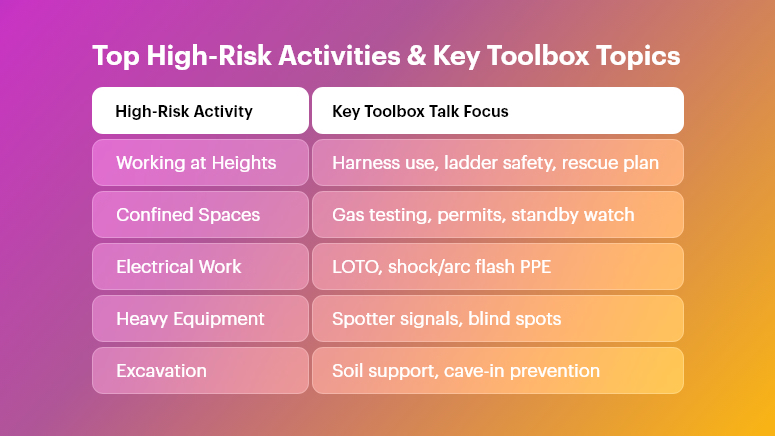
Top High-Risk Activities & Key Toolbox Topics

Regulatory Standards

  • OSHA Standards for Toolbox Talks

While OSHA doesn’t mandate a specific format for toolbox talks, 1926.21(b)(2) requires employers to instruct workers on health and safety practices relevant to their tasks.

Toolbox talk topics should align with major OSHA requirements, including:

  • Fall Protection — 29 CFR 1926.501
  • Excavation Safety — 29 CFR 1926.651
  • Electrical Safety — 29 CFR 1926 Subpart K
  • PPE — 29 CFR 1926 Subpart E

Maintaining clear records of discussions, attendance, and corrective actions helps demonstrate compliance.

  • ISO Standards and Best Practices

ISO 45001:2018 emphasizes risk reduction through:

Aligning toolbox talks with ISO principles promotes a strong safety culture and more consistent performance.

Essential Toolbox Talk Topics for High-Risk Activities

Every jobsite is unique — but the following topics remain the highest priority across most projects.

Working at Heights

Confined Spaces

  • Permit-required confined space entry
  • Oxygen and gas monitoring
  • Entry/exit volunteers and standby watch
  • Reliable communication systems

Electrical Safety

  • Lockout/Tagout (LOTO)
  • Ground fault circuit protection
  • Power line approach distances
  • Shock and arc flash PPE

Hazardous Materials

  • Proper labeling (GHS/Hazard Communication Standard)
  • Handling and chemical compatibility
  • Spill prevention and emergency cleanup
  • Storage area ventilation and segregation

Heavy Equipment Operation

  • Pre-start and walk-around inspections
  • Spotter communication and hand signals
  • Load stability and traffic control routes
  • Blind spot awareness and pedestrian safety

Excavation and Trenching

  • Soil classification and slope protection
  • Daily inspections by a competent person
  • Safe distance for spoils and heavy loads
  • Preventing cave-ins and engulfment

Preparing Effective Toolbox Talks

Successful meetings start with proper preparation:

  • Identify current jobsite hazards
  • Select topic based on upcoming work
  • Research OSHA and ISO requirements
  • Include visuals or live demonstrations
  • Schedule talks consistently (daily or weekly)

The goal is clarity, relevance, and practicality.

Delivering Engaging Toolbox Talks

Workers need information they can relate to — not lectures.

Effective communication tips:

  • Share real incidents and near-misses
  • Use simple, direct language
  • Ask questions and encourage opinions
  • Allow different presenters to take turns
  • Keep meetings to 10–15 minutes

Engagement drives adoption — and adoption drives results.

Follow-Up and Documentation

A toolbox talk only works if proper action follows.

Your documentation procedure should include:

  • Attendance tracking (digital preferred)
  • Notes on hazards discussed
  • Assigned actions with deadlines
  • Post-meeting hazard verification
  • Triggering refresher sessions when needed

Digital logs speed up audits, compliance checks, and reporting.

Manual vs. Digital Workflows Comparison

Aspect Manual Workflow Digital Workflow (OConstruction)
Planning Paper calendars, email reminders Automated scheduling
Delivery Printed sheets, verbal Mobile presentations & videos
Attendance Sign-in sheets GPS-enabled mobile check-in
Records Paper binders Cloud-based storage & instant access
Reporting Manual spreadsheets Dashboards & analytics
Follow-Up Sticky notes, email chains Task assignments & alerts

Digital workflows ensure zero lost data and greater accountability.

Digital Toolbox Talks and Software-Enabled Workflows

Modern technology empowers safety teams to deliver:

  • Interactive training (images, videos, quizzes)
  • Instant updates when regulations change
  • Photo-based incident reporting
  • Integration with OConstruction DPR and forms
  • Trend tracking and predictive insights

Compliance becomes easier — and crews stay more informed.

Toolbox Talk Checklist

(Use for planning and auditing safety talks)

  • Topic aligns with job hazards
  • Visual examples ready
  • Attendance capture method set
  • PPE demonstration included
  • Follow-up actions documented
  • Feedback collection planned

Daily Safety Briefing Template

Fields include:

  • Date and location
  • Topic and hazards
  • Presenter name
  • Workers in attendance
  • Corrective actions to complete

Ideal for high-risk tasks that require daily safety reviews.

Real-World Examples

  • A high-rise contractor detected missing guardrails during a working-at-heights talk and prevented a major incident
  • A chemical storage crew improved audit scores after daily Hazard Communication reviews
  • A tunneling project cut confined-space delays by 30% using digital permits and talk templates

Small conversations lead to major improvements.

Frequently Asked Questions

  • What is a toolbox talk?

A short safety meeting that focuses on hazards related to upcoming work.

  • How often should toolbox talks be held?

Daily for high-risk tasks — weekly for general safety awareness.

  • Does OSHA require toolbox talks?

OSHA requires safety training but not a fixed toolbox talk format.

  • Can toolbox talks be digital?

Yes — digital formats improve recordkeeping, participation, and compliance.

  • Who should lead toolbox talks?

A safety officer or supervisor — but rotating presenters encourages engagement.

  • What are the most important topics?

Working at heights, confined spaces, electrical safety, hazardous materials, heavy equipment, and excavation.

  • How do digital workflows improve talks?

They automate scheduling, tracking, reporting, and evidence compliance.

  • How does OConstruction help?

With templates, digital sign-offs, hazard logs, photo evidence, and dashboards.

Why Do Daily Safety Meetings Matter Before Work?

Construction sites are filled with dynamic hazards — changing weather, new subcontractors, shifting equipment, and high-risk work zones. Even the most experienced team can overlook danger when rushing into the day. That’s why daily safety meetings (also called toolbox talks) are essential. Studies show that up to 25% of incidents occur due to communication failures before work begins.

By aligning crews on the day’s hazards and expectations, companies dramatically reduce injuries and delays — while improving productivity and morale.

This guide breaks down what makes daily safety meetings effective, regulatory expectations, best practices, and how software like OConstruction transforms the entire workflow.

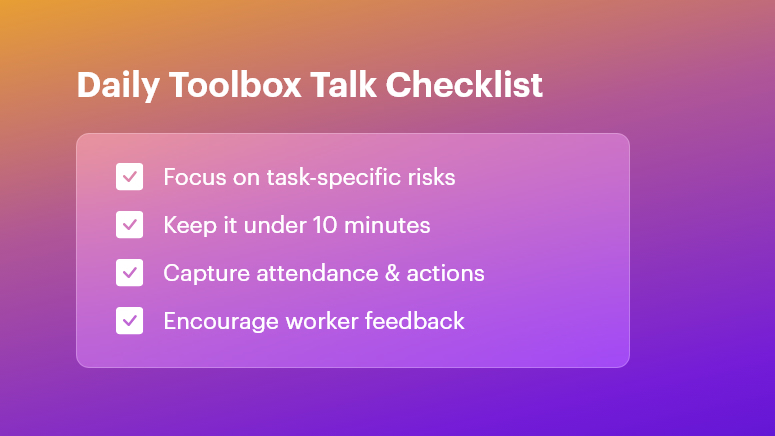
Daily Toolbox Talk Checklist

What Are Daily Safety Meetings?

Daily safety meetings are short, focused safety discussions held before shifts start. They help teams:

  • Identify job-specific hazards
  • Review preventive actions
  • Confirm roles and communication
  • Encourage worker feedback
  • Build a culture of accountability

These 5–10 minute meetings ensure everyone begins the day informed and aligned.

Regulatory Requirements

Even though OSHA doesn’t explicitly require daily talks, they enforce strict obligations around safety communication and training.

OSHA Compliance

Daily safety meetings support:

  • 29 CFR 1926.21(b)(2): Employer must instruct workers in jobsite hazards
  • Training documentation and verification
  • Hazard communication requirements

Consistent toolbox talks prove proactive safety efforts during audits and investigations.

ISO 45001 Compliance

ISO 45001:2018 emphasizes:

  • Worker participation
  • Hazard identification
  • Continual improvement via the PDCA cycle

Daily safety meetings strengthen communication and documented improvements, helping companies keep certification intact.

Key Topics for Daily Safety Meetings

Diversifying topics keeps employees engaged and safety practices relevant.

Hazard Recognition

  • Fall protection
  • Excavation and trench safety
  • Weather-related risks
  • Confined space entry

Equipment and Tool Safety

  • Crane/hoist operations
  • Scaffolding safety
  • Lockout/tagout (LOTO)
  • Battery & pneumatic tool handling

PPE Awareness

  • Correct usage of gloves, PPE kits, harnesses, helmets, and goggles
  • Fit-testing and expiration checks
  • Doffing and disposal rules

Rotate topics based on site activities, past near-misses, and seasonal changes.

How to Prepare for Daily Safety Meetings

The right preparation prevents them from becoming routine and ineffective.

Checklist Best Practice
Location Choose a quiet central spot
Speaker Rotate supervisors or safety leads
Material Bring visuals & real examples
Topic selection Align with today’s work plan
Notifications Send reminders digitally

Best Practices for Delivering Toolbox Talks

Keep It Short, Simple & Structured

  • Limit to 10 minutes
  • Cover 1–2 hazards
  • End with clear action items

Boost Engagement

  • Ask questions
  • Use site photos or models
  • Encourage workers to share recent issues

Don’t Forget Documentation

  • Attendance log
  • Topic and hazards discussed
  • Corrective actions with owners and deadlines

Why Follow-Up Matters

A safety meeting without follow-up is only a lecture.

Track and review:

  • Outstanding risks
  • Assigned responsibilities
  • Closure of corrective actions

This reinforces accountability and strengthens trust between workers and management.

Digital Toolbox Talks: Modernizing Jobsite Safety

Pen-and-paper methods are vulnerable to:

  • Lost records
  • Human error
  • Slow communication
  • Compliance risks

Software Benefits

  • Automated checklists & reminders
  • Photo-attached safety observations
  • Time-stamped attendance logs
  • Real-time dashboards for safety KPIs
  • Site-specific hazard rotation

Manual vs Digital Daily Safety Meetings

Aspect Manual Workflow Digital Workflow (OConstruction)
Preparation Printed forms Pre-built templates
Delivery Verbal only Visuals, photos, videos
Attendance Sign-in sheets Auto-tracking and timestamps
Corrective Actions Easily missed Alerts + escalation features
Reporting Time-consuming Analytics + exportable reports

Outcome: Faster, smarter, more compliant safety culture.

Real-World Impact

Here’s how structured daily safety meetings improve outcomes:

Residential Contractor

  • Focus topic: Ladder inspection
  • Result: 40% incident reduction in 3 months

Commercial Project

  • Focus topic: Crane communication
  • Result: 30% decrease in near-misses

Small conversations → big differences.

Benefits of Daily Safety Meetings

  • Reduced incidents and near-misses
  • Better alignment across teams
  • Stronger OSHA & ISO compliance
  • Higher worker participation & morale
  • Faster onboarding for new hires
  • Lower downtime and project delays
  • Easier reporting and data analytics

Free Checklist & Templates

  • Daily Toolbox Talk Checklist
  • Safety Briefing Template
  • Corrective Action Tracker

FAQ: Daily Safety Meetings

Q1: How long should a daily safety meeting last?

5–10 minutes to keep teams focused.

Q2: Who should lead toolbox talks?

Supervisors, safety officers — or rotate speakers to build ownership.

Q3: How do you measure success?

Track closure of corrective actions + reduction in incidents.

Q4: Can digital tools improve toolbox talks?

Yes — they streamline documentation, follow-ups, and audit readiness.

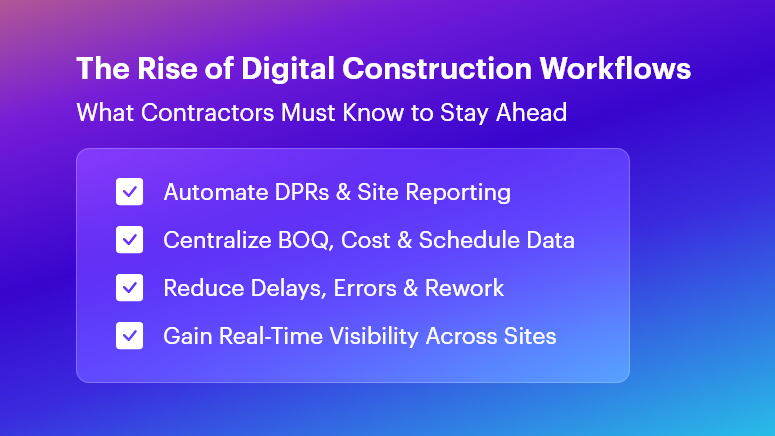
The Rise of Digital Construction Workflows: What Contractors Must Know

Construction projects routinely suffer from cost overruns, delays, and productivity gaps—studies show over 70% of projects exceed their budgets.

The Rise of Digital Construction Workflows: What Contractors Must Know explores why outdated tools like Excel sheets, WhatsApp messages, and paper logs no longer support today’s pace of execution.

When daily progress reports are late, material issues go unnoticed, or schedules shift without real-time visibility, teams lose time, money, and client trust.

In this blog, you’ll learn how to transition to end-to-end digital workflows that improve accuracy, visibility, and accountability. Whether you’re a project manager, EPC leader, QS engineer, site supervisor, or construction business owner, you’ll gain frameworks, best practices, and real-world insights.

You’ll also see how OConstruction becomes your digital partner for planning, BOQ management, DPR automation, tracking, cost control, scheduling, and site execution.

The Rise of Digital Construction Workflows

Why Digital Construction Workflows Matter

Construction inefficiencies carry major financial risks. Cost overruns, rework, and material waste can consume up to 30% of project value, and poor communication widens the gap.

Common Consequences

  • Delayed cash flow due to late DPR submissions
  • Material stockouts caused by manual logs and poor tracking
  • Rework and compromised quality from inaccurate BOQs

Industry Impact Examples

Sector Digital Gap Result
Residential Budget deviations due to delayed site reporting
Commercial Difficulty coordinating multiple subcontractors
Infrastructure Poor visibility across multi-site operations
EPC Misalignment from disconnected spreadsheets

Why Traditional Tools Fail

  • No real-time data sync → creates silos
  • No standardised workflows → human errors multiply
  • Weak audit trails → accountability disappears

Digital workflows solve these challenges through automation, transparency, and connected systems—making projects faster, more cost-efficient, and more predictable.

Best Practices, Frameworks & Actionable Steps

Transitioning to digital workflows requires structure — not just software adoption. Below is a proven rollout framework.

Define End-to-End Processes

  • Standardise workflows across all project phases
  • Use digital checklists to ensure consistent task execution
  • Automate reminders to reduce missed actions

Optimise BOQ & Estimate Management

  • Break BOQs into granular items linked to live quantities
  • Maintain version control for seamless updates
  • Use historical data to improve forecasting accuracy

Automate DPRs & Daily Logs

  • Capture photo-based site progress using mobile forms
  • Auto-generate reports in minutes
  • Sync updates directly to project schedules

Streamline Material & Inventory Management

  • Use FIFO with barcode/QR scanning
  • Automate reorder triggers to prevent shortages
  • Track every receipt, issue, and consumption event

Strengthen Cost Control & Budget Monitoring

  • Track costs daily — not monthly
  • Use Earned Value Management (EVM) to measure health
  • Act early using real-time alerts and dashboards

Coordinate Multi-Site Operations

  • Enforce uniform workflows across projects
  • Compare performance across locations with standard KPIs
  • Use centralised dashboards for live status visibility

Common Mistakes to Avoid

  • Overloading teams early — start with essentials
  • Ignoring change management — training is critical
  • Neglecting audits — compliance must be reinforced

Following these steps with OConstruction enables a seamless transition to truly digital, data-driven execution.

Mini Case Study: Sunrise Infrastructure

Sunrise Infrastructure—a highway contractor—struggled with two-day reporting delays.

After adopting OConstruction’s DPR Automation & Daily Logs:

  • 85% faster reporting turnaround
  • 30% fewer quantity reporting errors
  • 25% reduction in rework cost

With mobile entries, geotagged photos, and automated workflows, managers gained real-time visibility into material usage and progress — keeping the project on schedule and improving stakeholder confidence.

Key Takeaways

  • Digital workflows eliminate silos and reduce delays
  • Automated DPRs ensure accountability and real-time progress
  • Granular BOQ control prevents wastage and cost leakage
  • Cost dashboards with EVM metrics detect variances early
  • Multi-site standardisation strengthens reporting and scalability

The era of manual logs and disconnected spreadsheets is ending. The future of construction belongs to integrated, automated, and insight-driven execution.

FAQs

1. What is The Rise of Digital Construction Workflows: What Contractors Must Know?

The Rise of Digital Construction Workflows: What Contractors Must Know refers to adopting integrated, end-to-end software like OConstruction that streamlines planning, BOQ management, DPR automation, and site execution for contractors of all sizes.

2. How do digital construction workflows reduce cost overruns?

By automating daily logs, enforcing EVM metrics, and centralising BOQs, digital workflows provide real-time visibility into budget variances and material consumption. This prevents overspending and waste.

3. Can OConstruction integrate with existing ERP or accounting tools?

Yes. OConstruction offers APIs to sync its Cost Control & Budget Monitoring data with popular ERP and finance systems, ensuring seamless financial reporting and audit trails.

4. How quickly can a team implement OConstruction?

With our phased onboarding, teams can start digitising DPRs and BOQs within two weeks. Full end-to-end adoption typically completes in 6–8 weeks, depending on project complexity.

5. Does OConstruction support multi-site coordination?

Absolutely. Through Real-time Field-to-Office Sync and standardised dashboards, OConstruction lets you manage multiple sites from a single portal, ensuring consistent KPIs and resource allocation.

6. What security measures protect my project data?

OConstruction employs enterprise-grade encryption, role-based access controls, and regular backups to safeguard your BOQs, DPRs, and financial records, ensuring compliance with industry standards.

7. How does OConstruction improve DPR accuracy?

By enabling geotagged photos, digital forms, and automated workflows, OConstruction minimises manual entry errors and delivers high-fidelity DPRs within minutes of data capture.

Top Construction Project Management Trends Shaping 2025 for OConstruction

Construction projects still face an average 20% cost overrun and project delays exceeding 30%. These figures translate into millions lost, strained client relations, and exhausted teams. For modern builders, contractors, EPC companies, and site engineers, these challenges matter because every wasted hour and extra Rupee hits the bottom line. In this blog on Top Construction Project Management Trends Shaping 2025, you’ll learn how data-driven workflows, automation, and integrated platforms overcome these pain points.

We’ll explore game-changing trends, practical frameworks, and real-world tips—while showing how OConstruction emerges as your most modern, reliable construction tech partner.

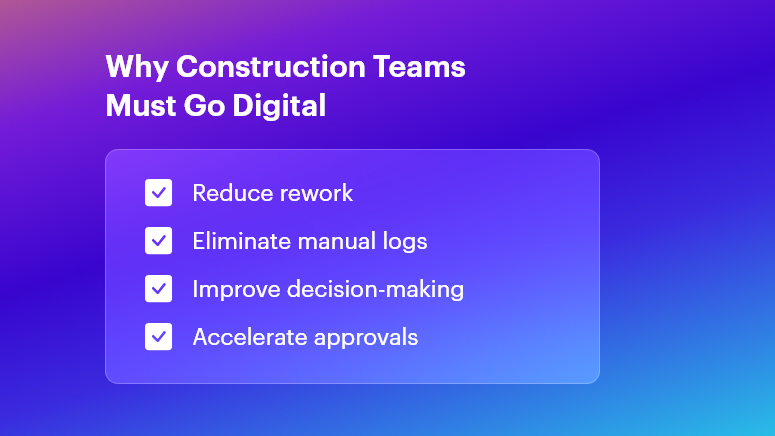
Why Construction Teams Must Go Digital

Why This Matters in Construction (Business Need & Impact)

In real estate, infrastructure, roads, and commercial or residential builds, the stakes are high. Cost overruns often arise from inaccurate BOQs and material wastage. Rework due to miscommunication can burn up to 15% of budgets.

Meanwhile, delayed Daily Progress Reports (DPRs) or fragmented site logs disrupt decision-making. Traditional Excel sheets, scattered WhatsApp messages, and manual logs simply can’t keep pace.

  • Material Wastage & Rework: Without digital BOM tracking, teams frequently over-order cement or steel, leading to stock pile-ups and spoilage.
  • Delayed DPRs & Inaccurate BOQs: Handwritten logs and late submissions cause back-office teams to scramble, delaying invoices and payments.
  • Disconnected Tools & Miscommunication: Multiple software solutions or paper ledgers create silos—resulting in blind spots on labor deployment, equipment usage, and cost variances.

Therefore, modern digital workflows become essential to boost speed, accuracy, and accountability. When OConstruction’s real-time field-to-office sync is in place, project managers and QS teams gain live updates on resource usage, DPR status, and budget health. This unified approach transforms scattered data into actionable insights—eliminating delays and overruns.

Best Practices, Frameworks & Actionable Tips

To excel in 2025, adopt these implementation-ready strategies. Each point shows how OConstruction solves the core challenge:

Integrated Project Planning & Schedule Tracking

  • Define Milestones Digitally: Use OConstruction’s Gantt-style scheduler to set clear tasks, responsibilities, and deadlines. This visual roadmap minimizes scope creep.
  • Automate Schedule Alerts: Set real-time notifications for critical path tasks. When a concrete pour or material delivery is delayed, stakeholders receive instant alerts — keeping everyone aligned.
  • Conduct Weekly Progress Reviews: Leverage the platform’s dashboards for at-a-glance status checks. Stakeholders join video calls with up-to-date data, not outdated spreadsheets.

BOQ & Estimate Management Best Practices

  • Standardize BOQ Templates: Create central BOQ templates in OConstruction to enforce consistency across projects. This prevents manual entry errors and version conflicts.
  • Link BOQs to Vendor Rates: Integrate vendor catalogs so that material rates auto-populate during estimation. Teams avoid rate mismatches and lost discount opportunities.
  • Track Revisions Transparently: Every BOQ change is logged with timestamps and user IDs. Auditors and managers trace who modified quantities or rates — and why.

DPR Automation & Daily Logs

  • Digital Field Entry: Field engineers fill digital DPR forms on mobile—capturing quantities, photos, and observations. This replaces delayed paper logs.
  • Auto-Generated Reports: Once submitted, DPRs convert into formatted PDF reports, ready for client reviews. No more manual compilation at day’s end.
  • Integrated Photo Documentation: Embed geotagged images directly within DPRs to verify completed work and reduce disputes.

Material & Inventory Management

  • Real-Time Stock Levels: Monitor site inventory — cement, bricks, steel — via barcode scanning. Automatic stock alerts prevent sudden shortages and downtime.
  • Purchase Order Workflows: Route purchase requisitions through approval hierarchies in OConstruction. Procurement teams approve, reject, or revise orders in minutes.
  • Vendor Performance Tracking: Score suppliers on delivery punctuality, quality, and pricing. Use this data to negotiate better terms and bulk discounts.

Cost Control & Budget Monitoring

  • Live Cost Vs. Budget Dashboards: Track actual spend against planned budgets. Visual flags highlight cost overruns at the activity level.
  • Variance Analysis Reports: Generate variance reports that compare estimated vs. actual costs. Then drill down on root causes—labor inefficiencies or rate escalations.
  • Automated Financial Alerts: Notify project accountants when monthly spending crosses pre-set thresholds. Early warnings enable proactive corrective actions.

Multi-Site Coordination & Communication

  • Centralized Task Management: Consolidate tasks for multiple sites under one dashboard. Allocate resources from a shared pool to optimize utilization.
  • Role-Based Access Control: Limit sensitive cost data to managers while granting field crews only the info they need. This secures data and simplifies user training.
  • Unified Messaging Hub: Replace fragmented chat apps with OConstruction’s built-in communication channels, linked to specific tasks or site locations.

Avoiding Common Mistakes

  • Manual Data Entry Reliance: Eliminate this by using mobile forms and barcode scans.
  • Ignoring Document Versioning: Always use a centralized repository with audit trails.
  • Underestimating Training Needs: Allocate time for user onboarding and peer learning sessions when rolling out new tools.

All these best practices are powered by OConstruction’s features for BOQ & Estimate Management, DPR Automation, Schedule Tracking, Inventory Handling, and Cost Control.

By unifying your workflows, you’ll reduce human errors, accelerate approvals, and gain real-time visibility across every site.

Construction Success Story: Mini Case Study

For example, a highway infrastructure firm, adopted OConstruction’s DPR Automation & BOQ Management to overcome delayed daily logs and inaccurate material estimates.

Within three months, they achieved 35% faster DPR completion, 15% reduction in material wastage, and 20% lower rework costs. Here’s the transformation:

  • Before: Field engineers submitted handwritten DPRs with missing photos. BOQs were manually emailed, causing rate mismatches and delayed purchase orders.
  • After: Field crews filled DPRs on mobile; reports auto-generated and routed to managers. BOQs auto-populated vendor rates and revisions logged.
  • Result: Project managers accessed live dashboards, resolved issues on the spot, and closed weekly meetings 50% faster.

Key Takeaways & Closing

  • Embrace Digital Workflows: Manual logs and Excel sheets no longer suffice in 2025’s fast-paced projects.
  • Automate Key Processes: DPRs, BOQs, and inventory scans deliver data accuracy and speed.
  • Centralize Communication: A unified platform reduces miscommunication and ensures accountability.
  • Monitor Costs Live: Early alerts on budget variances prevent overruns before they escalate.
  • Scale Across Sites: Role-based access and shared dashboards streamline multi-site coordination.

By adopting the Top Construction Project Management Trends Shaping 2025 and leveraging OConstruction as your tech partner, project teams can immediately boost productivity and profitability. Embrace the future — digitize your workflows, automate reports, and gain real-time insights.

FAQs

1. What are the Top Construction Project Management Trends Shaping 2025?

The key 2025 trends include automation of DPRs, digital BOQ management, real-time cost monitoring, integrated scheduling, and multi-site coordination—all made easier with unified platforms like OConstruction.

2. How does OConstruction address the Top Construction Project Management Trends Shaping 2025?

OConstruction offers BOQ & Estimate Management, DPR Automation, live cost dashboards, and inventory tracking — all syncing in real time to support the digital-first workflows defined by 2025 trends.

3. Why is digital BOQ management crucial for the Top Construction Project Management Trends Shaping 2025?

Digital BOQs reduce human error, standardize templates, auto-populate vendor rates, and speed up approvals — helping prevent cost overruns and improving accuracy across large-scale projects.

4. Can OConstruction improve DPR accuracy in line with the 2025 trends?

Yes. Mobile DPR forms with photo attachments, geotagging, and auto-generated daily logs minimize manual errors and align with 2025’s shift toward instant, data-driven progress reporting.

5. How do real-time cost dashboards support the Top Construction Project Management Trends Shaping 2025?

Real-time dashboards instantly highlight cost deviations, enabling quick corrective actions before budgets exceed limits — an essential practice for navigating 2025’s tighter project margins.

6. Is multi-site coordination part of the Top Construction Project Management Trends Shaping 2025?

Absolutely. OConstruction’s centralized task boards, role-based access, and collaboration tools help teams manage schedules, resources, and communication seamlessly across multiple project sites.

7. Where can I learn more about implementing these trends?

You can explore OConstruction’s BOQ & Estimate Management, DPR Automation, and Features Overview pages, or check out the latest blog for deeper insights into adopting 2025-ready construction practices.

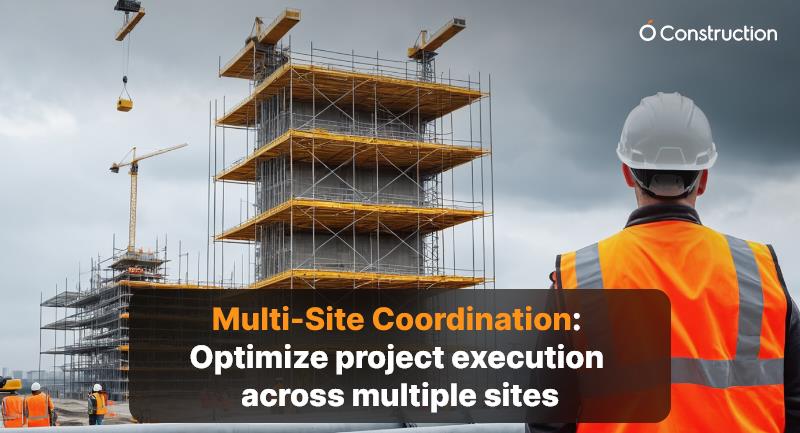
Multi-Site Coordination: Optimize project execution across multiple sites

Managing a single construction or infrastructure project is challenging. Managing multiple active sites simultaneously — often in different locations, with varied teams and vendors — demands a far higher level of coordination and control.

This is where multi-site coordination comes in: an integrated approach that synchronizes communication, resources, schedules, and performance tracking across all sites to ensure consistency, accountability, and timely delivery.

In industries such as construction, energy, infrastructure, and manufacturing, effective multi-site coordination directly impacts project success, cost efficiency, and client satisfaction.

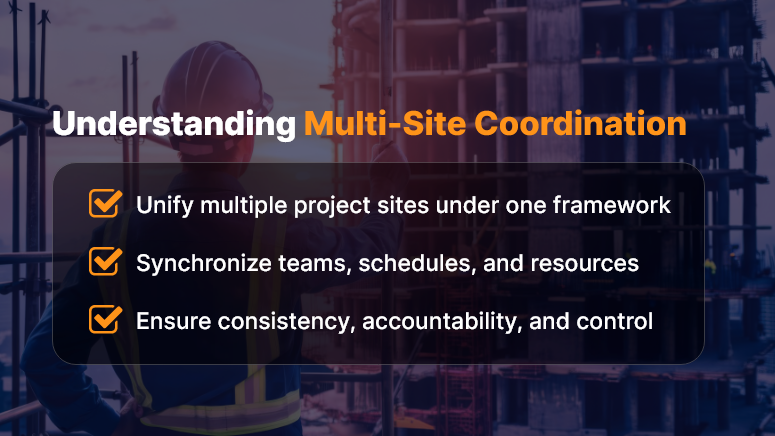
Understanding Multi-Site Coordination

What Is Multi-Site Coordination?

Multi-site coordination is the systematic management of projects executed at multiple geographic locations under a unified operational framework.

It ensures that every site — whether it’s a construction zone, solar installation, or infrastructure upgrade — works toward shared objectives, aligned schedules, and standardized quality metrics.

Key objectives include:

  • Real-time visibility into each site’s progress and performance.
  • Seamless collaboration between central offices and field teams.
  • Standardized workflows and documentation.
  • Efficient allocation of shared resources, materials, and equipment.

In essence, multi-site coordination consolidates dispersed operations into a single, synchronized ecosystem.

Challenges in Managing Multiple Project Sites

Without a structured coordination framework, teams face a host of challenges:

  • Communication silos: Field teams and head offices often operate with fragmented updates.
  • Inconsistent reporting: Different formats and standards confuse progress tracking.
  • Duplicate work or missed dependencies: When schedules and responsibilities aren’t synchronized.
  • Resource conflicts: Equipment or manpower overbooked across sites.
  • Delayed decision-making: Managers lack real-time data for quick intervention.

These pain points can cause schedule slippage, cost overruns, and reduced productivity — especially in large-scale infrastructure or construction programs.

Key Strategies to Optimize Multi-Site Coordination

1. Centralized Project Management Platform

Use a cloud-based project management system that consolidates updates, schedules, and documents from all sites in one place. For example, tools like OConstruction or Orangescrum allow you to:

  • Assign and monitor tasks across multiple sites.
  • Track progress visually through dashboards and Gantt charts.
  • Log issues, RFIs, and approvals in real time.

This centralization eliminates the guesswork and ensures every stakeholder sees the same data.

2. Standardize Communication Protocols

Define clear communication channels:

  • Daily site logs for on-ground updates.
  • Weekly review calls between site managers and HQ.
  • Centralized chat or ticketing system for queries and escalations.

Using structured communication templates ensures everyone follows a consistent reporting rhythm, reducing misunderstandings.

3. Real-Time Data and IoT Integration

Leverage IoT sensors, drones, and mobile apps to feed live data into your coordination system:

  • Monitor equipment usage and site safety remotely.
  • Capture progress images or videos for validation.
  • Track resource utilization through GPS-enabled machinery.

Real-time data not only improves transparency but also helps anticipate delays or equipment downtime early.

4. Optimize Resource Allocation

A unified resource pool across sites helps balance workload and reduce idle time. With centralized scheduling tools, you can:

  • Check resource availability instantly.
  • Reassign underutilized assets.
  • Track material dispatches and deliveries in real time.

This ensures materials, machinery, and manpower are always available where they’re needed most.

5. Implement Unified Quality and Safety Standards

Multi-site projects often fail due to inconsistent safety or quality compliance. Develop a shared inspection checklist, accessible digitally, to ensure:

  • Uniform quality benchmarks across sites.
  • Compliance with safety standards and local regulations.
  • Real-time corrective action tracking for identified issues.

Digitized QA/QC workflows help teams avoid rework and ensure predictable outcomes.

6. Use Dashboards and Analytics

Data visualization plays a key role in multi-site management. Dashboards can help decision-makers:

  • Compare performance metrics across all sites.
  • Identify high-risk areas through variance reports.
  • Forecast delays or budget overruns early.

Analytics transforms scattered data into actionable insights — improving planning, forecasting, and performance reviews.

7. Encourage Cross-Site Collaboration

Build a culture of shared learning:

  • Conduct virtual coordination meetings.
  • Share best practices, risk logs, and vendor feedback.
  • Recognize top-performing site teams to motivate others.

When teams communicate across locations, innovation and problem-solving accelerate.

The Role of Technology in Multi-Site Coordination

Modern project management relies heavily on digital transformation:

  • Cloud collaboration tools ensure all stakeholders have access to the same information.
  • Mobile apps enable site engineers to update data instantly.
  • AI and predictive analytics forecast delays, cost risks, and resource shortages.
  • BIM (Building Information Modeling) and Digital Twins connect design, execution, and monitoring phases across all sites.

These technologies help project leaders shift from reactive management to proactive control.

Business Impact of Optimized Multi-Site Coordination

Implementing structured coordination delivers measurable benefits:

  • 20–30% improvement in project visibility and reporting accuracy.
  • Reduced delays through early identification of critical issues.
  • Better resource utilization and cost savings.
  • Higher client satisfaction through consistent quality delivery.
  • Improved team accountability and cross-site collaboration.

Organizations that adopt digital multi-site coordination report faster decision-making, leaner operations, and scalable project control.

Best Practices for Long-Term Success

  • Document every process and update regularly.
  • Assign a Multi-Site Coordinator or Program Manager role to oversee synchronization.
  • Conduct monthly performance reviews across all sites.
  • Integrate ERP or CRM systems for financial and vendor tracking.
  • Continuously train site teams on digital tools and communication protocols.

Consistency and discipline are the cornerstones of multi-site success.

Conclusion

In a world of distributed operations, multi-site coordination is no longer optional — it’s essential for competitive, high-performing project delivery.

By integrating technology, standardizing processes, and fostering cross-site collaboration, organizations can ensure smoother execution, timely completion, and predictable outcomes.

If your enterprise manages projects across cities or regions, adopting a digital coordination platform like OConstruction can give you real-time visibility, control, and confidence — across every site.

Category: Construction Academy

Subcategory: Budgeting and Planning

Subcategory: Construction Phase

Subcategory: Design Coordination

Subcategory: Estimation Techniques

Subcategory: Initiation and Feasibility

Subcategory: Introduction

Subcategory: Personal Management

Subcategory: Project Close-Out

Subcategory: Project Scheduling

Subcategory: Project Teams

Subcategory: Proposal Management

Subcategory: Total Quality Management

Subcategory: Tracking and Control

Subcategory: Work Breakdown

Category: Help Desk

Subcategory: Client

Subcategory: Construction 101

Subcategory: Contractor Management

Subcategory: Expense

Subcategory: Finance Budget

Subcategory: Inventory Management

Subcategory: My Approvals

Subcategory: Site Management

Subcategory: Vendor Management