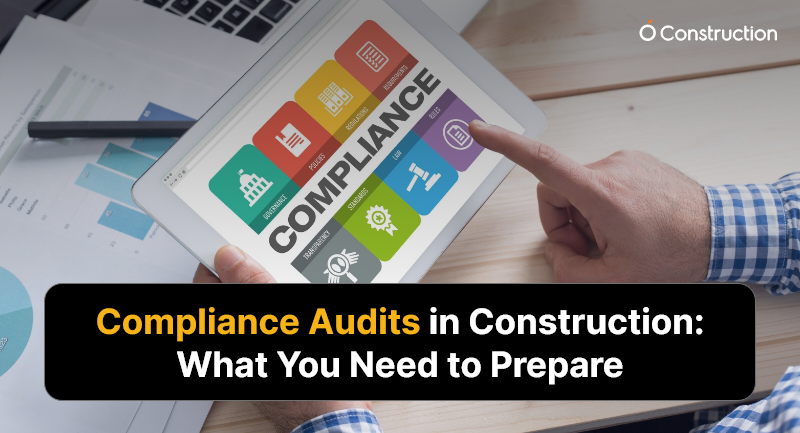
Compliance Audits in Construction: What You Need to Prepare

Imagine pouring months into a construction project — only to be halted mid-progress due to missing paperwork or non-compliance with regulatory norms. It’s more common than you think. Compliance audits in construction are no longer rare events — they’re routine checks that could define your project’s timeline and profitability. Audits cover everything from worker safety to environmental regulations, and failing one can lead to costly penalties or even shutdowns.

It happens more than you’d think. In fact, OSHA issued penalties worth over $146 million in 2023 alone for workplace safety violations.

In this blog, you’ll learn:

  • What compliance audits in construction involve
  • Why they matter now more than ever
  • How you can prepare (and pass) with confidence

Let’s help you get audit-ready, with smart planning and the right tools.
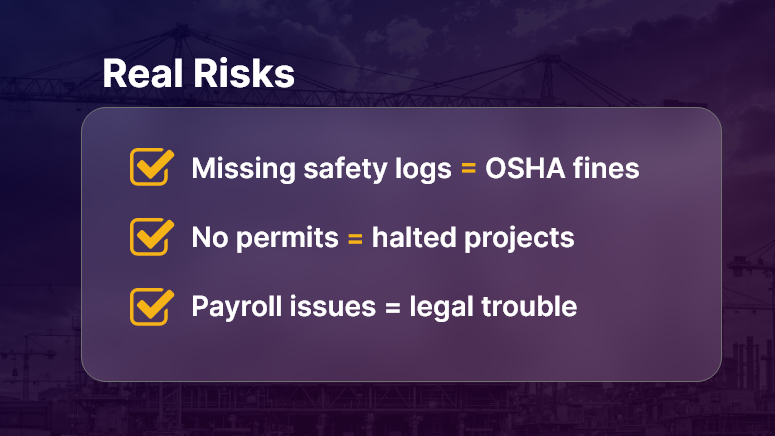
Real Risks

Why Compliance Audits in Construction Matter?

Construction is a high-risk, highly regulated industry. Every stakeholder — contractors, owners, subcontractors, and suppliers — must comply with safety, labor, environmental, and building codes. Audits ensure these rules are followed.

Why Should Construction Companies Care?

  • Reputation at Stake: Non-compliance can lead to fines, lawsuits, and damage to your brand.
  • Delays Hurt the Bottom Line: Projects that stall due to audit failures lose money fast.
  • Liability Protection: Audits verify that your processes protect workers, the public, and your company from harm.

Who Benefits Most?

  • General contractors gain better project visibility and control.
  • Compliance officers avoid scrambling last-minute for documents.
  • Project managers keep timelines on track by anticipating risks.

Real-World Scenarios

  • Workplace Safety Check: An OSHA inspector visits your site after a reported incident. Missing safety logs or expired PPE certifications? Expect fines.
  • Environmental Review: During a road expansion project, missing impact assessments delay permits.
  • Labor Compliance: A government audit reveals underpaid workers and a lack of labor law posters — your entire payroll could be under scrutiny.

Compliance audits in construction aren’t optional — they’re operational necessities.

How to Prepare for Construction Compliance Audits?

Preparation is your best defense. Here’s a deep dive into actionable strategies and industry best practices to keep your project audit-ready.

1. Build a Digital Documentation System

  • Store permits, drawings, safety records, and inspection reports in one secure, searchable system.
  • Make documents accessible to authorized users anytime, anywhere.
  • Tools like OConstruction help digitize and organize records by project or site.

2. Conduct Internal Pre-Audits Regularly

  • Perform routine checks using audit checklists before external auditors arrive.
  • Identify gaps in safety, labor, or environmental compliance.
  • Keep track of action items and close the loop before issues escalate.

3. Maintain Accurate Safety Records

  • Update safety training logs and toolbox talk records on a weekly basis.
  • Track incident reports, near misses, and corrective actions in real time.
  • Use mobile access for foremen or supervisors to submit reports directly from the site.

4. Stay on Top of Regulatory Changes

  • Compliance standards change often — especially labor and environmental ones.
  • Assign a compliance lead to monitor updates and apply changes proactively.
  • Subscribe to regulatory bulletins (like OSHA News).

5. Assign Clear Roles and Accountability

  • Identify who is responsible for compliance on each project.
  • Define escalation workflows — what happens when a non-compliance is spotted?
  • Use a project dashboard to show compliance status in real time.

6. Audit Trail Management

  • Ensure every action — approvals, sign-offs, safety inspections — is timestamped and traceable.
  • Automate notifications and reminders for expiring documents or upcoming inspections.

7. Standardize Procedures Across Sites

  • Use repeatable checklists and templates to standardize workflows.
  • Train site leads and supervisors in audit preparation practices.
  • Store audit SOPs centrally for easy reference.

Use Case: How One Company Passed a Surprise Audit

For example, MetroBuild Infra, a mid-sized infrastructure firm, used OConstruction’s audit-ready checklist and digital safety logs to pass a surprise regulatory audit during a highway overpass project.

  • Before: Scattered files, missed deadlines, last-minute scrambling.
  • After: Centralized records, proactive alerts, 98% compliance audit score.
  • Result: Avoided shutdown, improved trust with regulators, and kept the project on schedule.

Here’s how: Their compliance officer used OConstruction to run weekly internal audits, submit safety documentation through mobile devices, and store environmental certificates in a centralized document vault—available instantly during the inspection.

Key Takeaways

1. Compliance audits in construction are not optional — they’re critical.
They affect safety, finances, timelines, and your ability to win future projects.

2. Preparation is not just about documents — it’s about systems.
When you standardize procedures, assign roles, and go digital, you’re ready anytime.

3. Digital tools simplify compliance.
OConstruction offers real-time dashboards, document management, mobile reporting, and internal audit templates to keep your team compliant without chaos.

FAQs

Q1. What is a compliance audit in construction?
A structured review of whether your project meets safety, labor, environmental, and building regulations.

Q2. How often do audits occur?
Compliance audits can be scheduled or surprise visits—OSHA, EPA, or local authorities can check any time.

Q3. What documents should I keep ready?
Permits, safety logs, payroll records, training certificates, and environmental clearances.

Q4. What happens if you fail an audit?
Expect penalties, work stoppages, reputational damage, and in severe cases, project shutdown.

Q5. How can digital tools help with compliance?
Platforms like OConstruction provide document vaults, dashboards, mobile reporting, and pre-built audit checklists—making you always audit-ready.

Q6. Who is responsible for compliance on a project?
Typically, compliance officers or safety managers, but accountability should be shared across contractors, subcontractors, and project managers.
Benefits of Using a Centralized Document Management System

Still juggling documents across emails, desktops, and cloud drives? You’re not alone. In today’s construction industry, managing massive volumes of drawings, RFIs, contracts, and compliance paperwork can be a logistical nightmare. A centralized document management system is no longer a luxury — it’s a necessity.

It brings structure to the chaos, making sure teams access the right documents at the right time, from anywhere. In this blog, we’ll break down what it is, why it matters, and how it’s changing the game for modern construction firms.

Let’s dive in and discover how better document control leads to better project outcomes.

Implementation flow

Business Relevance: Why Construction Companies Must Rethink Document Management

In the construction world, delays and cost overruns often trace back to one simple culprit — mismanaged documents. Missing blueprints, outdated versions, compliance gaps, and scattered approvals can derail even the best-laid plans. A centralized document management system eliminates these issues by offering:

  • Single source of truth – Everyone refers to the most updated files.
  • Remote access – Site engineers and project managers can retrieve documents anytime, anywhere.
  • Audit trails – Automatic logs improve accountability and compliance.

Use Cases:

  • Project Site Coordination: Site teams instantly access the latest structural drawings — no more waiting for printouts.
  • Regulatory Compliance: Keep all certifications and safety documentation in one place for easy audits.
  • Subcontractor Communication: Share and track submittals and RFIs with external vendors in real time.

In short, it’s not just about storage — it’s about eliminating chaos and boosting control across your operations.

Actionable Best Practices for Centralized Document Management

A smart document management system can transform how you build. Here’s how to make the most of it:

Do’s

  • Organize by project, not file type: Keep all documents (plans, permits, contracts) grouped by job to speed up search and access.
  • Use version control: Always know who edited what and when, with automatic version tracking.
  • Assign access permissions: Not everyone needs everything. Define roles for viewing, editing, and sharing.
  • Tag documents: Use tags like “RFI,” “approved,” or “under review” for easy filtering.
  • Backup regularly: Choose a system with automated cloud backup to prevent data loss.

Don’ts

  • Avoid storing files on local desktops – increases risk of loss and inconsistency.
  • Don’t skip training – Make sure your team knows how to use the system to its full potential.
  • Don’t allow unrestricted access – Security is key; not every role should edit sensitive documents.

Quick Wins

  • Digitize legacy paper files for faster access and better preservation.
  • Set up document templates for standard processes like submittals or inspections.
  • Enable mobile access so teams in the field aren’t left out.

Step-by-Step Implementation Framework

  • Audit your current document flow – Identify where delays or gaps occur.
  • Select a construction-specific system – Choose tools built for field documentation, drawing markups, and compliance.
  • Migrate critical files first – Start with active projects to get quick wins.
  • Define access roles – Ensure project managers, engineers, clients, and subcontractors have proper permissions.
  • Train your team – Run short onboarding sessions or tutorials.
  • Monitor usage – Use built-in analytics to track file views, downloads, and document aging.

By following this framework, you unlock the full potential of a centralized document system.

Use Case

For example, RedBeam Infra, a mid-sized construction firm, used a centralized document management system to streamline site coordination across 5 locations.

Before, drawings were shared via email and WhatsApp, leading to frequent errors and rework. After implementation:

  • RFIs were resolved 40% faster
  • Rework due to outdated files dropped by 60%
  • Project delivery time improved by 2 weeks

Here’s how: the firm used automated file versioning, access control, and real-time notifications, allowing better collaboration across all teams.

Key Takeaways

A centralized document management system isn’t just digital storage. It’s an operational upgrade for construction firms.

Here’s why it matters:

  • It reduces project delays caused by document mismanagement.
  • It improves compliance by keeping all safety and regulatory documents organized.
  • It ensures that everyone — from office to job site — works with the latest version.

Remember:

  • Start small with critical documents.
  • Train your team early.
  • Monitor usage and scale as needed.

Construction doesn’t wait — and neither should your documents.

Cost vs. Value: How to Prioritize Features in Budget Decisions?

Every construction budget faces a tough question: Which features add value versus which drain resources? A staggering 58% of construction projects exceed budgets, often because teams pick features based on price alone, not ROI.

In this post on prioritising features by value, you’ll learn why focusing solely on cost can backfire, how to assess feature impact effectively, and how integrated platforms like OConstruction help you make smarter budgeting decisions — without cutting corners.

Business Relevance: Cost vs Value in Construction

Choosing features by price tends to reduce quality, lead to maintenance headaches, and diminish user satisfaction. But strategically prioritizing features by value delivers long-term operational efficiency and client trust.

Consider these scenarios:

  • A developer chooses cheap HVAC units to save money, ending up paying double in upkeep and unhappy tenants.
  • A contractor opts out of safety monitoring dashboards to save costs, risking compliance violations or workplace incidents.
  • A commercial firm skips mobile reporting features to cut tool costs — only to lose efficiency in field data capture and decision lag.

By focusing on value, construction leaders ensure that dollars spent deliver measurable returns.

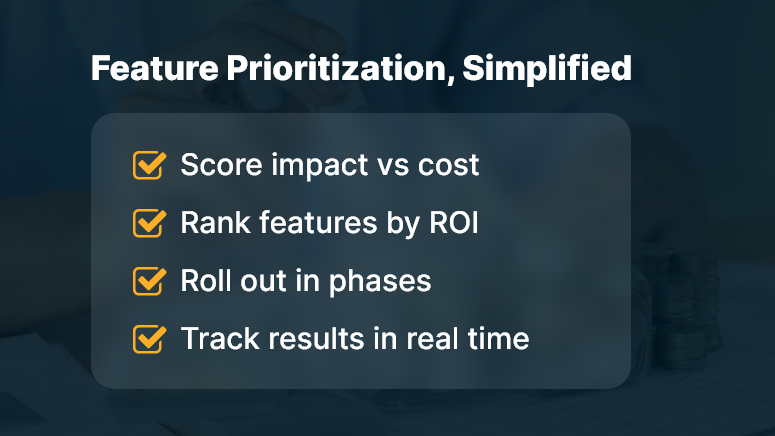
Feature Prioritization Simplified

Best Practices & Actionable Strategies

1. Do a Weighted Cost–Benefit Analysis

  • Score features on impact (efficiency, compliance, client satisfaction) versus cost.
  • Use a simple rubric (score 1–5) to rate ROI potential for each feature.
  • Prioritize high-impact features even if they have higher upfront costs.

2. Categorize Features into Tiers

  • Tier 1: Must-have — required for compliance or project success
  • Tier 2: Value-add — improves efficiency or client experience
  • Tier 3: Nice-to-have — optional, minimal impact
  • This helps teams align on what’s critical versus discretionary based on client or internal needs.

3. Use OConstruction’s ROI Dashboard

  • Track feature usage metrics, cost savings, and time saved in real time.
  • Link modules like mobile field logging, scheduling, or document control directly to ROI metrics.
  • Visualize spend vs. benefit in the same dashboard to guide future budgeting.

4. Review and Validate with Stakeholders

  • Include field crews, finance, and project leads in scoring sessions.
  • Validate assumptions like labor savings from a digital form or rework reduction from better templates.
  • Update cost-benefit models monthly as real data arrives.

5. Phase Feature Rollouts Strategically

  • Introduce features in phases — deploy Tier 1 first, then Tier 2, etc.
  • Monitor ROI after each rollout phase using analytics.
  • Adjust deployment plans based on real value delivered versus expected.

Customer Case Study

For example, DeltaBuild Constructions, a large commercial builder, used OConstruction to prioritize features by value rather than cost. They enabled mobile field reports and procurement automation first — despite higher cost — because these delivered major efficiency gains.

Result?

  • Reduced site rework by 28%
  • Cut invoice processing time by 45%
  • Achieved ROI within just two months

Here’s how: They scored features on impact, set a phased rollout, and tracked ROI continuously via dashboards.

Key Takeaways & Closing

Prioritizing features by value — not cost — keeps your projects both budget-conscious and high-performing.

  • Value-focused budgeting avoids false savings and supports long-term returns.
  • Use structured cost-benefit tools and stakeholder input to guide decisions.
  • Monitor ROI dynamically — adjust plans if expected impact doesn’t materialize.

Implementing a platform like OConstruction ties feature ROI directly to project outcomes.

By focusing on value-first feature selection, you ensure budgets deliver real results — not just cost reductions.

How to Keep Construction Projects on Budget Without Cutting Corners

Every construction project starts with a budget — but how often does it end there? According to McKinsey, large projects typically go 80% over budget and 20 months behind schedule. That’s not just frustrating. It’s financially devastating. But here’s the good news: keeping construction projects on budget is achievable — and you don’t have to cut corners or compromise on quality to do it.

In this blog, we’ll break down exactly how modern tools, smart planning, and digital project controls can help you stick to your numbers while delivering projects you’re proud of. If you’re a construction firm owner, project manager, or cost controller, this is for you.

Let’s turn cost chaos into cost control.

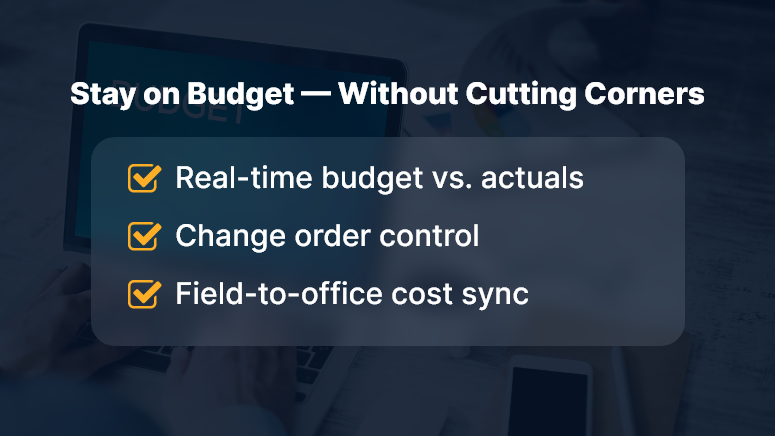
Stay on Budget — Without Cutting Corners

Why Staying on Budget Matters More Than Ever

Construction costs are skyrocketing. From labor shortages to material price volatility, the industry is under serious pressure.

So, why should you care about precise budget control?

  • Protects profitability: Every dollar saved directly improves your project margins.
  • Builds client trust: Consistently staying on budget makes you the partner clients want to work with.
  • Improves predictability: Accurate cost tracking helps you forecast better for future projects.

Real-world pain points:

  • Surprise expenses from the field: When site data isn’t updated in real time, field teams overspend without visibility.
  • Manual cost tracking: Spreadsheets break easily and don’t scale with growing complexity.
  • Delayed updates: If financial insights reach you too late, it’s impossible to take proactive action.

This is where platforms like OConstruction come in — putting budget visibility, real-time data, and automated cost tracking in one place.

Best Practices to Keep Construction Projects on Budget

1. Start with a Rock-Solid Cost Estimate

  • Use historical data, supplier quotes, and realistic contingency buffers.
  • Avoid underestimating site conditions, regulatory hurdles, or material costs.

2. Digitize Your Job Costing Process

  • Move away from spreadsheets to real-time cost dashboards that integrate with project schedules.
  • Use job cost codes to categorize expenses for better reporting and accountability.

3. Monitor Field Spending in Real Time

  • Equip your team with mobile apps to log costs, purchases, and equipment usage on the go.
  • OConstruction’s mobile interface makes this seamless.

4. Track Budget vs. Actuals — Daily

  • Set up alerts and color-coded dashboards for cost overruns.
  • Compare budgeted vs. actual labor hours, materials, subcontractor costs, and overhead in one place.

5. Manage Change Orders Like a Pro

  • Treat change orders as mini-projects with their cost tracking.
  • Log them immediately, assign budget impacts, and keep clients in the loop.

6. Use Integrated Procurement Workflows

  • Reduce duplicate orders and vendor miscommunications.
  • Link your cost tracking tools to your procurement and PO systems.

7. Assign Clear Financial Roles on Site

  • Define who approves what, and when.
  • Automate approvals and routing using a construction ERP like OConstruction.

8. Review Cost Reports Weekly (Not Monthly)

  • Set up weekly “cost check” meetings with PMs, foremen, and finance leads.
  • Use insights to make mid-course corrections.

Use Case Example: Saving $180K on a Mid-Sized Project

For example, BuildRight Contractors, a commercial firm, used OConstruction’s Budget Control and Field Logging modules to recover $180,000 in potential cost overruns. Here’s how…

  • They digitized daily field reports using OConstruction’s mobile app
  • Cost data synced instantly with project budgets
  • Change orders were logged and approved on the same day
  • Procurement was linked directly to the cost code system

As a result, their project wrapped 6 weeks early — with budget savings reinvested in the next job.

Key Takeaways: Keep Projects Profitable Without Sacrificing Quality

Staying on budget isn’t about spending less — it’s about spending smart.

By adopting digital cost tracking tools and linking your field, finance, and office teams, you gain:

  • Real-time visibility into every dollar spent
  • Fewer surprises from the field
  • Faster response to cost overruns
  • Stronger trust with clients and subcontractors

With a platform like OConstruction, budget control becomes part of your daily workflow — not a separate task at the end of the month.

Ready to take control of your construction budget — without cutting corners?

Creating a Culture of Accountability in Construction Teams

In the construction industry, missed deadlines and miscommunication cost billions annually. A McKinsey report revealed that large projects typically run 80% over budget and 20 months behind schedule. What’s the common thread? A lack of accountability.

Construction accountability isn’t just a buzzword. It’s the backbone of trust, consistency, and performance on job sites. When teams take ownership, delays shrink, rework reduces, and safety improves. But creating that culture doesn’t happen by chance—it’s built intentionally.

In this blog, we’ll break down how to create a culture of accountability in construction teams, why it matters, and how platforms like OConstruction empower it with clarity, transparency, and digital oversight.

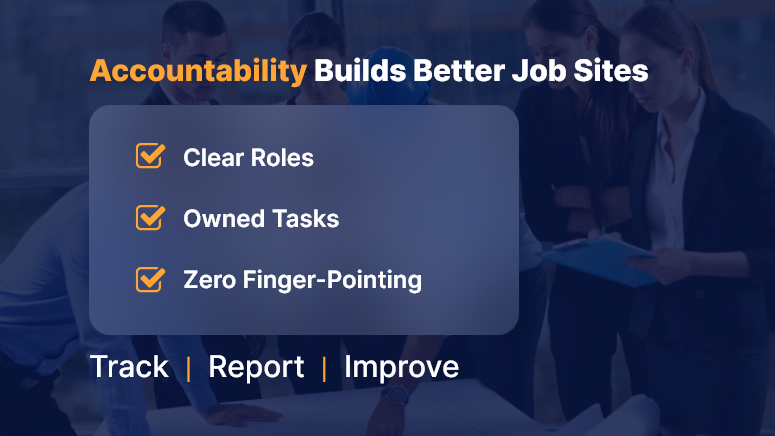
Accountability Builds Better Job Sites

Business Relevance & Why It Matters

Without accountability, even the best project plans fall apart. Construction is fast-moving, decentralized, and unpredictable. From the field to the back office, unclear roles or shifting responsibilities often create delays, disputes, and finger-pointing.

When construction accountability is embedded into your culture:

  • Team members own outcomes, not just tasks.
  • Foremen and PMs communicate proactively.
  • Mistakes turn into learning loops, not blame games.
  • Compliance and safety are easier to enforce.

Common Problems Due to Low Accountability:

  • “I thought they handled it” situations leading to missed inspections.
  • Repetitive rework from unclear instructions or ignored checklists.
  • Safety audits failed because logs were incomplete or falsified.

Who Benefits Most:

  • Project Managers: Stay on top of progress and team performance.
  • Site Supervisors: Gain visibility into who’s doing what.
  • Executives & Owners: Track results, not just hours.

Construction accountability, supported by digital tools, shifts teams from reactive to proactive. And that shift directly impacts your project timelines, budgets, and bottom line.

Best Practices, Frameworks, and Actionable Strategies

The Foundations of Construction Accountability

  • Set Clear Expectations from Day One

Start every project with crystal-clear roles, responsibilities, and deadlines. Don’t leave it to verbal agreements—document everything using digital project briefs or onboarding forms inside your platform.

  • Tie Tasks to Owners, Not Just Teams

Saying “the plumbing team will fix it” creates ambiguity. Assign tasks to individuals, not groups. Tools like OConstruction let you assign and monitor work down to the crew member level.

  • Use Checklists to Eliminate Assumptions

Standardized digital checklists ensure no critical step is skipped. You’ll also have proof of work, which is crucial for quality assurance and audits.

Do’s and Don’ts for Fostering Team Accountability

Do: Conduct Daily Standups

Short, focused meetings keep crews aligned and surface blockers early.

Don’t: Micromanage

Trust your teams to deliver. Use performance dashboards for insight, not control.

Do: Track Progress Visually

Use visual boards or Gantt views to keep stakeholders on the same page.

Don’t: Tolerate Blame Culture

Shift the tone from fault-finding to future-focused improvement.

Step-by-Step Framework for Building Accountability

Step 1: Create Role-Based Dashboards

Customize dashboards for each role—PMs, foremen, field workers—to see only what’s relevant. This removes clutter and sharpens focus.

Step 2: Integrate Digital Logs and Time Tracking

Daily logs build real-time accountability. With timestamped digital entries, everyone knows who was on-site, what was done, and what’s pending.

Step 3: Set SLAs for Internal Tasks

Service-level agreements aren’t just for vendors. Use them internally to define turnaround times for approvals, inspections, and handoffs.

Step 4: Reward and Recognize Ownership

Create incentive programs around reliability, timeliness, and collaboration. Celebrate accountability publicly in team huddles or platform leaderboards.

Customer Story / Use Case Example

For example, IronStone Builders, a mid-sized construction firm, used OConstruction’s task ownership tracking to assign clear deliverables to field supervisors.

Before the switch, delays in concrete pouring often stalled other crews. After implementing digital task assignments and daily log reviews:

  • Task rework dropped by 40%
  • Average project timeline reduced by 12 days
  • Team meetings became solution-focused, not reactive

Here’s how: supervisors received daily alerts for their assigned tasks, and checklists ensured no steps were skipped. PMs had real-time dashboards to course-correct instantly.

Key Takeaways & Closing Summary

Creating a culture of construction accountability is not about tightening the screws. It’s about giving teams the clarity, structure, and tools they need to take ownership confidently.

  • Clear expectations, checklists, and digital dashboards prevent miscommunication.
  • Role-based task tracking boosts individual ownership and accountability.
  • Real-time performance visibility allows faster interventions and smoother operations.
  • A shift in mindset — from “who’s to blame” to “how do we fix it”— builds long-term resilience.

By investing in the right processes and platforms like OConstruction, construction leaders can embed accountability into the DNA of every project — turning it into a competitive advantage.

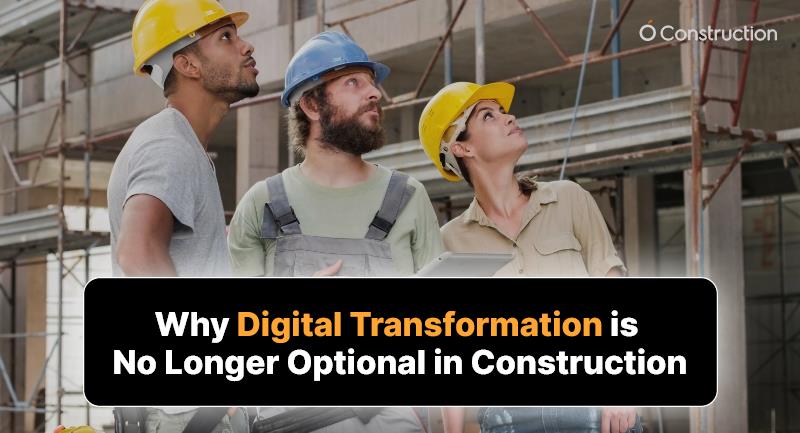
Why Digital Transformation is No Longer Optional in Construction

Digital transformation in construction used to be a competitive edge — now it’s survival.

According to a 2023 Deloitte report, 76% of construction firms plan to increase investment in digital tools over the next 12 months. The pressure to modernize is no longer about “staying ahead.” It’s about not falling behind.

Why? Because outdated manual workflows can no longer keep pace with the speed, scale, and complexity of today’s projects. From workforce tracking to budget control to compliance — everything demands real-time visibility and automation.

In this blog, we’ll explore why digital transformation in construction is mission-critical, what’s at stake, actionable strategies for adoption, and how platforms like OConstruction help businesses build smarter.

The Business Case: Why This Matters Now More Than Ever

The construction industry is notorious for productivity lags and paper-based processes. For decades, it lagged behind other sectors in tech adoption. But now, economic pressures, skilled labor shortages, and the increasing complexity of builds are forcing change.

Why Companies Should Care:

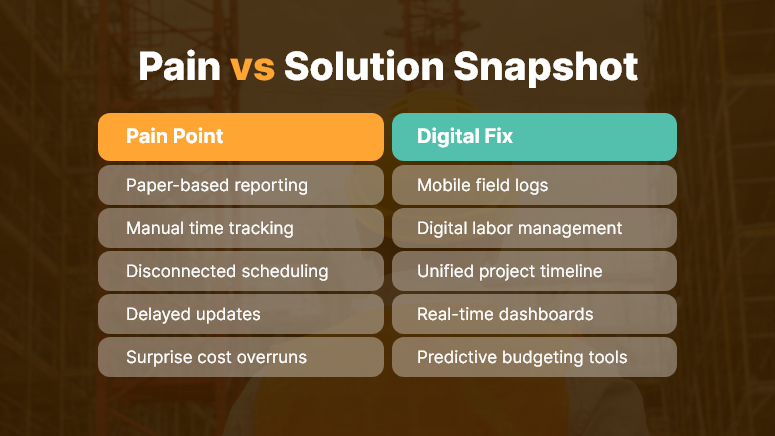
  • Manual errors = cost overruns. A small miscalculation or late update on paper can cost thousands.
  • Disconnected tools = miscommunication. Different teams using siloed tools create confusion and delays.

Lack of data = poor decisions. Real-time project insights lead to faster, smarter responses.

Who Benefits Most from Digital Transformation in Construction?

  • Project Managers: Gain real-time visibility into cost, labor, and progress.
  • Site Supervisors: Track field activity and issues from mobile devices.
  • Finance Teams: Automatically sync budgets, invoices, and approvals.
  • Compliance Officers: Access up-to-date documentation instantly.

Pain vs Solution Snapshot

Best Practices to Drive Digital Transformation in Construction

To succeed with digital transformation, construction businesses must rethink how they plan, operate, and scale. Let’s break down best practices, quick wins, and the strategic path forward.

DO: Start with High-Impact Use Cases

  • Begin with areas like field data collection, time tracking, or project scheduling where returns are immediate.
  • These modules show ROI quickly and help build internal support for broader tech adoption.

DON’T: Adopt Tools Without a Plan

  • Random tool purchases create more confusion than clarity.
  • Instead, align tech adoption with business goals — like reducing rework or improving jobsite safety.

DO: Choose an Integrated Platform

  • Avoid juggling multiple disconnected apps.
  • Use a unified digital platform like OConstruction that centralizes project scheduling, document management, budgeting, and communication.

DO: Train for Digital Readiness

  • One of the biggest barriers isn’t tech — it’s people.
  • Offer role-based onboarding, digital playbooks, and self-serve learning to bring crews up to speed.

DON’T: Wait for the “Perfect Time”

  • There will never be a perfect moment to digitize.
  • Start with a pilot project, gather results, and expand.

DO: Track and Measure Impact

  • Use built-in analytics dashboards to monitor adoption, efficiency gains, and performance metrics.
  • Share wins across the organization to build momentum.

Customer Use Case

For example, TeraBuild Projects, a civil infrastructure contractor, was juggling Excel sheets, whiteboards, and scattered communication apps.

By switching to OConstruction, they streamlined all project management tasks into one platform.

  • Their site supervisors began logging progress from mobile devices.
  • The finance team gained instant visibility into budget spend.
  • Change orders and RFIs were approved 50% faster.

Within 6 months, TeraBuild reduced average project delays by 32% and cut administrative overhead by 40%.

Key Takeaways & Summary

Digital transformation in construction is not a luxury — it’s a strategic necessity. The longer you rely on manual, outdated processes, the more vulnerable you become to delays, errors, and inefficiencies.

Key insights to remember:

  • Speed matters. Real-time collaboration accelerates project outcomes.
  • Visibility matters. Centralized dashboards eliminate blind spots.
    Integration matters. One platform to manage all your workflows is a must.

OConstruction empowers construction teams to transition from fragmented operations to smart, connected, and efficient workflows.

The bottom line?

If you want to remain competitive, digital transformation isn’t optional. It’s fundamental.

Category: Construction Academy

Subcategory: Budgeting and Planning

Subcategory: Construction Phase

Subcategory: Design Coordination

Subcategory: Estimation Techniques

Subcategory: Initiation and Feasibility

Subcategory: Introduction

Subcategory: Personal Management

Subcategory: Project Close-Out

Subcategory: Project Scheduling

Subcategory: Project Teams

Subcategory: Proposal Management

Subcategory: Total Quality Management

Subcategory: Tracking and Control

Subcategory: Work Breakdown

Category: Help Desk

Subcategory: Client

Subcategory: Construction 101

Subcategory: Contractor Management

Subcategory: Expense

Subcategory: Finance Budget

Subcategory: Inventory Management

Subcategory: My Approvals

Subcategory: Site Management

Subcategory: Vendor Management