The Biggest Construction Trends to Watch in 2026

The construction industry is at a crossroads. Rising materials costs, labor shortages, climate pressures, and digital disruption are forcing firms to adapt — or fall behind. As we look ahead to 2026, several transformative trends are emerging that will reshape how projects are conceived, executed, and delivered.
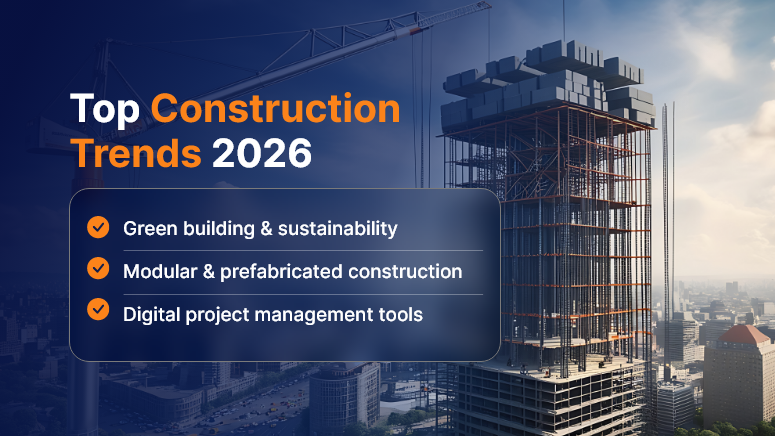
Top Construction Trends 2026

Here’s what contractors, developers, and industry leaders should keep a close eye on:

1. Modular, Prefab & Offsite Construction Become Mainstream

What was once a niche technique is rapidly becoming a standard for gains in speed, quality, and cost control. In 2026, many projects will lean heavily on modular components, volumetric units, bathroom pods, and pre-assembled MEP racks.

Why it matters:

  • It reduces on-site labor needs and exposure to weather.
  • Factory-controlled conditions improve quality and consistency.
  • Logistics & site scheduling become critical differentiators.

What to watch for / do:

  • Design for Manufacture & Assembly (DfMA) principles must be incorporated early.
  • Plan logistics, staging, crane paths, and just-in-time sequencing carefully.
  • Select repeatable scopes (e.g., restroom pods, corridor modules) as pilots.

2. AI & Generative Tools Becoming Ubiquitous (But Quietly)

AI is no longer buzz — it’s being embedded into estimating, scheduling, design optimizations, site monitoring, and compliance checks. In 2026, expect AI to operate in the background, offering suggestions, flagging risks, and enabling predictive insights.

Key applications:

  • Generative design for layouts and structural elements.
  • Predictive maintenance: sensor data alerts about potential failures.
  • AI-driven project planning and scenario simulation.

What to do now:

  • Clean and standardize your data (cost histories, productivity, supplier metrics).
  • Pilot AI in small domains (e.g., equipment scheduling, clash detection).
  • Build a framework to accept “nudges” rather than full automation overnight.

3. Robotics, Autonomy & Automation Fill the Labor Gap

With labor scarcity persisting, automation will shift from experimental to practical. Expect to see robotic bricklayers, autonomous grading machinery, 3D scanning drones, and multi-agent robotic systems co-working alongside human laborers.

Impact:

  • Repetitive, high-fatigue tasks can be offloaded.
  • Human roles shift toward monitoring, management, and quality assurance.
  • Safety can be improved by reducing workers’ exposure to dangerous tasks

Implementation tips:

  • Start with micro-tasks (rebar tying, repetitive layout, scanning).
  • Assign a “robotics champion” within your team to monitor productivity metrics.
  • Leverage multi-agent robotics for complex tasks (e.g., surveying using multiple drones).

4. Smart Materials, Adaptive & Living Construction

“Smart materials” will play a greater role in 2026: concrete with embedded sensors, self-healing polymers, dynamic glazing, bio-based composites, and even living building materials.

Trends to watch:

  • Sensor-laced concrete to detect stress, cracks, or corrosion.
  • Living building materials that self-regenerate or sequester carbon.
  • Recycled, reclaimed, or low-carbon materials are becoming the default, not the premium.

Advice for contractors:

  • Engage with material suppliers early to test performance.
  • Capture necessary data for embodied carbon and EPD (Environmental Product Declarations).
  • In bids, include performance warranties, not just specs.

5. Real-Time Safety, Health Monitoring & Motion Capture

Safety is evolving beyond checklists and helmets. In 2026, systems using wearables, motion capture (MoCap), computer vision, and real-time analytics will help prevent accidents before they occur.

How this trend manifests:

  • Wearables that detect fatigue, improper posture, or dangerous zones.
  • Site cameras linked to AI that flag PPE noncompliance or unsafe behavior.
  • Motion capture systems to analyze worker movements and reduce musculoskeletal strain.

Getting started:

  • Pilot wearable devices or sensor jackets in one high-risk zone.
  • Utilize historical incident data to train motion analysis models.
  • Shift KPIs from lagging (incident rate) to leading indicators you can act on (near-miss alerts).

6. Digital Twins & Lifecycle Integration

Smart construction is evolving into smart operations. The “digital twin” of a building or infrastructure will no longer be a post-handover novelty — it will be built from Day 0.

Why it matters:

  • Facility management, maintenance, and performance tracking can tie into the same model.
  • Real-time monitoring, energy optimization, and predictive upkeep become possible.
  • Reduces risks in handover and operational phases.

Tips:

  • Specify IoT and sensor systems early in design → integrate into BIM and the twin.
  • Use common naming standards (Haystack, Brick, ASHRAE) for equipment point IDs.
  • Offer clients ongoing performance contracts leveraging the twin you build.

7. Sustainability, Carbon Targets & Regulation Pressure

Regulatory pressure, client demands, and ESG (Environmental, Social, Governance) mandates will force greener construction. Low-carbon materials, net-zero targets, embodied carbon limits, and carbon accounting will become more common in 2026.

Key drivers:

  • Developers and governments are demanding EPDs, carbon caps, or carbon offset plans.
  • Incentives for green building, but penalties for noncompliance in some jurisdictions.
  • Lifecycle analysis is becoming part of the bid criteria.

What contractors can do:

  • Build carbon accounting into your estimating systems.
  • Track embodied carbon & operational emissions per project.
  • Partner with material suppliers that provide transparency and innovation.

8. Workforce Transformation: Hybrid Roles & Upskilling

The rise of tech in construction demands new skills. Skilled trades won’t disappear, but roles like “site technologist,” “robotics operator,” “data analyst,” or “digital foreman” will become common.

Trends:

  • Continuous training and digital literacy will become the baseline.
  • Recruiting will focus not only on trade skills, but also on adaptability and tech affinity.
  • On-site workers may get handheld AR / VR tools or assistive exoskeletons.

Starting points:

  • Develop internal training programs in BIM, robotics, and AI.
  • Promote hybrid role ladders combining field and tech skills.
  • Use VR/AR simulations to accelerate onboarding in high-risk tasks.

9. Infrastructure, Adaptive Reuse & Retrofit Boom

New construction is expensive and resource-intensive. In 2026, many markets will pivot toward retrofits, adaptive reuse, and infrastructure upgrades rather than purely greenfield builds.

Why this shift:

  • Energy regulations are pushing upgrades to existing stock.
  • Limited land in urban areas.
  • Infrastructure stimulus from governments globally.

Opportunities:

  • Specialize in retrofit technologies (insulation, envelope upgrades, facade systems).
  • Combine smart sensors & building automation in upgrades.
  • Use modular insertions or plug-and-play systems for retrofits.

10. Equipment & OEM Shifts: Digitalization + Lifecycle Services

Construction machinery is also transforming. OEMs are embedding telematics, predictive maintenance, autonomous features, and offering equipment as services rather than pure sales.

Implications:

  • Contractors may lease “smart” equipment with usage-based contracts.
  • Data from machinery feeds project analytics (productivity, idle times, fuel efficiency).
  • OEMs may become long-term service partners rather than mere suppliers.

Challenges to Watch

No trend is without friction. Here are key challenges that will shape who succeeds:

  • High upfront investment — Many technologies require capital; ROI needs careful forecasting.
  • Interoperability & system silos — Different software, protocols, and vendors may not talk easily.
  • Regulation lag — Building codes and approvals may struggle to catch up with new methods (e.g. 3D printing).
  • Workforce resistance/skills gap — Older workers may resist digital change.
  • Data security & privacy risks — Sensor networks and digital models carry cybersecurity exposure.
  • Reliability & maintenance — Sensors, robots, networks can fail; redundancy is essential.
  • Change management overhead — Organizational processes must evolve alongside tech.

How Contractors Can Prepare Now

To ride these waves rather than be overwhelmed:

  • Run pilot projects: Pick one trend (e.g., modular bathroom pods, wearable safety) and test it.
  • Build digital backbone: Use open standards (IFC, COBie) and APIs to ensure systems can integrate.
  • Develop data culture: Collect, analyze, and feed insights back into operations.
  • Invest in training: Upskill your workforce early to use, not fear, new tools.
  • Partner strategically: Work with vendors, research labs, and material innovators.
  • Track metrics & ROI: Measure time saved, rework avoided, safety events reduced, carbon improvements.
  • Offer lifecycle services: Use the data and digital assets you build to provide value post-construction.

Conclusion

2026 will be a watershed year in construction. The trends we see now — modular building, embedded intelligence, robotics, smart materials, sustainability, digital twins, workforce shifts, and equipment digitalization — are converging to redefine what it means to build.

Contractors who embrace this transformation will gain speed, quality, differentiation, and long-term sustainability. Those who wait risk being disrupted. The next frontier in construction is not just harder or taller — it’s smarter.

FAQs

1. What is the biggest construction trend expected in 2026?

One of the biggest trends is modular and off-site construction becoming mainstream. Prefabricated and factory-built components will help projects reduce costs, accelerate timelines, and improve quality consistency.

2. How will AI impact the construction industry by 2026?

AI will be embedded into almost every phase — estimating, scheduling, site monitoring, and risk prediction. By 2026, contractors will rely on AI for real-time decision support, predictive analytics, and generative design rather than manual guesswork.

3. What role will robotics play in construction?

Robotics and autonomous machinery will fill the labor shortage gap. Expect robotic bricklayers, autonomous grading machines, surveying drones, and even robotic exoskeletons to assist workers in repetitive or dangerous tasks.

4. Are smart materials really practical in construction?

Yes. By 2026, smart materials like self-healing concrete, dynamic glass, and bio-based composites will be more accessible. These improve durability, sustainability, and efficiency while reducing lifecycle costs.

5. How will digital twins change project delivery?

Digital twins will no longer stop at construction — they’ll extend into facility operations. Contractors will hand over fully integrated twins with real-time IoT data for maintenance, energy optimization, and long-term performance monitoring.

6. Why is sustainability becoming such a big deal in construction?

Climate regulations, ESG requirements, and client expectations are making sustainability non-negotiable. In 2026, contractors will face stricter carbon caps, demand for Environmental Product Declarations (EPDs), and pressure to achieve net-zero goals.

7. How will workforce roles evolve with these trends?

Construction roles will blend traditional skills with digital literacy. New positions like digital foreman, robotics operator, or site technologist will emerge, requiring continuous upskilling and adaptability.

8. What challenges will contractors face when adopting these trends?

The main challenges include high upfront investment, interoperability issues between digital tools, workforce resistance, skills gaps, and data security concerns. Change management will be as important as the technology itself.

9. Is smart construction only for large firms?

No. Smaller contractors can start with targeted tools — like drones for site surveys, modular components for repetitive units, or wearable safety gear. Scaling can happen gradually as ROI becomes clearer.

10. How should contractors prepare for 2026 now?

Contractors should:

  • Pilot emerging technologies on select projects
  • Invest in training and upskilling teams
  • Build a digital backbone with open standards
  • Partner with vendors and innovators
  • Track ROI through safety, cost, and productivity metrics

The Dos and Don’ts of Client Communication in Construction

In the construction industry, communication is more than just exchanging information — it’s the foundation for trust, collaboration, and project success. Whether you’re building residential homes, commercial complexes, or infrastructure projects, how you communicate with clients can make or break the relationship.

Poor communication can lead to cost overruns, project delays, and disputes, while clear and proactive communication fosters transparency, trust, and smoother project delivery. In this blog, we’ll cover the dos and don’ts of client communication in construction, giving you practical strategies to strengthen relationships and deliver projects with confidence.

Why Communication Matters in Construction

Unlike many other industries, construction involves:

  • High financial stakes: Projects represent significant investments for clients.
  • Multiple stakeholders: Architects, engineers, contractors, and subcontractors need to stay aligned.
  • Uncertainty & risks: Weather conditions, supply chain delays, and design changes are common.
  • Long timelines: Communication lapses over months (or years) can cause major misunderstandings.

Strong client communication is therefore not just good practice — it’s essential to managing risk, avoiding disputes, and ensuring client satisfaction.

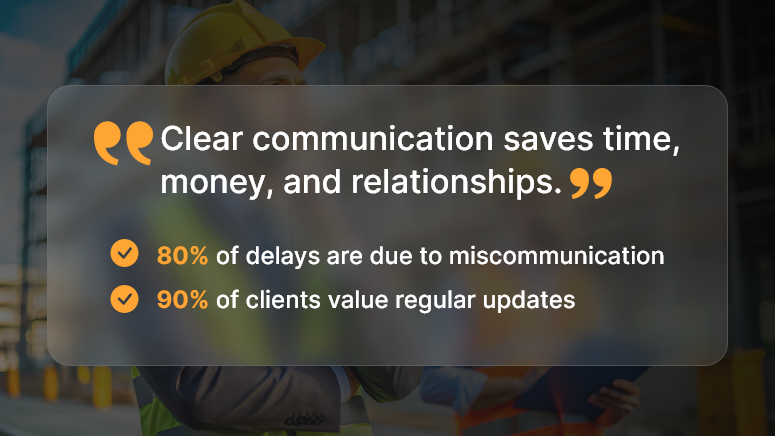
Clear communication saves time

The Dos of Client Communication

1. Do Set Clear Expectations Early

At the project kickoff, align with your client on timelines, budgets, milestones, and communication protocols. Share a project roadmap and clarify who the client’s primary point of contact will be.

Example: Provide a project calendar that highlights key milestones such as foundation completion, structural work, and finishing stages.

2. Do Listen Actively

Construction clients may not always articulate their needs in technical terms. Listen carefully, ask clarifying questions, and restate what you’ve heard to ensure alignment.

Tip: Use phrases like, “So you’d like the living room to have more natural light — does that mean adding a skylight or larger windows?”

3. Do Use Simple Language

Avoid overloading clients with jargon like “M25 concrete mix” or “cantilevered beam.” Instead, explain in plain English and use visuals (drawings, photos, or 3D models) to make complex concepts easy to grasp.

4. Do Provide Regular Updates

Clients get nervous when they don’t hear from you. Even if everything is on track, schedule weekly or biweekly updates with progress photos and site notes.

Best practice: Create a standard project update template that covers completed tasks, current progress, upcoming milestones, and any issues.

5. Do Document Everything

Verbal instructions can cause disputes later. Always follow up with written documentation—whether it’s a change order, cost adjustment, or design decision. Store these in a central repository accessible to the client.

6. Do Be Transparent About Challenges

Delays, budget overruns, and unforeseen site issues are part of construction. Instead of hiding problems, be upfront with clients. Share the issue, its impact, and proposed solutions. Transparency builds trust, even during setbacks.

7. Do Ask for Feedback Regularly

At each milestone (e.g., foundation, structural work, finishing), ask clients for feedback. This avoids late-stage surprises and ensures their vision is being met.

The Don’ts of Client Communication

1. Don’t Overpromise

Promising an unrealistic completion date or underestimating costs may win approval initially, but it creates disappointment later. Be realistic about timelines and budgets to set achievable expectations.

2. Don’t Hide Problems

Avoid the temptation to delay sharing bad news. Hidden issues (like material shortages or failed inspections) only escalate when ignored. Clients appreciate honesty and proactive problem-solving.

3. Don’t Assume Clients Understand Technicalities

Never assume your client can interpret technical drawings or specifications. Break things down, provide visual aids, and confirm understanding.

4. Don’t Communicate Inconsistently

Random updates and sporadic meetings create confusion. Stick to a structured communication schedule and avoid going silent for long stretches.

5. Don’t Get Defensive in Disputes

When a client raises concerns, don’t react emotionally or defensively. Instead, acknowledge their perspective and provide constructive solutions.

6. Don’t Rely on Informal Channels Alone

While WhatsApp or site chats are convenient, important approvals and change requests should never live only in informal messages. Always back them up with documented agreements.

Best Practices for Smooth Communication

  • Leverage Technology: Use project management tools (like Procore, Buildertrend, or Orangescrum) to share updates, files, and progress reports in one place.
  • Centralize Documentation: Store contracts, designs, and reports in shared folders accessible to clients.
  • Use Visual Updates: Photos, progress dashboards, and 3D models make updates clear and engaging.
  • Schedule Site Walkthroughs: Invite clients to see progress firsthand at key milestones.
  • Train Teams: Ensure all site supervisors and project managers know how to communicate professionally with clients.

Conclusion

Client communication in construction is not just about sharing updates — it’s about building trust, managing expectations, and ensuring successful project delivery.

By following the dos — like setting expectations, listening actively, documenting everything, and being transparent—and avoiding the don’ts — like overpromising, hiding issues, or relying only on informal chats — you can strengthen relationships, reduce risks, and deliver projects more smoothly.

In construction, great communication is as critical as great craftsmanship.

FAQs

1. Why is client communication important in construction?

Construction projects involve high costs, long timelines, and multiple stakeholders. Poor communication can lead to delays, cost overruns, and disputes.

2. How often should clients be updated on construction projects?

Weekly or biweekly updates work best. During critical phases, more frequent updates may be necessary.

3. What’s the best way to deliver bad news to a client?

Be transparent and proactive. Explain the issue, its impact, and provide clear solutions or alternatives.

4. Should communication be formal or informal?

Both have their place. Formal communication (emails, reports, contracts) is essential for documentation. Informal chats (calls, site visits) help build rapport.

5. Which tools help with construction communication?

Tools like Procore, Buildertrend, Orangescrum, and even shared Google Drive or Slack channels can centralize communication and improve transparency.

Managing Material Costs in a Volatile Market for Construction Success

In the past two years, construction material prices have surged by more than 40% in some categories, according to the U.S. Bureau of Labor Statistics. Lumber, steel, and concrete — the backbone of most builds — have been hit by unpredictable supply chain disruptions, fuel cost hikes, and global inflation.

For contractors, developers, and procurement managers, managing material costs in a volatile market is no longer just a financial concern — it’s a survival strategy. Without proactive cost control, projects can spiral over budget before the first concrete pour.

In this guide, we’ll explore the root causes of cost volatility, proven strategies to mitigate risks, and how OConstruction’s integrated platform empowers you to stay ahead — even when prices swing wildly.

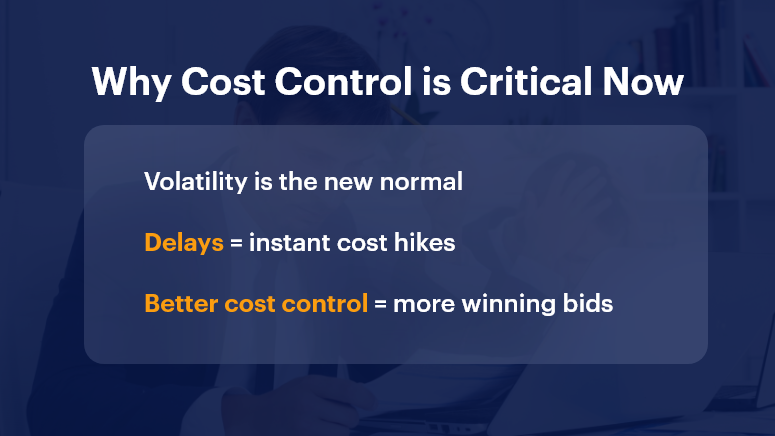
Why Cost Control is Critical Now

Why Managing Material Costs in a Volatile Market Matters

Price instability can turn profitable projects into financial drains. When material costs rise unexpectedly, profit margins shrink, payment terms get tighter, and delivery schedules can collapse.

Why companies must act now:

  • Market volatility is the new normal — Global supply chains remain fragile, and commodity prices are unpredictable.
  • Small delays can cause big cost spikes — Postponed orders often face higher rates or rush premiums.
  • Competition is fierce — Companies with better cost control win more bids.

Who benefits most from effective cost management?

  • Project managers need accurate budget forecasting.
  • Procurement teams are responsible for supplier negotiations.
  • Executives safeguarding profitability.

Real-world pain points:

  • Steel price jumps cause mid-project budget crises.
  • Shipping container shortages delay material deliveries by weeks.
  • Over-reliance on single suppliers leaves teams vulnerable to disruptions.

With OConstruction’s material cost tracking, supplier analytics, and forecasting tools, you can lock in pricing, spot risks early, and negotiate from a position of strength.

Best Practices for Managing Material Costs in a Volatile Market

1. Lock in Prices Early

Price guarantees and bulk purchasing agreements can protect against sudden cost hikes.

  • Negotiate contracts with clear escalation clauses.
  • Use OConstruction to track contract timelines and trigger renewal alerts before rates change.

2. Diversify Supplier Networks

Relying on a single source is risky in volatile markets.

  • Maintain relationships with multiple vetted suppliers.
  • Use supplier performance dashboards to compare delivery speed, reliability, and cost history.

3. Leverage Real-Time Data

Decisions made on outdated pricing data lead to overspending.

  • Integrate live market feeds into procurement planning.
  • OConstruction’s analytics help you spot trends before they impact your budget.

4. Optimize Inventory Management

Overstock ties up capital; understock causes delays.

  • Use just-in-time ordering for predictable items.
  • Employ demand forecasting features in OConstruction to balance supply and cash flow.

5. Standardize Materials Where Possible

Standardization simplifies procurement and increases bulk discount potential.

  • Replace multiple similar products with a single approved option.
  • Document standards in a central digital library accessible to all project teams.

6. Conduct Scenario Planning

Prepared teams can pivot faster when prices change.

  • Run “what-if” simulations for cost increases or delivery delays.
  • Align contingency plans with supplier capabilities.

7. Align Procurement and Project Schedules

When construction timelines and procurement aren’t in sync, costs climb.

  • Use OConstruction to link project milestones with order placement deadlines.
  • Avoid last-minute orders that attract premium pricing.

Customer Story: Turning Volatility into Opportunity

For example, Skyline Builders, a mid-sized commercial construction firm, faced soaring steel prices mid-way through a retail project. By using OConstruction’s supplier analytics and bulk procurement module, they acted fast:

  • Locked in pricing for the remaining steel requirements.
  • Shifted part of their order to a secondary supplier with surplus inventory.
  • Monitored delivery schedules through the platform to avoid idle crews.

The result? They saved 12% on projected steel costs and delivered the project two weeks ahead of schedule — turning what could have been a budget disaster into a competitive win.

Key Takeaways

Managing material costs in a volatile market isn’t about eliminating risk — it’s about controlling it with data, foresight, and flexibility.

In summary:

  • Act early — Secure prices before market swings.
  • Stay flexible — Keep multiple suppliers and backup plans ready.
  • Use data — Real-time insights beat guesswork.

By combining strategic procurement practices with OConstruction’s digital tools, you can safeguard budgets, strengthen supplier relationships, and keep projects moving despite market turbulence.

And remember — volatile markets reward the prepared, not the reactive.

Creating a Culture of Accountability in Construction Teams

In the construction industry, missed deadlines and miscommunication cost billions annually. A McKinsey report revealed that large projects typically run 80% over budget and 20 months behind schedule. What’s the common thread? A lack of accountability.

Construction accountability isn’t just a buzzword. It’s the backbone of trust, consistency, and performance on job sites. When teams take ownership, delays shrink, rework reduces, and safety improves. But creating that culture doesn’t happen by chance—it’s built intentionally.

In this blog, we’ll break down how to create a culture of accountability in construction teams, why it matters, and how platforms like OConstruction empower it with clarity, transparency, and digital oversight.

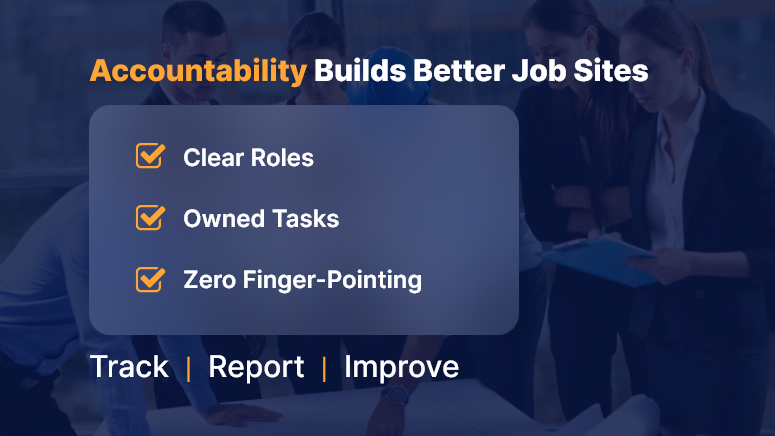
Accountability Builds Better Job Sites

Business Relevance & Why It Matters

Without accountability, even the best project plans fall apart. Construction is fast-moving, decentralized, and unpredictable. From the field to the back office, unclear roles or shifting responsibilities often create delays, disputes, and finger-pointing.

When construction accountability is embedded into your culture:

  • Team members own outcomes, not just tasks.
  • Foremen and PMs communicate proactively.
  • Mistakes turn into learning loops, not blame games.
  • Compliance and safety are easier to enforce.

Common Problems Due to Low Accountability:

  • “I thought they handled it” situations leading to missed inspections.
  • Repetitive rework from unclear instructions or ignored checklists.
  • Safety audits failed because logs were incomplete or falsified.

Who Benefits Most:

  • Project Managers: Stay on top of progress and team performance.
  • Site Supervisors: Gain visibility into who’s doing what.
  • Executives & Owners: Track results, not just hours.

Construction accountability, supported by digital tools, shifts teams from reactive to proactive. And that shift directly impacts your project timelines, budgets, and bottom line.

Best Practices, Frameworks, and Actionable Strategies

The Foundations of Construction Accountability

  • Set Clear Expectations from Day One

Start every project with crystal-clear roles, responsibilities, and deadlines. Don’t leave it to verbal agreements—document everything using digital project briefs or onboarding forms inside your platform.

  • Tie Tasks to Owners, Not Just Teams

Saying “the plumbing team will fix it” creates ambiguity. Assign tasks to individuals, not groups. Tools like OConstruction let you assign and monitor work down to the crew member level.

  • Use Checklists to Eliminate Assumptions

Standardized digital checklists ensure no critical step is skipped. You’ll also have proof of work, which is crucial for quality assurance and audits.

Do’s and Don’ts for Fostering Team Accountability

Do: Conduct Daily Standups

Short, focused meetings keep crews aligned and surface blockers early.

Don’t: Micromanage

Trust your teams to deliver. Use performance dashboards for insight, not control.

Do: Track Progress Visually

Use visual boards or Gantt views to keep stakeholders on the same page.

Don’t: Tolerate Blame Culture

Shift the tone from fault-finding to future-focused improvement.

Step-by-Step Framework for Building Accountability

Step 1: Create Role-Based Dashboards

Customize dashboards for each role—PMs, foremen, field workers—to see only what’s relevant. This removes clutter and sharpens focus.

Step 2: Integrate Digital Logs and Time Tracking

Daily logs build real-time accountability. With timestamped digital entries, everyone knows who was on-site, what was done, and what’s pending.

Step 3: Set SLAs for Internal Tasks

Service-level agreements aren’t just for vendors. Use them internally to define turnaround times for approvals, inspections, and handoffs.

Step 4: Reward and Recognize Ownership

Create incentive programs around reliability, timeliness, and collaboration. Celebrate accountability publicly in team huddles or platform leaderboards.

Customer Story / Use Case Example

For example, IronStone Builders, a mid-sized construction firm, used OConstruction’s task ownership tracking to assign clear deliverables to field supervisors.

Before the switch, delays in concrete pouring often stalled other crews. After implementing digital task assignments and daily log reviews:

  • Task rework dropped by 40%
  • Average project timeline reduced by 12 days
  • Team meetings became solution-focused, not reactive

Here’s how: supervisors received daily alerts for their assigned tasks, and checklists ensured no steps were skipped. PMs had real-time dashboards to course-correct instantly.

Key Takeaways & Closing Summary

Creating a culture of construction accountability is not about tightening the screws. It’s about giving teams the clarity, structure, and tools they need to take ownership confidently.

  • Clear expectations, checklists, and digital dashboards prevent miscommunication.
  • Role-based task tracking boosts individual ownership and accountability.
  • Real-time performance visibility allows faster interventions and smoother operations.
  • A shift in mindset — from “who’s to blame” to “how do we fix it”— builds long-term resilience.

By investing in the right processes and platforms like OConstruction, construction leaders can embed accountability into the DNA of every project — turning it into a competitive advantage.

Tools and Tactics for Workforce Scheduling in Construction

In construction, the difference between on-time delivery and costly overruns often boils down to one key factor: effective workforce scheduling. According to McKinsey, large construction projects typically take 20% longer to finish than scheduled and are up to 80% over budget. One of the silent culprits? Poor scheduling of labor.

With project complexity rising, site coordination becoming more fragmented, and skilled labor harder to find, workforce scheduling in construction is no longer an administrative task — it’s a strategic driver. In this blog, we’ll explore why getting workforce scheduling right is critical, common pitfalls, and modern tools and tactics (including OConstruction) that empower you to schedule smarter, faster, and more effectively.

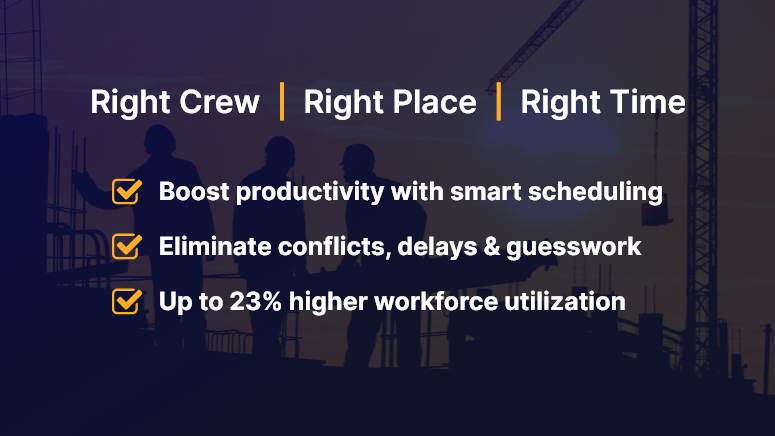
Right Crew Right Place Right Time

Business Relevance: Why Workforce Scheduling in Construction Matters

Workforce scheduling in construction isn’t just about putting names on a calendar. It directly impacts:

  • Site productivity: Misaligned crews or delayed resources lead to idle time and wasted budgets.
  • Project profitability: Labor is one of the highest costs in construction. Better scheduling leads to higher utilization and less overtime.
  • Client satisfaction: Timely project delivery builds trust and boosts your company’s reputation.

Who Benefits the Most?

  • Project Managers: Gain clear visibility into crew allocation and avoid last-minute reshuffling.
  • Field Supervisors: Know who’s coming when and where — with real-time updates.
  • Contractors/Subcontractors: Improve labor efficiency and avoid resource clashes across projects.

Real-World Use Cases

  • Multi-site operations: Coordinating labor across 3+ sites with different timelines, climates, and contractor availability.
  • Weather delays: Reacting in real-time to reschedule crews due to unforeseen weather conditions.
  • Last-minute changes: Managing no-shows or urgent reassignments without breaking the entire workflow.

Without a streamlined digital approach, these scenarios result in delays, finger-pointing, and increased costs.

Tools, Tactics & Best Practices for Smarter Scheduling

1. Ditch the Spreadsheets

Stop using outdated Excel files and whiteboards. These lead to version control issues, manual errors, and communication gaps.

Do: Use a digital scheduling platform like OConstruction that offers real-time syncing and mobile access.

Don’t: Assume that one master sheet can handle multi-site, multi-crew complexity.

2. Use Role-Based Scheduling

Not all workers have the same skill sets. Role-based scheduling helps assign the right people to the right job.

Do: Categorize by certifications, skills, and availability.

Don’t: Assign workers based on seniority alone without assessing fit.

3. Integrate Resource Availability and Leave Management

Real-time availability prevents double booking and helps accommodate time-off requests without disrupting the timeline.

Do: Sync leave calendars with your scheduling tool.

Don’t: Assume manual updates will catch every conflict.

4. Visual Timelines & Gantt Charts

Construction timelines need visual clarity. Color-coded schedules help teams understand workload, gaps, and overlaps instantly.

Do: Create drag-and-drop crew plans using OConstruction’s Gantt chart.

Don’t: Expect field teams to interpret complicated, text-heavy schedules.

5. Enable Mobile Access

Workforce scheduling in construction is not just for the office. Your field teams need access on the go.

Do: Equip crew leads with mobile apps to view and confirm their daily tasks.

Don’t: Rely on office-to-site phone calls or printed schedules.

6. Real-Time Alerts and Notifications

Let tech do the reminding.

Do: Use auto-alerts for shift changes, location changes, and urgent reassignments.

Don’t: Depend solely on human follow-ups for critical updates.

7. Track Performance and Adjust

Use analytics to understand how your team is performing and what needs to change.

Do: Monitor metrics like workforce utilization, attendance, and task completion rates.

Don’t: Wait until the project closes to review what went wrong.

Customer Use Case

For example, SkyBuild Inc., a mid-sized commercial contractor, used OConstruction’s smart workforce scheduling module to streamline its crew allocation across six active sites. The result? A 23% boost in workforce utilization and a 15% reduction in project delays within just 60 days.

Here’s how: They switched from static spreadsheets to OConstruction’s dynamic scheduling dashboard, integrated labor availability with leave tracking, and empowered site leads with mobile apps for daily scheduling.

Key Takeaways & Summary

Workforce scheduling in construction is the engine behind timely project delivery and team productivity. From reducing idle labor to optimizing crew assignments, smart scheduling pays off across the board.

The best part? With modern platforms like OConstruction, construction leaders can move away from reactive scheduling and adopt a proactive, data-driven approach that scales.

Don’t let outdated methods slow your projects down. Modernize your workforce planning and start seeing the results on-site and on paper.

What to Include in Your Construction Daily Logs and Why They Matter?

Construction sites are bustling hubs of activity — crews moving, machines running, materials arriving. Amid this flurry, details get lost. And when disputes arise, missing data becomes expensive.

Construction daily logs are your safety net — and your strategic edge. They’re not just paperwork; they’re your timeline, proof, and project compass.

In this blog, we’ll break down exactly what to include in construction daily logs, why it’s crucial for operational success, and how digital tools like OConstruction’s project platform can make the process seamless and future-proof. If you’re in construction management, site supervision, or back-office coordination, this guide is for you.

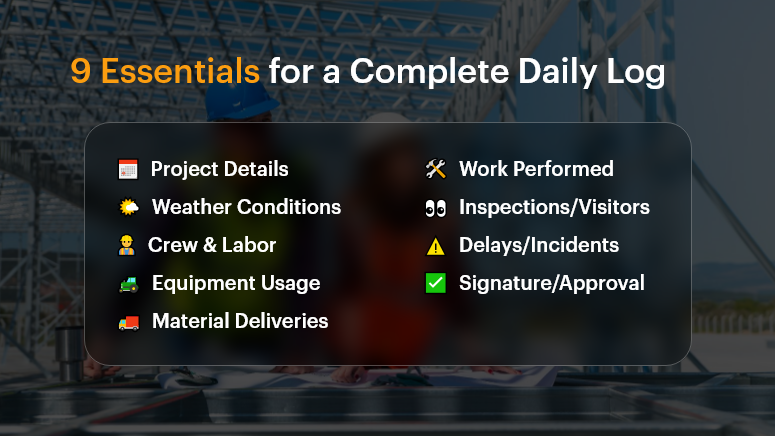
9 Essentials for a Complete Daily Log

Why Construction Daily Logs Matter More Than Ever

The Business Case: Compliance, Clarity, and Control
In construction, the gap between what was planned and what actually happened can cost millions. That’s where construction daily logs step in. They help businesses:

  • Document everything – from crew activities to delivery delays
  • Defend against legal claims and change orders
  • Keep all stakeholders aligned in real time

According to a McKinsey & Co. report, poor communication and lack of documentation are key contributors to construction project failures, costing the industry over $1.6 trillion annually.

Who Benefits?

  • Project Managers: Track daily progress, weather delays, labor use
  • Site Supervisors: Record field issues as they happen
  • Owners/Clients: Gain transparency and confidence
  • Finance Teams: Back up change orders and cost escalations

Real-World Pain Points

  • Delayed inspections due to incomplete logs
  • Contract disputes where verbal agreements lacked documentation
  • Missed deadlines from misaligned subcontractor schedules

With a digital platform like OConstruction, daily logs become structured, searchable, and sharable — helping you get ahead of problems before they escalate.

What to Include in a Construction Daily Log (and How to Do It Right)

A complete, consistent daily log captures the pulse of your project. Here’s what it should include and best practices to follow.

Project Details

  • Include date, job number, and project name.
  • Helps with sorting and future reference.

Weather Conditions

  • Note temperature, precipitation, and conditions (e.g., muddy, windy).
  • Critical for explaining delays or safety hazards.

Crew & Labor Report

  • Who was onsite, for how long, and what tasks were completed.
  • Include subcontractors and headcounts.

Equipment Usage

  • Record machinery used, breakdowns, idle time.
  • Justifies rental costs or performance dips.

Material Deliveries

  • What materials arrived, in what quantity, and when.
  • Helps validate invoices and progress payments.

Work Performed

  • Summarize tasks completed, started, or delayed.
  • Add images or notes for extra clarity.

Inspections & Visitors

  • Document any client visits, compliance checks, or city inspector walkthroughs.
  • Shows your team is audit-ready.

Delays, Disruptions, or Incidents

  • Capture safety events, delays, or weather interruptions.
  • Include photos and staff comments.

Signature or Approval

  • Digital sign-off by the site supervisor or PM.
  • Adds accountability and trust.

Best Practices for Better Logs

Do:

  • Use mobile access to update logs from the field in real time
  • Add photos or video clips for visual proof
  • Standardize with log templates to ensure consistency
  • Time-stamp entries to avoid future disputes
  • Store logs in a central cloud repository for team access

Don’t:

  • Rely on handwritten notes that can be lost or unreadable
  • Leave out weather or crew details — they’re critical in legal claims
  • Delay logging until the end of the week (or worse, end of project)
  • Assume someone else is tracking it — assign clear ownership

Framework: The OConstruction Way

Using OConstruction, your daily log workflow becomes a repeatable, digital-first process:

  • Log Template: Auto-filled with project basics
  • Onsite Capture: Site supervisors log entries via mobile or tablet
  • Smart Suggestions: AI suggests recurring activities based on history
  • Real-Time Sync: Logs sync with the central dashboard instantly
  • Audit Trail: Version history and sign-offs ensure accuracy and compliance
  • Report Generation: One-click PDF exports for clients or inspectors

Use Case: From Paper Chaos to Digital Clarity

For example, BuildCore Solutions, a mid-size general contractor, used OConstruction’s Daily Log module to replace paper forms on 5 active sites.

Within two months, they reduced documentation errors by 65%, improved subcontractor coordination, and had digital evidence to support 3 weather-related change orders — avoiding $150K in potential losses.

“Having all our site logs in one place — searchable, timestamped, and backed by photos — gave us control we never had before,” says their Project Lead.

Category: Construction Academy

Subcategory: Budgeting and Planning

Subcategory: Construction Phase

Subcategory: Design Coordination

Subcategory: Estimation Techniques

Subcategory: Initiation and Feasibility

Subcategory: Introduction

Subcategory: Personal Management

Subcategory: Project Close-Out

Subcategory: Project Scheduling

Subcategory: Project Teams

Subcategory: Proposal Management

Subcategory: Total Quality Management

Subcategory: Tracking and Control

Subcategory: Work Breakdown

Category: Help Desk

Subcategory: Client

Subcategory: Construction 101

Subcategory: Contractor Management

Subcategory: Expense

Subcategory: Finance Budget

Subcategory: Inventory Management

Subcategory: My Approvals

Subcategory: Site Management

Subcategory: Vendor Management