Cut Construction Costs with Smarter Project Management Software

In the construction industry, controlling costs is one of the biggest challenges. Material prices fluctuate, labor overruns happen, and delays on-site can quickly turn into budget disasters. But what if you could reduce these issues with a single tool?

That’s where smart project management software like OConstruction steps in—giving you the visibility, control, and real-time collaboration your construction projects need to stay on time and under budget.

Why Construction Projects Go Over Budget

Before we dive into the solution, let’s look at the most common reasons construction costs spiral out of control:

  • Poor scheduling and miscommunication
  • Inefficient use of labor and equipment
  • Lack of real-time updates on-site
  • Missed deadlines and overtime costs
  • Manual data entry and paperwork delays

All of these are avoidable—with the right tools in place.

How OConstruction Helps You Cut Costs

OConstruction is an all-in-one construction project management software designed specifically to reduce waste, improve accountability, and maximize your project ROI.

Here’s how it helps:

1. Real-Time Budget Tracking

Monitor project costs as they happen. Get instant updates on labor, materials, and subcontractor expenses so you can take immediate action before the budget slips.

2. Smarter Scheduling

Assign tasks, set dependencies, and track milestones all in one place. With automated notifications and calendar views, your team stays aligned-and your timelines stay on track.

3. Field-to-Office Communication

Whether your teams are on-site or in the office, OConstruction keeps everyone connected. Say goodbye to delayed updates or missed approvals that lead to costly errors.

4. Document & Resource Management

No more lost files or outdated spreadsheets. Store drawings, contracts, purchase orders, and daily logs in the cloud-accessible anytime from any device.

5. Subcontractor Coordination

Easily assign and monitor subcontractor tasks, track deliverables, and hold vendors accountable with shared timelines and clear scopes of work.

Real-World Benefits You Can Expect

  • Faster Project Completion
  • Lower Labor Costs
  • Fewer Cost Overruns
  •  Improved Resource Allocation
  • Less Administrative Overhead

Contractors using smart software report savings of up to 20% in overall project costs, simply by improving communication, planning, and tracking.

Start Saving Today with OConstruction.

If you’re still managing construction projects with spreadsheets, whiteboards, and endless WhatsApp groups—it’s time for an upgrade.

OConstruction gives you the tools to run your projects smarter, faster, and more profitably. From the first estimate to final handover, everything stays organized, visible, and efficient.

Start your journey to cost-effective construction today. Visit OConstruction.io

Final Thoughts

Cutting construction costs isn’t just about buying cheaper materials or hiring less labor. It’s about improving how you manage your projects—from planning to execution. With OConstruction, you’re not just saving money—you’re building smarter.

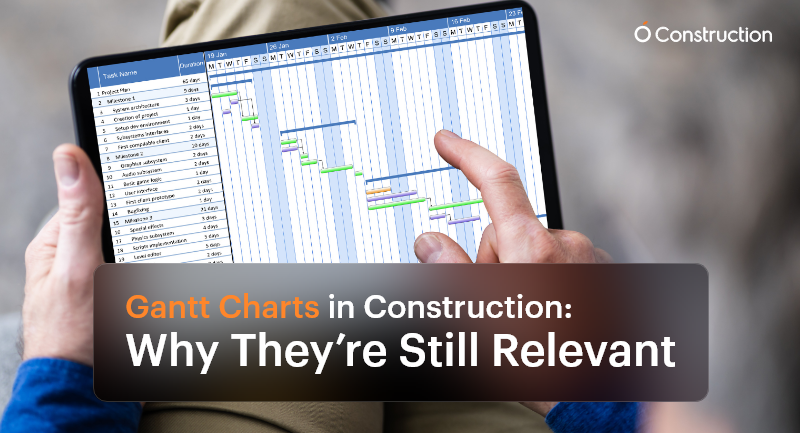
Gantt Charts in Construction: Why They’re Still Relevant

Despite the surge of advanced AI-driven scheduling tools and live dashboards, Gantt charts in construction remain a cornerstone of project management. Why? Because construction is more intricate, deadline-driven, and team-dependent than ever before.

Every team needs a visual and reliable roadmap that brings clarity to the chaos, from project managers and subcontractors to site supervisors and procurement officers. This is where Gantt charts continue to shine.

Why Gantt Charts Still Matter in Construction

Construction is not just about bricks and concrete—it’s about precision planning, coordination, and communication. A single scheduling misstep can cause ripple effects that delay inspections, exceed budgets, or stall final delivery.
Here’s how Gantt charts in construction offer critical value:

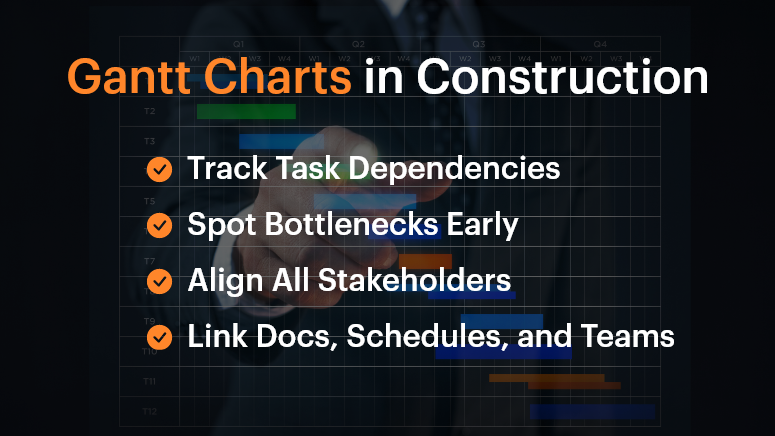
Gantt Charts in Construction

1. Track Dependencies Across Subcontractors

In a construction project, workstreams are tightly connected. Plumbing must be completed before walls are closed. Electrical systems may need to be coordinated with HVAC layouts.

Gantt charts help teams visualize and manage these dependencies—if Task A is delayed, you immediately see how Task B is affected. This preemptive visibility is vital for planning contingencies.

2. Identify Project Bottlenecks Early

As the chart progresses, you can pinpoint lagging tasks before they become full-blown roadblocks. For example, a delayed steel delivery in the foundation phase will affect structural framing and roofing. Gantt charts enable you to identify those early warning signs and make adjustments in real-time.

3. Keep All Stakeholders Aligned

When different teams—from architects to subcontractors—work off the same chart, everyone understands what’s happening and when. This unified view reduces miscommunication and avoids scope creep.

Who Benefits Most from Gantt Charts?

Project Managers

They oversee everything from timelines to team coordination. Gantt charts help them:

  • Visualize overlapping tasks
  • Track milestones
  • Adjust schedules on the fly

Site Supervisors

Working in the field, they need clear, day-to-day task breakdowns. Gantt charts:

  • Show what needs to happen today, tomorrow, or next week
  • Improve coordination between field teams

Procurement Teams

Timing material delivery is critical. Gantt charts let them:

  • Schedule deliveries aligned with task progress
  • Avoid storage or material wastage

Real-World Example: Coordinating Complex Trades

Imagine a multi-story commercial project with concurrent plumbing, HVAC, and electrical work. Gantt charts allow managers to sequence tasks precisely so that the plumbing team completes their install before HVAC ducts are installed, avoiding rework or clashes.

Without this planning, teams step on each other’s toes, leading to delays, friction, and budget overshoots.

Best Practices for Using Gantt Charts in Construction

DOs:

  • Use Dependencies Wisely: Link tasks based on logical, real-world sequences. If one activity slips, the dependent tasks should automatically adjust.
  • Break Down Phases: Don’t lump the entire project into a single line. Divide it into logical segments: design, permitting, site prep, foundation, structure, MEP, interiors, inspections, and handover.
  • Update Frequently: Treat your Gantt chart as a live document. Weekly or daily updates ensure it reflects the real-time site status, not just the plan.

DON’T:

  • Overcomplicate It: Don’t try to document every micro-task. Focus on deliverables and milestones to keep things clean and readable.
  • Use Static Formats: Avoid spreadsheets or printed charts. They become outdated quickly. Use digital, interactive platforms.
  • Work in Isolation: Don’t keep the chart limited to a few managers. Make sure it’s accessible and collaborative for the entire team.

What OConstruction’s Gantt Chart Feature Brings to the Table

OConstruction amplifies the power of Gantt charts with purpose-built features for modern construction workflows:

  • Drag-and-Drop Scheduling: Adjust tasks easily to reflect real-world changes on site.
  • Color-Coded Status: Visual cues show task health—green for done, yellow for pending, red for delays.
  • Real-Time Syncing: Updates from field engineers or subcontractors automatically update the chart.
  • Forecasting: Identify tasks at risk of delay with trend analysis and alert mechanisms.
  • Integrated Documents: Link each task with blueprints, contracts, or RFIs for quick reference.

A Simple Framework to Build Gantt Charts

Here’s how to get started:

  • List Major Phases: Design, site clearance, structural work, MEP, finishing, and handover.
  • Break Into Tasks: Under each phase, define key deliverables (e.g., concrete pour, steel delivery, plumbing inspection).
  • Assign Durations and Owners: Estimate how long each task takes and who’s responsible.
  • Map Dependencies: Connect the tasks that rely on one another.
  • Collaborate: Share with teams and adjust based on their feedback.
  • Publish and Track: Keep the chart open and updated throughout the build.

Customer Story

Build Rite Constructions, a mid-size commercial builder, implemented OConstruction’s Gantt chart feature across five simultaneous projects. The result?

  • 28% reduction in schedule overruns
  • Improved vendor coordination
  • Fewer site clashes between trades
  • Real-time timeline visibility for both on-site teams and HQ

Their secret? They used Gantt charts not just for planning, but for active coordination and adjustment.

Final Thoughts

Gantt charts in construction aren’t just old-school charts—they’re dynamic tools that drive clarity and performance. In today’s fast-moving, multi-stakeholder projects, they provide the structure teams need to stay on track.

With modern tools like OConstruction, Gantt charts become a live, interactive command center for your entire project.

Don’t manage construction chaos. Plan around it—with a Gantt chart that evolves as your project does.

FAQs

Q1. Why are Gantt charts still relevant in modern construction projects?
Because construction involves multiple dependencies, trades, and deadlines, Gantt charts provide a clear visual roadmap that keeps teams aligned, prevents delays, and ensures milestones are met.

Q2. Who benefits most from using Gantt charts in construction?
Project managers, site supervisors, and procurement teams all gain clarity. Gantt charts help managers track milestones, field teams see day-to-day priorities, and procurement plan material deliveries on time.

Q3. How do Gantt charts help with task dependencies?
They make dependencies visible—so if one task slips (like plumbing installation), you immediately see how it impacts the next (like HVAC or electrical work), allowing you to plan contingencies early.

Q4. Can Gantt charts prevent delays and bottlenecks?
Yes. By highlighting lagging tasks in real-time, Gantt charts allow managers to act before issues snowball into schedule overruns.

Q5. What’s the biggest mistake teams make with Gantt charts?
Overcomplicating them. Trying to track every micro-task makes charts unreadable. The focus should be on phases, deliverables, and milestones.

Q6. Why are digital Gantt charts better than spreadsheets or paper charts?
Printed or static charts become outdated quickly. Digital Gantt charts update in real time, are accessible to all stakeholders, and integrate directly with project data.

Why Construction Projects Go Over Budget – and How to Prevent It

Did you know that 9 out of 10 construction projects exceed their budget? Whether it’s a residential build, commercial infrastructure, or a government contract, blowing past the planned costs has become the norm rather than the exception.

From material price fluctuations to poor planning and lack of real-time tracking, the reasons are many, but the consequences are always the same: delays, disputes, and damaged reputations.

In this blog, we’ll break down why construction projects go over budget, what mistakes to avoid, and how you can prevent cost overruns with digital project management tools like OConstruction.

Business Relevance & Why It Matters

For construction businesses, accurate budgeting isn’t just a financial necessity—it’s a strategic advantage. Budget overruns lead to:

  • Shrinking profit margins
  • Lost client trust
  • Project delays and rework
  • Legal or contractual penalties

Who should care?

  • Project Managers are trying to stay on schedule
  • Finance & Procurement teams are monitoring costs
  • Contractors bidding for new jobs
  • Operations heads scaling multiple projects

Use Case 1: A mid-sized contractor wins a hospital construction tender but underestimates steel prices. Six months in, they’re 18% over budget and forced to renegotiate terms.

Use Case 2: A real estate developer launches five residential towers simultaneously but lacks real-time cost visibility. Cost overruns on two sites derail cash flow for the remaining three.

The takeaway: You can’t eliminate unpredictability in construction, but you can eliminate guesswork, miscommunication, and inefficient tracking.

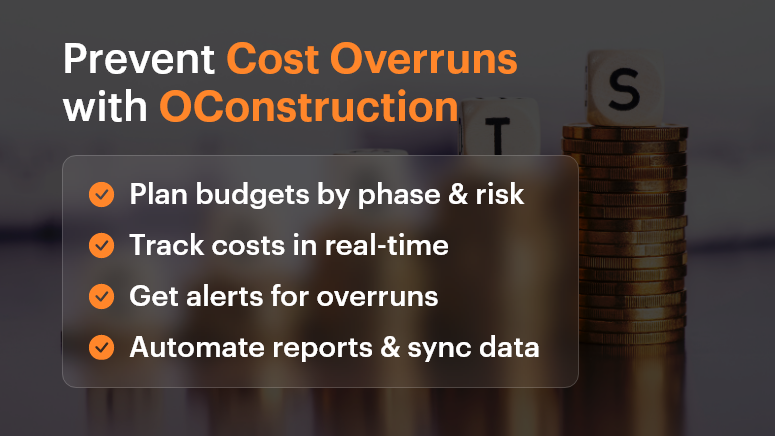
Prevent Cost Overruns with OConstruction

Best Practices, Frameworks, and Actionable Strategies

Do’s and Don’ts of Budget Control

Do: Conduct detailed cost estimation before kickoff

Break down each project phase—design, permits, labor, materials, contingency. Don’t just lump it into one “build” line item.

Don’t: Assume past project budgets will always match future ones

Prices for materials, fuel, labor, and logistics vary. Recheck market conditions and local pricing.

Do: Set up a centralized cost-tracking system

Use OConstruction’s dashboard to assign cost codes, track spending in real time, and compare actual vs. forecast.

Don’t: Rely on spreadsheets or disconnected tools

Manual tracking leads to errors, version control issues, and missed updates.

Quick Wins to Control Costs Early

  • Baseline your budget early. Set realistic expectations with internal stakeholders and clients.
  • Use templates and historical data. Leverage past projects in OConstruction to create smarter forecasts.
  • Account for risks. Add a 5-15% contingency buffer for unknowns.
  • Define a change order process. Make sure scope changes are documented, approved, and re-costed before execution.

A 5-Step Framework to Prevent Construction Cost Overruns

  • Scope Planning

Define deliverables, responsibilities, and phases clearly with all stakeholders. Avoid vague assumptions.

  • Detailed Estimation

Include unit costs, productivity rates, lead times, and inflation where relevant.

  • Digital Budget Tracking

Use OConstruction’s project financials module to track committed costs, invoices, and payments in one place.

  • Issue and Delay Management

Set up automated alerts for schedule slips, budget thresholds, or material delays.

  • Regular Reporting & Forecasting

Generate weekly reports. Adjust projections as needed based on actuals.

Tip: Integrate OConstruction with your accounting or ERP tool for seamless data sync.

Customer Story

For example, Summit Build, a commercial construction firm, used OConstruction’s cost-tracking feature to cut down 12% in preventable overruns within just two quarters.

They were managing three hospital projects and used the platform to:

  • Set real-time alerts when labor costs exceed benchmarks
  • Automate change order documentation and approval workflows
  • Visualize actual vs. forecasted spend in a single dashboard

The result? $750K saved, faster billing cycles, and improved team accountability.

Key Takeaways

Cost overruns are one of the biggest threats to profitability in construction. But they’re not inevitable.

With proper planning, real-time tracking, and digital tools like OConstruction, you can identify risks early, make smarter decisions, and keep your projects on budget and on time.

Start small, implement one strategy at a time, and scale with confidence.

FAQs

Q1. Why do most construction projects go over budget?
Construction projects exceed budgets due to inaccurate cost estimation, rising material prices, poor planning, scope creep, and lack of real-time cost tracking.

Q2. What are the hidden costs in construction projects that teams often miss?
Common hidden costs include permit fees, delays due to weather or labor shortages, design revisions, material wastage, and unplanned change orders.

Q3. How can project managers prevent cost overruns early?
By conducting detailed cost estimation, adding contingency buffers, setting up a change order process, and using digital tools for real-time tracking, project managers can control costs from the start.

Q4. Why are spreadsheets not reliable for construction cost management?
Spreadsheets often lead to errors, version mismatches, and missed updates. A centralized project management software like OConstruction ensures accuracy, transparency, and real-time visibility.

Q5. How does OConstruction help in controlling project costs?
OConstruction provides real-time budget tracking, automated alerts for cost thresholds, change order management, and integration with accounting/ERP tools, helping teams stay on budget.

The Ultimate Guide to Construction Scheduling Techniques

Construction is complex, and without a proper schedule, it’s chaos waiting to happen. Did you know that 98% of mega construction projects face delays or cost overruns? Even smaller projects can derail without a strong scheduling system in place.

The truth is, every successful build — whether it’s a residential home or a commercial complex — starts with an accurate, realistic, and adaptive schedule.

In this guide, we’ll break down the top construction scheduling techniques, show you when to use them, and how digital tools like OConstruction’s project management software simplify the entire process.

Whether you’re managing one project or fifteen, these methods will help you stay ahead, reduce risk, and deliver on time, every time.

Why Construction Scheduling Techniques Matter for Modern Teams

Proper construction scheduling isn’t just about dates and tasks. It’s about predictability, accountability, and profitability.

Construction projects involve multiple moving parts: labor, permits, deliveries, inspections, client approvals, weather dependencies, and more. Without robust scheduling techniques, projects often slip into reactive mode, causing:

  • Missed deadlines and penalties
  • Cost overruns due to rework and inefficiencies
  • Poor client satisfaction and damaged reputation

Scheduling is no longer a back-office admin job — it’s a strategic advantage.

Who Benefits Most?

  • Project managers gain clear visibility into timelines, delays, and task dependencies
  • Contractors and site engineers know exactly when crews, materials, and vendors are scheduled
  • Executives and clients get transparency on project milestones and delivery status
  • Operations teams can plan better across multiple sites using live data

In industries like real estate development, infrastructure, interior design, and EPC, mastering construction scheduling techniques leads to faster delivery and lower costs.

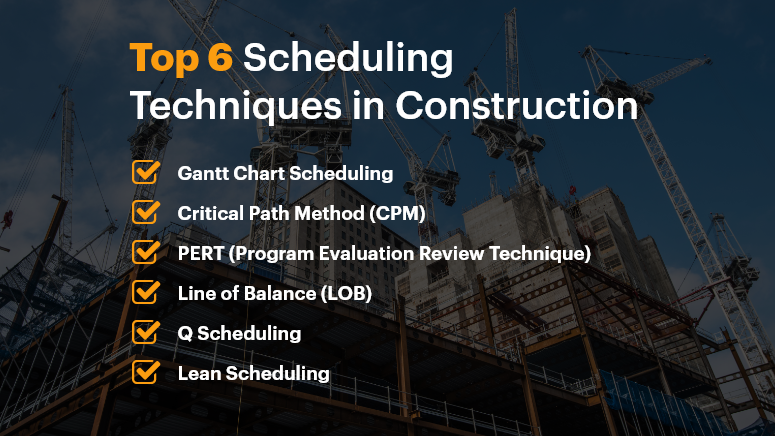
Top 6 Scheduling Techniques in Construction

Best Practices, Frameworks, and Scheduling Techniques

Let’s explore the most effective scheduling techniques, common pitfalls to avoid, and how to implement them efficiently with tools like OConstruction.

Do’s and Don’ts of Construction Scheduling

  • Use visual tools like Gantt charts: Gantt charts provide a timeline-based visual layout that shows start/end dates, dependencies, and milestones. These are ideal for stakeholder communication and progress tracking.
  • Don’t build a schedule without buffer times: Things will go wrong — delays in delivery, weather issues, labor shortages. Building in contingency helps you stay realistic and flexible.
  • Align the schedule with resource availability: Scheduling without resource coordination leads to idle time or overbooking. Use platforms that integrate resource planning and project timelines.
  • Don’t treat your schedule as static: Construction schedules should evolve with the project. Use software that allows real-time updates and mobile syncing for your field teams.

Quick Wins for Better Scheduling

  • Adopt cloud-based scheduling tools

Spreadsheets get outdated fast. Cloud-based systems let teams access and edit schedules from anywhere, with changes synced in real time.

  • Define task dependencies clearly

Use the Predecessors and Successors logic to avoid task conflicts and idle waiting. Tools like OConstruction allow drag-and-drop Gantt charts to manage these visually.

  • Integrate schedules with your procurement and budget plans

When material delivery or payment approvals are disconnected from the schedule, delays happen. Choose a unified platform that ties them together.

  • Use mobile apps for field updates

Let site supervisors mark task completion or flag delays from their phones. This ensures your schedule reflects the actual ground reality.

Step-by-Step Framework: Choosing the Right Scheduling Technique

1. Gantt Chart Scheduling

Ideal for: Small to mid-size projects with linear workflows
Visualize each task along a timeline. Helps communicate progress to clients and track dependencies easily.

2. Critical Path Method (CPM)

Ideal for: Complex builds with tight deadlines
Identifies the longest stretch of dependent activities and highlights the minimum project duration. Perfect for tracking what’s most likely to delay delivery.

3. Program Evaluation Review Technique (PERT)

Ideal for: Projects with uncertainty in task duration
Uses optimistic, pessimistic, and most likely timelines to calculate expected durations. Useful in early planning stages.

4. Line of Balance (LOB)

Ideal for: Repetitive workflows like high-rise floors or housing units
Visualizes task repetition across segments to balance resources and avoid bottlenecks.

5. Q Scheduling (Quantitative Scheduling)

Ideal for: Resource-heavy projects
Focuses on quantities of work per task per period, linking material usage directly with the schedule.

6. Lean Construction Scheduling (Last Planner System)

Ideal for: Agile, collaborative environments
Encourages weekly planning and real-time coordination with field teams. Perfect for reducing waste and improving flow.

Each of these construction scheduling techniques has its use case. The smart move is using a platform like OConstruction, which supports multiple techniques and adapts to your project type.

Customer Story: Turning Chaos into Clarity

For example, TitanStruct Infra, a mid-size infrastructure firm, used OConstruction’s Gantt-based scheduling module combined with real-time field reporting to manage six highway expansion projects across two states.

Here’s how it helped:

  • Used the critical path method to highlight high-risk delays
  • Integrated project timelines with vendor delivery schedules
  • Allowed site engineers to update task statuses via mobile
  • Enabled management to visualize milestone progress in a single dashboard

Outcome:

  • 35% improvement in schedule adherence
  • 25% less idle time across teams
  • Faster decision-making with real-time delay alerts

That’s the power of combining construction scheduling techniques with smart software.

Key Takeaways: From Delay-Prone to Deadline-Driven

  • Scheduling is the strategic core of successful construction project management
  • Choose the right technique based on project size, complexity, and team structure
  • Tools like OConstruction turn theory into execution with drag-and-drop Gantt charts, mobile updates, and critical path analysis
  • Standardize your approach, but stay agile with real-time data

With the right methods and the right platform, you’ll always be on time and on budget.

FAQs

1. What is construction scheduling and why is it important?
Construction scheduling is the process of planning, organizing, and tracking tasks, resources, and timelines to ensure projects are delivered on time and within budget. It prevents delays, cost overruns, and miscommunication among teams.

2. Which construction scheduling technique is best for small projects?
For small to mid-sized projects, Gantt chart scheduling is the most effective. It visually shows timelines, dependencies, and milestones in a simple way — making it easy to communicate with clients and track progress.

3. How does the Critical Path Method (CPM) help in construction projects?
CPM identifies the longest chain of dependent tasks, highlighting the activities that directly impact the project’s delivery date. This helps managers prioritize critical tasks and avoid project delays.

4. When should I use PERT instead of CPM?
Use PERT when project tasks involve uncertainty in duration (e.g., early-stage planning or projects with many unknowns). PERT accounts for optimistic, pessimistic, and most-likely timelines, while CPM works better with fixed durations.

5. What is Line of Balance (LOB) scheduling used for?
LOB is ideal for repetitive tasks such as high-rise construction or housing projects. It ensures smooth sequencing and resource allocation across repeated tasks, reducing bottlenecks.

From Construction to Code: How Project Management Is Transforming Every Industry

Every industry today is running on project logic, even if it wasn’t designed to. Whether you’re building bridges or mobile apps, modern work now revolves around deadlines, deliverables, and collaboration. That’s exactly why project management isn’t just for construction or IT anymore. It’s become the backbone of everything — from retail campaigns to hospital expansions.

Project management software like Orangescrum helps businesses transform their fragmented and reactive workflows into unified and project-driven systems. As a team, we have seen firsthand how adopting project management principles boosts efficiency, improves outcomes, and creates long-term value, no matter the industry.

Businesses must embrace project-based thinking and deploy structured project management frameworks to remain competitive. This isn’t optional—it’s essential for sustainable growth.

What Is a Project Business—And Why Is Everyone Becoming One?

A project business delivers its value through structured projects, not just ongoing operations. These businesses break down work into finite, measurable, and repeatable processes, ensuring clarity, accountability, and results.

Why this matters:

  • Most work today is cross-functional and collaborative
  • Clients expect speed, transparency, and outcomes
  • Teams are remote, hybrid, and highly specialized
  • Markets demand rapid adaptation and innovation

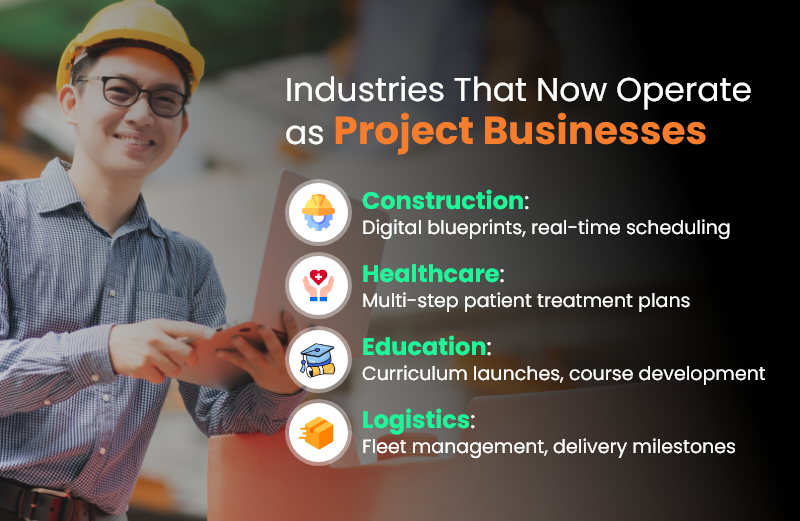
Industries That Now Operate as Project Businesses

Project Management Is Now Industry-Agnostic

Let’s dive into how different industries are evolving under the influence of project management.

Construction: The Origin of Modern Project Thinking

Construction was the first to treat work as a project. But today, the game has changed:

  • Digital Gantt charts replace paper schedules
  • Site updates happen in real time via cloud platforms
  • Resource tracking and budget controls are automated
  • Collaboration tools connect architects, contractors, and clients instantly

Manufacturing: Shifting from Linear to Agile

Manufacturing used to be all about repetition. Now?

  • Product customization requires task-level planning
  • R&D and prototyping function like mini-projects
  • Agile practices ensure flexibility in assembly lines
  • ERP + CRM integrations enable real-time feedback

Healthcare: Delivering Patient Care as Projects

From patient admission to discharge, care is delivered in project phases:

  • Surgical procedures follow step-by-step protocols
  • Clinical trials are complex, deadline-bound projects
  • Equipment upgrades require stakeholder coordination
  • Compliance and reporting involve milestone tracking

Education: Learning as Iterative Projects

Modern education is built on modular, project-based learning:

  • Curriculum design is now iterative and feedback-driven
  • Launching online platforms requires tech project planning
  • Accreditation and audit workflows are project-managed
  • Internal ops—events, hiring, onboarding—run like mini-projects

Software & Tech: Agile by Nature

Of course, tech leads the pack:

  • Agile, Scrum, and Kanban are now universal standards
  • Releases, sprints, and backlogs are part of the daily lingo
  • DevOps integrates operations into project timelines
  • Cross-functional squads handle features like mini startups

Key Characteristics of a Project Business

Let’s break it down. If your business has these traits, you’re already a project business:

  • Defined start and end dates
  • Specific goals and deliverables
  • Resource allocation and budget
  • Cross-team collaboration
  • Iteration and review cycles
  • Measurable outcomes

Each of these elements is at the core of effective project management. The sooner you embrace them, the faster your business can scale with clarity.

Real-World Parallels: Construction vs. Software Projects

Construction Industry

  • Blueprint creation
  • Permit & compliance checklist
  • Site scheduling & workforce setup
  • On-site execution and inspections
  • Final handover

Software Development

  • Product roadmap & user stories
  • Security & legal reviews
  • Sprint planning with team stand-ups
  • QA testing and performance tracking
  • Code deployment & product release

Both industries rely heavily on project planning, stakeholder communication, risk tracking, and defined timelines. Different tools — same mindset.

Conclusion

In this age of complexity, speed, and innovation, one thing is crystal clear: every business is becoming a project business. Whether you’re managing software releases, patient care, retail launches, or public infrastructure, structured execution is now a universal requirement.

Project management isn’t just a tool—it’s a mindset. It’s how modern work gets done, across every sector, every department, and every team. So, if your business isn’t already operating like a project business, now is the time to start.

Frequently Asked Questions (FAQs)

Q1. What does “project business” really mean?

A project business organizes its work into discrete, goal-oriented projects with deadlines and measurable outcomes, rather than ongoing, undefined workflows.

Q2. Why is project management now critical across industries?

Because work is more complex, remote, and outcome-driven than ever. Project management brings structure, accountability, and agility, regardless of the industry.

Q3. Is project management only for big companies?

Not at all. Small businesses benefit immensely from project management software, gaining visibility, efficiency, and speed without adding headcount.

Q4. How do I know if I’m already a project business?

If your teams work in sprints, track deadlines, assign tasks, and deliver results to clients, you’re already operating as one.

How Quality Control in Construction Reduces Rework by 40%

In construction, time is money, and rework is a costly leak in both. Studies show that rework can account for 5% to 15% of total construction costs. That means on a $10 million project, rework alone can burn up to $1.5 million. These aren’t just minor mistakes; they’re missed deadlines, wasted materials, frustrated workers, and unhappy clients.

But there’s good news: companies that prioritize quality control from the very beginning — especially those using robust construction project management software — have reported up to 40% fewer rework instances. That translates into significant savings and smoother project delivery.

In this blog, we’ll explore how quality control processes work, how they reduce costly mistakes, and how you can integrate them into your construction workflow, with or without digital tools.

The Real Cost of Rework in Construction

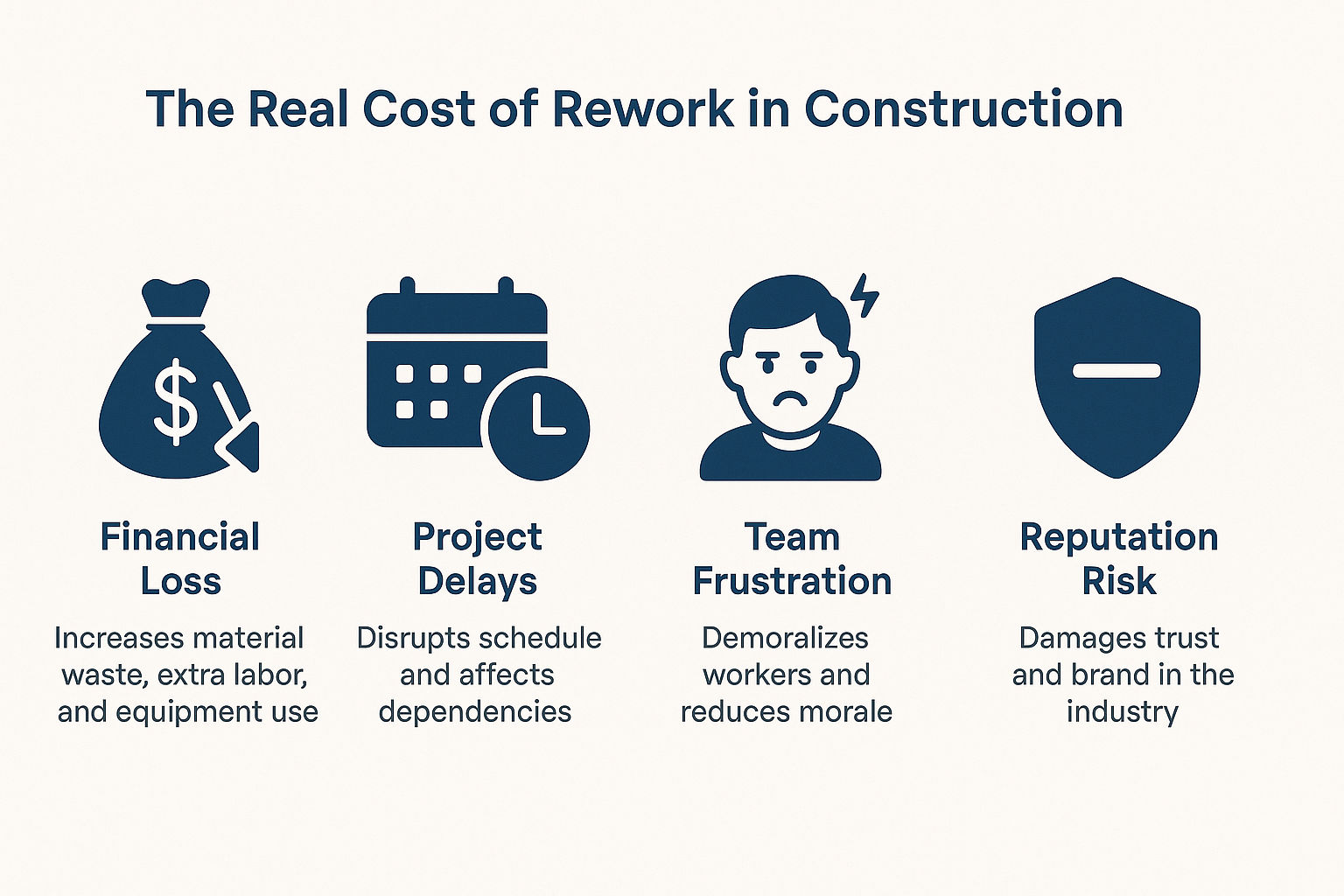
Rework happens when a completed task doesn’t meet quality standards and must be redone. Sometimes it’s as simple as fixing a paint job. Other times, it’s tearing down structural work or reordering expensive components. The consequences go far beyond money.

There’s a direct financial impact — wasted materials, extra labor hours, equipment rentals, and penalties for delays. Then there’s the schedule disruption, as rework ripples through your timeline and affects inspections, dependencies, and resource planning. Lastly, there’s the reputational cost. Teams get demoralized, and clients lose confidence.

The Construction Industry Institute (CII) estimates rework causes over $15 billion in direct costs annually in the U.S. alone. Globally, the cost is even higher, especially in regions where QC processes or project management tools are less standardized.
The Real Cost of Rework in Construction

What Is Quality Control in Construction?

Quality control (QC) in construction refers to the systematic monitoring, inspection, and verification processes used to ensure that all work and materials meet established project standards. It includes every phase of a build, from procurement to foundation to finishing.

Unlike Quality Assurance (QA), which is proactive and process-driven, QC is execution-focused. It involves on-site checks, documentation, supervisor approvals, and immediate corrective actions when issues arise.

When quality control is integrated into your workflow — especially through a digital solution like construction project management software — it becomes a safety net that catches mistakes before they require expensive rework.

How Quality Control Processes Reduce Rework by 40%

A structured QC process is one of the most effective ways to prevent mistakes from becoming money pits. Here’s how:

1. Early Detection Through Structured Checkpoints

Quality control inserts specific checkpoints into every construction phase. For example, before a slab is poured, the team verifies rebar spacing, alignment, and mix quality. These inspections prevent irreversible errors, saving both time and resources.

2. Better Communication and Documentation

When QC processes are digitized using construction project management software, they eliminate guesswork. Everyone — from architects to subcontractors — works off the same checklists, drawings, and specs. That consistency drastically reduces miscommunication-related errors.

3. Real-Time Tracking of Defects

With digital QC tools, site supervisors can instantly log defects, assign corrective actions, and track resolution. This speeds up the feedback loop and prevents small issues from spiraling into full-scale rework.

4. Built-In Accountability

Each inspection, photo, and approval is documented, making it easier to trace root causes, avoid repeat mistakes, and hold teams accountable. This transparency encourages more attention to detail across the board.

QC Best Practices That Actually Work

Companies that reduce rework consistently don’t just react to problems — they prevent them. Here’s what they do differently:

  • Use standardized QC checklists across all job sites, ensuring that every inspection is consistent and thorough.
  • Leverage construction project management software to capture quality data in real-time. This eliminates paperwork delays and improves oversight.
  • Train subcontractors and workers on quality expectations before they start. Education reduces misalignment and costly surprises.
  • Audit quality performance regularly, using reports from your software dashboard to identify repeat problem areas.

When QC is woven into your everyday operations — and supported by the right tools — it transforms from a task into a competitive advantage.

Case Study: Rework Reduced by 40% Using QC + Software

A mid-sized commercial contractor in Bengaluru faced chronic rework issues. Misaligned formwork and concrete curing problems caused delays and ballooned costs, with rework accounting for nearly 7% of the budget.

After adopting OConstruction’s construction project management software, they introduced structured quality checklists, digital inspections, and photo documentation. Supervisors logged and resolved issues in real time, while project managers tracked progress through a central dashboard.

The results were remarkable:

  • Rework dropped from 7% to just 3.5%
  • The project was completed 17 days ahead of schedule
  • Over 85 issues were caught and resolved before the execution

The software-driven QC process didn’t just reduce rework — it improved morale, client satisfaction, and profit margins.

Why Quality Control Is Easier with Construction Project Management Software

Manual QC is time-consuming and inconsistent. But when it’s powered by construction project management software, quality control becomes streamlined and scalable.

With a platform like Oconstruction, you can:

  • Create mobile-friendly quality checklists for each task phase
  • Log defects and issues with supporting photos
  • Set up automated alerts and approvals
  • Track corrections and resolutions in real-time
  • Generate reports for audits and improvement tracking

Instead of chasing paperwork, your teams stay focused on building — and building it right the first time.

Final Thoughts: Build Right the First Time

Rework eats away at margins, timelines, and team morale. But it’s also preventable. With proactive quality control, backed by the right construction project management software, your company can reduce rework by up to 40%, delivering faster, better, and more profitably.

Don’t wait until mistakes cost you. Build a culture of quality today.

Frequently Asked Questions

Q. What’s the difference between QA and QC in construction?

Ans. QA (Quality Assurance) focuses on processes and planning to avoid defects. QC (Quality Control) focuses on identifying and fixing errors during or after construction work.

Q. Is QC implementation expensive for small firms?

Ans. Not at all. Affordable construction project management software options exist for smaller teams, offering simple QC tools like checklists, logs, and mobile access.

Q. How soon will I see results from better QC?

Ans. Most companies see a drop in rework and faster project delivery within 1–2 project cycles after adopting formal quality control processes and tools.
Category: Construction Academy

Subcategory: Budgeting and Planning

Subcategory: Construction Phase

Subcategory: Design Coordination

Subcategory: Estimation Techniques

Subcategory: Initiation and Feasibility

Subcategory: Introduction

Subcategory: Personal Management

Subcategory: Project Close-Out

Subcategory: Project Scheduling

Subcategory: Project Teams

Subcategory: Proposal Management

Subcategory: Total Quality Management

Subcategory: Tracking and Control

Subcategory: Work Breakdown

Category: Help Desk

Subcategory: Client

Subcategory: Construction 101

Subcategory: Contractor Management

Subcategory: Expense

Subcategory: Finance Budget

Subcategory: Inventory Management

Subcategory: My Approvals

Subcategory: Site Management

Subcategory: Vendor Management