Agile Construction Management: Is It a Good Fit?

Studies show that nearly 60% of construction projects miss deadlines due to rigid planning and poor adaptability. Enter agile construction management, a flexible approach that allows teams to pivot quickly and deliver value in short cycles.

But is it a good fit for your projects? If you’re a project manager, site lead, or operations executive, this topic matters because today’s clients expect faster response times and adaptive delivery.

In this article, we’ll define agile construction management, reveal when it works best, and show how OConstruction’s integrated platform supports it — with real examples and actionable strategies. By the end, you’ll know if agile approaches can boost your productivity and project success.

Business Relevance & Why It Matters

Construction traditionally follows a linear model: design, then build, then deliver. This often leads to delays, inflexibility, and cost overrun when changes occur.

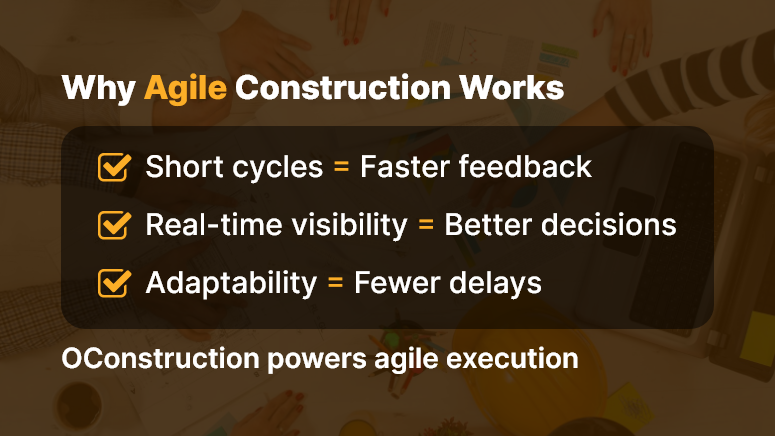
However, agile construction management shifts this model by using shorter work cycles, regular stakeholder feedback, and responsive adjustments. Companies that adopt agile methods gain faster iterations and clearer visibility.

They also reduce risk by proactively handling unforeseen obstacles.

Who benefits most?

  • Commercial builders are facing frequent change orders
  • Infrastructure firms need to coordinate phased deliveries
  • Developers managing multi-stakeholder expectations

Use case #1: A mixed‑use developer experiences zoning shifts mid‑project. Agile sprints help respond quickly.

Use case #2: A renovation contractor works in inhabited buildings requiring frequent stakeholder input. Agile cycles reduce disruption.

Use case #3: A large civil contractor coordinates utility installation in small increments. Agile milestones allow phased deliveries.

Clearly, the pain point — rigid planning, coordination delays, and change orders — contrasts sharply with agile flexibility, faster decision‑making, and stakeholder collaboration.

With OConstruction’s platform, you implement agile construction management effectively: schedule sprints, track progress, collect feedback, and adjust using a centralized dashboard.
Why Agile Construction Works

Best Practices, Frameworks & Actionable Strategies

1. Do’s and Don’ts for Agile Construction

  • Do start with short planning cycles (1–2 weeks) to review tasks and adjust priorities. This enhances responsiveness.
  • Don’t overload sprints with too many concurrent tasks. It reduces focus and slows delivery.
  • Do hold regular stand‑ups onsite to align teams and surface issues early.
  • Don’t ignore stakeholder feedback between cycles—it leads to misalignment and rework.

2. Quick Wins & Best Practices

  • Start with a pilot project

Choose a smaller project to test agile workflows. This provides early lessons and builds confidence.

  • Break tasks into smaller deliverables

Divide work into manageable chunks—like permitting, foundation, framing. Then deliver and evaluate incrementally.

  • Set clear performance metrics per sprint

Track issues closed, tasks completed, or customer feedback responses. Use data to refine the next cycle.

3. Step‑by‑Step Framework Using OConstruction

  • Step 1: Define sprint durations and assign tasks using the digital kanban board.
  • Step 2: Log daily progress through mobile updates; sync team status in real time.
  • Step 3: Hold weekly sprint reviews using built-in collaboration tools and comment threads.
  • Step 4: Collect feedback from site leads, clients, and subcontractors using digital forms.
  • Step 5: Adjust task priorities and resource allocation for the next sprint directly in the platform.

This agile framework ties back to agile construction management and leverages OConstruction’s integrated features — task tracking, mobile updates, feedback collection, and sprint analytics — to maintain momentum and clarity throughout the delivery process.

Customer Story/Use Case Example

For example, Skyline Builders, a mid‑sized residential contractor, adopted agile construction management using OConstruction’s sprint‑based task board and mobile progress tracking. They launched a pilot for a four‑unit condo project. As a result:

  • They reduced rework by 30% through faster feedback loops
  • They delivered critical tasks 20% faster by real‑time task reprioritization
  • They improved subcontractor coordination and on‑site communication

Here’s how: Skyline created two‑week sprints, used mobile inputs for daily updates, and collected feedback directly in the platform from the client and team members.

Each cycle ended with a short review meeting and sprint backlog adjustment. This approach delivered clearer visibility, faster adaptation, and more predictable outcomes.

Key Takeaways & Closing Summary

Agile construction management can drive significant improvements in flexibility, stakeholder alignment, and delivery speed — especially when you use the right platform. With OConstruction, you gain:

  • Sprint‑based planning and transparent task tracking
  • Real‑time updates via mobile and dashboard views
  • Integrated feedback loops that reduce rework and miscommunication

By embracing agile methods thoughtfully, construction firms can mitigate delays, improve coordination, and increase customer satisfaction.

Ultimately, using agile construction management with an integrated tool like OConstruction transforms project execution into a flexible, responsive workflow that adapts to changes and delivers consistent value.

FAQs

Q1. What is agile construction management?

Agile construction management is a flexible approach to project delivery that emphasizes short work cycles (sprints), continuous feedback, and rapid adaptation. Unlike traditional linear methods, it allows teams to respond quickly to changes, minimize delays, and improve collaboration among stakeholders.

Q2. Why is agile construction relevant in today’s construction industry?

With rising client expectations for faster response times, adaptive delivery, and multi-stakeholder coordination, traditional rigid planning often causes delays, cost overruns, and rework. Agile methods help construction firms reduce risk, accelerate project delivery, and maintain better communication throughout the project lifecycle.

Q3. Who benefits most from agile construction management?

  • Commercial builders: Manage frequent change orders efficiently.
  • Infrastructure firms: Coordinate phased deliveries and staged milestones.
  • Developers: Maintain alignment with multiple stakeholders.

Q4. Can you give real-world examples of agile construction in action?

  • Mixed-use developer: Quickly adapts to zoning shifts mid-project using sprint-based cycles.
  • Renovation contractor: Reduces disruption in inhabited buildings by incorporating frequent stakeholder feedback.
  • Civil contractor: Coordinates utility installations incrementally with phased delivery milestones.

Q5. How does agile construction improve project outcomes?

  • Reduces rework by enabling faster feedback loops.
  • Improves delivery speed through real-time task reprioritization.
  • Enhances team coordination and communication.
  • Provides clear visibility into progress and project metrics.

Q6. How are agile sprints applied in construction projects?

Sprints are short, defined cycles (1–2 weeks) during which specific tasks or deliverables are planned, executed, and reviewed. This approach allows teams to:

  • Track task completion and obstacles in real time.
  • Adjust priorities based on feedback or unforeseen challenges.
  • Maintain continuous alignment with clients and stakeholders.

Q7. What are the best practices for agile construction management?

  • Start with pilot projects to test workflows and build confidence.
  • Break tasks into manageable, incremental deliverables.
  • Set clear metrics per sprint (tasks completed, issues resolved, stakeholder feedback).
  • Conduct regular stand-ups and sprint reviews to maintain transparency and alignment.

Q8. What common mistakes should be avoided?

  • Overloading sprints with too many tasks, which reduces focus.
  • Ignoring stakeholder feedback between cycles, leading to misalignment.
  • Relying solely on manual tracking instead of integrated digital tools.

Q9. How can digital platforms like OConstruction support agile construction?

  • Digital kanban boards: Assign and track tasks across sprints.
  • Mobile progress updates: Capture real-time updates from the field.
  • Integrated feedback collection: Receive input from clients, site leads, and subcontractors.
  • Analytics dashboards: Track sprint performance, task completion, and resource allocation.
  • Automated adjustments: Reprioritize tasks and allocate resources efficiently for the next cycle.

Q10. What are the advantages of using a platform like OConstruction for agile workflows?

  • Reduces rework by enabling fast feedback loops.
  • Improves task completion speed and milestone delivery.
  • Enhances visibility for project managers and stakeholders.
  • Consolidates communication, tracking, and reporting into one platform.

Q11. How does agile construction reduce project delays?

By breaking work into smaller, manageable sprints and using real-time feedback, teams can anticipate issues, resolve them quickly, and avoid cascading delays that are common in traditional linear models.

Q12. Is agile construction suitable for all types of projects?

Agile works best for projects where:

  • Change orders are frequent.
  • Multiple stakeholders are involved.
  • Incremental or phased delivery is feasible.

Large, highly standardized builds may still use traditional approaches, but hybrid methods combining agile cycles with traditional planning are also possible.

Q13. What are the key takeaways for project managers?

  • Agile construction improves flexibility, coordination, and responsiveness.
  • Short cycles and integrated feedback loops reduce rework and errors.
  • Using a centralized platform enhances transparency, accountability, and project predictability.
  • Thoughtful adoption of agile methods can lead to faster delivery, better client satisfaction, and measurable efficiency gains.

How Construction Companies Are Adapting to Climate Regulations

Over the last year, 85% of construction companies reported new challenges due to tightening construction climate regulations — from carbon limits to sustainable material sourcing. These changes matter because non‑compliance now risks fines, project delays, and reputational damage.

Furthermore, clients increasingly demand greener builds. In this article, you’ll learn why adapting to these climate rules is critical, what leads to regulatory missteps, and how OConstruction’s integrated digital platform empowers project leads and sustainability managers to comply efficiently.

You’ll discover actionable strategies and a real‑world example that proves compliance can be a competitive advantage—all while addressing the core focus on construction climate regulations.

Business Relevance & Why It Matters

Today, construction climate regulations drive critical shifts across design, procurement, and site operations. Governments are enforcing stricter emission caps, material sourcing metrics, and waste‑management rules.

When companies fall behind, they face penalties, project stoppages, and loss of client trust. On the other hand, forward‑looking firms gain access to green contracts and cost savings through efficiency.

Contract managers, compliance officers, and project executives benefit most from compliance tools. For instance:

Use Case 1:

A commercial builder must track carbon emissions per project to meet local regulatory thresholds. Without data, meeting compliance becomes guesswork.

Use Case 2:

A public infrastructure firm needs proof of sustainable sourcing for materials. Manual spreadsheets fall short.

Use Case 3:

A residential developer wants to benchmark energy usage across projects. Lack of centralized insight prevents optimization.

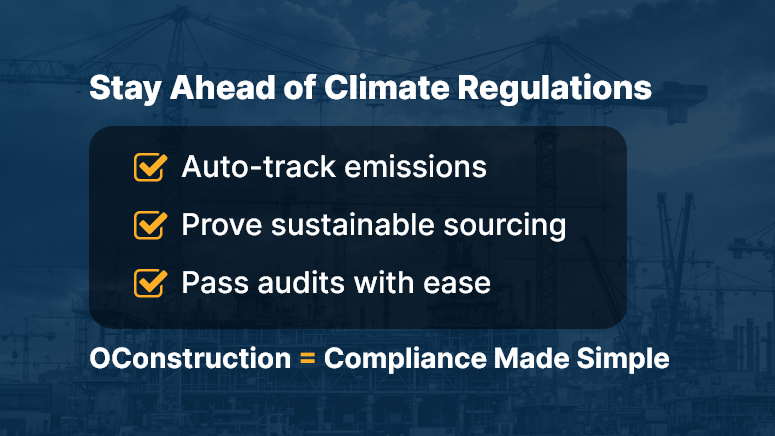
Clearly, the pain — manual tracking, fragmented data, regulatory risk — contrasts with the solution: a unified platform that logs emissions, procurement data, and audit proofs. By utilizing OConstruction’s platform, companies ensure construction climate regulations become manageable, actionable, and even profitable.

Best Practices, Frameworks & Actionable Strategies

1. Do’s and Don’ts for Regulatory Adaptation

  • Do implement standardized data entry workflows for reporting emissions, waste, and sustainable materials. This ensures consistent audit documentation.
  • Don’t rely on siloed Excel files. Disparate systems impede traceability and increase regulatory error risk.
  • Do use centralized dashboards showing compliance status by project. This offers real-time visibility to all stakeholders.
  • Don’t delay data updates until month‑end. Late reporting can breach compliance deadlines and lead to penalties.

2. Quick Wins & Best Practices

  • Automate Emissions Tracking

Use integrated meter or IoT inputs to record site‑level energy and fuel usage automatically. It saves time and improves accuracy.

  • Use Material Sourcing Checklists

Pre‑loaded lists of green vendors and sustainable materials help procurement meet regulatory requirements effortlessly.

  • Generate Real‑Time Compliance Reports

Provide on-demand dashboards showing carbon footprints, waste diversion, and regulatory thresholds at both project and corporate levels.

3. Step‑by‑Step Framework Using OConstruction

  • Step 1: Set regulatory parameters per project — local carbon caps, waste diversion rates, sustainable material goals.
  • Step 2: Log procurement details through the platform, tagging each item’s sustainability score.
  • Step 3: Automate field data collection — energy use, transport emissions, waste volumes — through mobile input.
  • Step 4: Platform aggregates data, flags gaps, and alerts stakeholders before thresholds breach.
  • Step 5: Produce audit‑ready compliance reports and share them with regulators or clients instantly.

This framework demonstrates how OConstruction ties each phase of adaptation to the platform’s digital compliance capabilities, enabling transparent and proactive alignment with construction climate regulations.

Customer Story/Use Case Example

For example, GreenBuild Infrastructure, a commercial contractor, adapted swiftly to new construction climate regulations around carbon intensity.

They used OConstruction’s compliance module to set up carbon caps per project and automatically capture energy consumption data via connected sensors.

They also tagged all material orders by sustainability category. As a result:

  • They achieved 20% reduction in carbon emissions across three major sites
  • They passed regulatory audits without a single compliance exception
  • They won a competitive green tender due to transparent reporting capabilities

By centralizing emissions tracking, procurement data, and audit logs, GreenBuild turned regulatory changes into competitive differentiators.

Key Takeaways & Closing Summary

Construction climate regulations no longer represent just external pressure—they offer an opportunity to lead in sustainability and efficiency.

By leveraging a digital platform that automates emissions tracking, centralizes procurement data, and enables audit‑ready compliance, you turn regulatory obligations into strategic strengths.

You gain:

  • Real-time compliance visibility across all projects
  • Streamlined procurement and material tracking aligned with green standards
  • Audit-ready documentation that supports bids, client confidence, and regulatory proof

Ultimately, adapting effectively to construction climate regulations ensures you stay compliant, competitive, and future‑proof.

Tracking Labor Hours in the Field: Why Accuracy Pays Off

Construction leaders often underestimate the cost of inaccurate time tracking. But small errors add up. According to a recent FMI study, poor labor productivity accounts for over 35% of project losses.

Whether it’s handwritten logs, memory-based entries, or outdated spreadsheets, traditional methods of tracking labor hours are prone to error, fraud, and inefficiency.

In this blog, we’ll explore why labor hour accuracy is critical for project profitability, how it impacts your team’s performance, and how digital platforms like OConstruction can simplify the entire process.

Every Hour Counts on the Field

Business Relevance & Why It Matters

Time is money — especially in construction. When hours aren’t tracked accurately, you’re not just losing billable time. You’re bleeding profits.

Here’s why tracking labor hours accurately matters:

  • Cost Control: Labor is the largest variable cost in construction. Inaccurate logs skew project budgets and reduce margins.
  • Job Site Accountability: Clear time logs increase visibility into who worked where, when, and for how long.
  • Payroll Accuracy: Misreporting hours leads to overpayment or disputes, hurting trust and compliance.

Real-World Pain Points:

  • A plumbing subcontractor misreported hours weekly, leading to $12K in overpayments in just one quarter.
  • A general contractor struggled to assess labor performance across sites due to inconsistent reporting from field supervisors.
  • A site manager spent over 6 hours a week reconciling timesheets manually.

That’s where automation changes the game.

Best Practices, Frameworks, and Actionable Strategies

Do’s and Don’ts for Labor Hour Tracking

Do:

  • Use a digital time tracking app with GPS-based clock-ins to eliminate manual errors.
  • Establish a standard operating procedure for logging hours across crews.
  • Audit time logs weekly to catch inconsistencies early.
  • Integrate tracking with payroll to streamline compensation.

Don’t:

  • Don’t rely on memory or post-job logging — it’s inaccurate and unaccountable.
  • Don’t allow inconsistent formats (Excel, paper, WhatsApp) for time entries.
  • Don’t ignore field feedback when selecting tracking tools.

Quick Wins

  • Geo-fencing clock-ins: Prevents false entries from offsite locations.
  • Photo check-ins: Validates physical presence.
  • Mobile accessibility: Enables real-time logging from any job site.

Framework: Smart Labor Tracking in 5 Steps

  • Centralize time tracking through a single platform like OConstruction.
  • Customize crews, tasks, and job codes for granular tracking.
  • Train field teams on how to use mobile apps for clock-in/out.
  • Monitor logs with real-time dashboards.
  • Analyze data weekly to improve estimates and identify trends.

With OConstruction, you get:

  • Real-time crew tracking by project
  • Mobile time entry with location stamps
  • Auto-generated reports for payroll and analysis
  • Seamless integration with your job cost management

Customer Story/Use Case Example

For example, BuildWell Group, a mid-sized general contracting company, used OConstruction’s mobile time tracking to reduce payroll discrepancies by 94% in just 60 days.

Here’s how:

  • They deployed the mobile app across 6 active sites.
  • Team leads were trained to clock in and log tasks.
  • Weekly reports showed discrepancies and underutilized labor.

As a result, they improved crew efficiency, saved over $15K in admin hours, and gained real-time visibility across projects.

Key Takeaways & Closing Summary

Accurate tracking of labor hours isn’t just an HR concern — it’s a strategic business lever.

From cost control to payroll accuracy to operational visibility, small improvements in how you log and manage field hours create compounding returns.

OConstruction simplifies the complexity with tools built for field crews — easy to use, mobile-friendly, and integrated with your project workflow.

Don’t let poor time tracking eat into your margins.

Tools and Tactics for Workforce Scheduling in Construction

In construction, the difference between on-time delivery and costly overruns often boils down to one key factor: effective workforce scheduling. According to McKinsey, large construction projects typically take 20% longer to finish than scheduled and are up to 80% over budget. One of the silent culprits? Poor scheduling of labor.

With project complexity rising, site coordination becoming more fragmented, and skilled labor harder to find, workforce scheduling in construction is no longer an administrative task — it’s a strategic driver. In this blog, we’ll explore why getting workforce scheduling right is critical, common pitfalls, and modern tools and tactics (including OConstruction) that empower you to schedule smarter, faster, and more effectively.

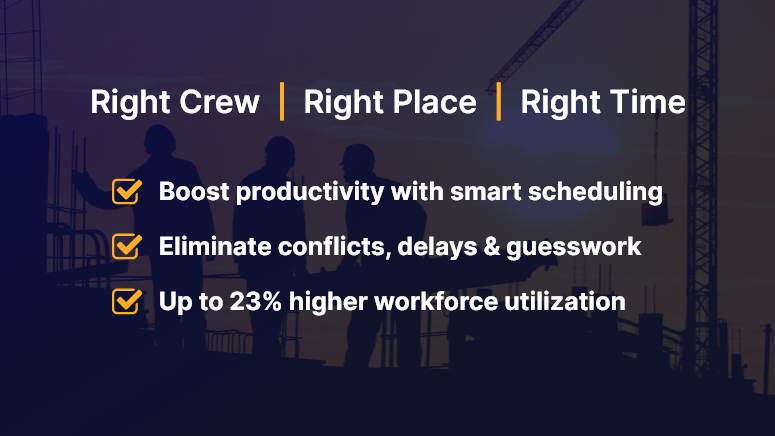
Right Crew Right Place Right Time

Business Relevance: Why Workforce Scheduling in Construction Matters

Workforce scheduling in construction isn’t just about putting names on a calendar. It directly impacts:

  • Site productivity: Misaligned crews or delayed resources lead to idle time and wasted budgets.
  • Project profitability: Labor is one of the highest costs in construction. Better scheduling leads to higher utilization and less overtime.
  • Client satisfaction: Timely project delivery builds trust and boosts your company’s reputation.

Who Benefits the Most?

  • Project Managers: Gain clear visibility into crew allocation and avoid last-minute reshuffling.
  • Field Supervisors: Know who’s coming when and where — with real-time updates.
  • Contractors/Subcontractors: Improve labor efficiency and avoid resource clashes across projects.

Real-World Use Cases

  • Multi-site operations: Coordinating labor across 3+ sites with different timelines, climates, and contractor availability.
  • Weather delays: Reacting in real-time to reschedule crews due to unforeseen weather conditions.
  • Last-minute changes: Managing no-shows or urgent reassignments without breaking the entire workflow.

Without a streamlined digital approach, these scenarios result in delays, finger-pointing, and increased costs.

Tools, Tactics & Best Practices for Smarter Scheduling

1. Ditch the Spreadsheets

Stop using outdated Excel files and whiteboards. These lead to version control issues, manual errors, and communication gaps.

Do: Use a digital scheduling platform like OConstruction that offers real-time syncing and mobile access.

Don’t: Assume that one master sheet can handle multi-site, multi-crew complexity.

2. Use Role-Based Scheduling

Not all workers have the same skill sets. Role-based scheduling helps assign the right people to the right job.

Do: Categorize by certifications, skills, and availability.

Don’t: Assign workers based on seniority alone without assessing fit.

3. Integrate Resource Availability and Leave Management

Real-time availability prevents double booking and helps accommodate time-off requests without disrupting the timeline.

Do: Sync leave calendars with your scheduling tool.

Don’t: Assume manual updates will catch every conflict.

4. Visual Timelines & Gantt Charts

Construction timelines need visual clarity. Color-coded schedules help teams understand workload, gaps, and overlaps instantly.

Do: Create drag-and-drop crew plans using OConstruction’s Gantt chart.

Don’t: Expect field teams to interpret complicated, text-heavy schedules.

5. Enable Mobile Access

Workforce scheduling in construction is not just for the office. Your field teams need access on the go.

Do: Equip crew leads with mobile apps to view and confirm their daily tasks.

Don’t: Rely on office-to-site phone calls or printed schedules.

6. Real-Time Alerts and Notifications

Let tech do the reminding.

Do: Use auto-alerts for shift changes, location changes, and urgent reassignments.

Don’t: Depend solely on human follow-ups for critical updates.

7. Track Performance and Adjust

Use analytics to understand how your team is performing and what needs to change.

Do: Monitor metrics like workforce utilization, attendance, and task completion rates.

Don’t: Wait until the project closes to review what went wrong.

Customer Use Case

For example, SkyBuild Inc., a mid-sized commercial contractor, used OConstruction’s smart workforce scheduling module to streamline its crew allocation across six active sites. The result? A 23% boost in workforce utilization and a 15% reduction in project delays within just 60 days.

Here’s how: They switched from static spreadsheets to OConstruction’s dynamic scheduling dashboard, integrated labor availability with leave tracking, and empowered site leads with mobile apps for daily scheduling.

Key Takeaways & Summary

Workforce scheduling in construction is the engine behind timely project delivery and team productivity. From reducing idle labor to optimizing crew assignments, smart scheduling pays off across the board.

The best part? With modern platforms like OConstruction, construction leaders can move away from reactive scheduling and adopt a proactive, data-driven approach that scales.

Don’t let outdated methods slow your projects down. Modernize your workforce planning and start seeing the results on-site and on paper.

How to Avoid Vendor Miscommunication in Construction Projects

Vendor miscommunication is one of the leading causes of construction delays, budget blowouts, and missed deadlines. A single overlooked message, misinterpreted spec, or verbal instruction can send your entire schedule off track. In construction, where timing and accuracy are everything, even minor gaps between project teams and vendors can create costly chaos.

In this blog, we’ll show you how to eliminate vendor miscommunication, streamline collaboration, and deliver projects on time — using practical steps and powerful tools like OConstruction.

Why Vendor Miscommunication is a Big Deal

In construction, vendor miscommunication isn’t just a misstep — it’s a business risk. Here’s what’s at stake:

  • Budget overruns: Misunderstood specs or delays from vendors quickly inflate costs.
  • Schedule delays: Inaccurate timelines or status reports stall progress.
  • Safety concerns: Incomplete or unclear updates can lead to on-site hazards.

Who suffers the most?

  • Project managers, who juggle multiple vendors and schedules
  • Procurement teams, trying to coordinate timely deliveries
  • Field supervisors, relying on real-time updates to avoid errors

Real-Life Scenario:

A contractor sends outdated blueprints to a supplier. Materials arrive cut to the wrong specs. The result? A two-week delay and thousands were lost. In another case, a subcontractor misses a verbal update and skips the site — leaving the crew idle.

Avoid Miscommunication Between Project Teams & Vendors

7 Proven Ways to Avoid Vendor Miscommunication

1. Centralize Communication on a Single Platform

Stop scattering project updates across emails, spreadsheets, and chat threads. Use a centralized tool like OConstruction to:

  • Maintain full visibility for all teams
  • Share real-time updates instantly
  • Control document versions and reduce errors

Result: Everyone stays on the same page — literally.

2. Standardize Vendor Onboarding

Don’t assume vendors know how you work.

  • Set expectations clearly from day one
  • Share your preferred communication channels and frequency
  • Use digital forms to gather vendor info and assign roles

Result: Consistency and fewer misunderstandings from day one.

3. Use Communication Templates

Templates eliminate ambiguity. Standardize your:

  • RFIs
  • Daily reports
  • Task checklists
  • Work orders

Result: Clearer instructions, even when team members change.

4. Automate All Activity Logs

Manual tracking is risky. Let your software handle it.

  • Log every file update, task status, and vendor comment
  • Keep a time-stamped trail for accountability
  • Use built-in alerts to catch missing actions

Result: A digital paper trail that protects your project.

5. Create Vendor Dashboards

Give vendors limited but meaningful access:

  • Assigned tasks and their status
  • Document versions
  • Shared calendars and deadlines

Result: Increased transparency and less back-and-forth.

6. Avoid Verbal-Only Instructions

Train your team to document everything.

  • Use built-in voice-to-text tools in OConstruction
  • Tag vendors in updates to notify instantly
  • Log site instructions in writing — even after a quick call

Result: No more “but you said…” moments.

7. Schedule Weekly Check-Ins and Log Them

Don’t rely on memory.

  • Host short weekly syncs with vendors
  • Use video or chat, but record and assign follow-ups
  • Keep meeting notes in the same platform

Result: Early issue detection and smoother hand-offs.

Use Case: How a Construction Firm Cut Vendor Miscommunication by 60%

Skyline Contractors, a mid-sized construction company, struggled with frequent vendor issues — missed updates, outdated drawings, and late deliveries.

After switching to OConstruction, they:

  • Gave vendors shared timelines and dashboards
  • Required all updates to be logged digitally
  • Used version control to avoid spec errors

The result? A 60% drop in vendor-related issues within 90 days. Projects ran faster, and clients noticed the improvement.

Key Takeaways

  • Vendor miscommunication leads to real costs — both financial and operational.
  • You can’t eliminate mistakes with just emails and calls.
  • Modern construction needs real-time, centralized communication.

Here’s what works:

  • Use one platform to manage all vendor communication
  • Standardize your process with onboarding flows and templates
  • Automate task and comment logging to avoid manual slip-ups
  • Keep vendors looped in with dashboards and shared timelines

By combining these habits with a tool like OConstruction, you transform communication chaos into clarity — and that clarity drives project success.

Modern Field Reporting Techniques with OConstruction

Between illegible handwriting, misplaced clipboards, and delayed handovers, construction teams lose hours each week — and risk costly miscommunication. In today’s fast-paced construction environment, where every minute counts and margins are tight, there’s no room for manual reporting.

Modern field reporting isn’t just a trend; it’s a necessity. With cloud-based tools like OConstruction, teams can record site data in real-time, directly from their mobile devices — and instantly share it with the office.

This blog explores why switching from clipboard to cloud is a game-changer, what it means for field operations, and how to do it right. Whether you’re a project manager, site engineer, or contractor, you’ll learn how to modernize your reporting workflow and boost productivity where it matters most: on the ground.

Business Relevance & Why It Matters

Let’s face it: outdated processes are expensive. Manual field reports lead to data loss, project delays, and misaligned teams. Worse, they leave decision-makers flying blind.

In construction, where timelines are tight and compliance is non-negotiable, modern field reporting creates a competitive edge.

Why companies should care:

  • Data accuracy: Manual entry increases human error. Digital input with predefined fields minimizes it.
  • Speed: Waiting for physical reports to arrive at the office delays critical decisions.
  • Visibility: Real-time reporting empowers leadership with instant site insights.

Who benefits the most:

  • Project Managers get real-time updates to keep the project on track.
  • Safety Officers log incidents and checklists on the go.
  • Supervisors and Engineers document progress with images and notes from the field.

Real-world problem: A subcontractor forgets to submit a daily report. The result? A billing dispute weeks later due to undocumented work.

Digital solution: With OConstruction, daily logs are timestamped, geo-tagged, and securely stored in the cloud, making them accessible and verifiable instantly.

In short, modern field reporting reduces disputes, improves compliance, and accelerates project timelines.

the old way & the modern way

Best Practices, Frameworks, and Actionable Strategies

1. Ditch the Paper, Don’t Ditch the Process

Start by digitizing existing paper forms. You don’t need to reinvent the wheel — just rebuild it digitally.

  • Convert daily logs, safety checklists, and material usage forms into digital templates.
  • Use conditional logic to prompt users for required fields.

2. Choose Mobile-First Tools Built for the Field

Not all software is made for job sites.

  • Pick tools like OConstruction that offer offline mode, photo capture, and voice-to-text.
  • Ensure the app is user-friendly for non-tech-savvy workers.

3. Standardize Your Reporting Templates

Consistency is key.

  • Use standard templates to ensure data is comparable across projects and teams.
  • Pre-fill project names, locations, and tasks to save time and reduce errors.

4. Train Your Field Teams

Adoption depends on ease of use.

  • Run short training sessions or tool walkthroughs during toolbox talks.
  • Encourage supervisors to lead by example and support their crew.

5. Use Real-Time Syncing for Faster Decision-Making

Eliminate the reporting lag.

  • OConstruction automatically syncs data with the cloud, giving office teams immediate visibility.
  • This enables faster responses to delays, RFIs, or safety issues.

6. Visualize Progress with Dashboards & Reports

Make the data work for you.

  • Use OConstruction’s built-in dashboards to monitor KPIs like daily progress, delays, or labor usage.
  • Export reports instantly for clients or compliance audits.

7. Maintain Data Integrity and Audit Trails

Protect your business.

  • Time-stamped logs, location data, and image attachments ensure verifiable reports.
  • Use role-based permissions to control access and maintain data integrity.

Customer Story/Use Case Example

For example, Rivera InfraTech, a mid-sized commercial construction firm, used OConstruction’s mobile field reporting tool to digitize their daily site logs across 12 active job sites.

Before switching, their foremen filled out paper forms that often arrived late or incomplete. This led to disputes with subcontractors and delayed invoicing.

With OConstruction:

  • Daily reports were submitted in real-time with photos.
  • Supervisors were alerted immediately of any safety incidents.
  • Project managers could track progress live from the dashboard.

As a result, Rivera InfraTech reduced reporting time by 60%, cut back disputes by 40%, and improved billing cycle efficiency by 30%.

Key Takeaways & Closing Summary

Modern field reporting is more than just going paperless. It’s about building a faster, more connected, and data-driven construction team.

By shifting from clipboards to the cloud with a solution like OConstruction, companies can:

  • Boost on-site efficiency
  • Improve project visibility
  • Reduce disputes and delays

Whether you’re managing a single site or scaling operations across regions, digital field reporting ensures your team works smarter — not harder.

The future of field operations is mobile, cloud-based, and real-time. Make sure you’re not left behind.

Category: Construction Academy

Subcategory: Budgeting and Planning

Subcategory: Construction Phase

Subcategory: Design Coordination

Subcategory: Estimation Techniques

Subcategory: Initiation and Feasibility

Subcategory: Introduction

Subcategory: Personal Management

Subcategory: Project Close-Out

Subcategory: Project Scheduling

Subcategory: Project Teams

Subcategory: Proposal Management

Subcategory: Total Quality Management

Subcategory: Tracking and Control

Subcategory: Work Breakdown

Category: Help Desk

Subcategory: Client

Subcategory: Construction 101

Subcategory: Contractor Management

Subcategory: Expense

Subcategory: Finance Budget

Subcategory: Inventory Management

Subcategory: My Approvals

Subcategory: Site Management

Subcategory: Vendor Management