10 Benefits of Digitizing Site Inspections & Audits

Construction sites are busy, dynamic environments. Every day brings new risks, compliance needs, quality checks, workforce changes, and operational updates. Site inspections and audits ensure that everything on-site — from safety measures to structural work — remains compliant, defect-free, and on schedule.

But traditional inspection methods slow projects down:

  • Paper-based checklists
  • Manual documentation
  • Delayed reporting
  • Misplaced records
  • Limited real-time visibility

Digital site inspections and audits solve these problems by using mobile devices, cloud storage, automated workflows, and real-time analytics.

This transformation leads to stronger compliance, fewer incidents, and faster project delivery.

Below are the 10 most important benefits for construction teams.
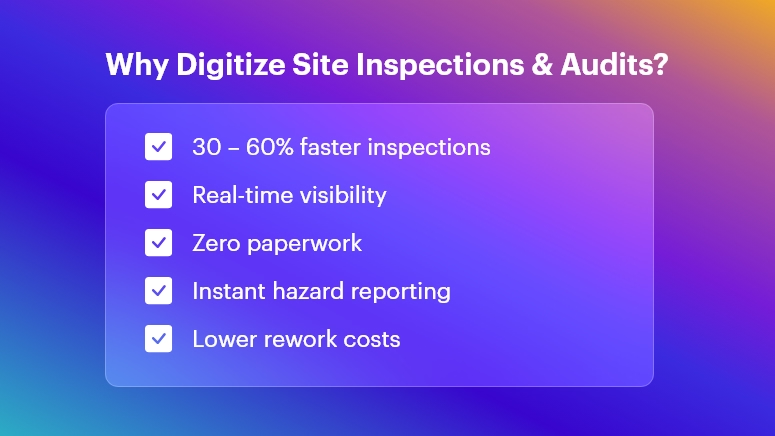
Why Digitize Site Inspections & Audits

Faster Execution with Digital Checklists & Mobile Tools

Digital inspection software allows field engineers to:

  • Capture data using dropdowns, photos, voice notes & auto-filled fields
  • Tag assets and materials instantly
  • Close checklists without revisits

On-site personnel can conduct inspections 30–60% faster because:

  • No physical paperwork
  • No repeated data entry
  • Real-time data sync

Outcome: Faster daily progress tracking and fewer bottlenecks in execution.

Real-Time Site Visibility for Office Teams

With cloud-based inspection dashboards:

  • Supervisors see issues as they happen
  • Progress can be evaluated immediately
  • Remote managers can intervene without physically visiting the site

This prevents delays from late reporting, improving decision-making and productivity.

Outcome: Stronger governance over multi-site operations and subcontractor performance.

Improved Data Accuracy & Standardization

Digital tools enforce structured data capture:

  • Mandatory checkpoints ensure complete inspections
  • GPS/time stamps validate authenticity
  • Errors from handwriting or manual transcription are removed

You get clean, consistent, audit-ready data that supports long-term quality control and project documentation.

Outcome: Higher confidence in information used for compliance and billing.

Stronger Safety Compliance & Hazard Mitigation

Construction safety inspections become more powerful with:

  • Photo-supported reports for hazard evidence
  • Risk scoring for priority classification
  • Instant alerts when a critical issue arises
  • Automated assignment of corrective actions

This boosts proactive safety, reducing accident potential and insurance risks.

Outcome: Safer job sites and better regulatory compliance (OSHA, local codes, etc.).

Centralized Record-Keeping & Accountability

All inspections are stored in a single digital repository:

  • Historical trends for recurring issues
  • Maintenance and repair documentation
  • Instant access during certifications, audits, legal checks

Even if staff changes, the data remains traceable and verifiable.

Outcome: Zero lost documents and complete project lifecycle transparency.

Automated Reporting & Data Analytics

Digital platforms automatically generate:

  • Safety audit summaries
  • Quality defect reports
  • NCR logs with photographic proof
  • Performance dashboards

Analytics help reveal:

Outcome: Better continuous improvement decisions with minimal manual effort.

Stronger Compliance with Standards & Client Requirements

Construction projects must comply with:

  • Safety protocols
  • Building codes
  • Environmental standards
  • Client specifications
  • QA/QC procedures

Digital audits enforce zero skipped checkpoints and automatically maintain compliance documentation.

Outcome: Lower risk of penalties, rework costs, and project delays.

Offline Working for Remote & High-Risk Sites

Tunnel works, rural projects, and high-rise floors often lack stable connectivity.

Digital apps allow:

  • Offline inspections
  • Auto-sync when connected
  • Seamless work continuation

Outcome: Inspections are never delayed due to network limitations.

Integration Across Project Management & Operations

Data can connect with:

  • Project schedules
  • Procurement and inventory systems
  • Asset and equipment management
  • Safety & risk management tools

Example: A failed quality check can immediately trigger a rework task or hold supplier billing.

Outcome: Smooth coordination between field execution and office control systems.

Reduced Costs, Waste & Rework

Digitalization reduces:

  • Paper/printing storage costs
  • Site revisits for missing data
  • Rework from miscommunication
  • Penalties from compliance failures

Plus, recording defects early prevents escalating repair costs.

Outcome: Maximum resource utilization and higher project profitability.

Bonus Benefit: Eco-Friendly Construction Operations

By reducing paper consumption and printing waste:

  • Projects become more sustainable
  • Support for ESG and environmental goals

This is increasingly important for green certifications and stakeholder expectations.

Conclusion

Digitizing site inspections and audits enables construction companies to:

  • Improve safety
  • Ensure quality
  • Reduce compliance risks
  • Deliver projects faster
  • Maintain full operational visibility

It’s not just a technology upgrade — it’s a competitive advantage in an increasingly complex construction environment.

The future of construction inspections is digital, automated, and intelligently connected. Organizations that adopt this transformation now will lead the industry tomorrow.

FAQs

  • What are digital site inspections in construction?

Digital site inspections involve using mobile apps, cloud platforms, and digital forms to capture, store, and analyze inspection data instead of relying on paper-based checklists and manual reporting.

  • How do digital audits improve construction safety compliance?

They provide real-time hazard reporting, automated corrective actions, detailed traceability, and validation features like GPS, photos, and timestamps, helping ensure every safety protocol is followed.

  • What technologies are used for digital site inspections?

Common technologies include mobile inspection apps, cloud data management, QR/NFC tagging, IoT sensors, automated workflows, and integrated dashboards for analytics.

  • Can digital inspection tools work offline on remote job sites?

Yes. Most digital inspection apps allow offline data capture and automatically sync information to the cloud once connectivity is restored.

  • How do digital inspections reduce project delays?

They enable faster reporting, instant approvals, and real-time communication between field and office teams, preventing delays caused by paperwork, errors, or lost documentation.

  • Are digital inspection records accepted for compliance and audits?

Absolutely. Digital records provide better authenticity, traceability, and secure archiving, making them more reliable for regulatory audits and certifications.

  • Can digital inspections track subcontractor performance?

Yes. Analytics can highlight recurring defects, delays, and compliance issues by subcontractors, enabling better quality control and accountability.

  • How do digital audits help reduce rework costs?

Early defect detection, automated alerts, and complete documentation help prevent escalation, reducing costly rework and saving time and materials.

  • What industries besides construction benefit from digitized inspections?

Manufacturing, oil & gas, infrastructure, utilities, mining, facility management, and healthcare also benefit from improved safety, compliance, and operational efficiency.

  • Is it expensive to implement digital inspection tools?

Costs vary by scale, but organizations typically see high ROI through reduced paperwork, faster execution, fewer safety incidents, and better quality control — leading to major long-term savings.

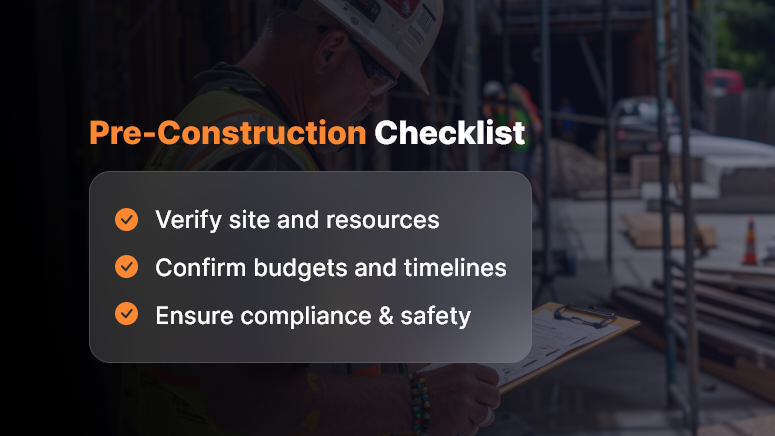
The Ultimate Checklist Before Starting Any Construction Project

Starting a construction project is thrilling — but without a clear construction project checklist, it can quickly turn chaotic. Before the foundation is poured, every plan, permit, and precaution must be in place. A well-designed checklist ensures that your project stays on budget, meets deadlines, and complies with all relevant regulations.

Let’s explore the ultimate pre-construction checklist you should complete before starting any construction project.

Pre-Construction Checklist

1. Pre-Planning and Feasibility

Good preparation builds great projects.

  • Define project objectives: Clarify if the goal is residential, commercial, or industrial.
  • Conduct feasibility studies: to assess the technical, environmental, and financial aspects.
  • Set budget and funding: Confirm total costs, cash flow, and backup financing.
  • Identify stakeholders: Include investors, contractors, engineers, and government bodies.
  • Survey the site: Perform soil tests, topographic mapping, and geotechnical investigations.

Strong feasibility planning ensures the entire construction project checklist starts on solid ground.

2. Legal and Regulatory Compliance

Ignoring compliance can halt progress instantly.

  • Verify land ownership: Ensure titles and deeds are authentic and dispute-free.
  • Obtain building permits: Get all local, zoning, and environmental clearances.
  • Follow municipal codes: Meet fire safety, labor, and pollution standards.
  • Secure insurance: Include liability, builder’s risk, and workers compensation.

This section of your pre-construction checklist guarantees legality and accountability.

3. Design and Engineering

Design is the bridge between planning and execution.

  • Finalize architectural design: Align with the client’s vision and local regulations.
  • Validate structural safety: Review wind load, seismic resistance, and material standards.
  • Coordinate MEP systems: Integrate mechanical, electrical, and plumbing seamlessly.
  • Embrace sustainability: Add green materials and energy-efficient layouts.
  • Conduct value engineering: Balance quality with cost-effectiveness.

With this, your construction planning checklist becomes both smart and sustainable.

4. Contracts and Procurement

Before construction starts, lock in the essentials.

  • Choose qualified contractors: Review licenses, portfolios, and references.
  • Define the scope of work: Avoid vague deliverables and cost disputes.
  • Run fair bidding processes: Maintain transparency in selection.
  • Plan procurement: Identify long-lead items and verify supplier reliability.
  • Fix payment schedules: Link payments to milestones and inspections.

Transparent contracts keep your construction checklist legally and financially secure.

5. Project Management and Scheduling

Timing is everything in construction.

  • Create a Work Breakdown Structure (WBS): Divide work into manageable sections.
  • Build a Gantt chart: Track progress visually across timelines.
  • Apply the Critical Path Method (CPM): Focus on activities affecting delivery time.
  • Allocate resources smartly: Assign the workforce and machinery efficiently.
  • Plan risk management: Prepare for weather delays or material shortages.

A well-planned schedule transforms your construction project checklist into a live project control tool.

6. Health, Safety, and Environment (HSE)

Safety ensures productivity.

  • Develop a site safety plan: Include PPE usage, emergency drills, and audits.
  • Identify hazards: Assess risks from excavation, heights, or chemicals.
  • Manage waste effectively: Segregate and recycle construction debris.
  • Protect the environment: Control noise, dust, and runoff.
  • Train all workers: Provide first-aid, fire safety, and machinery handling sessions.

A complete construction safety checklist reduces incidents and improves team morale.

7. Technology and Documentation

Digitization drives modern construction success.

  • Use digital project tools: Manage approvals, drawings, and reports online.
  • Implement paperless workflows: Store all files securely in the cloud.
  • Adopt BIM (Building Information Modeling): Detect design clashes early.
  • Set communication protocols: Ensure transparent reporting and follow-ups.
  • Centralize document control: Store contracts, permits, and inspection records efficiently.

This step ensures your construction documentation checklist stays organized and audit-ready.

8. Financial Controls

Financial discipline keeps projects healthy.

  • Prepare detailed cost plans: Include labor, materials, and overheads.
  • Forecast cash flow: Align payment cycles with project stages.
  • Ensure tax compliance: Review GST, VAT, and statutory rules.
  • Maintain contingency reserves: Allocate at least 5–10% for emergencies.
  • Conduct monthly audits: Track financial performance consistently.

Strong financial management fortifies your construction project checklist from the ground up.

9. Stakeholder Communication

Collaboration drives clarity.

  • Host a kickoff meeting: Align everyone on scope, schedule, and deliverables.
  • Define accountability: Assign clear roles to each stakeholder.
  • Maintain reporting cadence: Provide weekly and monthly progress updates.
  • Set dispute resolution systems: Define mediation or arbitration processes.
  • Encourage transparency: Keep communication open and factual.

Effective communication ensures your construction project planning checklist remains collaborative and efficient.

10. Final Pre-Construction Checklist

Before breaking ground, review everything once more:

  • All approvals and permits are in place
  • Budget and contingencies are verified
  • Contracts are signed and sealed
  • Site is cleared and secure
  • HSE plans are ready and trained
  • Stakeholders approved all designs

You’re now ready to begin your project with confidence and compliance.

Conclusion

Every great structure starts with an even greater plan. A thorough construction project checklist ensures your project remains compliant, efficient, and safe.

By following this guide, you’ll minimize risk, maximize productivity, and deliver successful outcomes — from the first blueprint to final handover.

Frequently Asked Questions (FAQs)

1. What is a Construction Project Checklist?

A construction project checklist is a structured document that outlines all essential steps, approvals, and verifications needed before starting construction. It ensures compliance, safety, and readiness.

2. Why is a Pre-Construction Checklist Important?

It prevents costly mistakes by ensuring you’ve addressed every aspect — from land approvals to contractor selection and safety compliance — before the project begins.

3. What Should Be Included in a Construction Checklist?

Key items include site verification, budgeting, permits, design approvals, contracts, safety measures, and financial controls.

4. How Do You Prepare a Construction Project Checklist?

Start by listing all stages — planning, legal, design, safety, and procurement — and assign responsible teams for each. Review it regularly before execution.

5. How Does a Checklist Help in Project Management?

It streamlines communication, tracks progress, and ensures accountability across teams, reducing delays and rework.

6. Who Uses a Construction Project Checklist?

Project managers, contractors, engineers, architects, and site supervisors rely on it to align work and maintain compliance.

7. How Can Technology Simplify Construction Planning?

Digital project management tools centralize tasks, automate documentation, and track progress in real time, ensuring transparency and accuracy.

8. How Do I Ensure Legal Compliance Before Construction?

Verify land titles, acquire all permits, and comply with fire, environmental, and labor laws as part of your pre-construction checklist.

9. What Are Common Risks in Pre-Construction Planning?

Inadequate feasibility studies, missing permits, and poor budgeting are major risks that can delay projects or increase costs.

10. Can Small Construction Firms Use This Checklist?

Absolutely. Whether small or large, every firm benefits from a detailed construction project checklist that ensures control, compliance, and confidence.

Compliance Audits in Construction: What You Need to Prepare

Imagine pouring months into a construction project — only to be halted mid-progress due to missing paperwork or non-compliance with regulatory norms. It’s more common than you think. Compliance audits in construction are no longer rare events — they’re routine checks that could define your project’s timeline and profitability. Audits cover everything from worker safety to environmental regulations, and failing one can lead to costly penalties or even shutdowns.

It happens more than you’d think. In fact, OSHA issued penalties worth over $146 million in 2023 alone for workplace safety violations.

In this blog, you’ll learn:

  • What compliance audits in construction involve
  • Why they matter now more than ever
  • How you can prepare (and pass) with confidence

Let’s help you get audit-ready, with smart planning and the right tools.

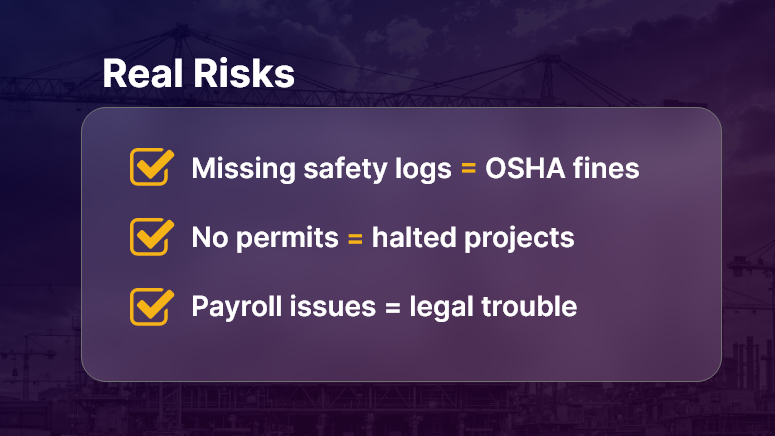
Real Risks

Why Compliance Audits in Construction Matter?

Construction is a high-risk, highly regulated industry. Every stakeholder — contractors, owners, subcontractors, and suppliers — must comply with safety, labor, environmental, and building codes. Audits ensure these rules are followed.

Why Should Construction Companies Care?

  • Reputation at Stake: Non-compliance can lead to fines, lawsuits, and damage to your brand.
  • Delays Hurt the Bottom Line: Projects that stall due to audit failures lose money fast.
  • Liability Protection: Audits verify that your processes protect workers, the public, and your company from harm.

Who Benefits Most?

  • General contractors gain better project visibility and control.
  • Compliance officers avoid scrambling last-minute for documents.
  • Project managers keep timelines on track by anticipating risks.

Real-World Scenarios

  • Workplace Safety Check: An OSHA inspector visits your site after a reported incident. Missing safety logs or expired PPE certifications? Expect fines.
  • Environmental Review: During a road expansion project, missing impact assessments delay permits.
  • Labor Compliance: A government audit reveals underpaid workers and a lack of labor law posters — your entire payroll could be under scrutiny.

Compliance audits in construction aren’t optional — they’re operational necessities.

How to Prepare for Construction Compliance Audits?

Preparation is your best defense. Here’s a deep dive into actionable strategies and industry best practices to keep your project audit-ready.

1. Build a Digital Documentation System

  • Store permits, drawings, safety records, and inspection reports in one secure, searchable system.
  • Make documents accessible to authorized users anytime, anywhere.
  • Tools like OConstruction help digitize and organize records by project or site.

2. Conduct Internal Pre-Audits Regularly

  • Perform routine checks using audit checklists before external auditors arrive.
  • Identify gaps in safety, labor, or environmental compliance.
  • Keep track of action items and close the loop before issues escalate.

3. Maintain Accurate Safety Records

  • Update safety training logs and toolbox talk records on a weekly basis.
  • Track incident reports, near misses, and corrective actions in real time.
  • Use mobile access for foremen or supervisors to submit reports directly from the site.

4. Stay on Top of Regulatory Changes

  • Compliance standards change often — especially labor and environmental ones.
  • Assign a compliance lead to monitor updates and apply changes proactively.
  • Subscribe to regulatory bulletins (like OSHA News).

5. Assign Clear Roles and Accountability

  • Identify who is responsible for compliance on each project.
  • Define escalation workflows — what happens when a non-compliance is spotted?
  • Use a project dashboard to show compliance status in real time.

6. Audit Trail Management

  • Ensure every action — approvals, sign-offs, safety inspections — is timestamped and traceable.
  • Automate notifications and reminders for expiring documents or upcoming inspections.

7. Standardize Procedures Across Sites

  • Use repeatable checklists and templates to standardize workflows.
  • Train site leads and supervisors in audit preparation practices.
  • Store audit SOPs centrally for easy reference.

Use Case: How One Company Passed a Surprise Audit

For example, MetroBuild Infra, a mid-sized infrastructure firm, used OConstruction’s audit-ready checklist and digital safety logs to pass a surprise regulatory audit during a highway overpass project.

  • Before: Scattered files, missed deadlines, last-minute scrambling.
  • After: Centralized records, proactive alerts, 98% compliance audit score.
  • Result: Avoided shutdown, improved trust with regulators, and kept the project on schedule.

Here’s how: Their compliance officer used OConstruction to run weekly internal audits, submit safety documentation through mobile devices, and store environmental certificates in a centralized document vault—available instantly during the inspection.

Key Takeaways

1. Compliance audits in construction are not optional — they’re critical.
They affect safety, finances, timelines, and your ability to win future projects.

2. Preparation is not just about documents — it’s about systems.
When you standardize procedures, assign roles, and go digital, you’re ready anytime.

3. Digital tools simplify compliance.
OConstruction offers real-time dashboards, document management, mobile reporting, and internal audit templates to keep your team compliant without chaos.

FAQs

Q1. What is a compliance audit in construction?
A structured review of whether your project meets safety, labor, environmental, and building regulations.

Q2. How often do audits occur?
Compliance audits can be scheduled or surprise visits—OSHA, EPA, or local authorities can check any time.

Q3. What documents should I keep ready?
Permits, safety logs, payroll records, training certificates, and environmental clearances.

Q4. What happens if you fail an audit?
Expect penalties, work stoppages, reputational damage, and in severe cases, project shutdown.

Q5. How can digital tools help with compliance?
Platforms like OConstruction provide document vaults, dashboards, mobile reporting, and pre-built audit checklists—making you always audit-ready.

Q6. Who is responsible for compliance on a project?
Typically, compliance officers or safety managers, but accountability should be shared across contractors, subcontractors, and project managers.

From Clipboard to Cloud: Modernizing Field Reports

For decades, construction teams have relied on paper-based reporting — clipboards, carbon copies, and handwritten notes. But in a high-stakes, fast-paced industry, these outdated tools slow things down. Did you know? Over 35% of construction rework is due to poor project data and miscommunication. That’s lost time, lost money, and a lot of stress. In today’s digital-first world, modernizing field reports isn’t optional — it’s the difference between chaotic job sites and smooth operations.

This blog explores why it’s time to ditch the clipboard, how cloud-based field reporting changes the game, and best practices for making the switch seamlessly.

Let’s explore how smarter reporting empowers your team to work faster, smarter, and with fewer surprises.

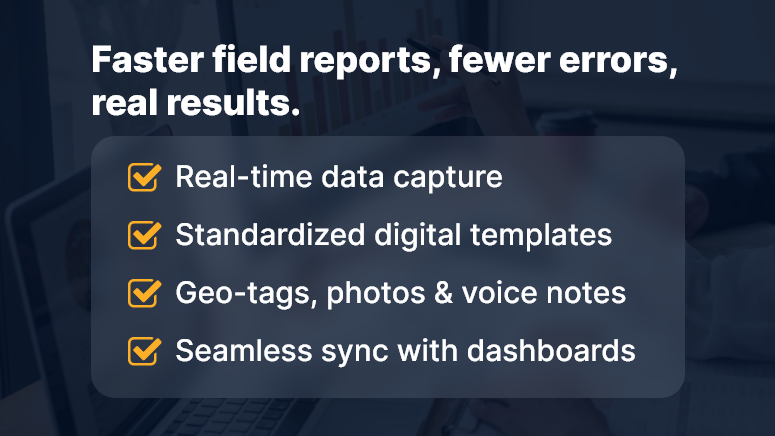
Faster field reports fewer errors real results

Why Modernizing Field Reports Matters More Than Ever

Construction leaders face growing pressure to deliver projects on time and within budget — while juggling labor shortages, complex regulations, and rising client expectations. At the heart of it all? Information. Accurate, timely, and accessible field data.

Here’s why modernizing field reports is mission-critical:

  • Delayed Data = Delayed Decisions: Traditional paper logs often take days to reach office teams. That delay in communication slows everything down — from approvals to procurement.
  • Lost Reports = Legal & Financial Risks: Paper forms can easily be damaged, misplaced, or unreadable. In industries where compliance matters, that’s a liability.
  • Inaccessible Insights = Missed Opportunities: Paper data doesn’t integrate into systems or dashboards. There’s no real visibility, and no real-time trend analysis.

Real-World Use Cases:

  • Residential Builder: Delays in field report delivery lead to cost overruns due to duplicated work.
  • Subcontractor Coordination: Miscommunication on job site conditions creates rework and finger-pointing.
  • Government Project Oversight: Manual logs slow down audit response and compliance tracking.

Bottom line: Outdated field reporting drains productivity and introduces unnecessary risk. It’s time for a smarter approach.

Best Practices for Modernizing Field Reports

Making the leap from clipboard to cloud is more than just switching tools — it’s about transforming workflows and culture. Here are proven steps to modernize field reports effectively:

1. Choose the Right Digital Tool (Not Just Any App)

Look for a platform that offers offline mode, mobile-first design, role-based access, and seamless sync with office systems. OConstruction checks all these boxes.

2. Standardize Field Report Templates

Define what needs to be captured — weather, site conditions, delays, photos, sign-offs, safety logs — and make it consistent across teams.

3. Train Crews for Mobile First

Make mobile reporting second nature by offering short, task-focused training sessions. Bonus: Set up in-app tooltips and guided walkthroughs.

4. Automate Reminders and Submissions

Use automated prompts to nudge field teams to submit reports daily. No more chasing down forms or correcting missing data.

5. Integrate Field Data with Project Dashboards

Connect field reports to your main project management dashboards so stakeholders get a real-time, unified view.

6. Use Photos, Voice Notes & Geo-Tags

Modern field reporting isn’t just text. Enrich your logs with images, voice memos, and geo-location tags for full context and proof of work.

7. Set Alerts for Red Flags

Enable auto-alerts for late reports, safety issues, weather delays, or missed inspections to act quickly — before problems grow.

8. Review Weekly Reports & Trends

Use analytics to spot recurring issues, top performers, or potential risks. Turn raw field data into actionable intelligence.

Customer Story

For example, HawkBuild, a mid-sized commercial contractor, used OConstruction’s mobile field reporting to reduce report turnaround time from 3 days to real-time. Here’s how…

They standardized daily field logs across 6 crews, trained supervisors using in-app guidance, and linked reports to their central project dashboard. Within a month, they improved safety compliance by 25% and reduced job site miscommunications by 40%.

Key Takeaways

Modernizing field reports is one of the highest-leverage upgrades construction teams can make.

It boosts clarity, speed, accountability, and decision-making — all while reducing compliance risks.

Here’s a quick recap of what to focus on:

  • Standardize and digitize your reporting process with cloud-based tools
  • Choose mobile-friendly platforms with offline support
  • Train your field teams to adopt digital logs seamlessly
  • Integrate field data with your central project dashboards
  • Monitor trends weekly to stay proactive, not reactive

The days of clipboard chaos are over — if you’re ready to modernize.

How Digital Logs Help You Stay Compliant & Audit-Ready?

Did you know that 65% of construction firms fail audits because they lack proper documentation? When regulations tighten, staying audit-ready matters more than ever. That’s where digital logs compliance comes in: structured, timestamped records captured automatically.

With clear logs, teams avoid disputes, speed inspections, and prove compliance in real time. In this post, we’ll explore why digital logs matter now, how contractors and compliance officers benefit most, and which best practices you can adopt — especially using OConstruction’s integrated platform.

You’ll gain detailed insights, actionable steps, and confidence to keep audit-ready documentation at every job site.

Business Relevance & Why It Matters

In today’s regulatory environment, digital logs compliance is critical for construction project managers, compliance officers, and operations executives.

Regulators, owners, or insurers increasingly demand traceable, tamper‑proof records — covering safety checks, material deliveries, and site inspections. When documentation fails, companies risk project delays, penalties, or failed certifications.

For example:

  • A municipal contractor must submit daily safety inspection logs to meet city permit conditions.
  • A commercial builder often needs material delivery timestamps to verify sourcing compliance and avoid disputes.
  • A civil infrastructure firm tracks equipment usage and calibration logs to satisfy environmental and safety regulations.

Without digital records, firms rely on paper or email threads — which can be lost, incomplete, or unverifiable. As a result, they face increased audit costs, rework, and reputational risk.

Conversely, with a unified platform that captures digital logs compliance automatically, construction teams can generate audit-ready reports effortlessly.

Real-time data, streamlined retrieval, and compliance dashboards reduce risk and improve operational clarity.

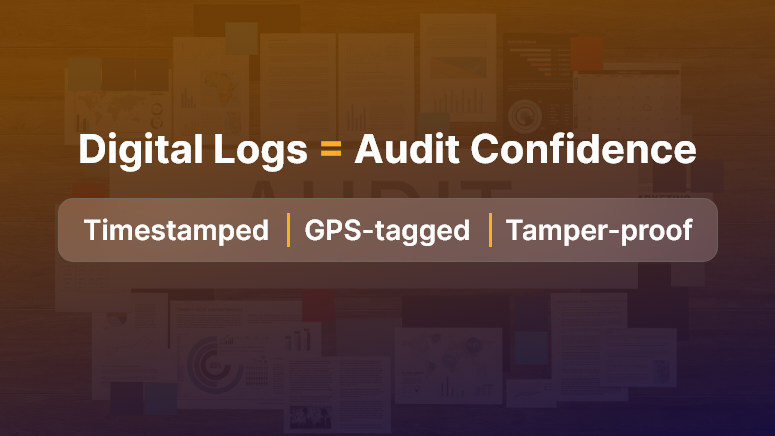
Digital Logs Audit Confidence

Best Practices, Frameworks & Actionable Strategies

1. Do’s and Don’ts for Digital Log Compliance

  • Do capture logs immediately at the source using mobile devices. This ensures accuracy and prevents post-hoc errors.
  • Don’t let teams delay entries or maintain parallel paper logs. Inconsistent records weaken compliance.
  • Do use timestamped, immutable audit logs that record every change and user action.
  • Don’t rely on manual consolidation of emails or spreadsheets — they’re prone to data gaps and version issues.

2. Quick Wins & Best Practices

  • Set standardized log templates: Create consistent forms for safety checks, delivery receipts, and site inspections. Templates guarantee completeness and compliance-ready fields.
  • Enable real‑time validation: Use app prompts to alert users about missing fields or incorrect entries before saving logs. This ensures quality and reduces omissions.
  • Automate audit report exports: Generate daily or weekly compliance summaries that project managers or auditors can review instantly — no manual compilation needed.

3. Step‑by‑Step Framework Using OConstruction

  • Step 1: Define log types required per regulation — e.g., safety check, material shipment, equipment calibration.
  • Step 2: Configure mobile log forms within the OConstruction platform for each log type.
  • Step 3: Require field teams to submit entries at scheduled intervals, with GPS, timestamp, photo, and signature capture.
  • Step 4: Monitor submissions via the compliance dashboard, which flags missing or invalid entries for follow-up.
  • Step 5: Export audit-ready logs or reports with one click, including metadata, entry history, and user details.

This framework ensures consistent digital logs compliance across every site, making regulatory reporting seamless and transparent.

It also ties back to OConstruction’s platform — using mobile forms, dashboards, and exportable records to enforce compliance reliably.

Customer Story/Use Case Example

For example, MetroBuild Contractors, a mid-sized commercial firm, implemented digital logs compliance using OConstruction’s mobile logging and compliance analytics.

Their compliance manager enabled log templates for daily safety checks, equipment use, and material deliveries. As a result:

  • They reduced audit preparation time by 60%
  • They eliminated 95% of missing log incidents across sites
  • They avoided a costly fine because they presented audit-ready reports instantly

Here’s how: MetroBuild field teams logged entries on-site via mobile devices, capturing GPS, timestamps, and photos. The platform flagged any missing entries automatically, prompting supervisors to follow up.

Before audits, MetroBuild generated comprehensive logs with a click — no paper, no manual compilers. This ensured full compliance and built trust with regulators and clients alike.

Key Takeaways & Closing Summary

Digital logs compliance turns chaotic paperwork into structured, audit-ready documentation that protects your projects and your bottom line.

By capturing logs immediately, enforcing data quality, and using a compliance dashboard, you eliminate risk and streamline reporting.

  • You ensure consistent record keeping via standardized templates and timestamped entries.
  • You gain real-time visibility into missing or incomplete logs across all sites.
  • You save audit time and reduce errors with automated exportable reports.

Ultimately, embracing digital logs compliance with an integrated platform like OConstruction empowers project teams to stay audit-ready, reduce compliance risk, and concentrate on building — rather than compiling documents.

FAQs

Q1. What are digital logs in construction compliance?

Digital logs are structured, timestamped, and often immutable records of activities on construction sites. They cover safety checks, material deliveries, equipment usage, inspections, and other regulatory requirements. Unlike paper or email records, digital logs are automatically captured, auditable, and easy to retrieve, helping firms demonstrate compliance quickly and reliably.

Q2. Why are digital logs important for construction firms?

Many firms fail audits because they lack proper documentation. According to industry surveys, 65% of construction firms fail audits due to incomplete or inconsistent records. Digital logs:

  • Provide real-time evidence of compliance.
  • Reduce project delays and fines.
  • Simplify inspections and reporting.
  • Build trust with regulators, owners, and clients.

Q3. How do digital logs make firms audit-ready?

  • Digital logs capture every activity in real time, including:
  • GPS location of the entry to confirm site presence.
  • Timestamps for each action or check.
  • Photos or signatures for verification.

Q4. How do digital logs reduce compliance risks?

By standardizing entries and automatically validating data, digital logs prevent:

  • Missing or incomplete documentation.
  • Post-hoc errors or retroactive corrections.
  • Disputes over regulatory compliance or material deliveries.

Q5. Can digital logs improve operational efficiency?

Yes. Centralized, real-time logs provide project managers and compliance officers with immediate visibility into:

  • Missing or invalid entries.
  • Equipment usage or calibration issues.
  • Safety check compliance.

This allows teams to act proactively, reducing rework, delays, and administrative overhead.

Q6. How should construction teams capture digital logs?

  • Capture entries at the source: Use mobile devices to log activities immediately on-site.
  • Use standardized templates: Forms for safety checks, deliveries, and inspections ensure completeness.
  • Enable real-time validation: Prompt users about missing fields or incorrect entries before submission.
  • Avoid parallel paper logs: Manual records are prone to inconsistencies and can undermine compliance.

Q7. What features make digital logs reliable for audits?

  • Timestamping and immutability: Each entry records time, date, and user action.
  • Metadata tracking: Details like user ID, GPS location, and revision history.
  • Exportable reports: One-click generation of audit-ready reports with full data history.
  • Dashboards for monitoring: Centralized view of all site entries with flags for missing or invalid logs.

Q8. How can technology platforms like OConstruction help with digital logs?

Platforms like OConstruction provide:

  • Mobile forms for immediate data capture.
  • Compliance dashboards for managers to track submissions in real time.
  • Automated alerts for missing entries or data discrepancies.
  • One-click audit-ready report exports, including all metadata and entry history.

Q9. Are there real-life examples of digital logs improving compliance?

Yes. MetroBuild Contractors implemented OConstruction’s mobile logs for:

  • Daily safety inspections.
  • Material delivery tracking.
  • Equipment use and calibration checks.

Results:

  • Audit prep time reduced by 60%.
  • 95% fewer missing log incidents across multiple sites.
  • Avoided costly fines by presenting instant, verifiable audit reports.

Q10. Can digital logs help with regulatory inspections beyond audits?

Absolutely. Logs can serve as proof of:

  • Safety protocol adherence.
  • Material sourcing and delivery compliance.
  • Equipment calibration and maintenance history.

This reduces the risk of failed inspections and strengthens client and regulator trust.

Category: Construction Academy

Subcategory: Budgeting and Planning

Subcategory: Construction Phase

Subcategory: Design Coordination

Subcategory: Estimation Techniques

Subcategory: Initiation and Feasibility

Subcategory: Introduction

Subcategory: Personal Management

Subcategory: Project Close-Out

Subcategory: Project Scheduling

Subcategory: Project Teams

Subcategory: Proposal Management

Subcategory: Total Quality Management

Subcategory: Tracking and Control

Subcategory: Work Breakdown

Category: Help Desk

Subcategory: Client

Subcategory: Construction 101

Subcategory: Contractor Management

Subcategory: Expense

Subcategory: Finance Budget

Subcategory: Inventory Management

Subcategory: My Approvals

Subcategory: Site Management

Subcategory: Vendor Management