The Complete Guide to Effective Toolbox Talks for Construction Teams

Construction sites change constantly — new workers arrive, machines move, and hazards shift. Therefore, crews must stay alert. Surprisingly, OSHA notes that almost 60% of construction injuries are preventable through frequent toolbox talks and safety briefings.

Because these talks are short, targeted, and relevant to daily tasks, they strengthen construction safety culture and ensure compliance with industry standards. This guide explains exactly how to improve your toolbox talks and make every session more actionable.

You’ll learn:

  • OSHA and ISO requirements for toolbox talks
  • High-impact safety meeting topics
  • How to prepare and deliver engaging sessions
  • Follow-up and documentation best practices
  • Digital workflows for safety compliance
  • Templates, checklists, and real-world results

By the end, you’ll be ready to make tomorrow’s talk your best yet.
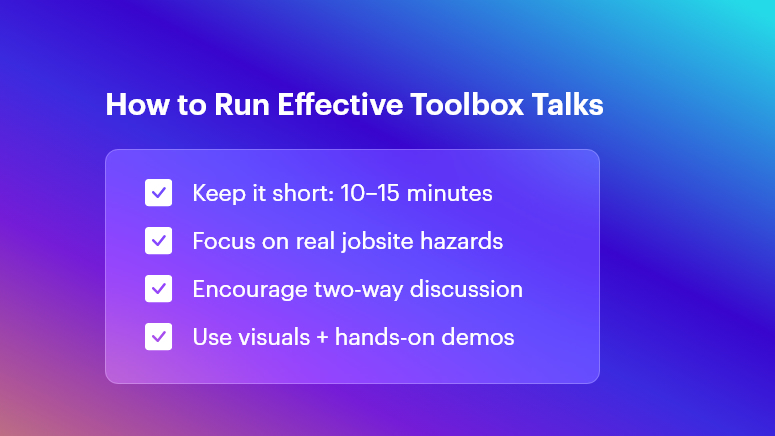
How to Run Effective Toolbox Talks

Regulatory Importance of Toolbox Talks

OSHA Requirements

OSHA Standard 1926.21(b)(2) requires hazard training for all employees. Consequently, toolbox talks help you:

  • Discuss active jobsite hazards
  • Document topic + attendance
  • Maintain proof for compliance audits

So, when talks happen consistently, they reduce risk and improve safety accountability.

ISO 45001 Standards

ISO 45001 encourages proactive safety communication. Clause 7.4 highlights:

  • Worker involvement
  • Continuous improvement
  • Transparent record keeping

Thus, talks keep workers informed and encourage shared responsibility for safety.

Top Topics for Effective Toolbox Talks

Relevant topics keep workers engaged. The best toolbox talks cover:

  • Fall protection + ladder safety
  • PPE selection and correct usage
  • Electrical hazards and lockout/tagout
  • Equipment and machinery inspections
  • Fire prevention and emergency plans
  • Reporting incidents and near-misses

Consistent talks ensure everyone focuses on real risks happening on-site.

How to Prepare Your Toolbox Talks

Prepared talks are more engaging and practical. Always include:

  • A clear hazard-based subject
  • Visual aids like examples, photos, or short demos
  • A simple 5-minute script
  • A confident, trained presenter
  • A checklist to ensure completeness

As a result, workers understand what to do, why it matters, and who is responsible for action.

Delivering Engaging Toolbox Talks

Even short talks can be powerful if delivered well. To increase impact:

  • Start on time and keep it brief (10–15 min)
  • Ask workers to share risks they’ve spotted
  • Connect the topic to recent incidents or hazards
  • Show PPE or tools — don’t just talk about them
  • Recognize safe behavior publicly
  • Document participation every time

When toolbox talks become conversations, not lectures, safety becomes culture.

Follow-Up and Documentation

Great talks continue after everyone returns to work. Consequently, you should:

  • Assign ownership for unresolved issues
  • Track corrective actions with due dates
  • Store session documentation in a secure system
  • Review trends weekly for improvement

Documentation from talks also speeds up compliance audits.

Why Digital Toolbox Talks Are the Future

Manual paperwork creates delays and errors. Instead, using digital toolbox talks:

Category Manual OConstruction
Preparation Paper printouts Pre-built templates
Attendance Sign-in sheets Mobile check-in + GPS
Storage Bulky binders Cloud archive
Reporting Slow & inconsistent Instant dashboards
Follow-Up Email reminders Automated tasks

Therefore, digital toolbox talks improve transparency, real-time visibility, and compliance.

Real-World Results Using Digital Toolbox Talks

High-Rise Crane Work

Focus: Fall + wind hazards

Result: Zero fall incidents in 6 months

Concrete Pouring

Focus: PPE against wet concrete

Result: 35% PPE improvement through reminders

Trench & Excavation

Focus: soil collapse risks

Result: Faster hazard corrections via mobile app

Digital workflows make the safest option the easiest option.

Expert Best Practices for Toolbox Talks

Industry experts agree that effective talks can reduce incidents by 30% or more.

Top recommendations:

  • Rotate presenters
  • Include jobsite photos
  • Invite two-way participation
  • Reward safe behavior
  • Align topics with current risks

Because safety is not a rule — it’s a culture.

Toolbox Talk Checklists & Template

Quality Checklist (Before Every Session)

  • Topic aligns with current hazards
  • Visual aids prepared
  • Presenter ready
  • Attendance tracking available
  • Talking points finalized
  • Follow-up actions included
  • Documentation saved

Daily Safety Briefing Template

  • Date + location
  • Presenter name
  • Crew list + signatures
  • Hazards identified
  • Assigned actions

Short — but consistently effective.

Conclusion + Action Step

To summarize, toolbox talks:

  • Improve daily safety awareness
  • Reduce preventable injuries
  • Support OSHA and ISO compliance
  • Empower every worker to speak up

If you want faster reporting, stronger engagement, and better safety outcomes, upgrade to digital toolbox talks with OConstruction.

FAQs

  • What are toolbox talks?

Short safety meetings that highlight specific hazards and safe practices before work begins.

  • How often should these talks be held?

Ideally, daily for high-risk activities and weekly for general safety topics.

  • Do toolbox talks support OSHA compliance?

Yes, when properly documented, talks fulfill OSHA hazard-training expectations.

  • Who should run toolbox talks?

A trained supervisor or safety officer — rotating presenters keeps engagement high.

  • Can toolbox talks be digital?

Absolutely! Digital talks provide automation, analytics, and reliable documentation.
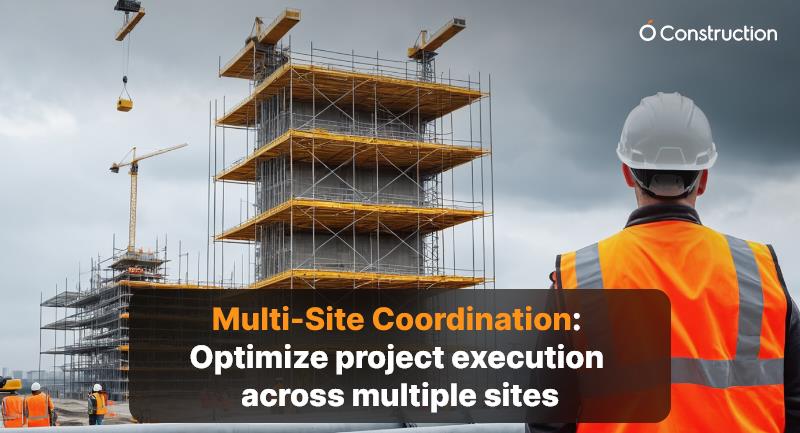
Multi-Site Coordination: Optimize project execution across multiple sites

Managing a single construction or infrastructure project is challenging. Managing multiple active sites simultaneously — often in different locations, with varied teams and vendors — demands a far higher level of coordination and control.

This is where multi-site coordination comes in: an integrated approach that synchronizes communication, resources, schedules, and performance tracking across all sites to ensure consistency, accountability, and timely delivery.

In industries such as construction, energy, infrastructure, and manufacturing, effective multi-site coordination directly impacts project success, cost efficiency, and client satisfaction.

Understanding Multi-Site Coordination

What Is Multi-Site Coordination?

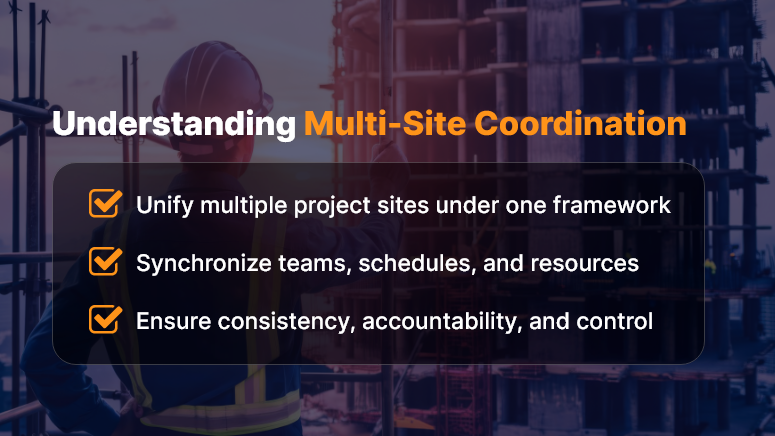
Multi-site coordination is the systematic management of projects executed at multiple geographic locations under a unified operational framework.

It ensures that every site — whether it’s a construction zone, solar installation, or infrastructure upgrade — works toward shared objectives, aligned schedules, and standardized quality metrics.

Key objectives include:

  • Real-time visibility into each site’s progress and performance.
  • Seamless collaboration between central offices and field teams.
  • Standardized workflows and documentation.
  • Efficient allocation of shared resources, materials, and equipment.

In essence, multi-site coordination consolidates dispersed operations into a single, synchronized ecosystem.

Challenges in Managing Multiple Project Sites

Without a structured coordination framework, teams face a host of challenges:

  • Communication silos: Field teams and head offices often operate with fragmented updates.
  • Inconsistent reporting: Different formats and standards confuse progress tracking.
  • Duplicate work or missed dependencies: When schedules and responsibilities aren’t synchronized.
  • Resource conflicts: Equipment or manpower overbooked across sites.
  • Delayed decision-making: Managers lack real-time data for quick intervention.

These pain points can cause schedule slippage, cost overruns, and reduced productivity — especially in large-scale infrastructure or construction programs.

Key Strategies to Optimize Multi-Site Coordination

1. Centralized Project Management Platform

Use a cloud-based project management system that consolidates updates, schedules, and documents from all sites in one place. For example, tools like OConstruction or Orangescrum allow you to:

  • Assign and monitor tasks across multiple sites.
  • Track progress visually through dashboards and Gantt charts.
  • Log issues, RFIs, and approvals in real time.

This centralization eliminates the guesswork and ensures every stakeholder sees the same data.

2. Standardize Communication Protocols

Define clear communication channels:

  • Daily site logs for on-ground updates.
  • Weekly review calls between site managers and HQ.
  • Centralized chat or ticketing system for queries and escalations.

Using structured communication templates ensures everyone follows a consistent reporting rhythm, reducing misunderstandings.

3. Real-Time Data and IoT Integration

Leverage IoT sensors, drones, and mobile apps to feed live data into your coordination system:

  • Monitor equipment usage and site safety remotely.
  • Capture progress images or videos for validation.
  • Track resource utilization through GPS-enabled machinery.

Real-time data not only improves transparency but also helps anticipate delays or equipment downtime early.

4. Optimize Resource Allocation

A unified resource pool across sites helps balance workload and reduce idle time. With centralized scheduling tools, you can:

  • Check resource availability instantly.
  • Reassign underutilized assets.
  • Track material dispatches and deliveries in real time.

This ensures materials, machinery, and manpower are always available where they’re needed most.

5. Implement Unified Quality and Safety Standards

Multi-site projects often fail due to inconsistent safety or quality compliance. Develop a shared inspection checklist, accessible digitally, to ensure:

  • Uniform quality benchmarks across sites.
  • Compliance with safety standards and local regulations.
  • Real-time corrective action tracking for identified issues.

Digitized QA/QC workflows help teams avoid rework and ensure predictable outcomes.

6. Use Dashboards and Analytics

Data visualization plays a key role in multi-site management. Dashboards can help decision-makers:

  • Compare performance metrics across all sites.
  • Identify high-risk areas through variance reports.
  • Forecast delays or budget overruns early.

Analytics transforms scattered data into actionable insights — improving planning, forecasting, and performance reviews.

7. Encourage Cross-Site Collaboration

Build a culture of shared learning:

  • Conduct virtual coordination meetings.
  • Share best practices, risk logs, and vendor feedback.
  • Recognize top-performing site teams to motivate others.

When teams communicate across locations, innovation and problem-solving accelerate.

The Role of Technology in Multi-Site Coordination

Modern project management relies heavily on digital transformation:

  • Cloud collaboration tools ensure all stakeholders have access to the same information.
  • Mobile apps enable site engineers to update data instantly.
  • AI and predictive analytics forecast delays, cost risks, and resource shortages.
  • BIM (Building Information Modeling) and Digital Twins connect design, execution, and monitoring phases across all sites.

These technologies help project leaders shift from reactive management to proactive control.

Business Impact of Optimized Multi-Site Coordination

Implementing structured coordination delivers measurable benefits:

  • 20–30% improvement in project visibility and reporting accuracy.
  • Reduced delays through early identification of critical issues.
  • Better resource utilization and cost savings.
  • Higher client satisfaction through consistent quality delivery.
  • Improved team accountability and cross-site collaboration.

Organizations that adopt digital multi-site coordination report faster decision-making, leaner operations, and scalable project control.

Best Practices for Long-Term Success

  • Document every process and update regularly.
  • Assign a Multi-Site Coordinator or Program Manager role to oversee synchronization.
  • Conduct monthly performance reviews across all sites.
  • Integrate ERP or CRM systems for financial and vendor tracking.
  • Continuously train site teams on digital tools and communication protocols.

Consistency and discipline are the cornerstones of multi-site success.

Conclusion

In a world of distributed operations, multi-site coordination is no longer optional — it’s essential for competitive, high-performing project delivery.

By integrating technology, standardizing processes, and fostering cross-site collaboration, organizations can ensure smoother execution, timely completion, and predictable outcomes.

If your enterprise manages projects across cities or regions, adopting a digital coordination platform like OConstruction can give you real-time visibility, control, and confidence — across every site.

Why the Construction Industry Is Going Fully Paperless

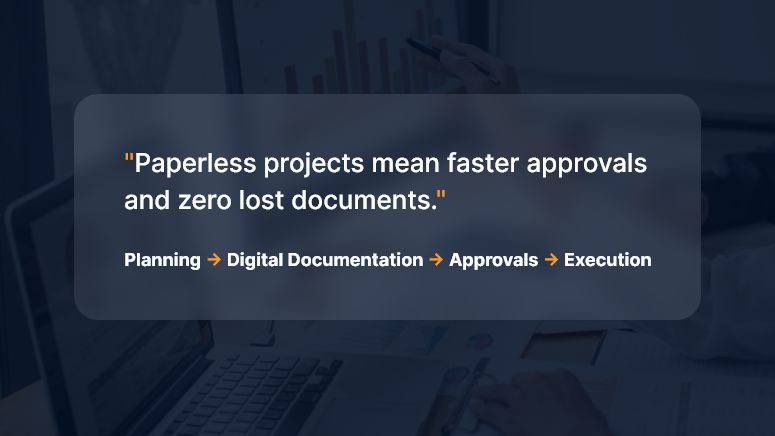
Paper used to be the jobsite’s lifeblood — drawings in tubes, clipboards in trucks, binders in site cabins. Today, leading contractors, owners, and subs are ditching paper for good—not as a gimmick, but because digital-first delivery is now faster, safer, cheaper, and far easier to control. This deep dive explains the “why,” the “what,” and the “how” of going fully paperless, with practical steps you can start using on your next project.

The Big Why: What Paperless Actually Solves

1) Version chaos → Single source of truth

Paper drawings and printed schedules become outdated the moment someone hits “print.” A paperless setup creates a living project record—everyone sees the latest drawings, RFIs, submittals, and changes in one place.

2) Cost and time leakage → Measurable productivity

Printing, couriering, rework due to outdated plans, manual data entry from site forms—all of it adds hidden cost. Digital workflows automate handoffs and push tasks to the next responsible person immediately.

3) Risk and claims → Traceable audit trail

When decisions are captured digitally (with timestamps, versions, and approvals), you build a defensible record that reduces disputes and accelerates claims resolution.

4) Safety and quality → Real-time feedback loops

Inspections, punch lists, and permits move from weekly paperwork to same-day digital checks with photo evidence and geolocation.

5) Environmental impact → Lower footprint

Less paper, ink, transport, and storage—plus safer archiving for decades.

What “Fully Paperless” Looks Like (End-to-End)

A modern, paperless construction stack typically includes:

  • Common Data Environment (CDE): The project’s source of truth for documents, models, and communications.
  • Mobile field apps: For drawings, RFIs, daily logs, safety checks, timesheets, and punch lists—even offline.
  • Digital drawings & models: 2D sheets with hyperlinked callouts and 3D/BIM models for clash detection and quantity takeoff.
  • Workflow automation: RFI → Submittal → Review → Distribution → Change Order, all with rules, SLAs, and auto-routing.
  • E-signatures & forms: Legally binding approvals without printing.
  • QR/NFC tagging: Equipment, rooms, and assets tagged for instant access to specs and history.
  • Photo & drone capture: Progress, safety, and as-built verification with timestamps and locations.
  • IoT sensors: Concrete curing, temperature, humidity, vibration—feeding the CDE.
  • Integrations: ERP, accounting, scheduling, and vendor portals—so data moves, not people.
  • Standards & naming: ISO-style conventions for files, revisions, and metadata to keep things findable for years.

High-Impact Workflows to Digitize First

Drawings & Revisions

  • Publish controlled sets; link details, RFIs, and changes.
  • Enforce “latest only” access; archive prior sets automatically.

RFIs & Submittals

  • Structured forms, mandatory fields, attachments, and due dates.
  • Auto-route to the right reviewer; escalate overdue items.

Change Management

  • Scope change → digital estimate → client e-sign → automatic budget/schedule update.
  • Side-by-side cost deltas and revision cloud links.

Inspections & QA/QC

  • Checklist templates, photo markup, geotags.
  • Punch items auto-assign to trades; close-out tracked by status.

Safety Permits & Meetings

  • Toolbox talks recorded on mobile; attendance with signatures.
  • Permit-to-work and JSA forms are issued and closed digitally.

Timesheets & Daily Logs

  • Crew hours captured on devices; coded to WBS/Cost Codes.
  • Weather, deliveries, equipment usage, and blockers in one daily entry.

Closeout & Handover

  • O&M manuals, warranties, as-builts, and asset registers compiled from the live CDE.
  • Room-by-room QR codes hand the owner a digital twin of documentation.

The Measurable Business Case

Direct savings

  • Printing & courier costs
  • Admin hours re-keying data
  • Rework from building off old drawings

Indirect gains

  • Faster approvals → shorter schedules
  • Stronger claim positions → fewer write-offs
  • Better safety & quality → fewer incidents and callbacks

Simple ROI example

  • Annual printing/courier spend: ₹8,00,000
  • Admin re-entry time saved: 800 hours × ₹600/hr = ₹4,80,000
  • Rework avoided: even a modest ₹6,00,000

Estimated Year-1 impact: ₹19,80,000 saved versus software + rollout of, say, ₹12,00,000 → ROI ≈ 65% in the first year, with higher returns in Year-2 once adoption stabilizes.

(Adjust inputs to your region and volumes—the logic holds.)

Governance: Keep It Clean, Or It Gets Messy Fast

Going paperless is less about tools and more about rules:

  • Naming conventions: Project–Discipline–Area–Type–Revision.
  • Metadata policy: Status (Issued for Construction, Draft, For Review), discipline codes, and revision history are mandatory.
  • Permissions: Role-based access; external collaborators are isolated to what they need.
  • Retention & archive: Define what’s retained (and for how long), and how it’s exported at project close.
  • Owner requirements: Bake handover deliverables into contracts: format, folder structure, model LOD, and warranty data.

Change Management: Bring People With You

  • Executive sponsorship: Make “digital only” a visible leadership priority.
  • Pilot → scale: Start with one project or region; prove the value; iterate.
  • Field-first design: Optimize for foremen and supers on mobile—even offline.
  • Training that sticks: 30-minute task-based sessions (“Raise an RFI from a photo”), short videos, on-cart guides.
  • Incentives: KPIs that count only digital artifacts (no paper exceptions).
  • Champions: One “digital champion” per discipline per site.

Security & Compliance

  • Access control: SSO, MFA, and least-privilege roles.
  • Data residency & backups: Know where your project data lives; automate immutable backups.
  • E-signature legality: Use providers compliant with applicable e-signature laws in your region.
  • Incident response: Document who to call and how to isolate a breach.
  • Vendor due diligence: Review uptime SLAs, encryption, certifications, and export options.

A Practical 30-60-90 Day Plan

Days 0–30: Foundation

  • Select or rationalize your CDE and mobile toolkit.
  • Define naming, permissions, and metadata standards.
  • Digitize drawings, RFIs, submittals; set up e-signatures.
  • Train champions and run sandbox exercises.

Days 31–60: Field Rollout

  • Move daily logs, inspections, timesheets, and punch lists into mobile forms.
  • Turn on auto-routing and deadlines for RFIs/submittals.
  • Establish “latest drawing only” enforcement.
  • Begin weekly adoption dashboards.

Days 61–90: Integrations & Scale

  • Connect accounting/ERP and schedule data for cost and plan alignment.
  • Implement QR/NFC asset tagging in one pilot area.
  • Standardize closeout package structure.
  • Publish lessons learned and lock playbooks.

Key Metrics to Track

  • RFI cycle time (avg days from submit to answer)
  • Submittal on-time rate (%)
  • Rework rate (% of labor/material costs)
  • Field app adoption (% crews submitting digitally)
  • Drawing revision compliance (% interactions on the latest set)
  • Punch close time (avg days to close)
  • Paper cost eliminated (₹ and pages)
  • Schedule variance caused by approvals (days saved)

Common Pitfalls (and How to Avoid Them)

  • “Lift and shift” thinking: Don’t scan forms and call it digital—redesign them to capture structured data.
  • Too many tools: Consolidate. Fewer systems → higher adoption.
  • No offline plan: Choose apps that cache drawings and forms for low-signal sites.
  • Weak standards: Without naming and metadata discipline, your CDE becomes another file dump.
  • Ignoring the owner: Clarify handover requirements early; otherwise, you’ll redo closeout at the end.

Paperless on Different Project Types

  • Residential & mid-rise: Focus on drawings, punch, and QA checklists; keep it simple and mobile-first.
  • Industrial & infrastructure: Add model coordination, sensor data, and rigorous change controls.
  • Fit-outs & fast-track: Automate submittals and approvals; e-signatures are the schedule saver.
  • Public works: Emphasize traceability, accessibility standards, and long-term archiving.

Your First Five Moves (If You Do Nothing Else)

  • Pick a CDE and make it the only official place for drawings.
  • Enforce digital RFIs/submittals with due dates and auto-routing.
  • Put daily logs, inspections, and punch lists on mobile—no paper backup.
  • Turn on e-signatures for change orders and approvals.
  • Publish a one-page “Digital Rules of the Road” and train every foreman.

FAQs

Q1. Are e-signatures legally valid for construction contracts and change orders?

Yes, in most jurisdictions, e-signatures are recognized if captured through compliant providers and your contracts allow them. Align with your legal counsel and client preferences early.

Q2. What if my sites have poor connectivity?

Choose apps with offline mode that cache drawings and forms and sync later. Set a daily sync routine (e.g., before toolbox talks or after shift).

Q3. How do I bring my subcontractors along?

Keep access scoped and simple—trade-specific dashboards, required training, and clear “digital only” clauses in bid and award packages.

Q4. How do I ensure people use the latest drawings?

Disable access to superseded sets, post revision alerts, and require that all field links open the “current” drawing alias inside the CDE.

Q5. What about long-term storage and handover?

Define a standard closeout structure (as-builts, O&M, warranties, asset data). Export both human-readable PDFs and machine-readable data (CSV/COBie) as required by the owner.

Why Construction Projects Go Over Budget – and How to Prevent It

Did you know that 9 out of 10 construction projects exceed their budget? Whether it’s a residential build, commercial infrastructure, or a government contract, blowing past the planned costs has become the norm rather than the exception.

From material price fluctuations to poor planning and lack of real-time tracking, the reasons are many, but the consequences are always the same: delays, disputes, and damaged reputations.

In this blog, we’ll break down why construction projects go over budget, what mistakes to avoid, and how you can prevent cost overruns with digital project management tools like OConstruction.

Business Relevance & Why It Matters

For construction businesses, accurate budgeting isn’t just a financial necessity—it’s a strategic advantage. Budget overruns lead to:

  • Shrinking profit margins
  • Lost client trust
  • Project delays and rework
  • Legal or contractual penalties

Who should care?

  • Project Managers are trying to stay on schedule
  • Finance & Procurement teams are monitoring costs
  • Contractors bidding for new jobs
  • Operations heads scaling multiple projects

Use Case 1: A mid-sized contractor wins a hospital construction tender but underestimates steel prices. Six months in, they’re 18% over budget and forced to renegotiate terms.

Use Case 2: A real estate developer launches five residential towers simultaneously but lacks real-time cost visibility. Cost overruns on two sites derail cash flow for the remaining three.

The takeaway: You can’t eliminate unpredictability in construction, but you can eliminate guesswork, miscommunication, and inefficient tracking.

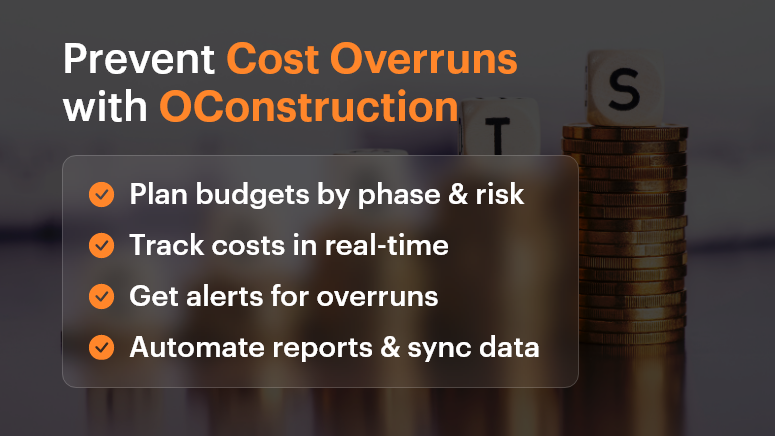
Prevent Cost Overruns with OConstruction

Best Practices, Frameworks, and Actionable Strategies

Do’s and Don’ts of Budget Control

Do: Conduct detailed cost estimation before kickoff

Break down each project phase—design, permits, labor, materials, contingency. Don’t just lump it into one “build” line item.

Don’t: Assume past project budgets will always match future ones

Prices for materials, fuel, labor, and logistics vary. Recheck market conditions and local pricing.

Do: Set up a centralized cost-tracking system

Use OConstruction’s dashboard to assign cost codes, track spending in real time, and compare actual vs. forecast.

Don’t: Rely on spreadsheets or disconnected tools

Manual tracking leads to errors, version control issues, and missed updates.

Quick Wins to Control Costs Early

  • Baseline your budget early. Set realistic expectations with internal stakeholders and clients.
  • Use templates and historical data. Leverage past projects in OConstruction to create smarter forecasts.
  • Account for risks. Add a 5-15% contingency buffer for unknowns.
  • Define a change order process. Make sure scope changes are documented, approved, and re-costed before execution.

A 5-Step Framework to Prevent Construction Cost Overruns

  • Scope Planning

Define deliverables, responsibilities, and phases clearly with all stakeholders. Avoid vague assumptions.

  • Detailed Estimation

Include unit costs, productivity rates, lead times, and inflation where relevant.

  • Digital Budget Tracking

Use OConstruction’s project financials module to track committed costs, invoices, and payments in one place.

  • Issue and Delay Management

Set up automated alerts for schedule slips, budget thresholds, or material delays.

  • Regular Reporting & Forecasting

Generate weekly reports. Adjust projections as needed based on actuals.

Tip: Integrate OConstruction with your accounting or ERP tool for seamless data sync.

Customer Story

For example, Summit Build, a commercial construction firm, used OConstruction’s cost-tracking feature to cut down 12% in preventable overruns within just two quarters.

They were managing three hospital projects and used the platform to:

  • Set real-time alerts when labor costs exceed benchmarks
  • Automate change order documentation and approval workflows
  • Visualize actual vs. forecasted spend in a single dashboard

The result? $750K saved, faster billing cycles, and improved team accountability.

Key Takeaways

Cost overruns are one of the biggest threats to profitability in construction. But they’re not inevitable.

With proper planning, real-time tracking, and digital tools like OConstruction, you can identify risks early, make smarter decisions, and keep your projects on budget and on time.

Start small, implement one strategy at a time, and scale with confidence.

FAQs

Q1. Why do most construction projects go over budget?
Construction projects exceed budgets due to inaccurate cost estimation, rising material prices, poor planning, scope creep, and lack of real-time cost tracking.

Q2. What are the hidden costs in construction projects that teams often miss?
Common hidden costs include permit fees, delays due to weather or labor shortages, design revisions, material wastage, and unplanned change orders.

Q3. How can project managers prevent cost overruns early?
By conducting detailed cost estimation, adding contingency buffers, setting up a change order process, and using digital tools for real-time tracking, project managers can control costs from the start.

Q4. Why are spreadsheets not reliable for construction cost management?
Spreadsheets often lead to errors, version mismatches, and missed updates. A centralized project management software like OConstruction ensures accuracy, transparency, and real-time visibility.

Q5. How does OConstruction help in controlling project costs?
OConstruction provides real-time budget tracking, automated alerts for cost thresholds, change order management, and integration with accounting/ERP tools, helping teams stay on budget.

How to Manage Multiple Construction Projects Without Losing Control

Managing a single project is already a challenge — now multiply that by five, ten, or even twenty. According to a McKinsey report, large construction projects take 20% longer to finish than scheduled and are up to 80% over budget. When managing multiple construction sites, teams, and budgets at once, those risks multiply fast.

In today’s fast-paced construction world, staying in control of multiple projects isn’t just about spreadsheets and site visits anymore. It’s about having the right tools, workflows, and visibility to lead efficiently.

In this blog, we’ll walk you through how to master multi-project construction project management, avoid burnout, and use technology to gain real-time visibility — without losing your sanity.

The 4C Framework Your Blueprint for Multi-Project Success

Why Multi-Project Management Matters in Construction

Managing multiple construction projects isn’t just a bigger workload — it’s a completely different operational challenge.

The Business Case

When running multiple sites simultaneously, you’re not just managing tasks — you’re managing people, materials, permits, vendors, inspections, and client expectations across geographies. One missed update or delayed decision can create a domino effect across every other project.

That’s why modern construction businesses — especially small and mid-sized firms — must rethink how they approach construction project management. The days of tracking everything in email threads and whiteboards are over.

Real-World Scenarios

  • A general contractor managing 12 residential sites loses track of which vendor was paid and who’s scheduled next on Site 7.
  • An EPC firm running industrial projects across regions struggles to align budgets with live progress reports from the field.
  • A design-build company tries to juggle stakeholder feedback on multiple projects but ends up reworking key deliverables due to version misalignment.

These aren’t just admin headaches. They impact your bottom line, brand reputation, and employee morale.

The solution? Centralized, real-time construction project management software that gives you clarity and control across everything you manage.

Best Practices to Manage Multiple Construction Projects Successfully

Let’s dive into proven strategies and practical frameworks that will help you gain control, reduce chaos, and make smarter decisions.

Do’s and Don’ts of Multi-Project Construction Management

  • Do use a centralized dashboard.

Managing multiple projects without a unified view is like flying blind. A centralized dashboard allows you to monitor timelines, budgets, milestones, and team progress — all in one place.

  • Don’t rely on manual coordination.

Emails, phone calls, and texts work until they don’t. Relying on manual updates leads to delays, miscommunication, and mistakes that cost money and trust.

  • Do standardize processes across sites.

Templates for reporting, procurement, QA/QC, and daily logs create consistency. This ensures every team follows the same quality and compliance standards.

  • Don’t ignore resource planning.

Overcommitting crews or duplicating material orders can cripple your schedule. Use real-time scheduling tools to balance people and inventory smartly.

Quick Wins to Regain Control

  • Use mobile-first field reporting tools.

Empower your site engineers to log updates, photos, and safety reports from their phones. This reduces paperwork and ensures instant communication.

  • Implement live budget tracking.

Keep track of your budget at all times. Flag overspending instantly. Tools like OConstruction help track estimates vs. actuals in real-time.

  • Set up automatic alerts and reminders.

Never miss a deadline again. From permit renewals to payment approvals, get notified before things slip.

  • Centralize vendor and contractor details.

Keep certifications, rates, and past performance in one place. This helps avoid repeated errors and manage accountability.

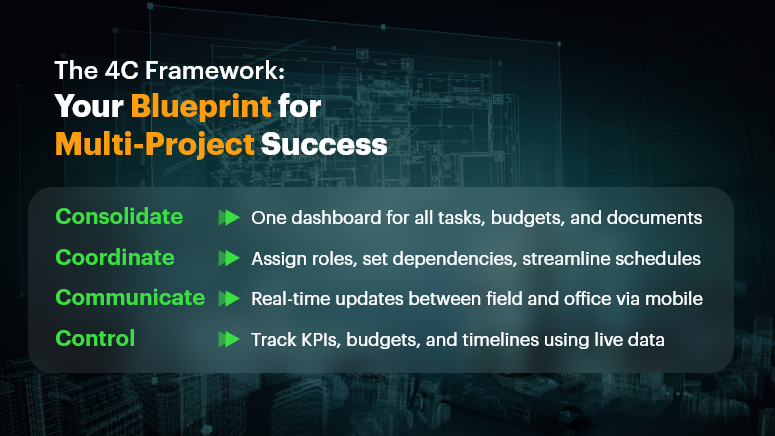
Framework: The 4C Model for Multi-Project Success

  • Consolidate – Bring all projects, tasks, schedules, and documents into one platform.
  • Coordinate – Assign responsibilities, dependencies, and workflows across teams.
  • Communicate – Enable instant updates between the office and the field via mobile apps.
  • Control – Use analytics, reports, and dashboards to monitor KPIs and correct courses fast.

This model aligns perfectly with how OConstruction structures its platform — helping teams stay connected, proactive, and accountable.

Customer Example: Real-World Success in Action

For example, FalconBuild Pvt. Ltd., a mid-sized commercial contractor, used OConstruction’s centralized dashboard and mobile reporting tools to manage 9 simultaneous projects across two states. With real-time visibility into site progress, resource allocation, and budget tracking, the team reduced reporting time by 40% and improved on-time project delivery by 30%. Here’s how…

  • Deployed a mobile app for on-site daily logs and inspection checklists
  • Used real-time dashboards to track material use and crew hours
  • Set up auto-notifications for permit expirations and change orders
  • Cut down email chains by 60% with built-in messaging and approvals

Result: More clarity, less chaos, and measurable ROI.

Regain Control, One Project at a Time

Managing multiple construction projects doesn’t have to feel like a high-stakes balancing act. With the right tools and workflows, you can reduce risk, increase productivity, and stay confidently in control.

  • Centralize your project data
  • Standardize your workflows
  • Empower your teams with mobile access
  • Use real-time dashboards to make informed decisions faster

Modern construction project management is about agility, visibility, and control — and that’s exactly what a platform like OConstruction delivers.

FAQs

1. What is multi-project construction management?
Multi-project construction management refers to overseeing several construction projects at once, ensuring timelines, budgets, resources, and teams are coordinated efficiently.

2. Why is managing multiple construction projects so challenging?
Because it involves coordinating tasks, crews, vendors, permits, and budgets across different sites. A small delay or miscommunication in one project can ripple across others.

3. How does construction project management software help with multi-project management?
It centralizes all projects into a single platform, offering real-time dashboards, resource planning, budget tracking, and communication tools that keep teams aligned.

4. What are the risks of managing multiple projects without software?
Common risks include cost overruns, delayed timelines, miscommunication between field and office, duplicate resource allocations, and low client satisfaction.

5. Can small and mid-sized construction companies benefit from multi-project management tools?
Yes. In fact, smaller firms benefit greatly since software reduces manual admin work, prevents mistakes, and helps them scale without needing large management teams.

Why Orangescrum Is a Game Changer for Construction Companies in 2025

The construction industry is evolving faster than ever. In 2025, companies are facing rising material costs, tighter project deadlines, complex regulations, and a growing demand for sustainability. Success today is not just about building structures; it’s about delivering projects on time, on budget, and with impeccable coordination.

Traditional project management methods no longer cut it. Construction companies need smarter, more agile tools to stay competitive. That’s where Orangescrum steps in. Designed to streamline operations, boost team collaboration, and enhance project visibility, Orangescrum is transforming the way construction businesses manage their projects.

In this blog, we’ll dive deep into why Orangescrum is becoming a game changer for construction companies in 2025—and why you need it in your toolbox.

Why Construction Companies Struggle Without Proper Project Management Tools

Construction

Before we dive into Orangescrum’s benefits, it’s important to understand the challenges construction companies typically face:

  • Project Delays: Due to miscommunication, unexpected changes, or resource shortages.
  • Cost Overruns: Lack of budget tracking often results in unplanned expenses.
  • Poor Team Coordination: When multiple teams, subcontractors, and stakeholders are involved, communication gaps are inevitable.
  • Document Chaos: Blueprints, contracts, permits, and inspection reports are scattered across different platforms.
  • Limited Real-Time Visibility: Managers often don’t have a clear picture of what’s happening onsite at any given time.

Without a centralized system, these challenges multiply, impacting profitability, timelines, and client satisfaction.

How Orangescrum Solves Construction Management Challenges

1. Centralized Project Planning and Execution

Orangescrum brings all project details under one roof. From assigning tasks to setting deadlines, it ensures that everyone involved knows exactly what they need to do—and by when.

  • Create structured project templates
  • Visualize entire project timelines through Gantt charts
  • Break down complex construction phases into manageable tasks

No more endless email threads or phone calls to figure out project status. Everything is updated in real-time, giving managers complete control.

2. Efficient Resource Management

In construction, managing manpower, machinery, and materials is critical. Orangescrum’s resource management feature allows companies to:

  • Monitor resource availability
  • Allocate labor and equipment effectively
  • Track usage to avoid overbooking or idle time

By optimizing resource allocation, companies can cut costs and ensure smooth project execution.

3. Real-Time Collaboration and Communication

Construction sites are bustling hubs where miscommunication can lead to costly mistakes. Orangescrum fosters seamless team collaboration with:

  • Real-time task updates
  • Centralized file sharing (blueprints, permits, photos)
  • Integrated chat and comment sections under each task

Teams in the field and the office stay synchronized, making decision-making faster and more informed.

4. Time Tracking and Cost Control

One of the biggest risks for construction projects is going over budget or timeline. Orangescrum’s time tracking and expense management tools help companies:

  • Track employee hours
  • Log project-related expenses
  • Compare planned vs actual costs

Managers can spot deviations early and take corrective actions before small issues balloon into major problems.

5. Customizable Workflows for Every Project Type

No two construction projects are the same. Whether it’s residential housing, commercial complexes, or infrastructure development, Orangescrum lets you:

  • Customize task statuses
  • Define unique workflows for different project types
  • Set project-specific priorities and approvals

This flexibility ensures that Orangescrum adapts to your processes—not the other way around.

6. Insightful Reports and Analytics

Data drives smarter decisions. With Orangescrum’s advanced reporting and dashboards, construction firms get insights into:

Leaders can make evidence-based decisions, forecast risks, and demonstrate project value to clients with confidence.

Key Orangescrum Features That Make It a Must-Have for Construction Companies

Here’s a breakdown of the features that set Orangescrum apart in 2025:

Feature Benefit
Project Management Plan, track, and deliver construction projects efficiently with full visibility.
Resource Management Optimize workforce and equipment allocation to maximize productivity.
Vendor Management Manage vendor communications, contracts, and deliveries from a central hub.
Contractor Management Coordinate contractor tasks, timelines, and compliance effortlessly.
Financial Management Control project budgets, expenses, and billing in real time to stay profitable.
Business Development Capture new opportunities and manage client relationships to drive business growth.
Inspection Management Schedule and monitor inspections to ensure high-quality work and regulatory compliance.
Safety Management Promote safer job sites by tracking incidents, enforcing protocols, and ensuring accountability.
Building Codes & Compliance Stay compliant with local regulations, document approvals, and avoid costly penalties.

Why Orangescrum Stands Out Compared to Other Project Management Tools

You might wonder: why Orangescrum and not other project management platforms?

Here’s why:

  • Built for Construction Complexity: Many project management tools are too generic. Orangescrum specifically caters to industries like construction, where task dependencies, resource logistics, and real-time site communication are crucial.
  • Highly Customizable: Unlike rigid platforms, Orangescrum molds itself around your business processes.
  • Affordable and Scalable: Whether you’re a small contractor or a large construction firm, Orangescrum’s pricing plans and features grow with you.
  • Customer-Centric Innovation: With constant feature upgrades based on user feedback, Orangescrum ensures that construction firms always have the latest tools to stay competitive.

Future-Proofing Your Construction Business with Orangescrum

The construction landscape in 2025 demands agility, transparency, and technology-driven efficiency. Clients expect faster project delivery without compromising on quality or budget. Regulatory bodies require stricter compliance. Teams need tools that empower—not hinder—their performance.

Orangescrum acts as the single source of truth for construction companies. By bringing planning, execution, collaboration, and reporting together, it reduces risk, increases profitability, and builds stronger client trust.

Future trends Orangescrum is ready for:

  • Green Construction and Compliance Management
  • Modular Construction and Prefabrication Workflows
  • AI-driven Resource Forecasting
  • Remote Site Management through Mobile Access
  • Increased Client Collaboration Portals

When you invest in Orangescrum, you’re not just getting a project management tool—you’re getting a long-term growth partner.

Conclusion: Build Smarter with Orangescrum

In today’s high-pressure construction environment, simply working harder isn’t enough—you need to work smarter. Orangescrum empowers construction companies to streamline their operations, maximize resource utilization, improve collaboration, and deliver projects with greater speed and efficiency.

From centralized project planning and time tracking to resource management and real-time collaboration, Orangescrum addresses every critical aspect of construction management. As a result, companies not only meet their project goals but also exceed client expectations, while boosting their bottom line.

If you’re serious about future-proofing your construction business in 2025 and beyond, it’s time to put Orangescrum at the center of your operations. In construction, just like in building, the right foundation makes all the difference.

Category: Construction Academy

Subcategory: Budgeting and Planning

Subcategory: Construction Phase

Subcategory: Design Coordination

Subcategory: Estimation Techniques

Subcategory: Initiation and Feasibility

Subcategory: Introduction

Subcategory: Personal Management

Subcategory: Project Close-Out

Subcategory: Project Scheduling

Subcategory: Project Teams

Subcategory: Proposal Management

Subcategory: Total Quality Management

Subcategory: Tracking and Control

Subcategory: Work Breakdown

Category: Help Desk

Subcategory: Client

Subcategory: Construction 101

Subcategory: Contractor Management

Subcategory: Expense

Subcategory: Finance Budget

Subcategory: Inventory Management

Subcategory: My Approvals

Subcategory: Site Management

Subcategory: Vendor Management