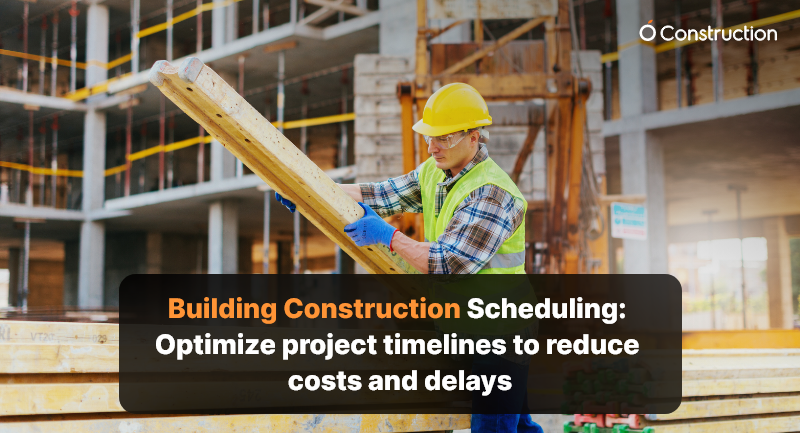
Building Construction Scheduling: Optimize Project Timelines to Reduce Costs and Delays

In construction, time is money — quite literally. A small delay in concrete curing or material delivery can cascade into weeks of lost productivity and inflated costs. That’s where building construction scheduling comes in — your blueprint for keeping projects on track, within budget, and aligned with client expectations.

But scheduling isn’t just about dates on a calendar. It’s about creating a dynamic, data-driven plan that adapts to real-world changes while maintaining overall control.

What is Building Construction Scheduling?

Building construction scheduling is the process of defining, sequencing, and managing all project activities to ensure timely completion. It involves identifying critical tasks, dependencies, milestones, and resource allocation to maintain a balanced workflow.

Think of it as the project’s GPS — showing you where you’re headed, predicting potential bottlenecks, and helping you make informed course corrections before delays hit.
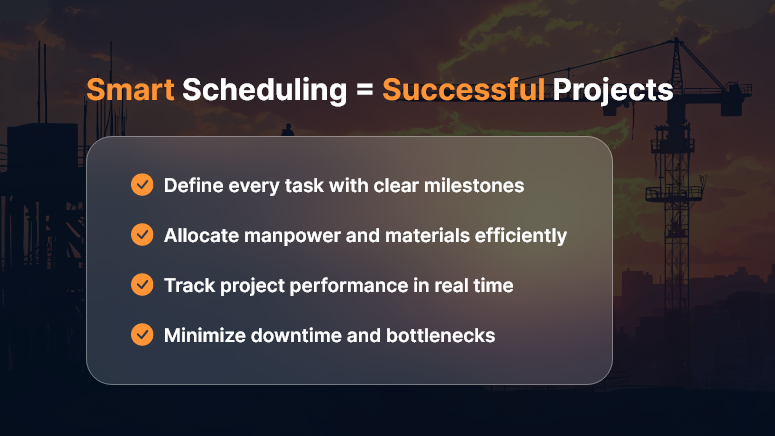
Building-Construction-Scheduling

The Real Cost of Poor Scheduling

When construction schedules go wrong, the impact is immediate and costly:

  • Budget overruns from idle labor and equipment rentals
  • Missed deadlines leading to penalties or strained client relations
  • Resource conflicts that slow progress across sites
  • Safety issues from rushed work or overlapping tasks

A solid construction schedule isn’t just good project management — it’s a profit-protection strategy.

Key Elements of Effective Construction Scheduling

To optimize your project timeline, your schedule should include these core elements:

1. Work Breakdown Structure (WBS)

Break your project into manageable chunks — foundation, framing, electrical, plumbing, finishing, etc. Each task should have clear ownership and deliverables.

2. Task Dependencies

Understand what needs to happen first. Pouring the slab comes before framing; inspection before drywall. Mapping dependencies prevents rework and chaos.

3. Resource Allocation

Assign the right people, machinery, and materials to each phase. This ensures optimal productivity without overloading teams.

4. Critical Path Method (CPM)

Identify the longest sequence of dependent tasks that determine the total project duration. Monitoring this critical path helps you predict and prevent delays before they snowball.

5. Real-Time Tracking

Use modern scheduling tools to update progress instantly, manage changes, and communicate across stakeholders. Real-time visibility ensures every decision is data-backed.

Top Techniques for Better Construction Scheduling

1. Leverage Technology

Ditch spreadsheets. Modern construction scheduling software provides interactive Gantt charts, resource tracking, and progress dashboards that make updates seamless and transparent.

2. Prioritize Communication

Scheduling is only effective when everyone follows it. Use collaboration platforms to align contractors, subcontractors, and suppliers on one timeline.

3. Build in Buffers

Unpredictable weather, material delays, or inspection hold-ups happen. Adding buffer time to critical tasks ensures flexibility without panic.

4. Monitor and Adjust

Regularly review progress vs. the baseline schedule. If the foundation stage slips, adjust downstream activities early — don’t wait for the project to derail.

5. Track Performance Metrics

Monitor schedule variance, earned value, and resource utilization to maintain performance visibility throughout the project lifecycle.

Benefits of Optimized Construction Scheduling

When done right, building construction scheduling delivers measurable business results:

  • Reduced project costs through efficient resource use
  • Fewer delays and disputes due to clear timelines and accountability
  • Improved client satisfaction from predictable delivery
  • Better cash flow management with milestone-based billing
  • Increased safety and productivity from structured workflows

A well-structured schedule isn’t just a document — it’s a strategic asset that drives profitability and trust.

Best Tools for Construction Scheduling

To make scheduling easier and smarter, consider tools like:

  • OConstruction Scheduler – purpose-built for project managers to plan, track, and optimize timelines in real time.
  • Primavera P6 – great for large infrastructure projects.
  • Microsoft Project – classic Gantt-based scheduling with resource tracking.
  • Orangescrum – flexible task and time management for agile teams.

Choose a platform that matches your project complexity and collaboration needs.

Common Mistakes to Avoid

Even experienced project managers fall into these traps:

  • Ignoring task dependencies or changing them without impact analysis
  • Failing to update schedules after every phase change
  • Over-committing resources to multiple overlapping tasks
  • Underestimating risk factors like weather or approval delays
  • Neglecting to communicate changes with all stakeholders

Avoid these, and you’ll already be ahead of most competitors.

Conclusion: Schedule Smart, Build Smarter

In today’s competitive environment, construction scheduling is no longer optional — it’s essential. A well-defined, actively managed schedule keeps your projects on time, on budget, and on scope.

Invest in robust scheduling tools, empower your teams with real-time visibility, and turn project planning into a strategic advantage. Because in construction, the best builders aren’t just those who build fast — they’re the ones who build on time, every time.

Key Takeaways

  • Plan early: Start scheduling during the design phase.
  • Stay flexible: Adapt to change while protecting milestones.
  • Use technology: Automate tracking and reporting.
  • Monitor progress: Keep everyone accountable.
  • Review lessons: Improve with every project.

FAQs

1. What is the main purpose of construction scheduling?

To ensure that all activities in a construction project are planned, sequenced, and executed on time to avoid delays and cost overruns.

2. What tools are best for construction scheduling?

Tools like OConstruction are popular for managing schedules, dependencies, and progress.

3. How often should a construction schedule be updated?

Ideally weekly, or after every major milestone, to reflect real-time progress and adjustments.

4. What’s the difference between CPM and Gantt charts?

CPM identifies critical tasks affecting total project time, while Gantt charts visualize timelines and dependencies.

5. Can scheduling help reduce project costs?

Yes. Efficient scheduling minimizes idle time, prevents rework, and ensures optimal resource utilization — directly lowering overall costs.

The Role of Preconstruction Planning in Project Success

Studies reveal that over 60% of construction delays stem from issues that could have been prevented during the planning stage. From misaligned budgets to unclear scopes, these problems don’t appear out of thin air—they originate from skipping or rushing preconstruction planning.

Preconstruction planning is the strategic foundation of every successful project. It aligns budgets, resources, timelines, and expectations before the first brick is laid. Without it, even the best crews and materials can’t save a project from overruns and delays.

In this guide, we’ll explore why preconstruction planning is critical, how it impacts project success, and the exact steps to make it work — using tools like OConstruction to streamline every stage.

Key Benefits of Preconstruction Planning

Why Preconstruction Planning Matters for Project Success

A construction project isn’t just a collection of tasks—it’s a complex sequence of interconnected decisions. Preconstruction planning ensures those decisions are well-informed and strategically aligned before execution begins.

The Business Case

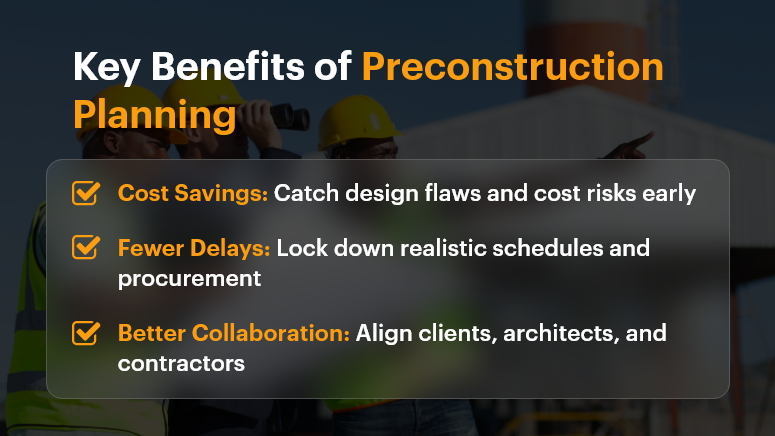
  • Cost Savings – Early planning identifies design flaws and cost risks before they escalate.
  • Fewer Delays – By locking down schedules, dependencies, and procurement plans, projects stay on track.
  • Better Stakeholder Alignment – Clients, architects, engineers, and contractors work from a shared roadmap.

Who Benefits the Most?

  • General Contractors – Gain clarity on scope, resources, and schedules.
  • Developers & Investors – Get accurate cost and ROI projections.
  • Project Managers – Reduce firefighting by addressing issues upfront.

Pain vs. Solution Contrast

Without preconstruction planning, projects often face:

  • Unplanned change orders that blow up budgets.
  • Conflicts between design intent and site realities.
  • Delays due to unclear task ownership.

With proper planning—especially on OConstruction’s integrated platform—you get:

  • Accurate cost estimation tools.
  • Centralized document and design coordination.
  • Real-time risk tracking before execution begins.

Best Practices & Actionable Strategies for Effective Preconstruction Planning

1. Define Clear Project Objectives

Set measurable goals for budget, scope, and timeline. Every decision during the project should be evaluated against these objectives.

2. Conduct a Feasibility Study

  • Assess site conditions, regulatory requirements, and market constraints.
  • Use OConstruction to centralize feasibility reports for quick stakeholder access.

3. Build a Realistic Budget and Schedule

  • Avoid guesswork by using historical data from similar projects.
  • Include contingencies for unexpected delays or costs.
  • OConstruction’s construction cost estimation module ensures every line item is accounted for.

4. Assemble the Right Team Early

  • Bring in key players—architects, engineers, subcontractors—before construction begins.
  • Assign clear responsibilities to avoid role confusion later.

5. Coordinate Design and Preconstruction Documents

  • Ensure design drawings match the buildable scope.
  • Store and share versions through OConstruction’s document management to prevent errors.

6. Identify and Mitigate Risks

  • Conduct a thorough risk assessment covering safety, supply chain, and environmental factors.
  • Track and monitor risks in OConstruction’s risk management dashboard.

7. Lock Down Procurement Plans

  • Pre-order long-lead items to avoid future bottlenecks.
  • Track procurement milestones alongside your schedule in OConstruction.

8. Keep Communication Transparent

  • Schedule weekly planning meetings with all stakeholders.
  • Use OConstruction’s collaboration tools for updates, RFIs, and design clarifications.

Customer Success Story

For example, a commercial construction firm faced frequent budget overruns due to incomplete early-stage planning. After implementing OConstruction’s preconstruction planning features, they:

  • Reduced cost estimation errors by 22%.
  • Cut preconstruction review time from three weeks to one.
  • Improved on-time project delivery rate by 18%.

They achieved this by centralizing all preconstruction documents, coordinating design reviews within the platform, and tracking procurement against a realistic schedule. The result? Greater client satisfaction and higher profit margins.

Key Takeaways

Preconstruction planning is not an optional step—it’s the blueprint for delivering projects on time and within budget. When you plan effectively, you reduce risks, control costs, and build trust with clients.

Actionable Insights:

  • Start early – The sooner you plan, the fewer surprises later.
  • Centralize data – Use a platform like OConstruction to keep everyone aligned.
  • Plan for change – Include contingency time and budget buffers.

By mastering preconstruction planning, you set your projects up for success before construction even begins.

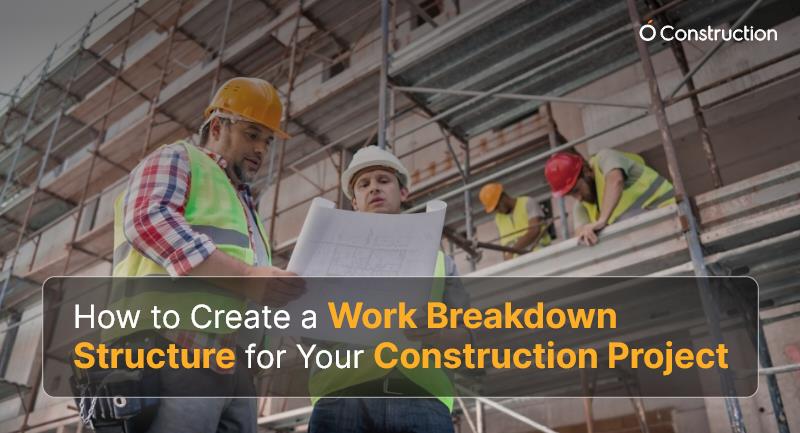
How to Create a Work Breakdown Structure for Your Construction Project

You can’t build a skyscraper without a blueprint. The same goes for your project.

In construction, chaos creeps in when teams lack clarity on tasks, timelines, or ownership. That’s where a Work Breakdown Structure (WBS) comes in. It transforms complex construction projects into structured, manageable, and trackable components.

In this blog, you’ll learn how to create an effective WBS for your project, understand its benefits, and see how tools like OConstruction simplify the process. Whether you’re a construction manager, general contractor, or site engineer, this guide will help you gain better control over timelines, budgets, and deliverables.

What WBS Does for You

Why a WBS Matters in Construction Project Management

Creating a WBS isn’t just a documentation step — it’s a business-critical activity.

Why should construction companies care?

  • Budget Blowouts: Projects without structured task breakdowns often face overspending.
  • Missed Deadlines: Without clear sequencing, timeline slips become inevitable.
  • Miscommunication: Stakeholders get confused about scope and ownership.

Who benefits from a WBS?

  • Construction Managers: Improve scheduling and resource allocation.
  • Project Owners: Gain transparency and progress visibility.
  • Field Engineers: Understand exact deliverables per phase.

Real-World Scenarios

  • A highway construction project failed to divide its drainage phase into separate design, excavation, and laying steps, and delays mounted.
  • A residential builder broke down its project into clear deliverables (foundation, framing, roofing, electrical) and finished 10 days early.

WBS = Risk mitigation + Predictable execution.

How to Build a WBS: Step-by-Step Guide for Construction Projects

A well-defined WBS makes your entire project plan stronger. Here’s how to create one effectively:

1. Define the Final Deliverable

Start by stating what you’re building — e.g., a commercial building, highway, or industrial park. Everything else flows from this.

2. Break the Project into Major Phases

Use phrases like:

  • Pre-Construction: Permits, land acquisition
  • Site Work: Excavation, grading
  • Construction: Foundation, framing, roofing
  • Post-Construction: Cleanup, inspection

3. Divide Phases into Work Packages

Break each phase into smaller tasks called work packages:

  • Example: Under “Framing,” work packages might be “Wall Framing,” “Floor Joists,” “Roof Trusses.”

4. Assign Responsibility & Timeline

Each work package should have:

5. Use OConstruction to Visualize the WBS

OConstruction lets you create a visual WBS tree, attach budgets, assign teams, and set dependencies—all from a single dashboard.

6. Validate the Hierarchy

Make sure:

  • Nothing is left out
  • Tasks aren’t duplicated
  • Each component is essential and measurable

Best Practices for Building a Strong WBS

Do’s

  • Do involve all stakeholders early.
  • Do make tasks mutually exclusive to avoid overlap.
  • Do use consistent naming conventions.
  • Do use numbering to define hierarchy (e.g., 1.0, 1.1, 1.2).

Don’ts

  • Don’t confuse activities with deliverables.
  • Don’t go too granular too early.
  • Don’t skip regular updates.

Quick Wins with OConstruction

  • Auto-generate WBS from templates
  • Drag-and-drop task reordering
  • Built-in Gantt chart integration
  • Real-time cost vs. estimate comparison

Customer Success Example

For example, BuildLogic Inc., a mid-size commercial construction firm, used OConstruction’s WBS module to plan a $5M office park project.

  • They broke down tasks into 4 levels
  • Assigned team leads to each work package
  • Tracked phase-wise budgets in real time

Result: They completed the project 12% under budget and 3 weeks ahead of schedule, thanks to better visibility and cost control.

Key Takeaways

  • A Work Breakdown Structure improves budget tracking, team accountability, and scheduling.
  • It helps construction professionals manage complexity and reduce risk.
  • Tools like OConstruction let you build, visualize, and manage WBS digitally, ensuring smooth execution.

FAQs

Q1. What is a Work Breakdown Structure (WBS) in construction?
A WBS is a hierarchical breakdown of a construction project into smaller, manageable tasks or “work packages” that help teams track progress, budgets, and responsibilities.

Q2. Why is a WBS important in construction project management?
Without a WBS, projects face budget overruns, missed deadlines, and miscommunication. A WBS ensures clarity, accountability, and better resource allocation.

Q3. Who benefits most from using a WBS?
Construction managers, project owners, contractors, and field engineers all benefit by gaining transparency, clearer deliverables, and more predictable outcomes.

Q4. How detailed should a construction WBS be?
It should break projects into manageable phases and work packages, but avoid excessive granularity. Each component should be clear, measurable, and owned by someone.

Q5. What’s the difference between a WBS and a project schedule?
A WBS defines “what” needs to be delivered (scope), while a project schedule defines “when” and “how” tasks will be executed.

Q6. What are common mistakes when creating a WBS?
Mistakes include going too granular, confusing activities with deliverables, leaving gaps in scope, and failing to involve stakeholders early.

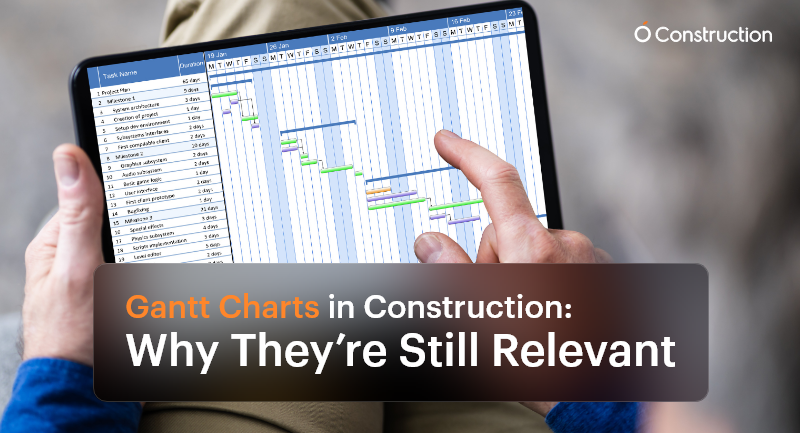
Gantt Charts in Construction: Why They’re Still Relevant

Despite the surge of advanced AI-driven scheduling tools and live dashboards, Gantt charts in construction remain a cornerstone of project management. Why? Because construction is more intricate, deadline-driven, and team-dependent than ever before.

Every team needs a visual and reliable roadmap that brings clarity to the chaos, from project managers and subcontractors to site supervisors and procurement officers. This is where Gantt charts continue to shine.

Why Gantt Charts Still Matter in Construction

Construction is not just about bricks and concrete—it’s about precision planning, coordination, and communication. A single scheduling misstep can cause ripple effects that delay inspections, exceed budgets, or stall final delivery.
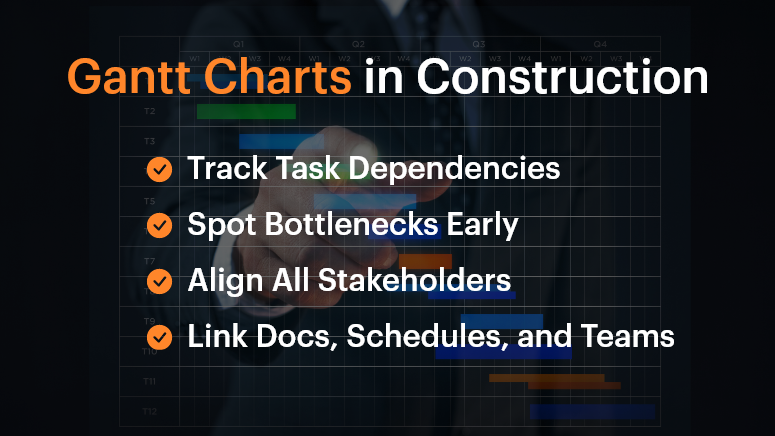
Here’s how Gantt charts in construction offer critical value:

Gantt Charts in Construction

1. Track Dependencies Across Subcontractors

In a construction project, workstreams are tightly connected. Plumbing must be completed before walls are closed. Electrical systems may need to be coordinated with HVAC layouts.

Gantt charts help teams visualize and manage these dependencies—if Task A is delayed, you immediately see how Task B is affected. This preemptive visibility is vital for planning contingencies.

2. Identify Project Bottlenecks Early

As the chart progresses, you can pinpoint lagging tasks before they become full-blown roadblocks. For example, a delayed steel delivery in the foundation phase will affect structural framing and roofing. Gantt charts enable you to identify those early warning signs and make adjustments in real-time.

3. Keep All Stakeholders Aligned

When different teams—from architects to subcontractors—work off the same chart, everyone understands what’s happening and when. This unified view reduces miscommunication and avoids scope creep.

Who Benefits Most from Gantt Charts?

Project Managers

They oversee everything from timelines to team coordination. Gantt charts help them:

  • Visualize overlapping tasks
  • Track milestones
  • Adjust schedules on the fly

Site Supervisors

Working in the field, they need clear, day-to-day task breakdowns. Gantt charts:

  • Show what needs to happen today, tomorrow, or next week
  • Improve coordination between field teams

Procurement Teams

Timing material delivery is critical. Gantt charts let them:

  • Schedule deliveries aligned with task progress
  • Avoid storage or material wastage

Real-World Example: Coordinating Complex Trades

Imagine a multi-story commercial project with concurrent plumbing, HVAC, and electrical work. Gantt charts allow managers to sequence tasks precisely so that the plumbing team completes their install before HVAC ducts are installed, avoiding rework or clashes.

Without this planning, teams step on each other’s toes, leading to delays, friction, and budget overshoots.

Best Practices for Using Gantt Charts in Construction

DOs:

  • Use Dependencies Wisely: Link tasks based on logical, real-world sequences. If one activity slips, the dependent tasks should automatically adjust.
  • Break Down Phases: Don’t lump the entire project into a single line. Divide it into logical segments: design, permitting, site prep, foundation, structure, MEP, interiors, inspections, and handover.
  • Update Frequently: Treat your Gantt chart as a live document. Weekly or daily updates ensure it reflects the real-time site status, not just the plan.

DON’T:

  • Overcomplicate It: Don’t try to document every micro-task. Focus on deliverables and milestones to keep things clean and readable.
  • Use Static Formats: Avoid spreadsheets or printed charts. They become outdated quickly. Use digital, interactive platforms.
  • Work in Isolation: Don’t keep the chart limited to a few managers. Make sure it’s accessible and collaborative for the entire team.

What OConstruction’s Gantt Chart Feature Brings to the Table

OConstruction amplifies the power of Gantt charts with purpose-built features for modern construction workflows:

  • Drag-and-Drop Scheduling: Adjust tasks easily to reflect real-world changes on site.
  • Color-Coded Status: Visual cues show task health—green for done, yellow for pending, red for delays.
  • Real-Time Syncing: Updates from field engineers or subcontractors automatically update the chart.
  • Forecasting: Identify tasks at risk of delay with trend analysis and alert mechanisms.
  • Integrated Documents: Link each task with blueprints, contracts, or RFIs for quick reference.

A Simple Framework to Build Gantt Charts

Here’s how to get started:

  • List Major Phases: Design, site clearance, structural work, MEP, finishing, and handover.
  • Break Into Tasks: Under each phase, define key deliverables (e.g., concrete pour, steel delivery, plumbing inspection).
  • Assign Durations and Owners: Estimate how long each task takes and who’s responsible.
  • Map Dependencies: Connect the tasks that rely on one another.
  • Collaborate: Share with teams and adjust based on their feedback.
  • Publish and Track: Keep the chart open and updated throughout the build.

Customer Story

Build Rite Constructions, a mid-size commercial builder, implemented OConstruction’s Gantt chart feature across five simultaneous projects. The result?

  • 28% reduction in schedule overruns
  • Improved vendor coordination
  • Fewer site clashes between trades
  • Real-time timeline visibility for both on-site teams and HQ

Their secret? They used Gantt charts not just for planning, but for active coordination and adjustment.

Final Thoughts

Gantt charts in construction aren’t just old-school charts—they’re dynamic tools that drive clarity and performance. In today’s fast-moving, multi-stakeholder projects, they provide the structure teams need to stay on track.

With modern tools like OConstruction, Gantt charts become a live, interactive command center for your entire project.

Don’t manage construction chaos. Plan around it—with a Gantt chart that evolves as your project does.

FAQs

Q1. Why are Gantt charts still relevant in modern construction projects?
Because construction involves multiple dependencies, trades, and deadlines, Gantt charts provide a clear visual roadmap that keeps teams aligned, prevents delays, and ensures milestones are met.

Q2. Who benefits most from using Gantt charts in construction?
Project managers, site supervisors, and procurement teams all gain clarity. Gantt charts help managers track milestones, field teams see day-to-day priorities, and procurement plan material deliveries on time.

Q3. How do Gantt charts help with task dependencies?
They make dependencies visible—so if one task slips (like plumbing installation), you immediately see how it impacts the next (like HVAC or electrical work), allowing you to plan contingencies early.

Q4. Can Gantt charts prevent delays and bottlenecks?
Yes. By highlighting lagging tasks in real-time, Gantt charts allow managers to act before issues snowball into schedule overruns.

Q5. What’s the biggest mistake teams make with Gantt charts?
Overcomplicating them. Trying to track every micro-task makes charts unreadable. The focus should be on phases, deliverables, and milestones.

Q6. Why are digital Gantt charts better than spreadsheets or paper charts?
Printed or static charts become outdated quickly. Digital Gantt charts update in real time, are accessible to all stakeholders, and integrate directly with project data.

Top Construction Project Challenges and How to Overcome Them

In the world of construction, every project presents a unique blend of complexity, timelines, stakeholder expectations, and budget constraints. Despite advancements in tools and technology, construction professionals still face persistent challenges that can derail timelines, inflate budgets, and compromise quality. From poor communication to labor shortages and evolving regulations, navigating these issues demands strategic foresight and effective management.

At OConstruction, we understand the pulse of the construction industry. With hands-on experience in managing real-time field operations and digital project workflows, we are uniquely positioned to address these pain points. 

This blog explores the most common construction project challenges and offers actionable strategies to overcome them using both technology and industry best practices.

Key Challenges in Construction Projects and How to Overcome Them

Key Challenges in Construction Projects and How to Overcome Them

1. Budget Management and Cost Overruns

The Challenge:

One of the most critical aspects of project management for construction is ensuring that the construction budget is well-planned and monitored. However, rising material costs, labor shortages, and scope changes often lead to budget overruns.

Solution:

  • Use construction project management software that includes integrated budget management modules.
  • Track expenses in real time to compare actual costs against the original budget for the construction project.
  • Automate reporting to identify financial leaks early and make adjustments promptly.

2. Ineffective Project Scheduling

The Challenge:

Delays in the construction project timeline can disrupt all stakeholders and inflate costs. Whether it’s due to poor resource allocation or unforeseen site issues, scheduling inefficiencies are a top challenge.

Solution:

  • Implement a planner for construction to create detailed Gantt charts and set task dependencies.
  • Use project time management software to assign responsibilities, monitor progress, and receive real-time updates.
  • Leverage forecasting tools within the best construction project management software to anticipate risks and mitigate delays.

3. Poor Communication Among Teams

The Challenge:

Miscommunication between contractors, architects, suppliers, and clients can lead to confusion, rework, and dissatisfaction.

Solution:

  • Adopt a centralized construction management application that allows real-time collaboration and file sharing.
  • Standardize communication workflows using templates and approval chains within your construction project management app.
  • Schedule regular virtual and in-person meetings to ensure alignment across teams.

4. Document Management Chaos

The Challenge:

Construction projects generate a large volume of documents, from blueprints to contracts. Misplaced or outdated documents can slow down decision-making and lead to costly errors.

Solution:

  • Use construction project management applications that support digital document storage, version control, and secure access.
  • Implement a permissions system to ensure that the right individuals can access relevant documents when needed.

5. Inadequate Resource Allocation

The Challenge:

Allocating the right labor, materials, and equipment at the right time is vital. Poor resource planning often results in idle time or bottlenecks.

Solution:

  • Leverage construction and planning tools to optimize scheduling and reduce idle resources.
  • Choose a construction management app with built-in analytics for manpower forecasting and equipment usage.
  • Keep a buffer for high-demand resources during peak project periods.

6. Risk and Compliance Issues

The Challenge:

Construction projects are subject to various risks such as safety violations, environmental factors, and regulatory compliance failures.

Solution:

  • Develop a detailed construction management plan with a strong focus on risk mitigation.
  • Use the best construction management software to automate safety audits, inspection checklists, and compliance tracking.
  • Train staff regularly on regulatory standards and provide access to guidelines via mobile construction management applications.

7. Change Orders and Scope Creep

The Challenge:

Frequent changes to the project scope can strain the team, inflate the construction budget, and delay delivery.

Solution:

  • Define scope and expectations clearly at the start and document them using your construction project management schedule.
  • Use change management features in your construction project management app to assess the impact before approval.
  • Maintain a buffer in your budget for the construction project to handle minor approved changes without disrupting the overall plan.

8. Difficulty in Performance Tracking

The Challenge:

Monitoring KPIs across project milestones is essential for continuous improvement. However, many teams still rely on manual tracking.

Solution:

  • Opt for the best construction project management software that includes customizable dashboards and real-time analytics.
  • Measure performance against key metrics such as cost variance, schedule adherence, and safety records.
  • Align your team with goals defined in the construction management plan and review them regularly.

9. Integration Challenges with Existing Systems

The Challenge:

Many construction companies operate legacy systems that don’t integrate well with modern applications.

Solution:

  • Choose scalable and customizable construction project management software that supports API integration.
  • Gradually migrate legacy data to your new construction project management application to ensure smooth operations.
  • Work with a trusted PMC (Project Management Consultant) to implement integration plans without disrupting workflow.

Conclusion

Construction projects are inherently complex, but with the right strategies, teams can mitigate risks and drive consistent success. From enhancing communication and managing labor to staying on budget and integrating smart technologies, every challenge presents an opportunity for growth and efficiency.

By choosing an all-in-one construction management platform like OConstruction, project managers can bring clarity to chaos, streamline workflows, and deliver high-quality results on time and within budget. Proactive planning, the right tools, and a commitment to continuous improvement are key to thriving in today’s construction landscape.

Ready to overcome your biggest construction project challenges? 

Book a demo with OConstruction today and experience firsthand how our platform can revolutionize the way you build.

Category: Construction Academy

Subcategory: Budgeting and Planning

Subcategory: Construction Phase

Subcategory: Design Coordination

Subcategory: Estimation Techniques

Subcategory: Initiation and Feasibility

Subcategory: Introduction

Subcategory: Personal Management

Subcategory: Project Close-Out

Subcategory: Project Scheduling

Subcategory: Project Teams

Subcategory: Proposal Management

Subcategory: Total Quality Management

Subcategory: Tracking and Control

Subcategory: Work Breakdown

Category: Help Desk

Subcategory: Client

Subcategory: Construction 101

Subcategory: Contractor Management

Subcategory: Expense

Subcategory: Finance Budget

Subcategory: Inventory Management

Subcategory: My Approvals

Subcategory: Site Management

Subcategory: Vendor Management