Building Construction Scheduling: Optimize Project Timelines to Reduce Costs and Delays

In construction, time is money — quite literally. A small delay in concrete curing or material delivery can cascade into weeks of lost productivity and inflated costs. That’s where building construction scheduling comes in — your blueprint for keeping projects on track, within budget, and aligned with client expectations.

But scheduling isn’t just about dates on a calendar. It’s about creating a dynamic, data-driven plan that adapts to real-world changes while maintaining overall control.

What is Building Construction Scheduling?

Building construction scheduling is the process of defining, sequencing, and managing all project activities to ensure timely completion. It involves identifying critical tasks, dependencies, milestones, and resource allocation to maintain a balanced workflow.

Think of it as the project’s GPS — showing you where you’re headed, predicting potential bottlenecks, and helping you make informed course corrections before delays hit.
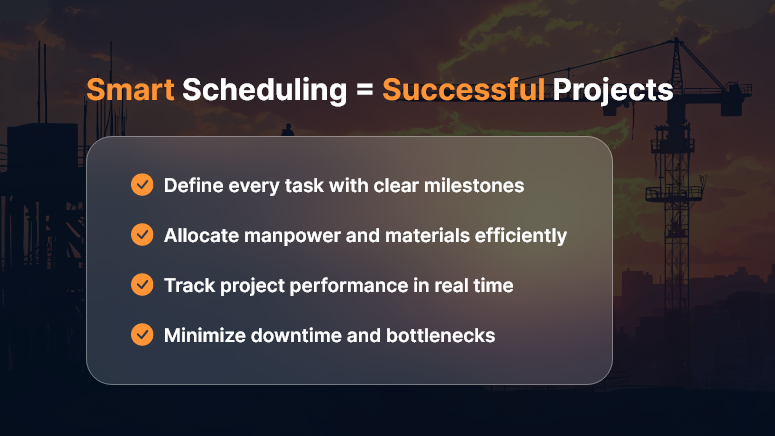
Building-Construction-Scheduling

The Real Cost of Poor Scheduling

When construction schedules go wrong, the impact is immediate and costly:

  • Budget overruns from idle labor and equipment rentals
  • Missed deadlines leading to penalties or strained client relations
  • Resource conflicts that slow progress across sites
  • Safety issues from rushed work or overlapping tasks

A solid construction schedule isn’t just good project management — it’s a profit-protection strategy.

Key Elements of Effective Construction Scheduling

To optimize your project timeline, your schedule should include these core elements:

1. Work Breakdown Structure (WBS)

Break your project into manageable chunks — foundation, framing, electrical, plumbing, finishing, etc. Each task should have clear ownership and deliverables.

2. Task Dependencies

Understand what needs to happen first. Pouring the slab comes before framing; inspection before drywall. Mapping dependencies prevents rework and chaos.

3. Resource Allocation

Assign the right people, machinery, and materials to each phase. This ensures optimal productivity without overloading teams.

4. Critical Path Method (CPM)

Identify the longest sequence of dependent tasks that determine the total project duration. Monitoring this critical path helps you predict and prevent delays before they snowball.

5. Real-Time Tracking

Use modern scheduling tools to update progress instantly, manage changes, and communicate across stakeholders. Real-time visibility ensures every decision is data-backed.

Top Techniques for Better Construction Scheduling

1. Leverage Technology

Ditch spreadsheets. Modern construction scheduling software provides interactive Gantt charts, resource tracking, and progress dashboards that make updates seamless and transparent.

2. Prioritize Communication

Scheduling is only effective when everyone follows it. Use collaboration platforms to align contractors, subcontractors, and suppliers on one timeline.

3. Build in Buffers

Unpredictable weather, material delays, or inspection hold-ups happen. Adding buffer time to critical tasks ensures flexibility without panic.

4. Monitor and Adjust

Regularly review progress vs. the baseline schedule. If the foundation stage slips, adjust downstream activities early — don’t wait for the project to derail.

5. Track Performance Metrics

Monitor schedule variance, earned value, and resource utilization to maintain performance visibility throughout the project lifecycle.

Benefits of Optimized Construction Scheduling

When done right, building construction scheduling delivers measurable business results:

  • Reduced project costs through efficient resource use
  • Fewer delays and disputes due to clear timelines and accountability
  • Improved client satisfaction from predictable delivery
  • Better cash flow management with milestone-based billing
  • Increased safety and productivity from structured workflows

A well-structured schedule isn’t just a document — it’s a strategic asset that drives profitability and trust.

Best Tools for Construction Scheduling

To make scheduling easier and smarter, consider tools like:

  • OConstruction Scheduler – purpose-built for project managers to plan, track, and optimize timelines in real time.
  • Primavera P6 – great for large infrastructure projects.
  • Microsoft Project – classic Gantt-based scheduling with resource tracking.
  • Orangescrum – flexible task and time management for agile teams.

Choose a platform that matches your project complexity and collaboration needs.

Common Mistakes to Avoid

Even experienced project managers fall into these traps:

  • Ignoring task dependencies or changing them without impact analysis
  • Failing to update schedules after every phase change
  • Over-committing resources to multiple overlapping tasks
  • Underestimating risk factors like weather or approval delays
  • Neglecting to communicate changes with all stakeholders

Avoid these, and you’ll already be ahead of most competitors.

Conclusion: Schedule Smart, Build Smarter

In today’s competitive environment, construction scheduling is no longer optional — it’s essential. A well-defined, actively managed schedule keeps your projects on time, on budget, and on scope.

Invest in robust scheduling tools, empower your teams with real-time visibility, and turn project planning into a strategic advantage. Because in construction, the best builders aren’t just those who build fast — they’re the ones who build on time, every time.

Key Takeaways

  • Plan early: Start scheduling during the design phase.
  • Stay flexible: Adapt to change while protecting milestones.
  • Use technology: Automate tracking and reporting.
  • Monitor progress: Keep everyone accountable.
  • Review lessons: Improve with every project.

FAQs

1. What is the main purpose of construction scheduling?

To ensure that all activities in a construction project are planned, sequenced, and executed on time to avoid delays and cost overruns.

2. What tools are best for construction scheduling?

Tools like OConstruction are popular for managing schedules, dependencies, and progress.

3. How often should a construction schedule be updated?

Ideally weekly, or after every major milestone, to reflect real-time progress and adjustments.

4. What’s the difference between CPM and Gantt charts?

CPM identifies critical tasks affecting total project time, while Gantt charts visualize timelines and dependencies.

5. Can scheduling help reduce project costs?

Yes. Efficient scheduling minimizes idle time, prevents rework, and ensures optimal resource utilization — directly lowering overall costs.

Top Construction Project Management Tools Every Contractor Should Know

In today’s fast-paced construction industry, inefficiencies can be costly. From missed deadlines to budget overruns, contractors constantly face challenges that can derail even the most meticulously planned projects. The complexity of modern construction demands more than traditional project tracking methods like spreadsheets and manual communication. This is where construction project management software becomes a game-changer.

In today’s fast-paced construction industry, inefficiencies can be costly. From missed deadlines to budget overruns, contractors constantly face challenges that can derail even the most meticulously planned projects. The complexity of modern construction demands more than traditional project tracking methods like spreadsheets and manual communication. This is where construction project management software becomes a game-changer.

By integrating digital tools tailored to the specific needs of the construction sector, professionals can streamline operations, improve collaboration, and gain real-time visibility into every stage of a construction project. Whether you’re managing residential builds, commercial developments, or large-scale infrastructure, having the right software tools at your disposal can be the difference between project success and failure.

In this blog, we explore the top construction project management tools every contractor should consider and how platforms like OConstruction are shaping the future of efficient project delivery.

Why Construction Project Management Tools Are Crucial

The construction industry is inherently multifaceted. It involves multiple stakeholders, tight schedules, shifting priorities, and extensive documentation. Without a centralized platform to manage all aspects—from planning and scheduling to budgeting and collaboration—contractors often struggle to maintain consistency and control.

Why Construction Project Management Tools Are Crucial

The right construction project management software offers a unified platform that:

  • Simplifies task delegation and tracking
  • Enables real-time collaboration among teams and subcontractors
  • Automates time tracking and reporting
  • Offers visibility into resource allocation and usage
  • Helps identify risks before they escalate

In essence, these tools empower contractors to make data-driven decisions and deliver quality results on time and within budget.

Must-Have Construction Project Management Tools for Contractors

Let’s explore the essential tools that form the backbone of efficient construction project management.

1. Scheduling and Planning Tools

Effective planning is the cornerstone of every successful construction project. Tools like Microsoft Project and Primavera P6 are widely used for detailed scheduling. They allow you to define milestones, allocate resources, and track progress over time.

However, platforms like OConstruction provide a more construction-specific scheduling experience by allowing project managers to link tasks with dependencies, track delays, and dynamically adjust timelines based on field updates. This real-time flexibility is essential in today’s unpredictable construction environment.

2. Document Management Systems

Construction sites generate a large volume of paperwork, from blueprints and permits to contracts and invoices. Tools like Procore and PlanGrid enable centralized document storage, version control, and easy access across teams.

OConstruction also incorporates robust document management features that allow contractors to upload, annotate, and share files directly within the platform. Having critical documents readily available on-site or in the office ensures that everyone is working with the latest information.

3. Time Tracking and Labor Management

Labor productivity is a major determinant of project success. Tools like ClockShark and TSheets (QuickBooks Time) are useful for tracking employee hours and managing timesheets.

OConstruction goes a step further by integrating time tracking with project timelines, enabling contractors to monitor how labor resources align with project milestones. This integration helps identify inefficiencies early and optimize workforce allocation accordingly.

4. Budgeting and Cost Control

Financial oversight is essential in any construction project. Software like Buildertrend and CoConstruct offers features for estimating, invoicing, and budget tracking.

In comparison, OConstruction brings a simplified yet powerful budgeting toolset that tracks expenses in real time, compares actual vs. projected costs, and helps contractors stay within financial constraints. Integration with accounting software ensures seamless financial reporting and audit readiness.

5. Collaboration and Communication Tools

Construction teams are often dispersed across multiple sites, making communication a critical challenge. Tools like Slack or Microsoft Teams are general-purpose, but construction-specific platforms like OConstruction offer built-in messaging, task commenting, and notification features tailored to the unique needs of contractors.

This centralized communication hub reduces miscommunication, speeds up approvals, and fosters better teamwork, ultimately reducing project delays and rework.

How OConstruction Stands Out

Many generic tools serve a single purpose, but OConstruction is designed as an all-in-one construction project management software tailored specifically for the construction industry. Here’s what makes it stand out:

  • Intuitive User Interface: Minimal learning curve with industry-specific templates and workflows
  • Integrated Modules: Task management, time tracking, budgeting, and file sharing all in one place
  • Mobile Accessibility: Designed for use on construction sites via smartphones and tablets
  • Scalability: Suitable for small teams and large contractors alike
  • Customization: Flexible workflows that can be adapted to different project types and business models

With OConstruction, contractors don’t need to juggle multiple tools. Everything is available under one roof, ensuring greater efficiency and transparency from project start to finish.

Conclusion

In an industry where margins are tight and deadlines are critical, having the right construction project management software is no longer optional—it’s essential. From planning and scheduling to budgeting and collaboration, digital tools have revolutionized how modern contractors operate.

By adopting robust solutions like OConstruction, construction businesses can eliminate inefficiencies, improve productivity, and ensure successful project delivery. Whether you’re building homes, offices, or infrastructure, managing a construction project becomes significantly easier with the right tools in place.

If you’re ready to transform your construction operations and gain a competitive edge, consider making OConstruction your partner in project success.

Want to see how OConstruction can streamline your next project? Book a demo today and experience the future of construction project management firsthand.

Category: Construction Academy

Subcategory: Budgeting and Planning

Subcategory: Construction Phase

Subcategory: Design Coordination

Subcategory: Estimation Techniques

Subcategory: Initiation and Feasibility

Subcategory: Introduction

Subcategory: Personal Management

Subcategory: Project Close-Out

Subcategory: Project Scheduling

Subcategory: Project Teams

Subcategory: Proposal Management

Subcategory: Total Quality Management

Subcategory: Tracking and Control

Subcategory: Work Breakdown

Category: Help Desk

Subcategory: Client

Subcategory: Construction 101

Subcategory: Contractor Management

Subcategory: Expense

Subcategory: Finance Budget

Subcategory: Inventory Management

Subcategory: My Approvals

Subcategory: Site Management

Subcategory: Vendor Management