Paper used to be the jobsite’s lifeblood — drawings in tubes, clipboards in trucks, binders in site cabins. Today, leading contractors, owners, and subs are ditching paper for good—not as a gimmick, but because digital-first delivery is now faster, safer, cheaper, and far easier to control. This deep dive explains the “why,” the “what,” and the “how” of going fully paperless, with practical steps you can start using on your next project.
The Big Why: What Paperless Actually Solves
1) Version chaos → Single source of truth
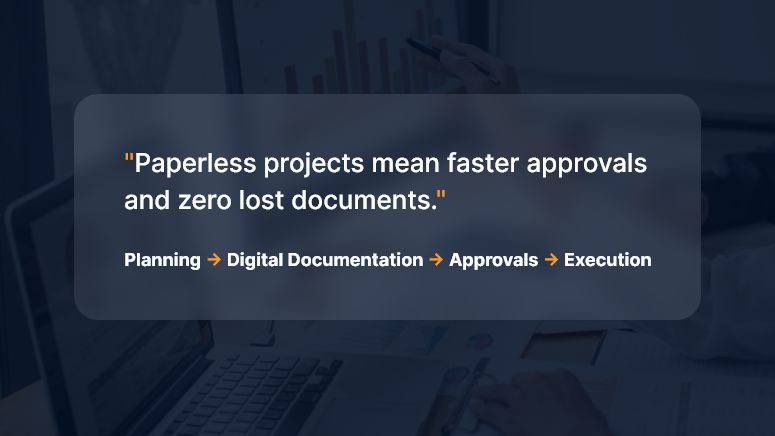
Paper drawings and printed schedules become outdated the moment someone hits “print.” A paperless setup creates a living project record—everyone sees the latest drawings, RFIs, submittals, and changes in one place.
2) Cost and time leakage → Measurable productivity
Printing, couriering, rework due to outdated plans, manual data entry from site forms—all of it adds hidden cost. Digital workflows automate handoffs and push tasks to the next responsible person immediately.
3) Risk and claims → Traceable audit trail
When decisions are captured digitally (with timestamps, versions, and approvals), you build a defensible record that reduces disputes and accelerates claims resolution.
4) Safety and quality → Real-time feedback loops
Inspections, punch lists, and permits move from weekly paperwork to same-day digital checks with photo evidence and geolocation.
5) Environmental impact → Lower footprint
Less paper, ink, transport, and storage—plus safer archiving for decades.
What “Fully Paperless” Looks Like (End-to-End)
A modern, paperless construction stack typically includes:
- Common Data Environment (CDE): The project’s source of truth for documents, models, and communications.
- Mobile field apps: For drawings, RFIs, daily logs, safety checks, timesheets, and punch lists—even offline.
- Digital drawings & models: 2D sheets with hyperlinked callouts and 3D/BIM models for clash detection and quantity takeoff.
- Workflow automation: RFI → Submittal → Review → Distribution → Change Order, all with rules, SLAs, and auto-routing.
- E-signatures & forms: Legally binding approvals without printing.
- QR/NFC tagging: Equipment, rooms, and assets tagged for instant access to specs and history.
- Photo & drone capture: Progress, safety, and as-built verification with timestamps and locations.
- IoT sensors: Concrete curing, temperature, humidity, vibration—feeding the CDE.
- Integrations: ERP, accounting, scheduling, and vendor portals—so data moves, not people.
- Standards & naming: ISO-style conventions for files, revisions, and metadata to keep things findable for years.
High-Impact Workflows to Digitize First
Drawings & Revisions
- Publish controlled sets; link details, RFIs, and changes.
- Enforce “latest only” access; archive prior sets automatically.
RFIs & Submittals
- Structured forms, mandatory fields, attachments, and due dates.
- Auto-route to the right reviewer; escalate overdue items.
Change Management
- Scope change → digital estimate → client e-sign → automatic budget/schedule update.
- Side-by-side cost deltas and revision cloud links.
Inspections & QA/QC
- Checklist templates, photo markup, geotags.
- Punch items auto-assign to trades; close-out tracked by status.
Safety Permits & Meetings
- Toolbox talks recorded on mobile; attendance with signatures.
- Permit-to-work and JSA forms are issued and closed digitally.
Timesheets & Daily Logs
- Crew hours captured on devices; coded to WBS/Cost Codes.
- Weather, deliveries, equipment usage, and blockers in one daily entry.
Closeout & Handover
- O&M manuals, warranties, as-builts, and asset registers compiled from the live CDE.
- Room-by-room QR codes hand the owner a digital twin of documentation.
The Measurable Business Case
Direct savings
- Printing & courier costs
- Admin hours re-keying data
- Rework from building off old drawings
Indirect gains
- Faster approvals → shorter schedules
- Stronger claim positions → fewer write-offs
- Better safety & quality → fewer incidents and callbacks
Simple ROI example
- Annual printing/courier spend: ₹8,00,000
- Admin re-entry time saved: 800 hours × ₹600/hr = ₹4,80,000
- Rework avoided: even a modest ₹6,00,000
Estimated Year-1 impact: ₹19,80,000 saved versus software + rollout of, say, ₹12,00,000 → ROI ≈ 65% in the first year, with higher returns in Year-2 once adoption stabilizes.
(Adjust inputs to your region and volumes—the logic holds.)
Governance: Keep It Clean, Or It Gets Messy Fast
Going paperless is less about tools and more about rules:
- Naming conventions: Project–Discipline–Area–Type–Revision.
- Metadata policy: Status (Issued for Construction, Draft, For Review), discipline codes, and revision history are mandatory.
- Permissions: Role-based access; external collaborators are isolated to what they need.
- Retention & archive: Define what’s retained (and for how long), and how it’s exported at project close.
- Owner requirements: Bake handover deliverables into contracts: format, folder structure, model LOD, and warranty data.
Change Management: Bring People With You
- Executive sponsorship: Make “digital only” a visible leadership priority.
- Pilot → scale: Start with one project or region; prove the value; iterate.
- Field-first design: Optimize for foremen and supers on mobile—even offline.
- Training that sticks: 30-minute task-based sessions (“Raise an RFI from a photo”), short videos, on-cart guides.
- Incentives: KPIs that count only digital artifacts (no paper exceptions).
- Champions: One “digital champion” per discipline per site.
Security & Compliance
- Access control: SSO, MFA, and least-privilege roles.
- Data residency & backups: Know where your project data lives; automate immutable backups.
- E-signature legality: Use providers compliant with applicable e-signature laws in your region.
- Incident response: Document who to call and how to isolate a breach.
- Vendor due diligence: Review uptime SLAs, encryption, certifications, and export options.
A Practical 30-60-90 Day Plan
Days 0–30: Foundation
- Select or rationalize your CDE and mobile toolkit.
- Define naming, permissions, and metadata standards.
- Digitize drawings, RFIs, submittals; set up e-signatures.
- Train champions and run sandbox exercises.
Days 31–60: Field Rollout
- Move daily logs, inspections, timesheets, and punch lists into mobile forms.
- Turn on auto-routing and deadlines for RFIs/submittals.
- Establish “latest drawing only” enforcement.
- Begin weekly adoption dashboards.
Days 61–90: Integrations & Scale
- Connect accounting/ERP and schedule data for cost and plan alignment.
- Implement QR/NFC asset tagging in one pilot area.
- Standardize closeout package structure.
- Publish lessons learned and lock playbooks.
Key Metrics to Track
- RFI cycle time (avg days from submit to answer)
- Submittal on-time rate (%)
- Rework rate (% of labor/material costs)
- Field app adoption (% crews submitting digitally)
- Drawing revision compliance (% interactions on the latest set)
- Punch close time (avg days to close)
- Paper cost eliminated (₹ and pages)
- Schedule variance caused by approvals (days saved)
Common Pitfalls (and How to Avoid Them)
- “Lift and shift” thinking: Don’t scan forms and call it digital—redesign them to capture structured data.
- Too many tools: Consolidate. Fewer systems → higher adoption.
- No offline plan: Choose apps that cache drawings and forms for low-signal sites.
- Weak standards: Without naming and metadata discipline, your CDE becomes another file dump.
- Ignoring the owner: Clarify handover requirements early; otherwise, you’ll redo closeout at the end.
Paperless on Different Project Types
- Residential & mid-rise: Focus on drawings, punch, and QA checklists; keep it simple and mobile-first.
- Industrial & infrastructure: Add model coordination, sensor data, and rigorous change controls.
- Fit-outs & fast-track: Automate submittals and approvals; e-signatures are the schedule saver.
- Public works: Emphasize traceability, accessibility standards, and long-term archiving.
Your First Five Moves (If You Do Nothing Else)
- Pick a CDE and make it the only official place for drawings.
- Enforce digital RFIs/submittals with due dates and auto-routing.
- Put daily logs, inspections, and punch lists on mobile—no paper backup.
- Turn on e-signatures for change orders and approvals.
- Publish a one-page “Digital Rules of the Road” and train every foreman.
FAQs
Q1. Are e-signatures legally valid for construction contracts and change orders?
Yes, in most jurisdictions, e-signatures are recognized if captured through compliant providers and your contracts allow them. Align with your legal counsel and client preferences early.
Q2. What if my sites have poor connectivity?
Choose apps with offline mode that cache drawings and forms and sync later. Set a daily sync routine (e.g., before toolbox talks or after shift).
Q3. How do I bring my subcontractors along?
Keep access scoped and simple—trade-specific dashboards, required training, and clear “digital only” clauses in bid and award packages.
Q4. How do I ensure people use the latest drawings?
Disable access to superseded sets, post revision alerts, and require that all field links open the “current” drawing alias inside the CDE.
Q5. What about long-term storage and handover?
Define a standard closeout structure (as-builts, O&M, warranties, asset data). Export both human-readable PDFs and machine-readable data (CSV/COBie) as required by the owner.