Construction sites are busy, dynamic environments. Every day brings new risks, compliance needs, quality checks, workforce changes, and operational updates. Site inspections and audits ensure that everything on-site — from safety measures to structural work — remains compliant, defect-free, and on schedule.
But traditional inspection methods slow projects down:
- Paper-based checklists
- Manual documentation
- Delayed reporting
- Misplaced records
- Limited real-time visibility
Digital site inspections and audits solve these problems by using mobile devices, cloud storage, automated workflows, and real-time analytics.
This transformation leads to stronger compliance, fewer incidents, and faster project delivery.
Below are the 10 most important benefits for construction teams.
Faster Execution with Digital Checklists & Mobile Tools
Digital inspection software allows field engineers to:
- Capture data using dropdowns, photos, voice notes & auto-filled fields
- Tag assets and materials instantly
- Close checklists without revisits
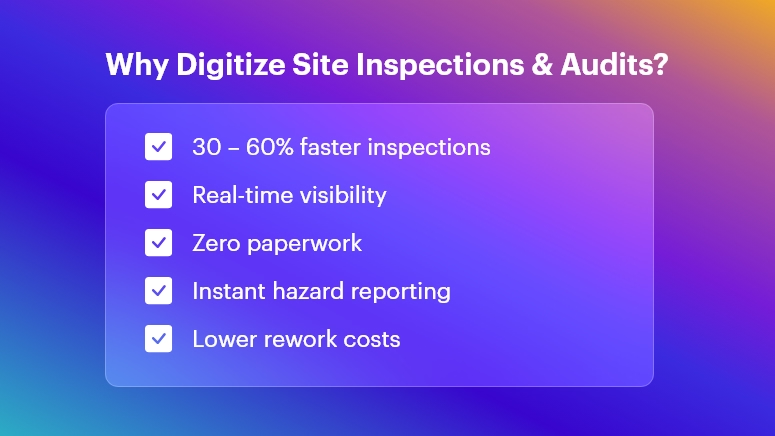
On-site personnel can conduct inspections 30–60% faster because:
- No physical paperwork
- No repeated data entry
- Real-time data sync
Outcome: Faster daily progress tracking and fewer bottlenecks in execution.
Real-Time Site Visibility for Office Teams
With cloud-based inspection dashboards:
- Supervisors see issues as they happen
- Progress can be evaluated immediately
- Remote managers can intervene without physically visiting the site
This prevents delays from late reporting, improving decision-making and productivity.
Outcome: Stronger governance over multi-site operations and subcontractor performance.
Improved Data Accuracy & Standardization
Digital tools enforce structured data capture:
- Mandatory checkpoints ensure complete inspections
- GPS/time stamps validate authenticity
- Errors from handwriting or manual transcription are removed
You get clean, consistent, audit-ready data that supports long-term quality control and project documentation.
Outcome: Higher confidence in information used for compliance and billing.
Stronger Safety Compliance & Hazard Mitigation
Construction safety inspections become more powerful with:
- Photo-supported reports for hazard evidence
- Risk scoring for priority classification
- Instant alerts when a critical issue arises
- Automated assignment of corrective actions
This boosts proactive safety, reducing accident potential and insurance risks.
Outcome: Safer job sites and better regulatory compliance (OSHA, local codes, etc.).
Centralized Record-Keeping & Accountability
All inspections are stored in a single digital repository:
- Historical trends for recurring issues
- Maintenance and repair documentation
- Instant access during certifications, audits, legal checks
Even if staff changes, the data remains traceable and verifiable.
Outcome: Zero lost documents and complete project lifecycle transparency.
Automated Reporting & Data Analytics
Digital platforms automatically generate:
- Safety audit summaries
- Quality defect reports
- NCR logs with photographic proof
- Performance dashboards
Analytics help reveal:
- Frequent hazards
- Low-performing subcontractors
- Material quality issues
- Delay contributors
Outcome: Better continuous improvement decisions with minimal manual effort.
Stronger Compliance with Standards & Client Requirements
Construction projects must comply with:
- Safety protocols
- Building codes
- Environmental standards
- Client specifications
- QA/QC procedures
Digital audits enforce zero skipped checkpoints and automatically maintain compliance documentation.
Outcome: Lower risk of penalties, rework costs, and project delays.
Offline Working for Remote & High-Risk Sites
Tunnel works, rural projects, and high-rise floors often lack stable connectivity.
Digital apps allow:
- Offline inspections
- Auto-sync when connected
- Seamless work continuation
Outcome: Inspections are never delayed due to network limitations.
Integration Across Project Management & Operations
Data can connect with:
- Project schedules
- Procurement and inventory systems
- Asset and equipment management
- Safety & risk management tools
Example: A failed quality check can immediately trigger a rework task or hold supplier billing.
Outcome: Smooth coordination between field execution and office control systems.
Reduced Costs, Waste & Rework
Digitalization reduces:
- Paper/printing storage costs
- Site revisits for missing data
- Rework from miscommunication
- Penalties from compliance failures
Plus, recording defects early prevents escalating repair costs.
Outcome: Maximum resource utilization and higher project profitability.
Bonus Benefit: Eco-Friendly Construction Operations
By reducing paper consumption and printing waste:
- Projects become more sustainable
- Support for ESG and environmental goals
This is increasingly important for green certifications and stakeholder expectations.
Conclusion
Digitizing site inspections and audits enables construction companies to:
- Improve safety
- Ensure quality
- Reduce compliance risks
- Deliver projects faster
- Maintain full operational visibility
It’s not just a technology upgrade — it’s a competitive advantage in an increasingly complex construction environment.
The future of construction inspections is digital, automated, and intelligently connected. Organizations that adopt this transformation now will lead the industry tomorrow.
FAQs
- What are digital site inspections in construction?
Digital site inspections involve using mobile apps, cloud platforms, and digital forms to capture, store, and analyze inspection data instead of relying on paper-based checklists and manual reporting.
- How do digital audits improve construction safety compliance?
They provide real-time hazard reporting, automated corrective actions, detailed traceability, and validation features like GPS, photos, and timestamps, helping ensure every safety protocol is followed.
- What technologies are used for digital site inspections?
Common technologies include mobile inspection apps, cloud data management, QR/NFC tagging, IoT sensors, automated workflows, and integrated dashboards for analytics.
- Can digital inspection tools work offline on remote job sites?
Yes. Most digital inspection apps allow offline data capture and automatically sync information to the cloud once connectivity is restored.
- How do digital inspections reduce project delays?
They enable faster reporting, instant approvals, and real-time communication between field and office teams, preventing delays caused by paperwork, errors, or lost documentation.
- Are digital inspection records accepted for compliance and audits?
Absolutely. Digital records provide better authenticity, traceability, and secure archiving, making them more reliable for regulatory audits and certifications.
- Can digital inspections track subcontractor performance?
Yes. Analytics can highlight recurring defects, delays, and compliance issues by subcontractors, enabling better quality control and accountability.
- How do digital audits help reduce rework costs?
Early defect detection, automated alerts, and complete documentation help prevent escalation, reducing costly rework and saving time and materials.
- What industries besides construction benefit from digitized inspections?
Manufacturing, oil & gas, infrastructure, utilities, mining, facility management, and healthcare also benefit from improved safety, compliance, and operational efficiency.
- Is it expensive to implement digital inspection tools?
Costs vary by scale, but organizations typically see high ROI through reduced paperwork, faster execution, fewer safety incidents, and better quality control — leading to major long-term savings.