
Construction sites are filled with dynamic hazards — changing weather, new subcontractors, shifting equipment, and high-risk work zones. Even the most experienced team can overlook danger when rushing into the day. That’s why daily safety meetings (also called toolbox talks) are essential. Studies show that up to 25% of incidents occur due to communication failures before work begins.
By aligning crews on the day’s hazards and expectations, companies dramatically reduce injuries and delays — while improving productivity and morale.
This guide breaks down what makes daily safety meetings effective, regulatory expectations, best practices, and how software like OConstruction transforms the entire workflow.
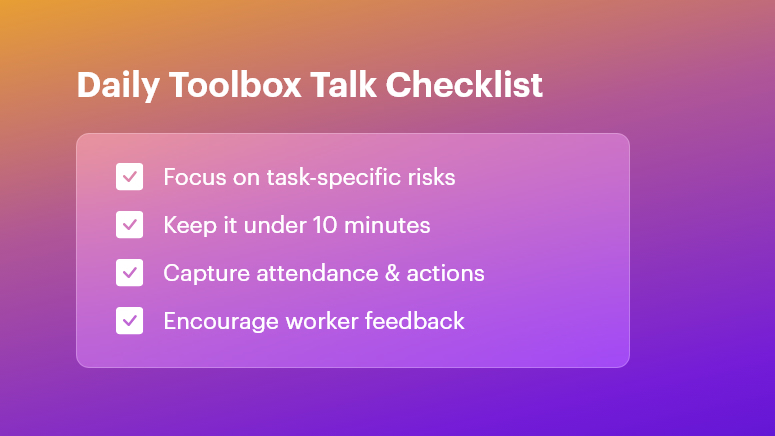
What Are Daily Safety Meetings?
Daily safety meetings are short, focused safety discussions held before shifts start. They help teams:
- Identify job-specific hazards
- Review preventive actions
- Confirm roles and communication
- Encourage worker feedback
- Build a culture of accountability
These 5–10 minute meetings ensure everyone begins the day informed and aligned.
Regulatory Requirements
Even though OSHA doesn’t explicitly require daily talks, they enforce strict obligations around safety communication and training.
OSHA Compliance
Daily safety meetings support:
- 29 CFR 1926.21(b)(2): Employer must instruct workers in jobsite hazards
- Training documentation and verification
- Hazard communication requirements
Consistent toolbox talks prove proactive safety efforts during audits and investigations.
ISO 45001 Compliance
ISO 45001:2018 emphasizes:
- Worker participation
- Hazard identification
- Continual improvement via the PDCA cycle
Daily safety meetings strengthen communication and documented improvements, helping companies keep certification intact.
Key Topics for Daily Safety Meetings
Diversifying topics keeps employees engaged and safety practices relevant.
Hazard Recognition
- Fall protection
- Excavation and trench safety
- Weather-related risks
- Confined space entry
Equipment and Tool Safety
- Crane/hoist operations
- Scaffolding safety
- Lockout/tagout (LOTO)
- Battery & pneumatic tool handling
PPE Awareness
- Correct usage of gloves, PPE kits, harnesses, helmets, and goggles
- Fit-testing and expiration checks
- Doffing and disposal rules
Rotate topics based on site activities, past near-misses, and seasonal changes.
How to Prepare for Daily Safety Meetings
The right preparation prevents them from becoming routine and ineffective.
| Checklist | Best Practice |
| Location | Choose a quiet central spot |
| Speaker | Rotate supervisors or safety leads |
| Material | Bring visuals & real examples |
| Topic selection | Align with today’s work plan |
| Notifications | Send reminders digitally |
Best Practices for Delivering Toolbox Talks
Keep It Short, Simple & Structured
- Limit to 10 minutes
- Cover 1–2 hazards
- End with clear action items
Boost Engagement
- Ask questions
- Use site photos or models
- Encourage workers to share recent issues
Don’t Forget Documentation
- Attendance log
- Topic and hazards discussed
- Corrective actions with owners and deadlines
Why Follow-Up Matters
A safety meeting without follow-up is only a lecture.
Track and review:
- Outstanding risks
- Assigned responsibilities
- Closure of corrective actions
This reinforces accountability and strengthens trust between workers and management.
Digital Toolbox Talks: Modernizing Jobsite Safety
Pen-and-paper methods are vulnerable to:
- Lost records
- Human error
- Slow communication
- Compliance risks
Software Benefits
- Automated checklists & reminders
- Photo-attached safety observations
- Time-stamped attendance logs
- Real-time dashboards for safety KPIs
- Site-specific hazard rotation
Manual vs Digital Daily Safety Meetings
| Aspect | Manual Workflow | Digital Workflow (OConstruction) |
| Preparation | Printed forms | Pre-built templates |
| Delivery | Verbal only | Visuals, photos, videos |
| Attendance | Sign-in sheets | Auto-tracking and timestamps |
| Corrective Actions | Easily missed | Alerts + escalation features |
| Reporting | Time-consuming | Analytics + exportable reports |
Outcome: Faster, smarter, more compliant safety culture.
Real-World Impact
Here’s how structured daily safety meetings improve outcomes:
Residential Contractor
- Focus topic: Ladder inspection
- Result: 40% incident reduction in 3 months
Commercial Project
- Focus topic: Crane communication
- Result: 30% decrease in near-misses
Small conversations → big differences.
Benefits of Daily Safety Meetings
- Reduced incidents and near-misses
- Better alignment across teams
- Stronger OSHA & ISO compliance
- Higher worker participation & morale
- Faster onboarding for new hires
- Lower downtime and project delays
- Easier reporting and data analytics
Free Checklist & Templates
- Daily Toolbox Talk Checklist
- Safety Briefing Template
- Corrective Action Tracker
FAQ: Daily Safety Meetings
Q1: How long should a daily safety meeting last?
5–10 minutes to keep teams focused.
Q2: Who should lead toolbox talks?
Supervisors, safety officers — or rotate speakers to build ownership.
Q3: How do you measure success?
Track closure of corrective actions + reduction in incidents.
Q4: Can digital tools improve toolbox talks?
Yes — they streamline documentation, follow-ups, and audit readiness.