OConstruction Release Notes: What’s New in December 2025

Construction teams rely on stable workflows, accurate data visibility, and smooth user experience to keep projects on schedule. At OConstruction, we continuously refine the platform to eliminate friction and ensure reliable execution across every module.

This December update introduces usability fixes, validation improvements, and better performance across Tasks, WBS, Budget Insights, Workspaces, and Resource Management.

Here’s what’s new in the latest OConstruction Release Notes.

Release Update — 03/12: Performance Fixes & UX Improvements

  • Owner Name Visibility in Subtasks — Fixed

After creating a subtask, the Owner Name field occasionally appeared blank.

  • Fix: The correct Owner Name now displays consistently.
  • Benefit: Accurate task accountability and tracking.
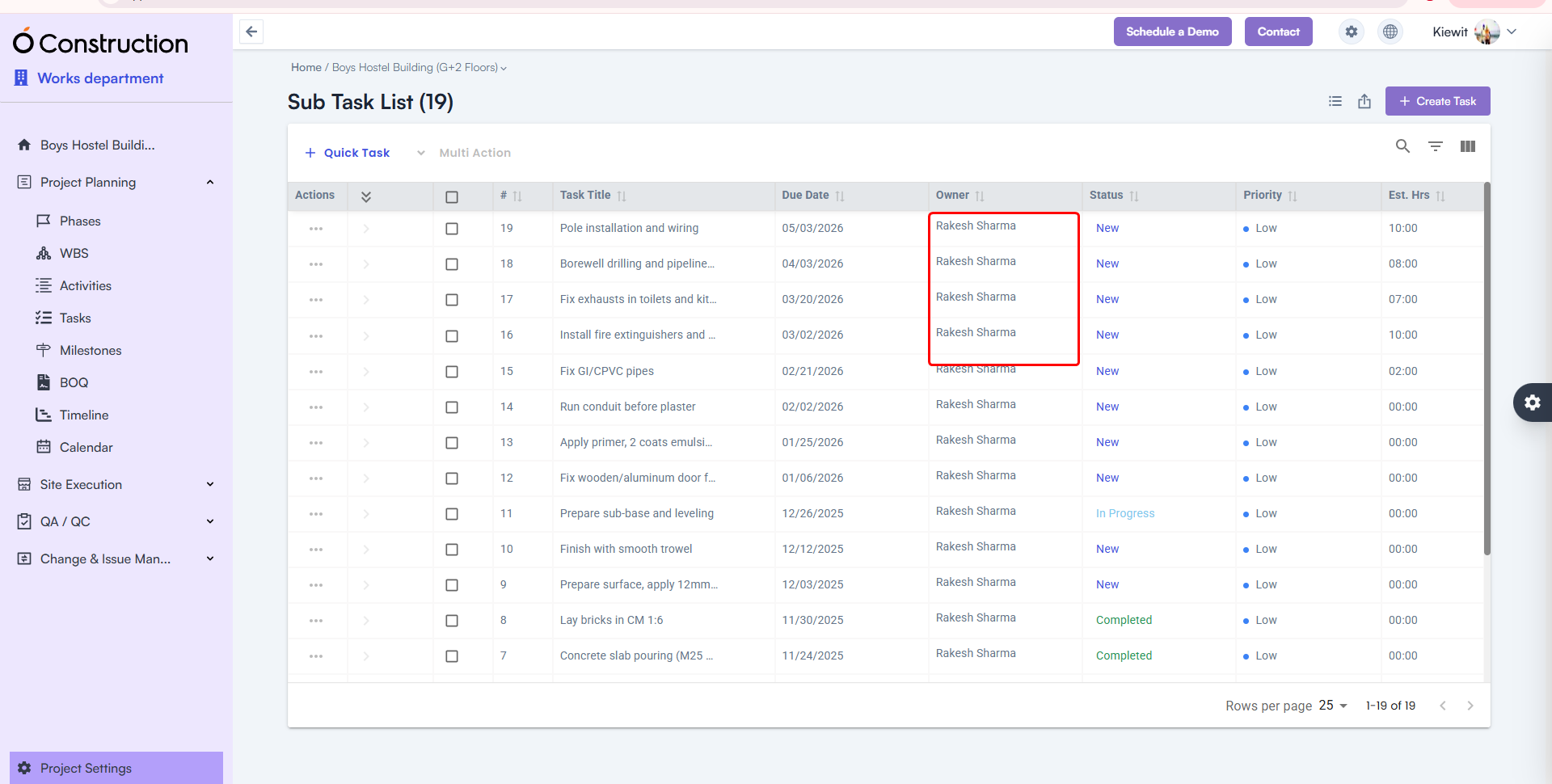
Owner Name Visibility in Subtasks

  • Activity Card Task Count — Corrected

Activity Cards were showing the wrong number of tasks linked to them.

  • Fix: Task Count is now fully accurate and automatically updated.
  • Benefit: Clearer progress visibility across activities.
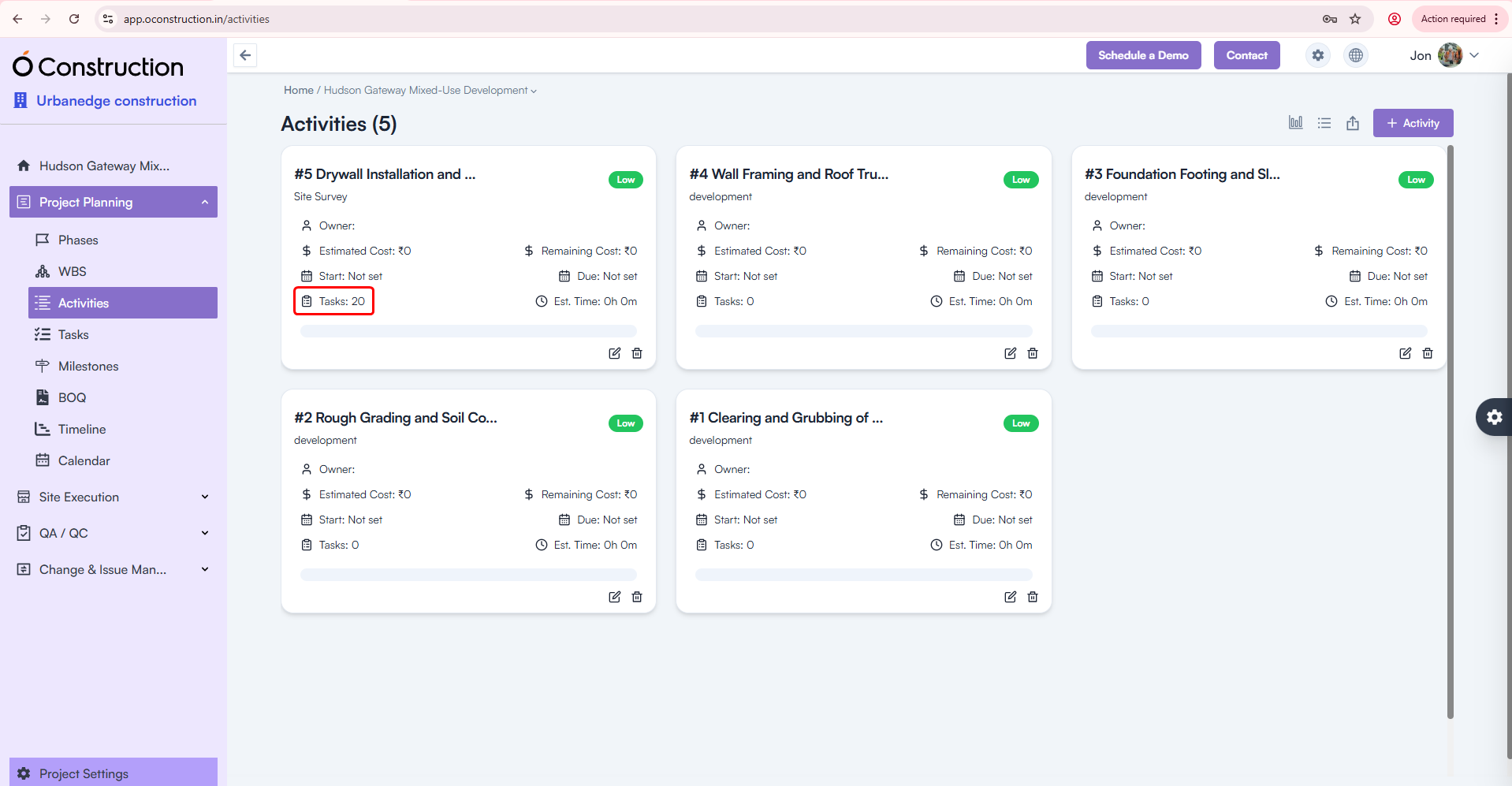
Activity Card Task Count

  • Resource Creation — Proper Validation Alerts

Leaving the Email field blank previously showed a generic toast message:

“Something went wrong”

  • Fix: Now users see the correct validation alert.
  • Benefit: Clear communication and faster error resolution.
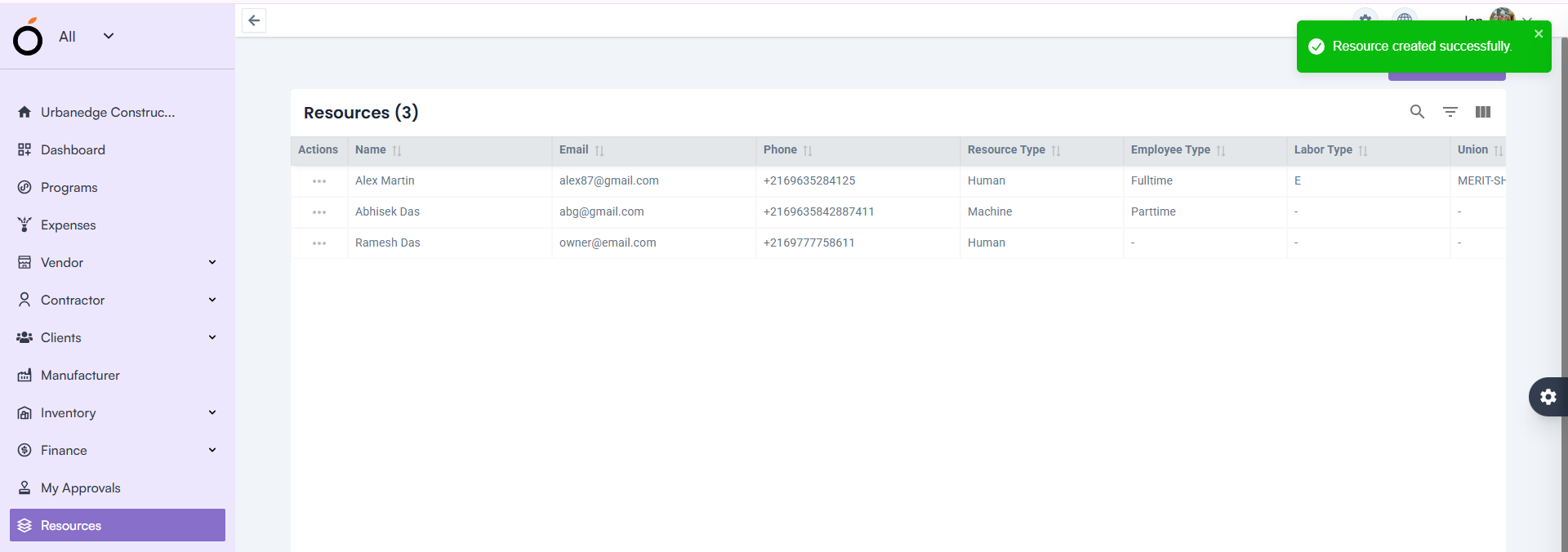
Resource Creation — Proper Validation Alerts

  • Activity Details — Task Creation Error Fixed

Creating tasks under Activity Details incorrectly prompted a 422 error message.

  • Fix: This issue is fully resolved.
  • Benefit: Smoother task addition and execution continuity.
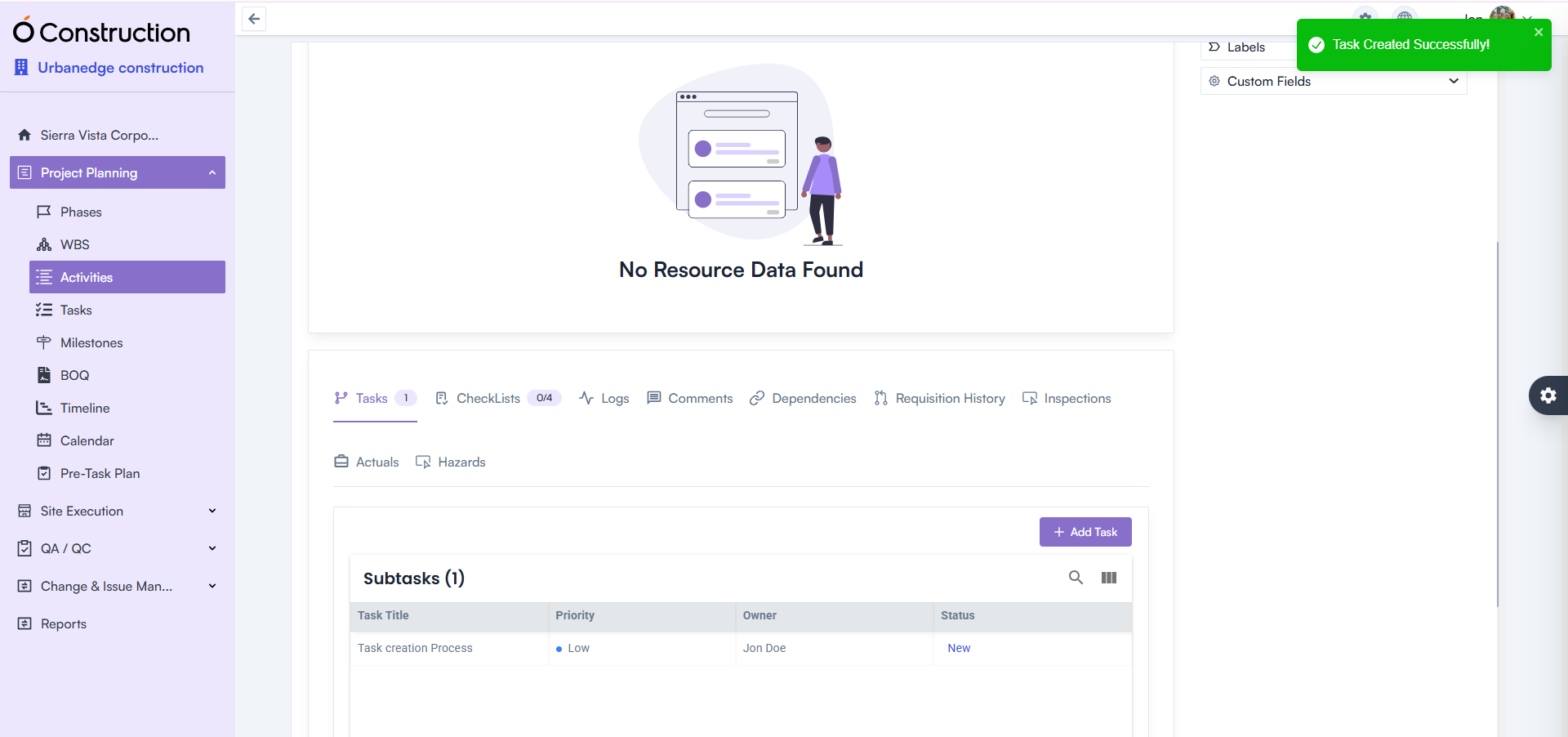
Activity Details — Task Creation Error Fixed

  • Workspace Selection — Default Workspace Fixed

After login, all users were shown “All” as their workspace.

  • Fix: The system now loads the correct workspace based on user permissions.
  • Benefit: Faster access to relevant projects and responsibilities.
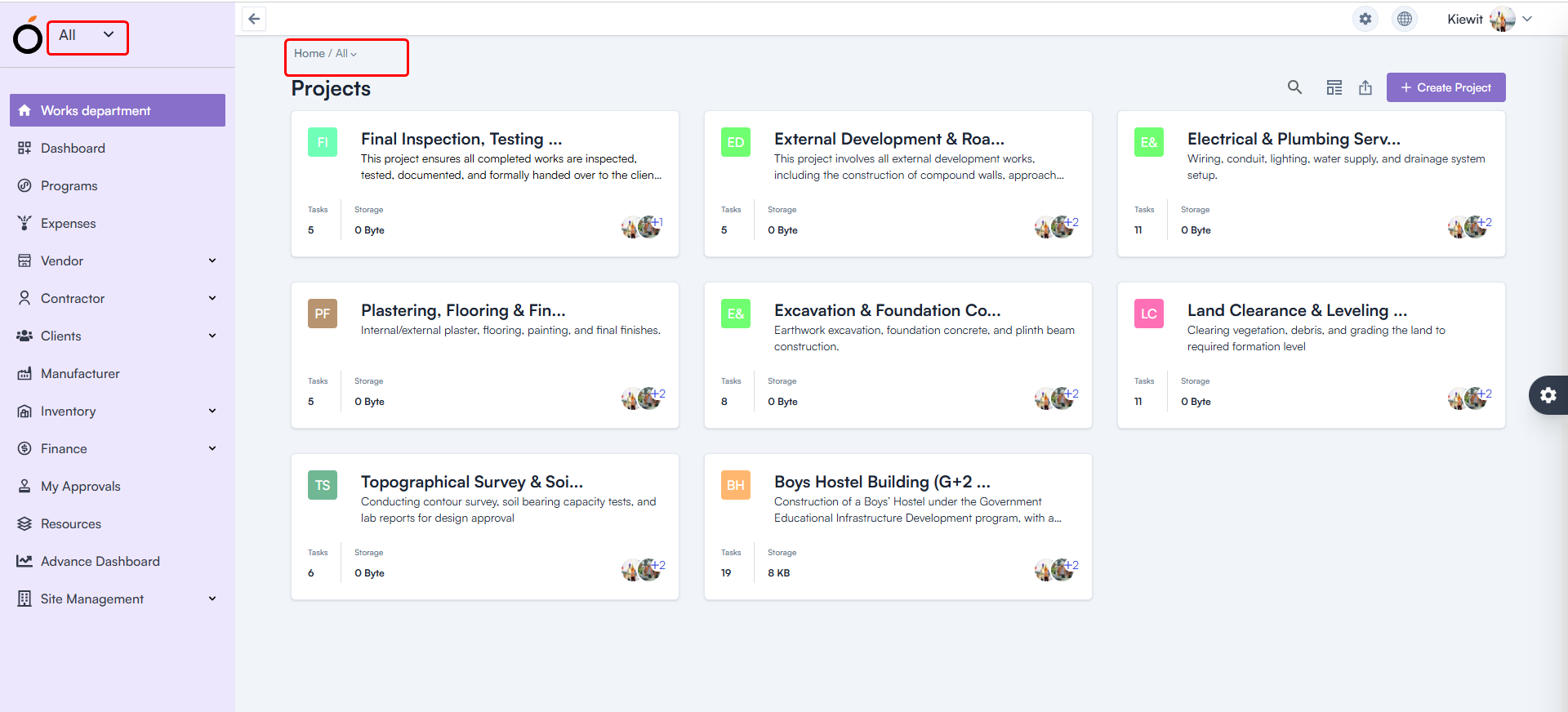
Workspace Selection — Default Workspace

  • Budget Insight – Improved Hierarchy Expand/Collapse

Expand/collapse behavior in Hierarchy View was not consistent.

Budget Insight – Improved Hierarchy

  • WBS Details Page — Item & Asset Adding Enabled

Users previously faced restrictions adding:

  • Items
  • Assets

Fix: Both are now fully functional.
Benefit: Better control over project structure and asset planning.
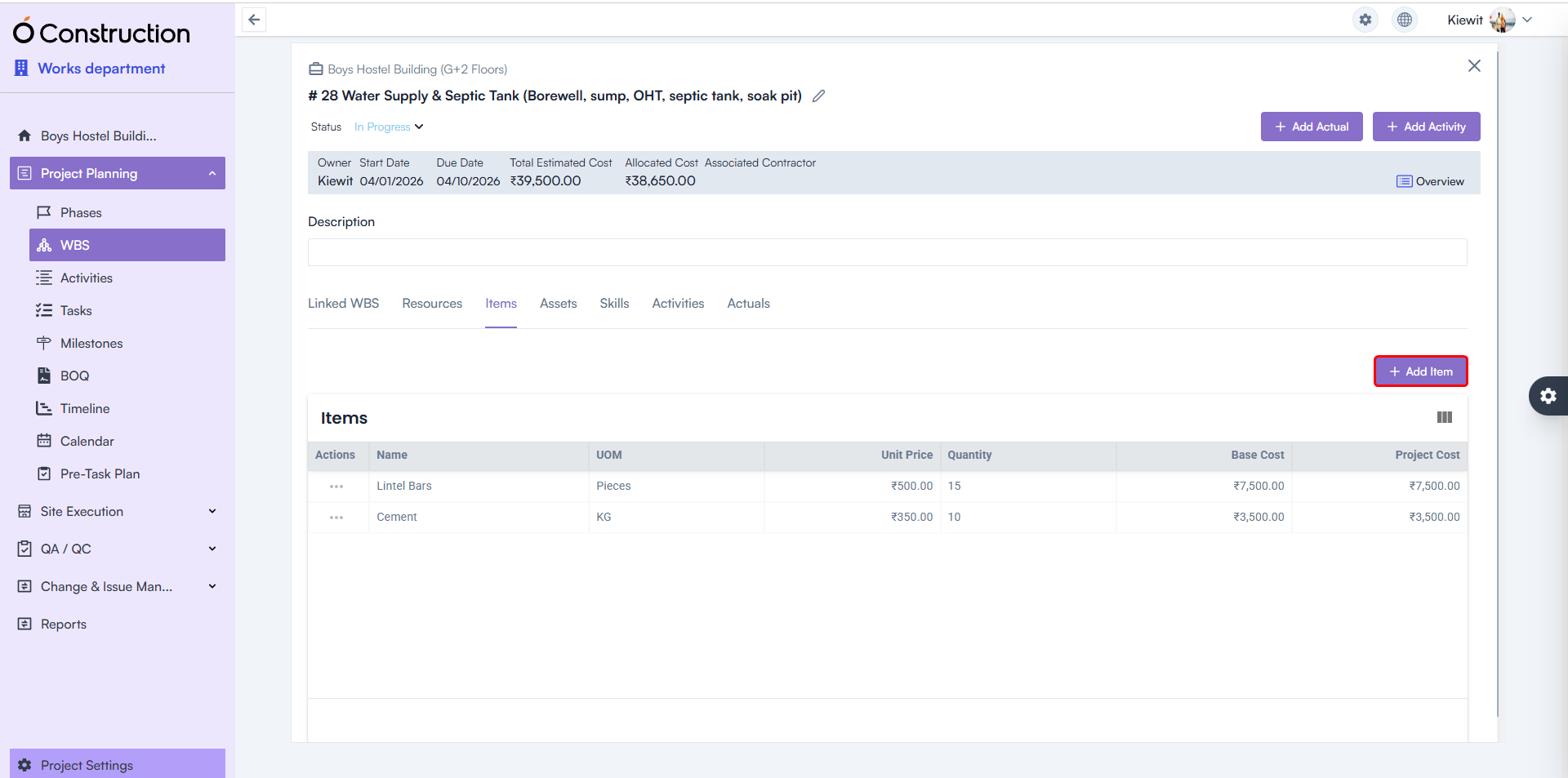
WBS Details Page — Item & Asset Adding Enabled

  • Estimated Hours — Calculation Logic Corrected

Estimated Hours for Tasks and Activities were showing incorrect values.

  • Fix: Calculation formulas have been rectified throughout the system.
  • Benefit: More accurate workforce and schedule planning.
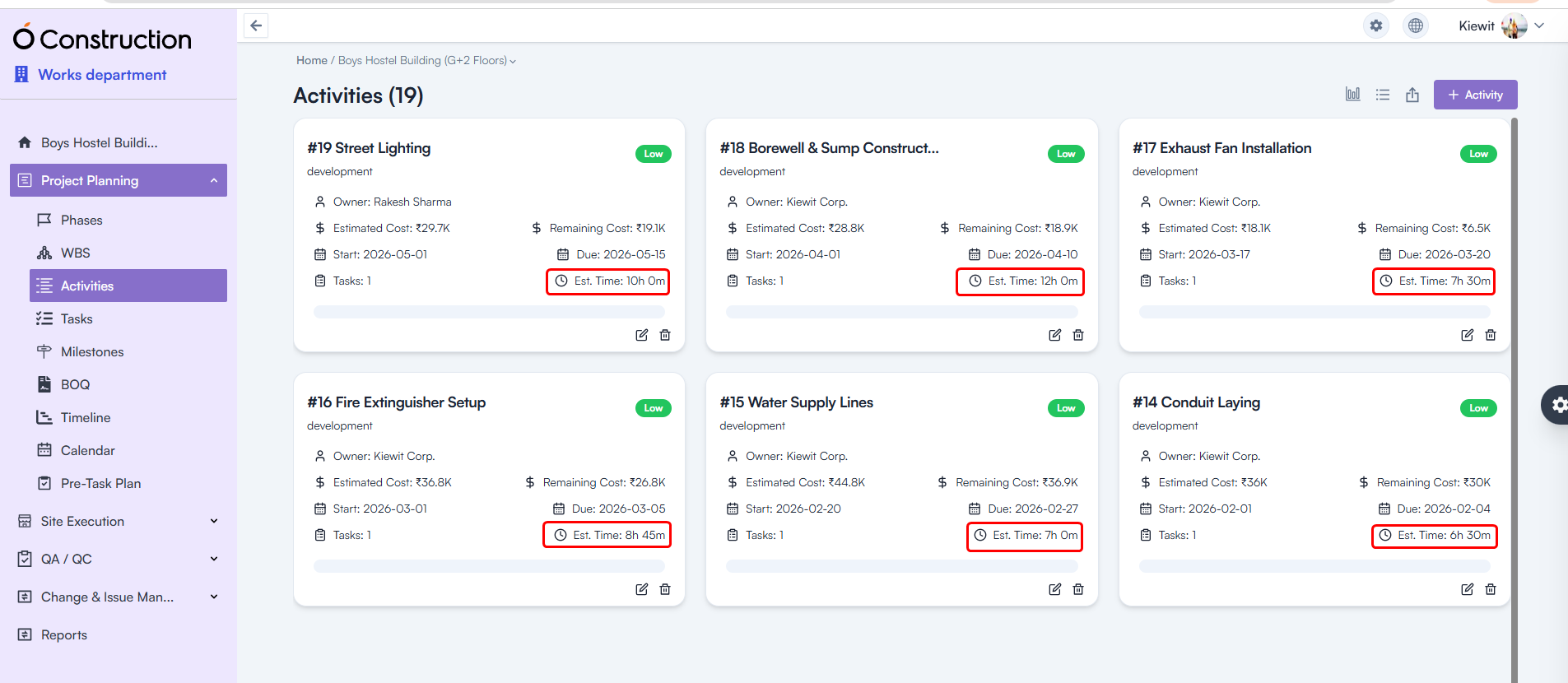
Estimated Hours — Calculation Logic Corrected

Final Takeaway

This December edition of OConstruction Release Notes sharpens the user experience with fixes that boost reliability, calculation accuracy, and workflow clarity across the platform.

We’re continuously improving OConstruction to support both field and office teams with smoother project execution, stronger controls, and more confidence in daily operations.

OConstruction Release Notes: What’s New in November 2025

Managing construction projects requires accuracy, clarity, and seamless workflows — and we continuously refine OConstruction to support that. This November, we’re rolling out another round of OConstruction Release Notes – important improvements focused on reliability, faster reporting, better visibility, and error-free execution across modules such as Punchlist, WBS Dependencies, Parameters, Finance, Structure Settings, and more.

Whether you work onsite or at the office, this update ensures a smoother, cleaner, and more dependable experience across OConstruction.

Let’s walk through what’s new.

Release Update – 21/11: Stability Fixes & UI Improvements

1) Due Date Display Fix – Budget Insights (Bug Fix)

The Due Date field in Budget Insights was appearing blank.

  • Fix: The issue has been resolved — Due Dates now display correctly.
  • Benefit: Clearer budget forecasting and accurate timeline visibility.

Due Date Display Fix – Budget Insights

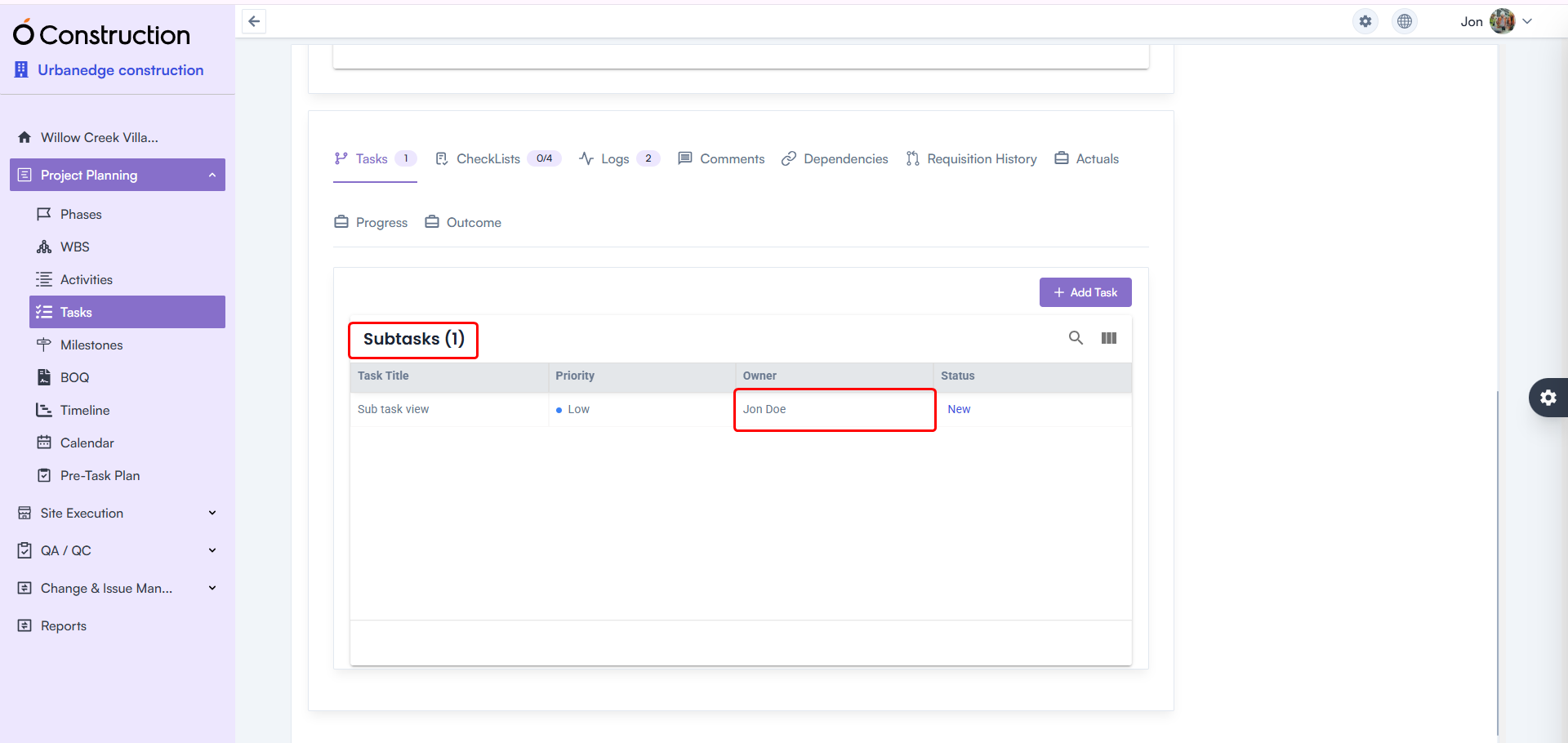
2) Owner Name Display in Subtasks (Bug Fix)

Owner names in Subtasks were previously shown as blank.

  • Fix: Correct owner names now display as expected.
  • Benefit: Better task tracking and clearer accountability.

Owner Name Display in Subtasks

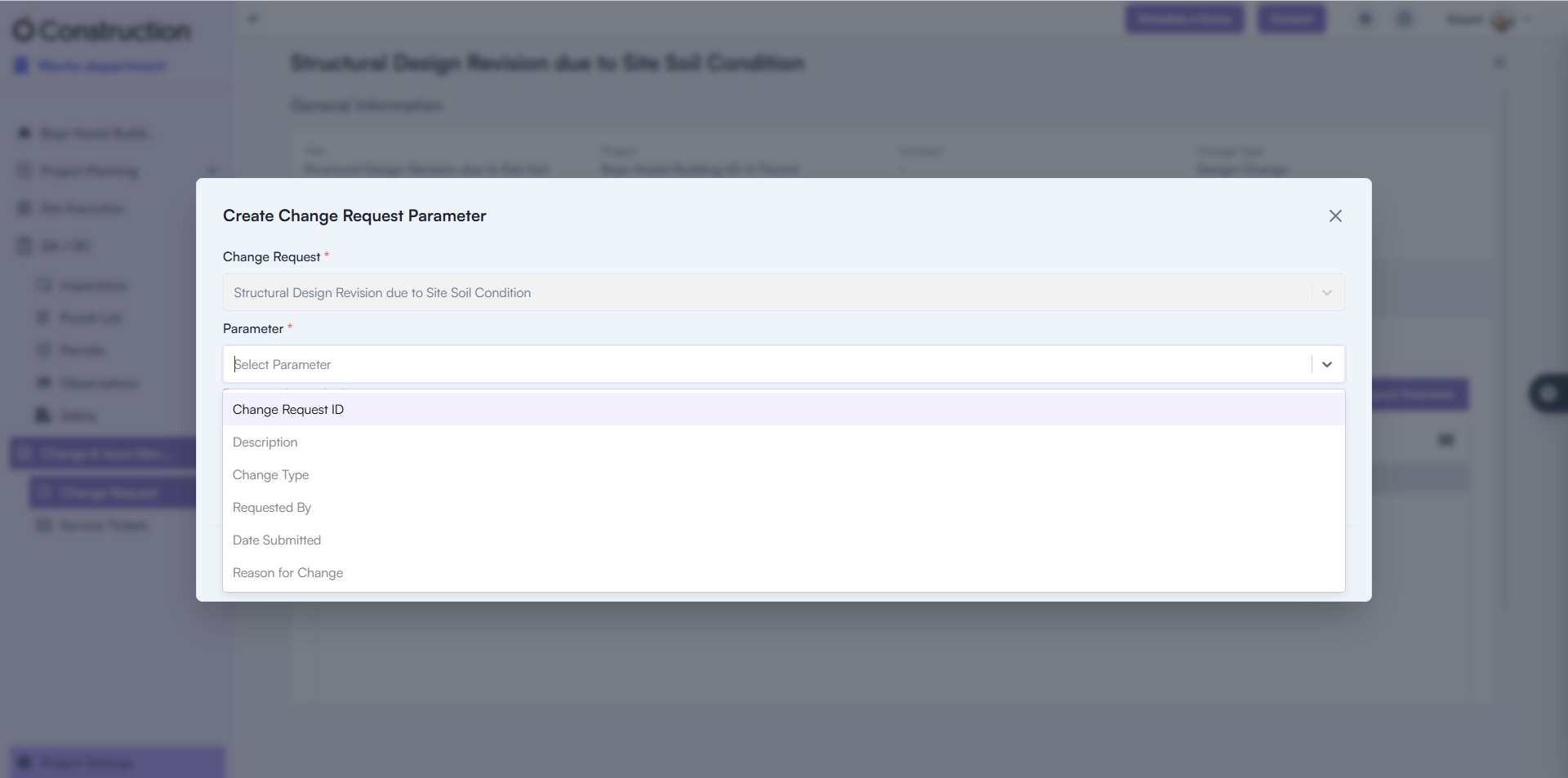
3) Change Request Parameter Creation (Bug Fix)

Users were unable to add new Change Request Parameters.

  • Fix: Creation functionality is now fully restored.
  • Benefit: Faster change request setup with uninterrupted workflows.

Change Request Parameter Creation

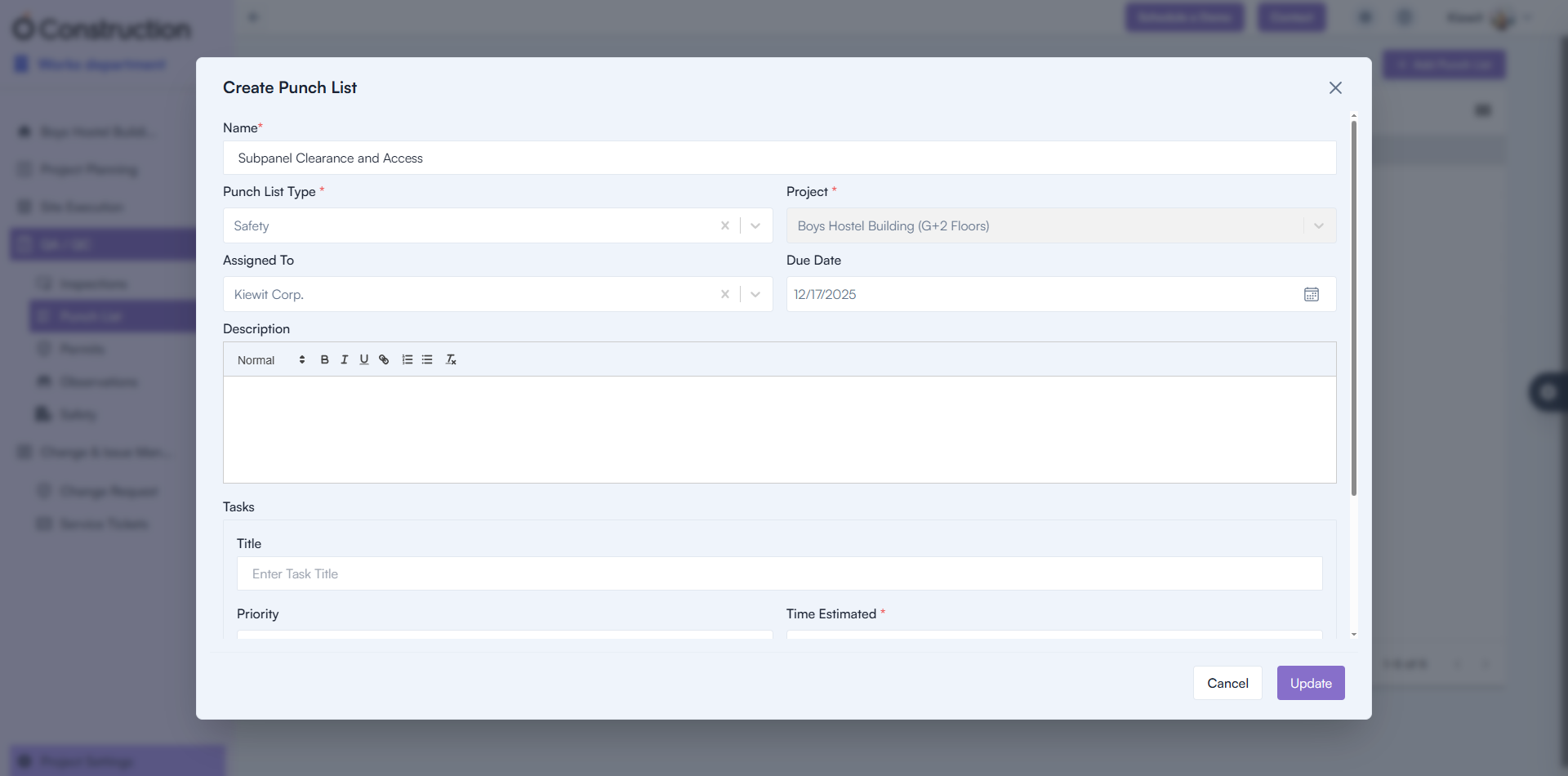
4) Punchlist Creation Failure (Bug Fix)

Punchlist creation attempts were failing.

Punchlist Creation Failure

5) Parameter Name Visibility (Bug Fix)

Parameter names were appearing blank in the UI.

  • Fix: Names now display correctly.
  • Benefit: Improved clarity when configuring parameters.

Parameter Name Visibility

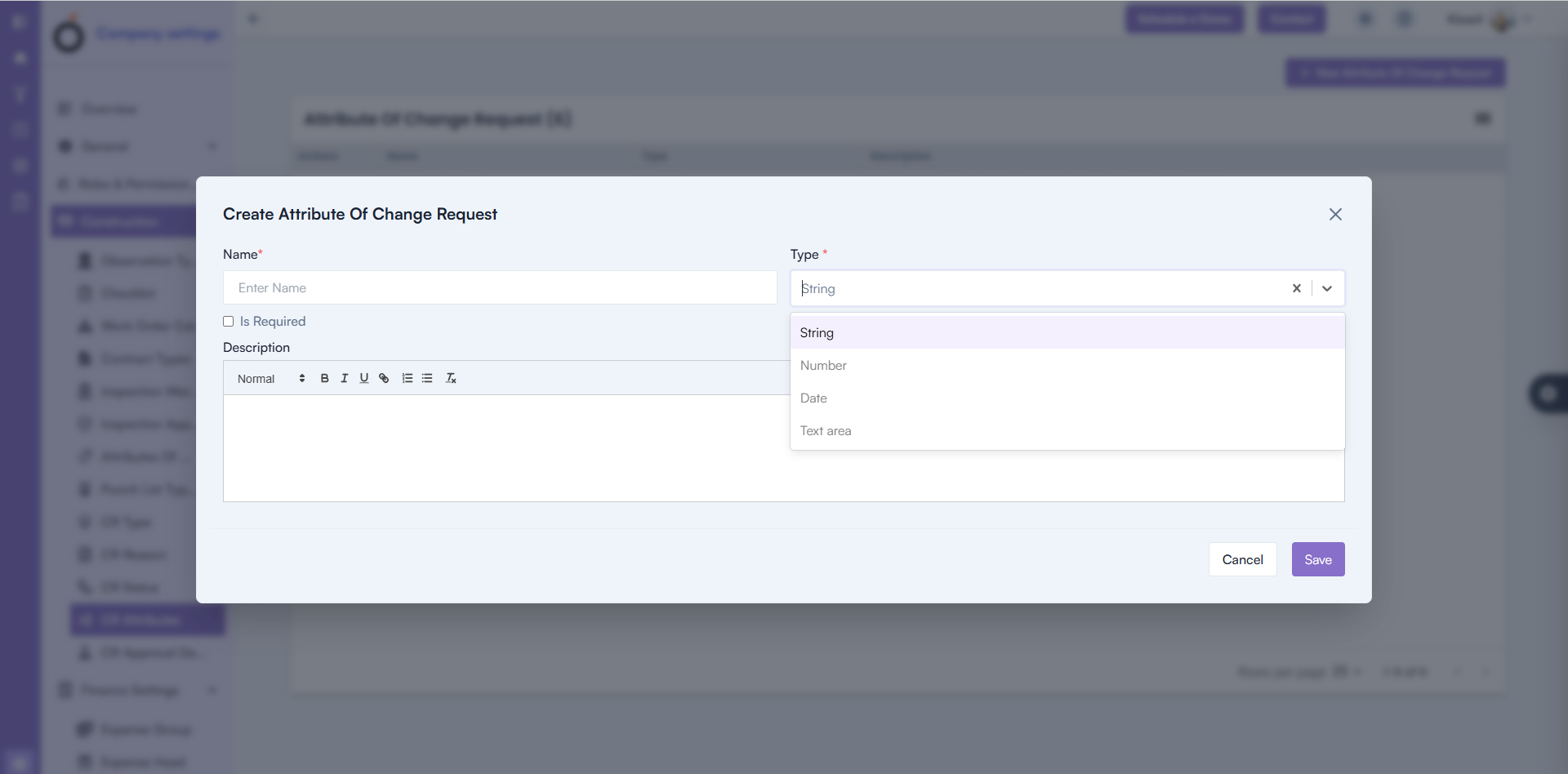
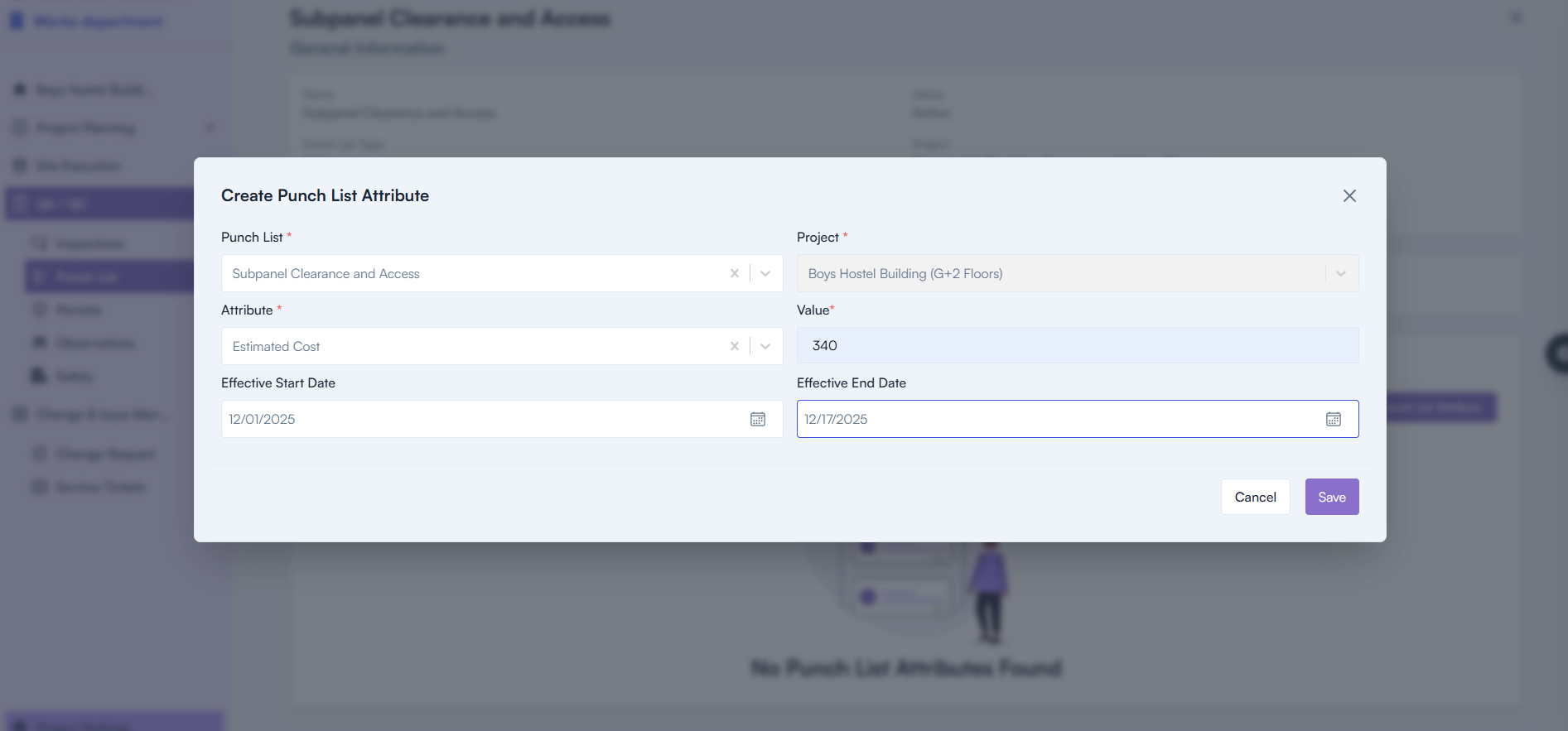
6) Attribute Display in Parameters Tab (Bug Fix)

Attributes were not appearing properly inside the Parameters tab.

  • Fix: Correct attribute values now render accurately.
  • Benefit: More complete configuration experience.

Attribute Display in Parameters Tab

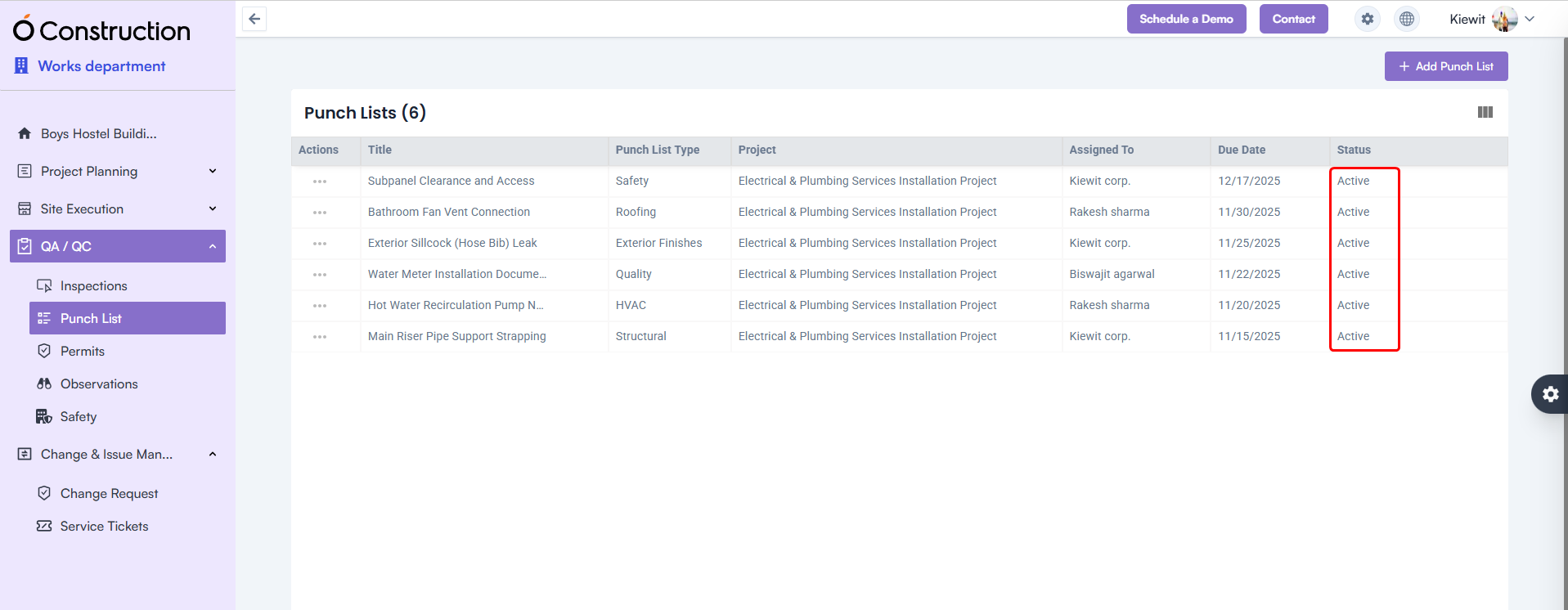
7) Punchlist Status Display (Bug Fix)

Punchlist Status display was blank.

Punchlist Status Display

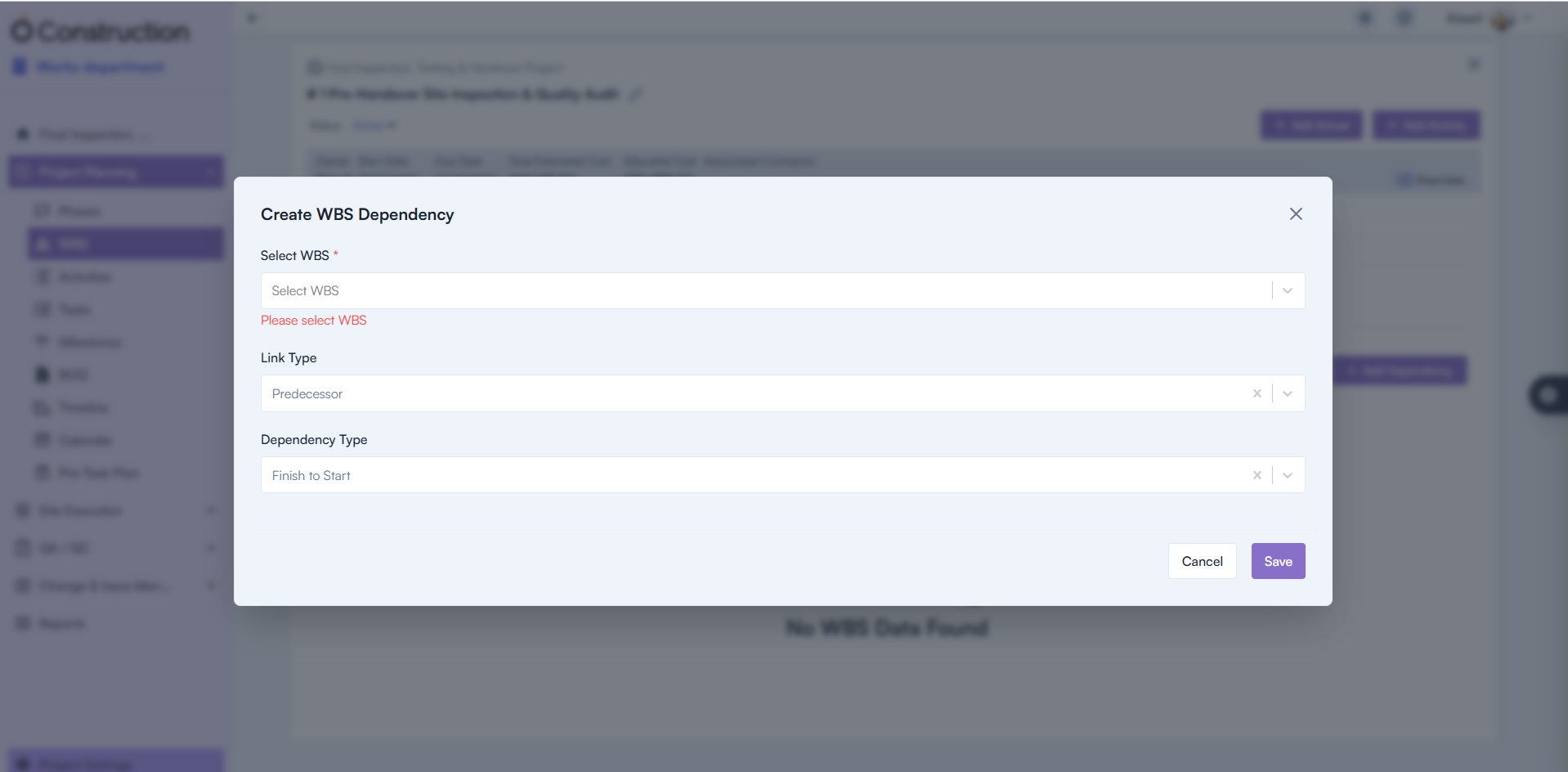
8) Mandatory Field Validation – WBS Dependency (Bug Fix)

Missing mandatory warnings caused confusion during dependency setup.

  • Fix: Proper validation alerts now appear.
  • Benefit: Improved accuracy and setup clarity.

Mandatory Field Validation – WBS Dependency

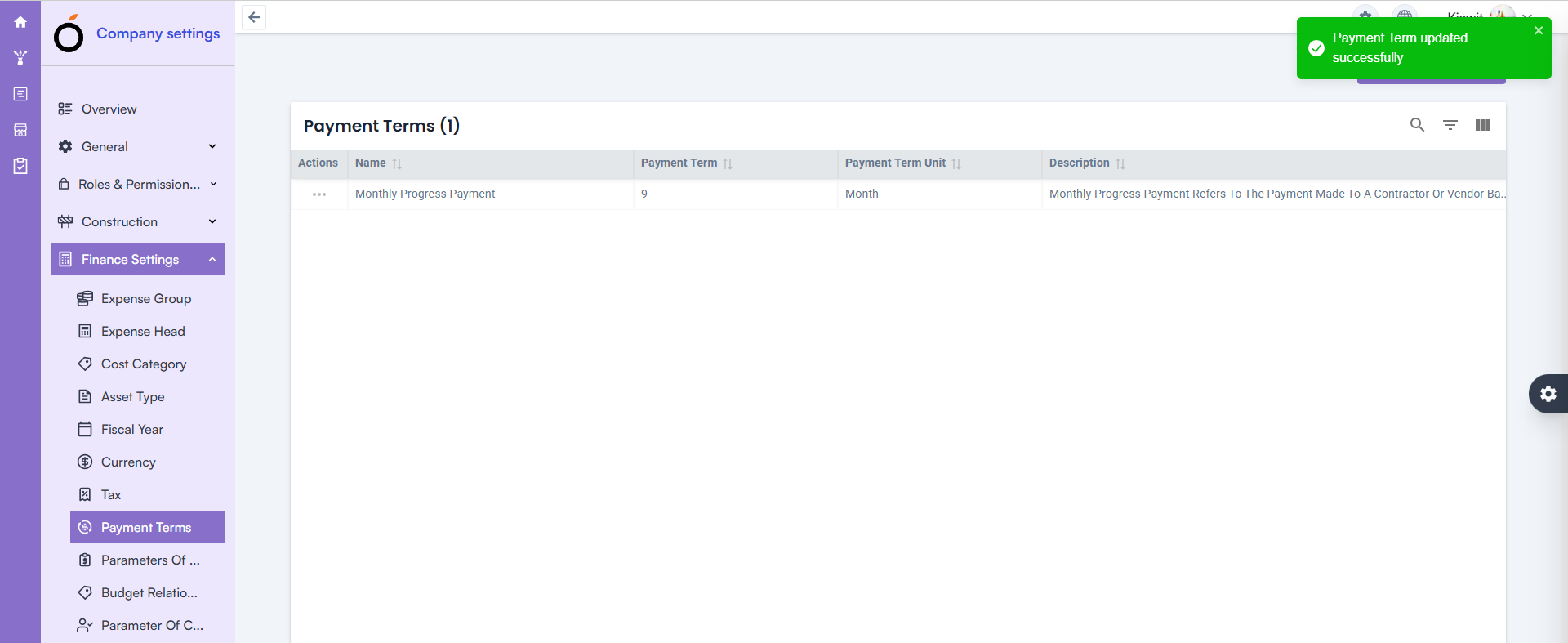
09) Finance Inline Edit Update – Payment Terms (Bug Fix)

Updating Payment Terms via inline edit was not working.

  • Fix: Inline editing now functions smoothly.
  • Benefit: Faster financial configuration with fewer steps.

Finance Inline Edit Update – Payment Terms

10) Structure Details Page – 500 Error Resolved (Bug Fix)

Opening the Structure Details Page triggered a 500 Internal Server Error.

  • Fix: Backend issues resolved and page loads correctly.
  • Benefit: Stable access to project structure data.

Structure Details Page – 500 Error Resolved

Conclusion

This round of OConstruction Release Notes brings meaningful fixes that enhance reliability, improve clarity, and reduce disruptions across your workflows.

From Punchlist and Parameters improvements to Project Visibility, Finance enhancements, and WBS validation upgrades — every fix supports smoother execution and greater confidence in reporting.

Stay tuned — more improvements and feature releases are on the way as we continue strengthening OConstruction for construction teams worldwide.

Category: Construction Academy

Subcategory: Budgeting and Planning

Subcategory: Construction Phase

Subcategory: Design Coordination

Subcategory: Estimation Techniques

Subcategory: Initiation and Feasibility

Subcategory: Introduction

Subcategory: Personal Management

Subcategory: Project Close-Out

Subcategory: Project Scheduling

Subcategory: Project Teams

Subcategory: Proposal Management

Subcategory: Total Quality Management

Subcategory: Tracking and Control

Subcategory: Work Breakdown

Category: Help Desk

Subcategory: Client

Subcategory: Construction 101

Subcategory: Contractor Management

Subcategory: Expense

Subcategory: Finance Budget

Subcategory: Inventory Management

Subcategory: My Approvals

Subcategory: Site Management

Subcategory: Vendor Management